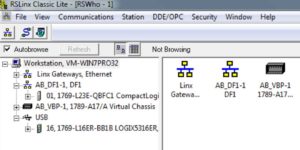
 In today’s article I walk you through how to set or change a CompactLogix processor’s Ethernet address through its Serial Port using RSLinx Classic.
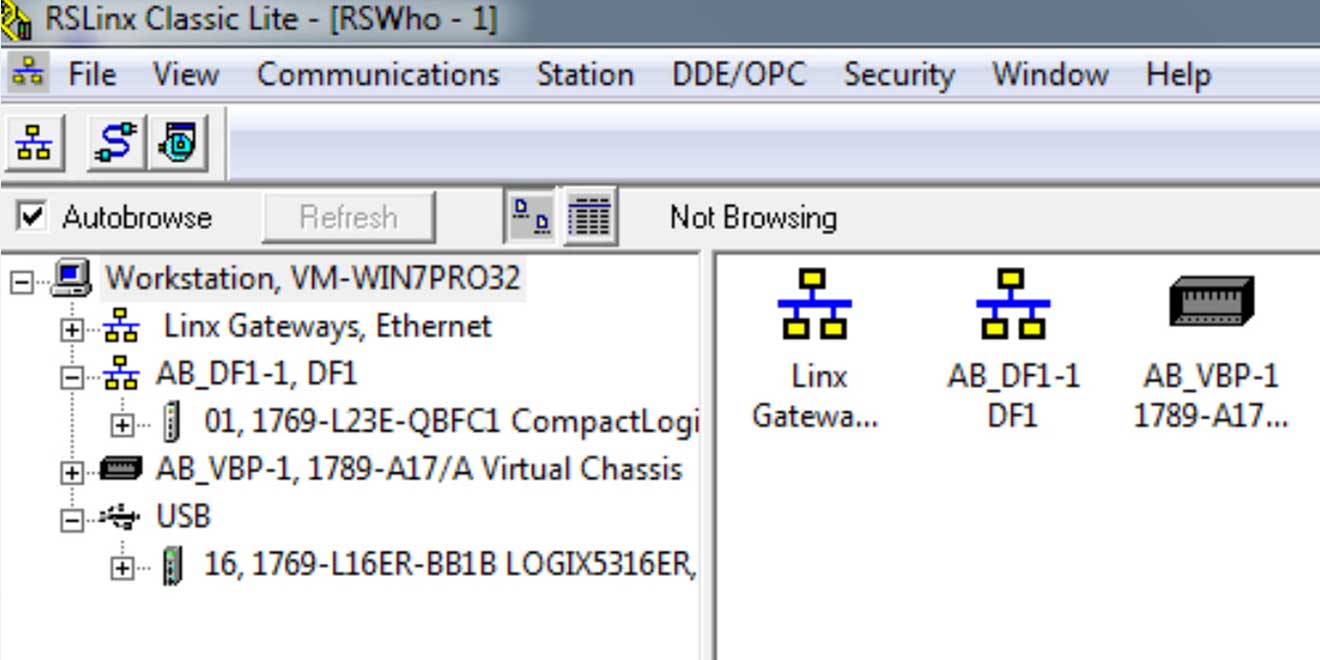
Step 1) Confirm your RSLinx RSWho window browses your CompactLogix via the DF1 driver
Open RSLinx and check to be sure your CompactLogix is showing up under the Serial DF1 driver as shown below:
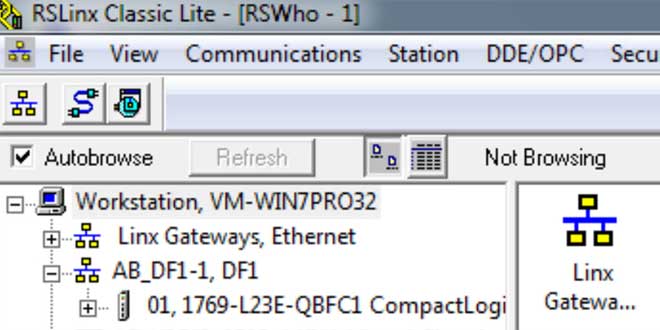
NOTE: If you would like to learn how to setup an RSLinx driver to communicate to a CompactLogix processor using a serial connection, see our previous article HERE.
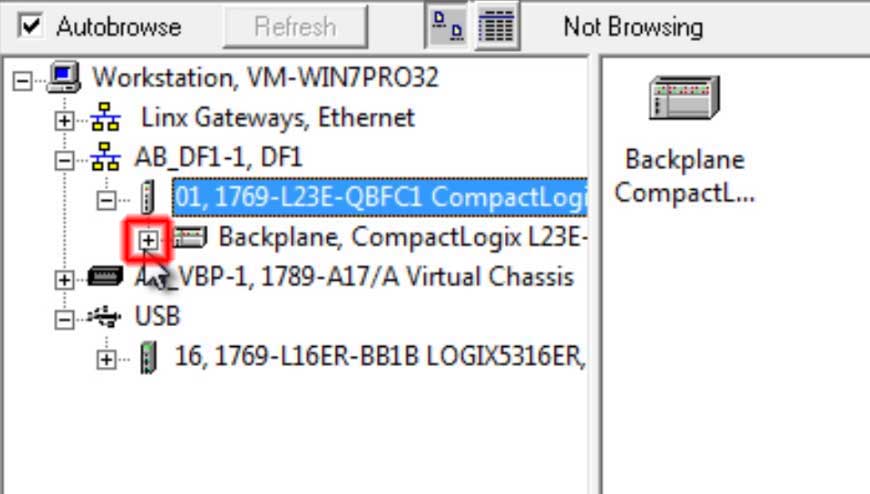
Step 2) Expand the CompactLogix in RSWho
Next, click on the small “plus” symbol to the left of your CompactLogix in order to browse its contents:
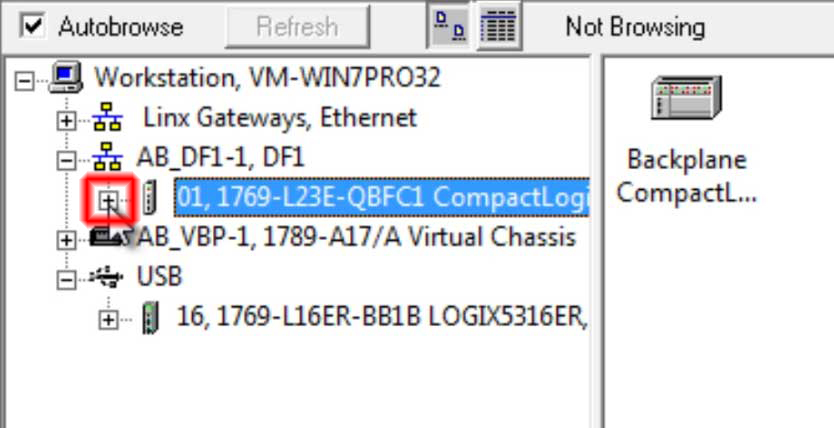
Step 3) Expand “Backplane” under processor
Now expand the “Backplane” device under the processor:
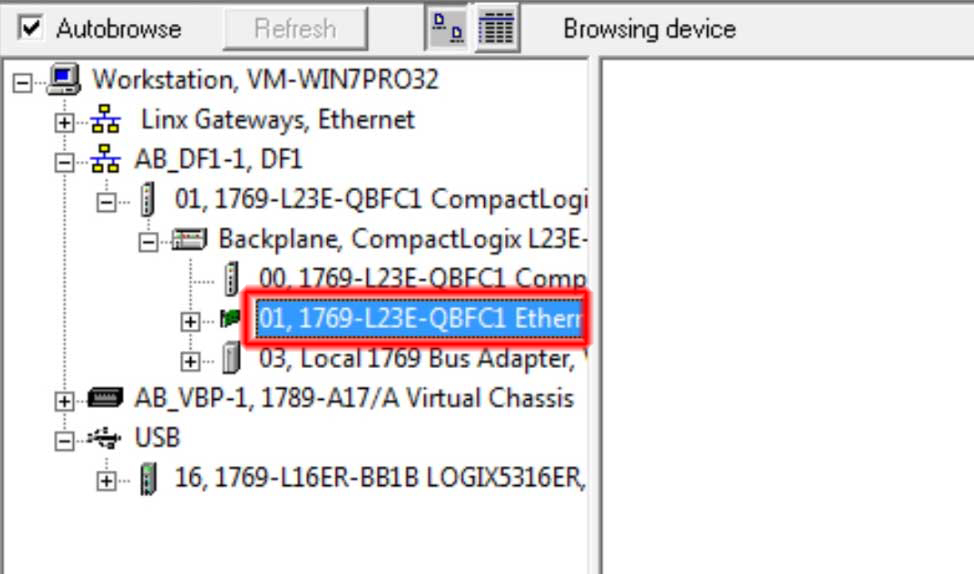
Step 4) Select the Ethernet device
The next step is to select the Ethernet Card / Module underneath the “Backplane” as shown below:
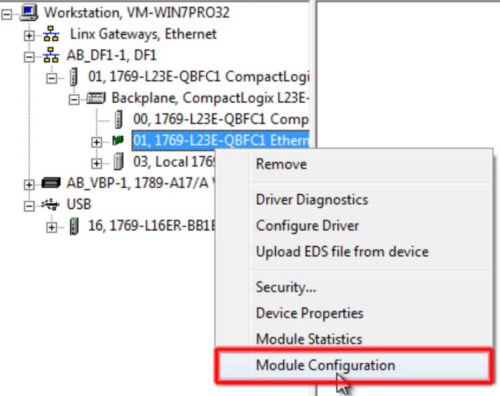
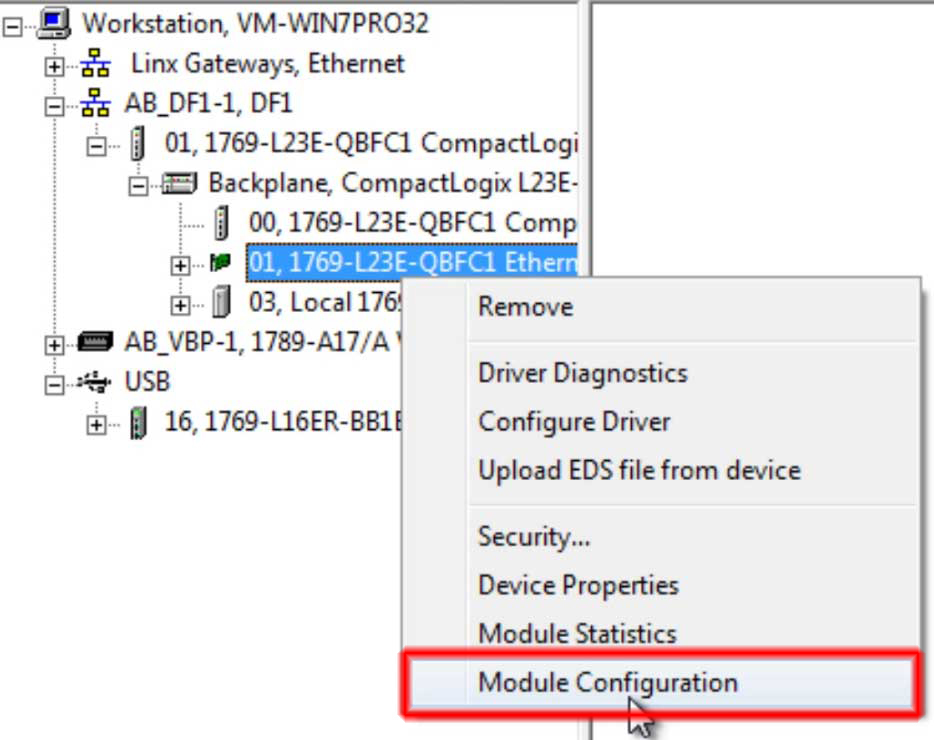
Step 5) Right click on Ethernet device and select Module Configuration
Right click on the Ethernet card and select “Module Configuration” from the menu as shown below:
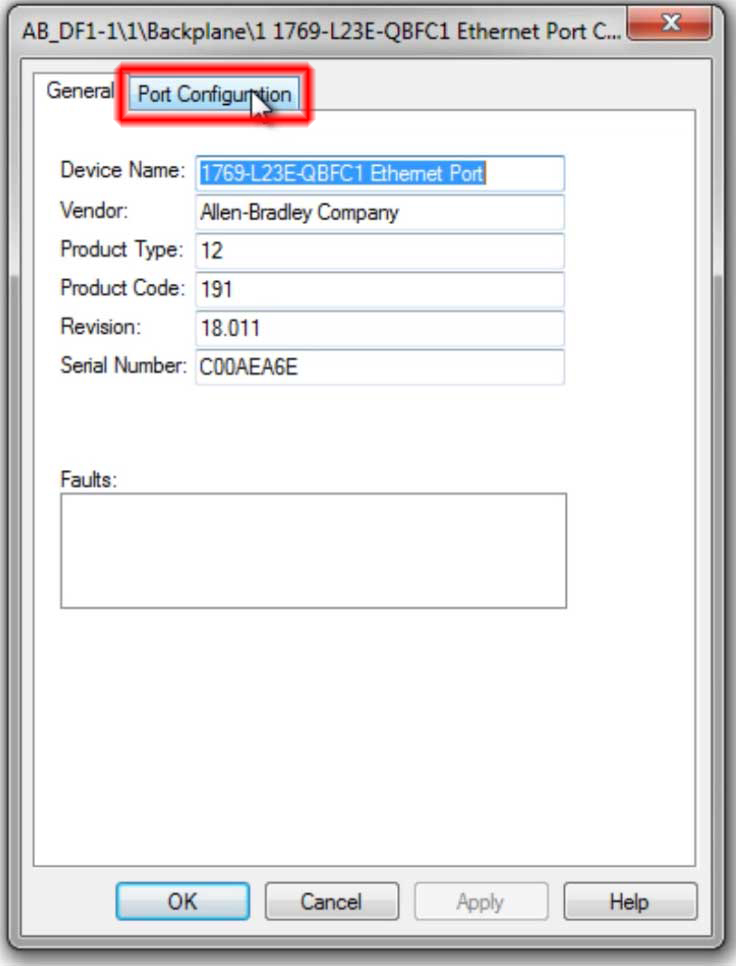
 Step 6) Select the “Port Configuration” tab
In the popup window select the “Port Configuration” tab:
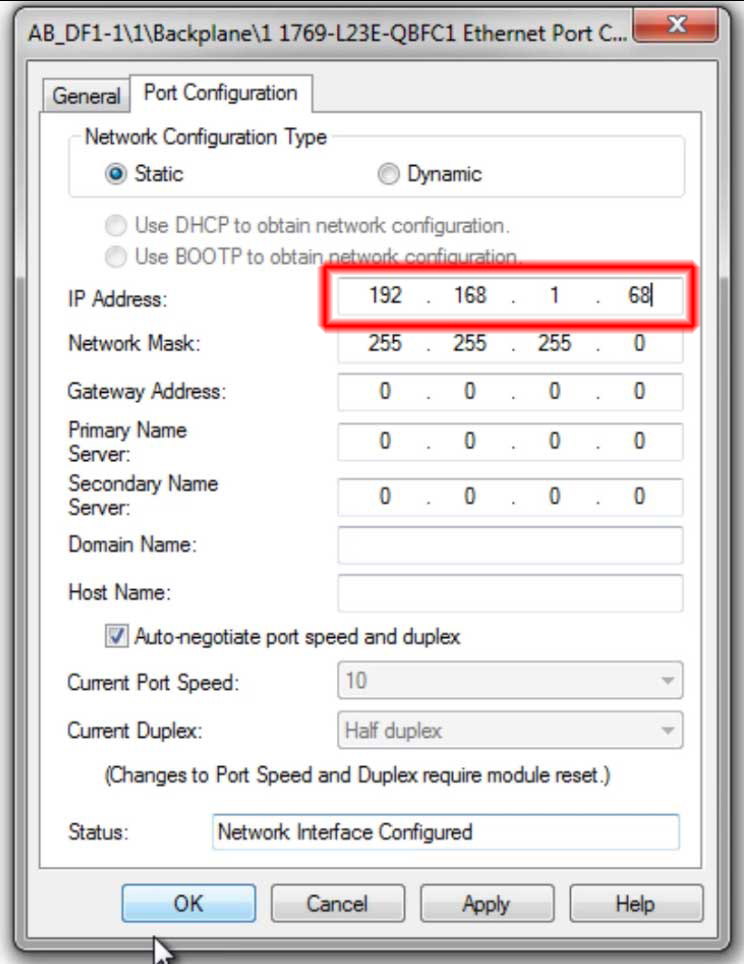
Step 7) Enter in a new Ethernet address and insure “Static” is selected
Now you can enter in an Ethernet address for your CompactLogix’s Ethernet port. Also be sure “Static” is selected, and then click on OK:
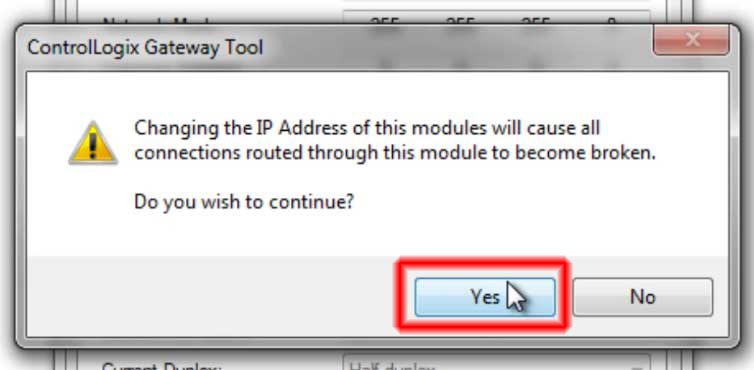
Step 8) Accept Configuration
The final step is to accept the configuration by clicking on “Yes,” after which your CompactLogix will have the Ethernet address you entered above:
NOTE: You can watch me run through the above steps in today’s video episode of The Automation Minute!
I hope the above article on how to set or change a CompactLogix’s Ethernet address through its serial port using RSLinx was helpful.
If you have any questions or comments, please feel free to share them with us by clicking on the “post a comment or question” link below.
Until next time, Peace ✌️
If you enjoyed this content, please give it a Like, and consider Sharing a link to it as that is the best way for us to grow our audience, which in turn allows us to produce more content 🙂
Shawn M Tierney
Technology Enthusiast & Content Creator
Support our work and gain access to hundreds members only articles and videos by becoming a member at The Automation Blog or on YouTube. You’ll also find all of my affordable PLC, HMI, and SCADA courses at TheAutomationSchool.com.

- FactoryTalk Design Workbench First Look, CCW Comparison - December 19, 2025
- Drew Allen of Grace Technologies on Automation, Safety, and More (P256) - December 17, 2025
- Robotics in Warehouse Automation with Erik Nieves of Plus One Robotics (P255) - December 10, 2025
Discover more from The Automation Blog
Subscribe to get the latest posts sent to your email.