Twenty Five things you need to know about using the PanelView Plus and View Studio
Part 4 of 5
Browsing for Tags
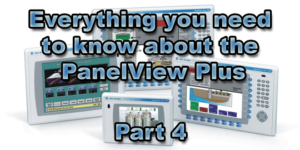 16) When your Shortcut shows up as a Tag
When browsing for Tags, if your RSLinx Enterprise shortcut shows up on the right side as a tag, your RSLinx Enterprise shortcut has not been “applied” to a valid processor. This is typically seen in early versions of the software.
Graphic Display Design
17) Always check your project resolution setting before creating graphic displays
Always check the resolution of your PanelView Plus and set this in your ViewStudio project settings to match before creating graphic displays.
Also, when using the PanelView Plus 400 and 600 you will need to increase the font sizes of the objects on the pre-made “pop-up” screens ([ALARMS], [INFORMATION], etc)
18) Use pre-loaded fonts to maintain the same look in Runtime as Development
Not every font on your PC is installed on the PanelView Plus. So if you use or other fonts besides the defaults, you may want to install these additional fonts onto your PanelView Plus to maintain the same look and feel as in ViewStudio (see the PVPlus manual for more info.)
19) The default graphic display update rate is too slow.
When designing screens, for a quick snappy response I recommend editing the default Display Settings screen update rate property from a 1 second update to .25 or .1.
20) Always add a “goto config” button to your project
Always put a “goto config” button on at least one graphic display screen in your project. If you forget to, you can typically re-download a new project that has one (as long as you still know the communication settings.)
NOTE: Links to all of the articles in this series are below
- Everything you need to know about the PanelView Plus, Part 1
- Everything you need to know about the PanelView Plus, Part 2
- Everything you need to know about the PanelView Plus, Part 3
- Everything you need to know about the PanelView Plus, Part 4
- Everything you need to know about the PanelView Plus, Part 5
Well that’s it for today’s article and five more things you need to know before using a PanelView Plus. Come back tomorrow to find out what the final five are.
And for more articles about the PanelView Plus, check out our PanelView Plus Blog Index.
Until next time, Peace ✌️
If you enjoyed this content, please give it a Like, and consider Sharing a link to it as that is the best way for us to grow our audience, which in turn allows us to produce more content 🙂
Shawn M Tierney
Technology Enthusiast & Content Creator
Support our work and gain access to hundreds members only articles and videos by becoming a member at The Automation Blog or on YouTube. You’ll also find all of my affordable PLC, HMI, and SCADA courses at TheAutomationSchool.com.

- Digital Twin Discussion with Arthur Alter of Smart Spatial (01/15/26) - January 15, 2026
- PRONETIQS: Measure, Monitor, and Maintain (P257) - January 14, 2026
- FactoryTalk Design Workbench First Look, CCW Comparison - December 19, 2025

Discover more from The Automation Blog
Subscribe to get the latest posts sent to your email.