

So you’ve downloaded and installed Rockwell’s Ethernet/IP capacity tool, but it won’t run?
Are you getting the below pup-up error which states, “The program can’t start because mfc100.dll is missing…”
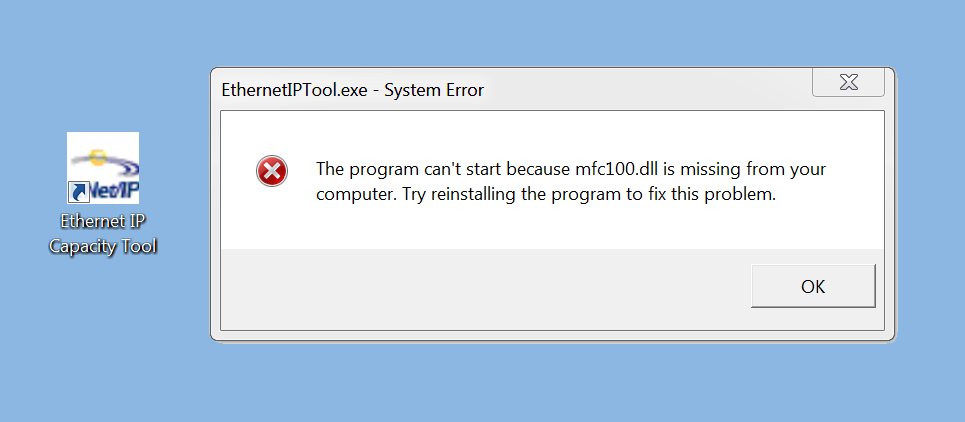 Well the good news is there is a pretty easy fix for this issue.
What you need is to install the Visual Studio 32bit redistributable package.
To get it, start buy navigating to the below URL:
Once downloaded, install the above package.
Once installed, you should now be able to open and run Rockwell’s Ethernet/IP Capacity Tool.
For more information about this tool, see our previous articles:
- How to get Rockwell’s Ethernet/IP Capacity Tool
- Using the Ethernet/IP Capacity Tool
- L32E vs L33ER: Which can control more I/O?
I hope you found today’s article helpful. If you have any comments, questions, or suggestions please don’t hesitate to leave them with us by filling in the “post a comment or question” link below.
Until next time, Peace ✌️
If you enjoyed this content, please give it a Like, and consider Sharing a link to it as that is the best way for us to grow our audience, which in turn allows us to produce more content 🙂
Shawn M Tierney
Technology Enthusiast & Content Creator
Support our work and gain access to hundreds members only articles and videos by becoming a member at The Automation Blog or on YouTube. You’ll also find all of my affordable PLC, HMI, and SCADA courses at TheAutomationSchool.com.

- What New in TIA Portal v21 (P259) - January 28, 2026
- What’s New At Insights (WN2601) - January 26, 2026
- Digital Transformations & Industrial Automation Trends with Dante Vaccaro (P258) - January 21, 2026

Discover more from The Automation Blog
Subscribe to get the latest posts sent to your email.