Home Blog Page 3

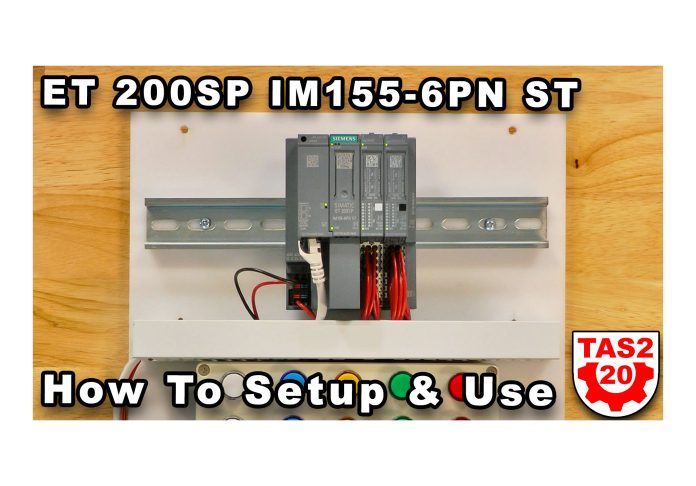
ET 200SP IM155-6PN ST Setup & Use (S2E20)

Shawn walks through how to setup and use the ET 200SP IM155-6PM ST Interface Module with 16 point DI and DQ I/O modules in Episode 20 of The Automation Show, Season 2.

For any links related to this episode, check out the “Show Notes” located below the video.


Watch The Automation Show from The Automation Blog:


Note: To unlock the extended edition of this video become a member starting at just $5/mo here.


The Automation Show, Season 2 Episode 20 Show Notes: Helpful links on the product shown in the video are listed below:

Programming Note: Due to scheduling conflicts, episodes 19-2x are releasing prior to episodes 17+18 😉


Until next time, Peace ✌️ 

If you enjoyed this content, please give it a Like, and consider Sharing a link to it as that is the best way for us to grow our audience, which in turn allows us to produce more content 🙂

Shawn M Tierney
Technology Enthusiast & Content Creator

Support our work and gain access to hundreds members only articles and videos by becoming a member at The Automation Blog or on YouTube. You’ll also find all of my affordable PLC, HMI, and SCADA courses at TheAutomationSchool.com.

Shawn Tierney

(no views)
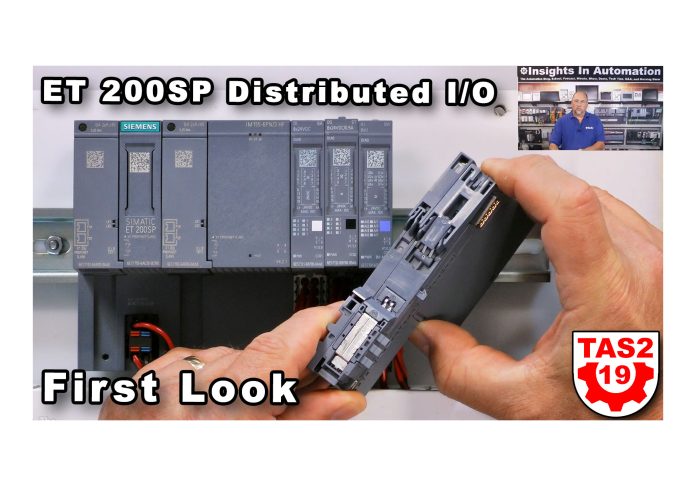
ET 200SP Distributed IO First Look (S2E19)

Shawn takes a look at the ET 200SP line of Distributed I/O from Siemens in Episode 19 of The Automation Show, Season 2.

For any links related to this episode, check out the “Show Notes” located below the video.


Watch The Automation Show from The Automation Blog:


Listen to The Automation Show on The Automation Blog:


The Automation Show, Season 2 Episode 19 Show Notes: The links mentioned in the video are listed below:

Programming Note: Due to scheduling conflicts, episodes 17 & 18 and releasing after episodes 19-2x :-O


Read the transcript on The Automation Blog: (automatically generated)

Shawn Tierney (Host):

Hey everybody. Welcome back to the show. My name is Shawn Tierney from Insights and Automation. And today, we’re talking e t 200 s p distributed IO from Siemens. Before we go any farther, I do wanna thank Siemens for sending in the samples and for sponsoring this episode so it will be ad free, and that’s as far as it goes.

Everything else is my own opinion and thoughts. And, although I do appreciate them making this ad free and sending in the samples because I wanna be able to show them to you if I didn’t have them. And, this is one of the reasons I’m doing this is I just put these hands on demos together for my students who come out to the automation school for hands on training. So I wanted to have something they could bring to their station and program with an s seven twelve hundred or 1,500. And, so I’m creating a bunch of these, and you’ll see more and more of these as the weeks go on.

But in any case, I we previously covered a couple on IFM, but now I’m doing the e t 200 s p. So we’ll take a closer look at the hardware in a little bit. But But before we get into the hardware, I did wanna run through some slides that do a great job of explaining what e t 200 s p I o is. And, again, I call it distributed IO, not remote IO because here in America, most of us know there is a remote IO product from Rockwell Automation that is trademarked, Rockwell. So we don’t wanna confuse people by using the term remote IO when possible.

So let’s go ahead and go to the slide deck now. And, the first slide is and, again, these this is a slightly of a couple three year old slide deck from Siemens that we’re gonna be going through. And, you know, the first thing is, hey. E t 200 s p and e t 200 m p I o or I p 20 in cabinet I o. They’re not on machine or machine mount IO.

And, of course, the e t 200 MP is the full size IO that’s about the same size as the 1,500, whereas the SP is the smaller. They’re like the slice IO you see from all the different vendors. A matter of fact, a couple of big vendors are coming out with new IO this fall or have already come out with it, and we’ll be covering those as well in the coming weeks. But today, we’re focusing on e t 200 s p. And so I wanted to, talk about, you know, this is a marketing slide that Siemens puts in their presentations, and it makes sense.

All the vendors wanna have IO for all the different applications, and Siemens is no different. And, actually, they got some stuff that other vendors don’t have. But I’m gonna go right beyond this one and jump right into, you know, the main selling points of this product line where it’s compact, it’s fast, it’s any of NG efficient, it’s easy to wire, and I can attest to that having done three, four hundred wires here. It was very easy to wire. I really liked it.

They say it has a great environmental coverage. There actually is, some extreme modules. We’ll talk about that towards the end. And then built in diagnostics. Again, depending if you buy the high function and standard or basic modules, right, will depend on what kinda diagnostics you get.

In any case, here is what it looks like now. The coloring of this slide, I think that the pictures colors the gray is a little lighter, almost it’s almost like a light green. It’s darker in person as we saw. Let me switch over here. As you can see here.

So, I don’t know what’s going on with that, but one of the things you do see on this slide is, one of the first things you’ll notice is a fail safe module, so safety modules. So, yes, you can mix standard and fail safe modules in the same rack or same lineup. The other thing you’ll notice is it’s compact like most of the Slice I o that’s out there. Energy efficient ruggedness, there is an extreme version of this available. Intelligent, you can get high functionality modules.

Right? Push in terminals, which I really liked, very easy to use, tool free connections. Of course, if you’d put a wire in the wrong place, which happened to me once or twice out of 400 wires, you can use a screwdriver and get it out really quick, and then, reduced parts of variance. So that’s their marketing on this product line, but I also wanna call attention all the different ways you can actually mark up the products. You can put labels in the front, right in the front of the module itself.

You can put labels on top and on the back as well. So a lot of different labeling options is also a color coding you can put over the terminals as well. We’ll see that a little bit later. In any case, this is the physically how it goes together. So first of all, it doesn’t you they don’t all just slide together like tongue and groove.

You do have to put them on the DIN rail and slide them into each other from right to left. So keep that in mind. Okay. And we always start the leftmost part is what we call an interface module. And so think of that if you’re a Rockwell guy, that’s your adapter.

Okay? Now the interface module, most of these take a bus adapter. In other words, you can choose copper or you can choose fiber, or you can choose copper and fiber. And I love this design because, well, I’m sure it adds a little cost to the product. Being able to swap out copper for fiber if you need to or do one copper one fiber if you need to, I think it’s a great idea.

That kind of flexibility is great. Now there is a low cost interface module that has that bus adapter built in, but in any case, most of them, as you’ll see, what was what I’ll show you here on the workbench, it’s module. You choose the one you want and this basic and advanced and we’ll take a look at all those. Then you have the bases and the IO modules and we’ll look at this in real time here on the workbench in a moment, but you can see here the basis of what the IO modules plug into. If you look there on the the fourth item there, it’s just a base module without the IO.

And, that’s what clips onto the DIN rail and slides together, and then we stick our IO modules in. Also, share the keying. A lot of people leave that out, but I think it’s pretty cool what they do there. And at the very end, they have something called a server module. The name for this, I’m thinking of servers like a computer server.

So I don’t know what happened with the translation there, but it’s like an end cap. If you’re a Rockwell person, it’s like an end cap. You gotta have that at the end. It doesn’t really serve up anything, but, in any case, you gotta have it. So in any case, then you can see kinda how it’s laid out there.

Let’s go ahead and go to the next slide here. And, these are all the different type of interface modules they have. So the very basic one, right, if you needed a low cost drop of IO, it only does up to 12 modules, but, you know, it’s an all in one unit with two Ethernet ports built in, and you can use all the modules with it except for safety modules. K. So that’s important to know.

Then we have the standard interface modules, which do up to 32 modules. Right? You can use safety with them. You can actually expand them to e t 200 a l if you needed to have some, on machine products or machine mount I o. I’ll show you the a l in a future video.

We’re gonna cover that separately. And you can hot swap any single module at a time, which is very cool. And then, of course, if we go to the high featured, we get up to 64 modules. You can multi hot swap, multiple modules. You can actually set it for asynchronous mode so you can get the speeds up to two hundred fifty microseconds.

So it’s, very cool there. And you can see the other options there including the CPU, which we will cover. That’ll probably be next week, though. Alright. So, one of the cool features they have is this was new at the time of this, you know, two, three years ago of this presentation is they added a, a unit that actually could use three Ethernet ports.

So why would you do that? Well, think of it. Right? You maybe you’re daisy chaining from one interface module to the next and you have a station where you either need a bulkhead connector so you can program from or you have an HMI. You need that third connection.

Right? And so this allows you to have three connections. Now the downside of this is you actually have four connections, but you can only use three and I’ll show you what I mean here. Let’s go back to the overhead, and I actually have that module right here. Thank you, Siemens, for sending him in.

And you can see I have my two bus adapters, but I can only use three of the four. Okay? So it’s it’s just a limitation. And, you know, I don’t really know why they’re limited to that. I’m sure there’s a reason.

I was thinking about that earlier. It’s like, maybe they wanted to prevent this or that or the other thing, but in any case, it’s still cool. It’s so much cheaper than buying a switch and putting it in that place. Well, in most cases, it would be. Right?

There’s also the optional, grooves here. Let me switch back. There’s also optional grooves here. I don’t know if you can see them very well. We’ll zoom in later.

But that is for, strain relief, if you need to have that as well. You can see those plastic pieces go in, and then you can, you know, zip tie your cables right to them. So very interesting new product there. And then these are all of the different, bus adapters. So you can see there’s, basic ones with two RJ 45 ports, two FastConnect ports.

There’s, units with, one RJ forty five one fiber optic and so on. So lots of different options there to choose from. And, again, not a lot of people do this. You have to replace the whole interface module with other companies’ products, like in Rockwood would be an adapter to get a difference. Right?

And here, you don’t have to. You just replace the, the, bus adapter. Okay. Now here’s just showing the different type of modules. So if you’re familiar with Siemens, you know, all their modules come well, most of their modules come in different flavors.

You have the standard, you have the basic, and you have the high feature. Right? And they’re also showing, a safety module there with the yellow, and then you can also get high speed. So lots of different options here. And we’ll take a look at that.

But, they all have different, article numbers or part numbers for us Americans. And so, you know, if you’re in OEM, you’re just doing a lot of clickety clack, maybe you get all the basics. If you’re in process, you’re probably gonna want the high features, advanced diagnostics, and so on. So in any case, and this is what the front of them looks like. Of course, they have digital in and digital out.

They have analog in and analog out. They also have what I call specialty. So they have technology modules and communication modules. I love, that they have, BACnet and IO Link and PROFIBUS, Aussie in this form factor as well as conning modules, position modules, energy management, weighing modules, all those different modules. And here’s some of the other things too.

So tool free, I did all three or 400 wires. It was all tool free. I just put my wire in. Boom. It clamped a really good across your pool test every single one.

Right? And so I’ve been one of the guys who’ve driven hours and hours to find out the problem wasn’t with the product. It was with the guy who wired it. He didn’t screw them down tight enough. So you pool test everyone, make sure they’re in there solidly, and, I didn’t have any problems at all.

Very easy to take out. I have a couple that I forgot to run them through the Panduit. I just looped over the Panduit and and over the top of the box. And I’m like, Shawn, if you put it in that way, you won’t be able to close the cover. So So when you’re doing so many, sometimes you get distracted.

So in any case, very easy to get them back out if you put them in the wrong and you need to rewire them somewhere else. They say they’re 50% narrower. I would say that versus the e t 200 m p. I think they’re about the same size as, everybody else’s slice IO, very close. And then you can see there the marking, at the bottom.

Those reference identification labels, that those are pretty cool, if you need the color code, the wire, terminals. Okay. So let’s go on from there and, this one is really cool too. Now this is a fairly new not everybody knows about this, but this is the multi field bus version of the interface module. I think this is so cool.

It does Ethernet p. It does Modbus TCP, and it does PROFINET all in one module. It does set up a little differently. When I was testing it out, I was like, wow. That does set up a little differently than the other interface modules.

But, I didn’t have to use the, the separate tool to get it working. So in any case, very cool, and it can talk all three at the same time. So if you had a couple of the of people who needed to listen to the traffic, but you need one station to control it, then, you could have all three running at the same time. I just think that’s so cool. And we do have one here.

We’re gonna do it use it first with the Siemens and then maybe use it with the Rockwells if time permits. But, definitely wanna do that, in another episode of the show. But, very cool. I’m I matter of fact, we just, did an episode. It’s not released yet, but, it will be out shortly with the METTLENOTO I n d three sixty, and that also supports multiple protocols.

So so cool. I love it when vendors do that all in the same part number. So cool. And so you can see more information about that here. I’m not gonna go into details.

We’ll talk about later, when we actually have the episode on that. And another thing I noticed with their high function modules, it says firmware 4.1 and up is that you can, so on the HF modules, you could do module to module communications. So you’re talking, like, screw to screw, like, two hundred fifty microseconds. I think that’s so cool. That’s something else if time permits.

In the coming days, we’ll, do a demo on that too if we can get, if we have the time to do it. I just think it’s a cool feature. I’d love to see it in action. There’s other things in here about, other types of modules. I’m not gonna go through all this.

This one I thought was pretty interesting. It’s 48 24 to 48 volts AC or 48 volt DC. So eight inputs either AC or DC in those ranges and it has a built in fuse which I think is so important. Right? So, an interesting new module that does both AC and DC.

Right? Looked like it was really designed for transportation and that kinda wraps up the PowerPoint slide. And, again, this is just one of many of their lines. Oh, I do wanna mention this. This should have been before that.

This is the extreme version of what they call their psi plus extreme, where you get the minus 40 to 70 degrees c. You can install it, up to 5,000 meters. You know, the air is thinner up there. It can, handle salt mist, chemical, active substances. You know, this is a lot of people would think of this as conformally coated.

So, you can see all of those different, regulations that the extreme version, makes. Okay? The Ciplas Extreme. So with that, let’s see. Last slide here.

So this is just one of many products. So we’ve covered this in the past. We covered the 1,200 to 1,500. This is the t 200 s p. We will be covering the a l and the Eco PN.

I think these are both Eco PN, in the future. But with that, I wanna actually give you a physical demo of how this stuff works. So in any case, let me move the modules around here a little bit, and we’ll be zooming in and out. So this is the unit I, I, you know, wired up this weekend, and we’ll zoom in on her. And this is the one that gives you the, up to threes that I put, so you have two bus adapters.

Okay? And it’s a little bit wider. If you look at one of the other ones, you can see it’s a lot narrower. Right? That’s actually the multi field bus model, which is about the same size as the standard model.

Well, long here, I might as well bring that one in too and show you that one. K. So in any case but, let’s focus on this guy, and, we’ll take a look at I wanted to show you this one because this one also has the analog in, even though I haven’t put the analog operators and make gauges on the panel. I do have them wired up. Right now, I just have them wired to each other.

But in any case, so let’s go ahead and zoom in on this a little bit. Okay. First thing you’re gonna notice is the first terminal block here, the first base is is a light style, and then they go to the darker style. And that’s because you can bring power into these light bases. Right?

Like an a zero. And, I go through all the part numbers in my course. You guys can find that in the literature. But and it passes power to these other bases. Okay.

So you’ll typically start with a light style. You’ll go through as many bases as you can power until you need another or you need isolation until you need another, light style base. And then here, you can see the modules themselves. I love the fact that everything has a QR code on it. So if you need the manual, you just you just, you know, get your phone out and and it’ll link right to it.

But I want the wire in here, so I was able to wire everything based on just, the little label here. And again, this is where you can slide in your own labels if you want. And then the indicators here, they all worked when we when we actually do in a next video, we actually do the integration. You’ll see these lights come on. They’re very easy to see.

You can also see here some version information. I did run into some of these modules being too new for version 16. So I usually default to version 16 because that’s what I started with. But, if you have 16.1, you can get the new GSD file and it supports most of the I think almost all the new modules. In any case, up here and I do have a mix of new and used because back when I was, getting ready to do this, we had the whole component sort shortage, so I had to pick up some modules myself.

But, in any case, you’ll see the type here. Digital in, and this is a basic. Okay? So eight by 24, eight inputs at 24 volts DC. And then you have the digital output, DQ.

This is a standard eight by 24. Eight u, I believe that means voltage, and, u for voltage. But in any case and then if we come over here, we have an a q. This is a standard, s t, and this is for UI, so voltage or current. And so you can see those there.

And down here is the article number, which we typically refer to as, like, a, catalog number here in The US. K. And so when I’m sending these up, I take a picture of the front of the unit, and that’s what I use to set them up in the software. But in any case, you can also see the versions here as well. I love that all that information is on the front of the module.

And then at the top, we already looked at that. And so we already looked at the top. And then over here, we have the server module, or what we may call an end cap here in The US. Alright. So one of the cool things about this, these modules is the keying.

So I’m going to take these out just by squeezing in. I’m gonna pull it out, pull this one out too. Okay. And in there, you can see I know the lighting’s a little tricky, but in there, you see those black little wheels, those circular black things? Those are the keys.

And you can see how they’re let’s see if I go up to the camera. If I put the overhead light on, it just gives too much glare. So hopefully, you guys can see that. Well, the cool thing about that is that those come pre installed on the modules. Like, they clipped in there really good, and they don’t come loose until you stick them in all the way, and then they stay in the base.

And I love that. So you don’t have to turn anything. You don’t have to memorize what position it’s in. You just put the module in and boom. Now I did have a couple modules put in the wrong position, so I was able to get out with a screwdriver, get in that little, notch there and get it out.

But you can see there’s two notches in each, but I it doesn’t feel like when I was doing that, it didn’t feel like it was designed for those to be reused. So I probably say that not, but let’s go ahead and try to put this module in the wrong place. Yeah. You can. So, I really like that design feature, automatic keying, and, yeah.

That’s great. And they really go in. You’re gonna make sure they’re all the way in, but once they’re in, they’re in. Now let me zoom out a little bit and show you how to take them apart and put them back together. So there are these, push in buttons here on the top.

Right? So these latches, these releases. And so what I’ll do is let me push in the first two, the the server module and the module, and I’m gonna slide them to the right. Okay? And I know it has all the, wiring on it.

But in any case, that’s how easy it is to assemble and disassemble. Quick or disassemble like this. Okay. And now to get them on and off the DIN rail, I’m gonna push in those two, tabs at the top there. I’m gonna lift the bottom up.

Okay. Now I can get it off the DIN rail. Alright. And so when you’re pushing in that top tab, it’s doing two things. Okay?

It’s gonna release the, DIN rail, but it’s also gonna release the connection to the module on the side of it. Alright? And so you’re gonna be cognizant of that. Alright? You can’t just release it release the module off the DIN rail.

You have to release it from the side as well. Okay. And, you can see that here. Well, let’s see if we can get him off. He’s a little sticky.

I don’t know why. He could be used. But in any case, get him off. Okay. And it’s the same for the sky too.

Let’s see here. So let’s go ahead and put it back together again. We’ll put the top on first and then we’ll click it on to the bottom. Okay. And then we’ll slide it in.

Nice. Then we’ll do the same thing for the server module and cap. Okay. It’s not called the end cap. That’s my race.

Okay. And this one, sometimes this might be a useful one. There we go. It’s all in together and working great. You gotta make sure you get those modules all the way in.

Okay. And there’s a lot of great, diagnostics when you get the system up and running. It’ll tell you if it’s missing a module. It’ll tell you if you chose the wrong base in the software. If let’s say you chose the light colored base versus the dark colored base.

I mean, the new power versus the power pass on. It’ll tell you if you get the wrong firmware or the wrong style. Maybe you chose a standard and it’s a basic. So you get all that kind of stuff that you would normally get when you’re, you know, to make sure you have the right IO modules. And so with that, that is a, look at e t 200 s p.

I hope it makes sense to you now. Now if you’ve been using this for a long time, longer than I have, and you have some more tips, please leave them in the comments. I do appreciate everybody who comments on the videos wherever the video is. Also, we do have more content coming out about this. We’re gonna go through each of these in a separate video and get each of these up and running from scratch.

And then after that, there’ll be new lessons at the Automation School for anybody who’s interested in maybe a longer version of this with more details and support. Right? So in any case and, of course, if you guys wanna call me and, have a group of your guys come in and do some hands on training, these are actually ready to be used in the training room with all the s seven twelve hundreds and 15 hundreds. So if you wanna do some hands on training. It’s, we’re very unique here because of having the automation show and podcast and blog and all the vendors we work with.

We have a lot of equipment that you will find almost in nobody else’s training, rooms. So with that, I wanna thank you all for tuning in. I wanna wish you all good health and happiness. And until next time, my friends, peace.


Vendors: Would you like your product featured on the Podcast, Show or Blog? If you would, please contact me at: https://theautomationblog.com/contact


Until next time, Peace ✌️ 

If you enjoyed this content, please give it a Like, and consider Sharing a link to it as that is the best way for us to grow our audience, which in turn allows us to produce more content 🙂

Shawn M Tierney
Technology Enthusiast & Content Creator

Support our work and gain access to hundreds members only articles and videos by becoming a member at The Automation Blog or on YouTube. You’ll also find all of my affordable PLC, HMI, and SCADA courses at TheAutomationSchool.com.

Shawn Tierney

(no views)

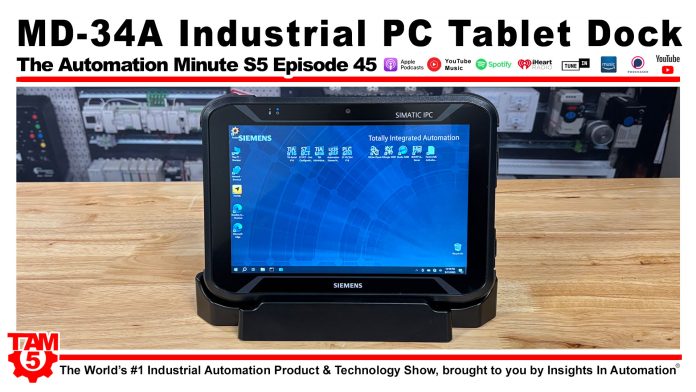
MD-34A-DD Win10 IPC Tablet Dock (M5E45)

Shawn details the MD-34A Windows 10 Industrial Tablet Desk Dock from Siemens in Episode 45 of The Automation Minute, Season 5.


Listen to The Automation Minute on The Automation Blog:


The Automation Minute, Season 5 Episode 45 Show Notes: The links mentioned in the video are listed below:


Read the transcript on The Automation Blog: (automatically generated)

Shawn Tierney (Host):  Hey everyone, welcome back to the show. Shawn Tierney here from Insights. And today, we’re gonna take a look at the desk dock for the MD dash 34 a Windows 10 tablet from Siemens. You remember I took a look at this I five tablet a while back, and at the time, I asked if they could send me the desk dock or docking station so that I could leave it here on the stage and actually use it because it’s a gray I five Windows PC that happens to also be a tablet and a barcode reader and an RFID reader and all these other things too. In any case, it did come in, several weeks later, and I filmed an episode.

I don’t know what happened to it, but it never got published. So, I wanted to in appreciation for them sending this over and sponsoring this episode so it’s ad free, I did wanna cover. So in any case, let me first, though, take this guy out and, shut her down because her fan is running. I got it doing all kinds of cool stuff. Now I was really surprised.

I turned it on and it still had all battery. Even though I hadn’t used it in months, it still had a full battery. So I really appreciated that. That’s cool. A lot of times at home, my tablet, you know, even if it’s off, it still will, drain batteries.

So I didn’t like that at all. So look at that guy turned off. Now I’m not gonna do an unboxing because the, the box was just a simple cardboard box that came in there wrapped in plastic and very secure, but there wasn’t a lot to show with that, so I didn’t go and dig up that archival footage. But what I do wanna do here now is go to overhead mode, and then let me go ahead and unplug the ethernet cable and the power cable. This This is the same power cable that came with the tablet.

Right? So you don’t have to go and buy that again. And let’s take a look at what comes with this, what they call their, desktop or what I would call a docking station. And I think we can even zoom in a little bit more on it. Here, let’s try.

Okay. The first thing I wanted to show you is that it has these two metal pegs that make it very easy to align the actual tablet when you go to pull it in. I’m gonna go ahead and bring the tablet back out here, and we can see those two little holes there. And so that makes it extremely easy to align it up and put it in there nice and secure. Right?

And so I really like that. And so that’s the first thing here, and you can see all the connections down there at the bottom. Alright. And then if we take a look at the back here, this is where we see this is where I have the power going in. And here we can see two, sorry, two USB two point o’s, not three point o’s.

Alright. There is a three point o and a USB c in the unit itself. And then we have another RJ 45. This is a ten one hundred. So this is great if you’re just leaving it on your desk and, when you plug in, you wanna get off Wi Fi.

Again, there’s an r j 45 in the unit itself as well, for Ethernet. Then we have the, VGA out. Like I said on the unit, it has an HDMI and a USB c, But, VGA now a lot of you may be saying, well, VGA, what am I gonna do with that? I have a lot of VGA output devices here in the studio that actually are very easy to convert it to either DVI or HDMI or, you know, display port, you know. So, 99%.

I have actually haven’t found a monitor or a television that didn’t, accept converting VGA to high definition and it looks great. Then we have our serial port, which is awesome too because if you had some legacy serial device you had to connect to the computer, you know, you could do that right here. Right? So, a lot of times, you may have that if you’re replacing legacy equipment. So those are the major ports here.

Now on this side here, we do get two more USB two point o’s and these are great for I I just plugged in the dongle for my wireless mouse and keyboard, but, that’s great having that on the side as well. And then on this side, there’s really nothing. You can see the front. Again, this is sturdy. It’s it doesn’t feel like it’s going to float away.

Like, it has some weight to it. So when you set it down and it has rubber feet too. Let’s take a look at those. And, you know, I can zoom in too. So So I I feel very comfortable about leaving it here on the workbench and that it’s not gonna slide off.

And, you know, it has enough, heaviness to it. I know some of the the inexpensive stuff you buy these days, you put it on your desk, every time you move a wire, it sloshes around. Right? But, in any case, you can see it’s the MDDash34 A Dash D D. So you can see that there.

And, I gotta say, I haven’t had a docking station for a really long time. But with a tablet like this, I think it’s extremely useful because, you know, the whole point of having the tablet is that you’re going out and, you know, you need to be mobile. Maybe you’re checking on instruments or maybe you wanna just check on maybe you have an HMI or WinCC running on this. You wanna check on your, you know, and they do have a hand strap that you can get for this. Maybe you need to use the barcode reader.

They also have a dock for the forklift if you’re gonna use it with a forklift. But this allows you to get out there and do what you need to do mobile. A lot a lot easier to use than a laptop. Right? Trying to juggle a laptop.

But in any case and it’s aeronautic too. I know what my laptop, my, and I did a review on it, the MSI. It has some, some of its mounting feet depending on how you hold it. I’m not very comfortable. I’ll do that.

I’ll do an update on that in the future, but in any case, but, you know, you get back to your desk. You don’t wanna use this little screen. And then I know if you’re like me, you want a full size keyboard and a mouse. Right? So if I’m gonna be doing any type of serious, work on my computer, I need a full none of these small ones.

I need the full number pad. I need the full up, down, curses, everything. Right? All function keys if I’m gonna be efficient. And so you can do that with this.

Right? So I actually plugged this keyboard and mouse in there, and it was what is you know, it was exactly as, expected. One thing I didn’t do is to see how many monitors I could put up to it. I just didn’t wanna take everything apart and see if I could hook up, like, three different monitors to it. But in any case, I do think it supports, multi monitors.

And according to, the the manual for this set talking about extending the display versus mirroring. So in any case, you know, something to check out. You might wanna talk to your Siemens rep if you want more information about it. You know, if you’re thinking about, getting this and using the dock in your workspace. But with that, that’s really all I had unboxing of this desktop.

I’m gonna set it up over here, and I hope to use it from now on every day when I’m doing my videos and doing our automation, Tech Talk lunchtime additions, which will be coming back. Haven’t forgotten about those, but I do have a backlog of videos I’m trying to get through by the end of the fiscal year. So in any case, and this is one of them. I mean, like I said, I filmed it. I don’t know what happened to it.

Didn’t get released, so I wanted to make sure I got that out. And I got some other great stuff coming for you as well as we just had an episode of the History of Automation podcast that I’m doing on weekends with people talking about old automation products. So if you’re interested in that kinda old stuff, you know, pre February, like, you know, Windows 3.1, Windows 95, PLC five, some old monocons, and whatnot. We were talking about old TI five zero fives in a recent episode. Check that out.

If you go to the automationblog.com/automationmuseum, also, automationmuseum.org should take you there as well. But for some reason, it’s not redirecting today, so I got a tech support link in again, this is common stuff that should never have a problem, but I gotta take support link into them to get that redirect fixed. But in any case, I did wanna bring this to you. I do also wanna wish you all good health and happiness. And until next time, my friends, peace.


Vendors: Would you like your product featured on the Podcast, Show or Blog? If you would, please contact me at: https://theautomationblog.com/contact


Until next time, Peace ✌️ 

If you enjoyed this content, please give it a Like, and consider Sharing a link to it as that is the best way for us to grow our audience, which in turn allows us to produce more content 🙂

Shawn M Tierney
Technology Enthusiast & Content Creator

Support our work and gain access to hundreds members only articles and videos by becoming a member at The Automation Blog or on YouTube. You’ll also find all of my affordable PLC, HMI, and SCADA courses at TheAutomationSchool.com.

Shawn Tierney

(no views)

History of Automation: Triconex with Gary Wilkinson (HOA01)

In this episode of the History of Automation, Shawn Tierney is joined by Jeremy Pollard to interview Gary Wilkinson about the History of Triconex, manufacturer of  a Triple Modular Redundancy Control System (PLC).

For information about donating to the Automation Museum, please click here.


Show Notes:

Special thanks to Gary and Jeremy for joining this week’s show! You can help bring the Automation Museum to life by donating at GiveSendGo.com/AutomationMuseum, or by becoming a guest on our show and sharing your knowledge about the History of Automation by contacting Shawn at: https://theautomationblog.com/questions/

Until next time, Peace ✌️ 

If you enjoyed this content, please give it a Like, and consider Sharing a link to it as that is the best way for us to grow our audience, which in turn allows us to produce more content 🙂

Shawn M Tierney
Technology Enthusiast & Content Creator

Support our work and gain access to hundreds members only articles and videos by becoming a member at The Automation Blog or on YouTube. You’ll also find all of my affordable PLC, HMI, and SCADA courses at TheAutomationSchool.com.

Shawn Tierney

(no views)

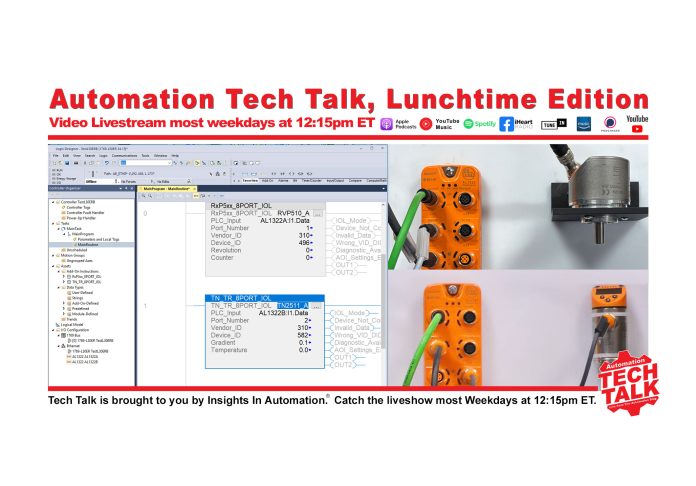
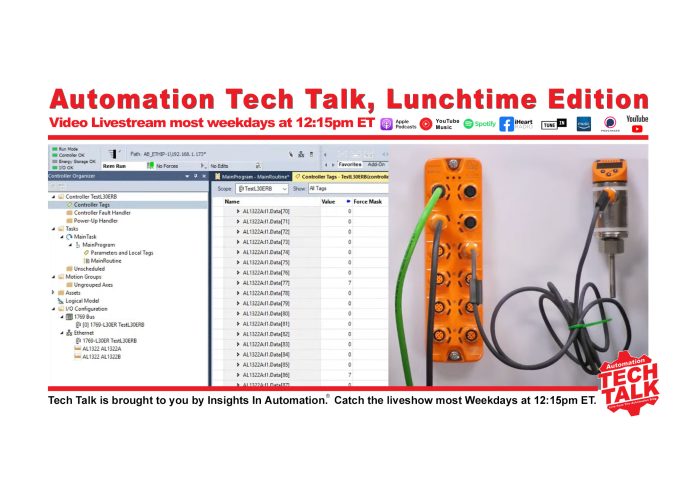
Adding IO-Link Devices to Logix: Automation Tech Talk for 09/12/25

Shawn walk’s through adding IO-Link devices to an IO-Link Master connected to a Rockwell Logix PAC using Studio 5000 in today’s episode of #AutomationTechTalk Lunchtime Edition livestream:


Watch Automation Tech Talk on The Automation Blog:


Listen to Automation Tech Talk on The Automation Blog:


Automation Tech Talk Show Notes:

Thanks for listening! If you’d like to join the show sometime, don’t hesitate to use the contact us link.

Link mentioned in video:

IFM AL1322 Webpage (includes AOI downloads)
Shawn’s Online Courses
Shawn’s In-Person Courses


Read the transcript on The Automation Blog: (automatically generated)

Shawn Tierney (Host): Hey everybody. Happy lunchtime. I hope everything is going great for you today. It is Friday, and I am pretty excited about that. Planning on spending a lot of time building more of these demos, this weekend.

I got all the stuff finally came in. So and then I’ll be sharing it with you over the next couple of weeks. Next week, I may have, more recorded content than live content. I’ll still try to release it at lunchtime, but, just some of the things I gotta do requires me to have, you know, to go through and do edits and whatnot. So in any case, though but I should be around almost all of next week, lunchtime, whether it’s recorded or live, I’ll be here.

But in any case, I just hope you all are having a great Friday. And today, we’re gonna do part two, and we’re gonna actually set up the two devices, the two IO Link devices. I thought this would be fun. Now if you guys are having any troubles hearing me or seeing me, please put it in the chat. Everything on my side looks like it’s working.

So, I’m just gonna go ahead and get started. Now I did play around with, some settings early this morning to see if I could get this to work. There we go. Okay. I I’m not a a huge fan of how they design everything, but, at least this is better than what we’re doing the other day.

In any case, we’re back in Studio 5000. And for anybody who didn’t catch yesterday’s show, what we did was we added these two. Let me see if I can switch over to those. We added nope. That’s not what I wanted to do, and that has to do with the selection.

You always have to select this. So let’s try it again. There we go. So we added these two devices to our ControlLogix, And we have one IO Link device here and one IO Link device here, but we already have the masters added to logic. So let’s go back here, and, yeah, I’ll click over here.

And now we’re inside logic, so you can see them right here down here. Make sure you guys are seeing what I’m seeing. And, now what we need to do is get the data in from the devices. We already have it coming in as, you know, just control the tags, but this is this is not, you know, what you would want. I mean, it’s it’s the twenty first century for crying out loud.

Right? We want our data, you know, to be more, massage than that. And, thankfully, the vendor, IFM, has some AOIs, and they’re in that same folder, that same download, the Allen Bradley download. They put all the AOIs in here, which I think is great. At first, I went to the actual pages for the different products, and there were no AOIs there.

And I’m like, I think they’re actually in the, the starter package for Allen Bradley. So I went into there. Again, we downloaded this yesterday. I talked about where to get this yesterday. There’s the add on instructions, IFM devices.

And the first device I have well, the device plugged into number, the first, IO MetLink master is, this was the RVP. So we’re looking for RXP. Okay. And so what we wanna do is bring in this. We have an eight port, so we need one that goes all the way up to eight ports.

And so what I’m gonna do is I’m gonna copy this path here. I’m gonna come over to our assets folder here, add on instructions. I’m gonna, input and add on instruction. I’m gonna give it the path open. We have eight port devices here, so I’m gonna use eight port, and that’ll bring it in.

I’m gonna accept all the defaults when it comes in. Bada bing, bada bang, bada bada boom. Excellent. Excellent. And now I know the other one I have is a temperature sensor, TN something.

So let’s see here. TN. K. A port, because that’s what I have in the field, eight ports. And bringing that out of instruction as well, except the defaults.

And on just a mere moments, they both come in now. You know, you probably know you can go to this add on, you know, toolbar here and bring them in that way. Although, did you know you can bring them in like this too? Right? Which is pretty cool because sometimes it’s easier to see it here because this text is really small.

Okay. So in any case, we have them in. Now let’s see if we can zoom in here now. We have to create tags for these. Okay.

So I’ll just do a new tag, and I’m just gonna call this these are the AL1322. I’ll call this a. Actually, this is actually for the device. So let me call this the RVP 510. I’ll just call it a in case we have another one in the future, and then, I’ll create it.

K. And I’ll do the same thing here. I might as well do that right now, and this is for our t n I think it’s a 2511 a. K. Boom.

So I got the backing tags for each of the add on instructions. Now I have to give it the PLC input. This one, you you know, it’s pretty obvious. Of course, we have I named thirteen twenty two a and b. Those are the two devices, the masters out there, but you have to grab the data.

K? You have to grab the data. I tried grabbing this when I was testing it early this morning. It’s like, oh, I don’t like that. I want the data.

K. So we’ll do that. That’s a, and then this guy is connected up to b. K. So we’ll go over to input data.

K. Port number. Now if we I don’t know if this thing will let me do this. Let’s try it like this. Okay.

Good. So let’s see this guy. K. This is the RVP he’s in. And this encoder, we’ve we’ve showed it in the show before.

We’ve we’ve had it on connected at, Allen Bradley and Siemens PLCs, but, we can see it’s, plugged into port one. K. This is the power port Ethernet in and out, and then this is an IoT port. And, again, we we’ve covered that in previous episodes. And then for the temperature sensor, I have it in Port 2.

K. So let’s see if we can get string yard to go back to this view here. Alright. Great. And now, so this guy is gonna be Port 1 because that’s the RVP, and this is gonna be Port 2.

This is, no nobody’s complaining that they can’t hear me, so that’s good. The vendor ID. So, let’s see. I do have the website up here, and let’s start with the temperature sensor. So this is IFM.

So the vendor ID is always going to be 310, and this particular device ID is 582. So this is a temperature sensor. So let me go back here, and it will go 310. And what is it? 582582.

And in the gradient listed in that if we search on gradient, we will see it’s point zero one. You guys see that? Yeah. Yeah, that’s on the screen. Okay.

So let’s go back over to the VMware point zero one. Beautiful. Okay. Now we gotta do this guy. Point number one.

Vendor ID, we know it’s gonna be 310 because it is still IFM. And then device ID. I have no idea what it is. So let’s go back to the IOD datasheet, and I think it’s at the very top. Just scroll up.

Yep. It wasn’t. Here we go. Device ID, 496. 496.

K. And then I’m gonna leave that all blank. Alright. So if we’ve done this correctly, this should massage that data and give us, you know, a counter, like, how many pulses per rev. I think this is defaulted to ten twenty four.

And then the temperature and for whatever reason, this is even though the unit’s set for Fahrenheit, this block is showing that it’s Celsius. I did not have a time to figure out why that was. I did look through the block to see if there’s any way I could toggle it in the block itself. There wasn’t. And so, let’s go ahead and download this bad boy and see if we get it to work.

Come on, puppy. Yeah. So all these limitations of StreamYard StreamYard is great for doing, interviews. Right? But, when it comes to doing things like this, I’m really struggling.

I may have to go back to, restream. Yep. Put the controller back into run mode. I’ve been using StreamYard for the for the interviews we’re doing the automation museum, which will come out Monday, but, the first episode anyways. We’re recording episode four this Sunday.

But, in any case so you can see it right here, and everything looks like it’s working. So let’s take a look here. I am going to turn you just have to trust me because I can’t do a split screen with this software. I’m gonna turn the encoder slowly, and we can see the counter turning up. Right?

And that is now represented by a tag, not just some random data tag, but it’s actually did these go as a program tags? K. Yeah. That’s, the add on instruction. That’s not what I wanted.

Nope. They’re controller tags. So here’s the RVP five ten. And we can see the count right there. See all the information about this.

Let’s leave it in this view. See if you guys can see that. K. And then the beautiful thing is, yeah, it’s in the data table. Right?

In the controller tags. Caught me there. Went a little legacy on you. You can see it here right on the block too, which is really nice. Right?

So it just takes that data, massages it, and, makes it look nice. And then on the temperature You know what? Something happened. How come my vendor ID didn’t get put in there? Because I I thought I pressed center.

Sometimes when you do it yeah. Look at it. Did I get that number wrong? That’s weird. You guys thought it was easy to live stream.

310582. I’m just joking. 310582. Yeah. Yeah.

Yeah. Port 2. You see this? I didn’t choose the right one. Typo.

You guys probably saw that when I did that too. K. Interesting. Interesting typo. Yeah.

So we have two different masses here. So we’re you know, it was right for us to get zeros here because there was nothing nothing attached to port two. So the feedback was zeros. And so that’s good. So if I woulda had another thing, I guess, I coulda done is I could actually have moved the, temperature controller over to the other master, and it should’ve worked.

Okay. So right now it says, 23. That’s Celsius. Of course, it’s probably well, we could just take a look here. 75 degrees in here and climbing, sadly.

Let’s see here. Oh, yeah. We’re going up. Not going up as fast as I was it went up earlier. Interesting.

Got up to 77. Now it’s falling because I let go of it. And, yeah, that was actually pretty easy to do. Just come out here and show you the devices one more time. So you could see this is what I was doing to turn the encoder, and, I was just holding on to this to get the temperature to go up.

Let me get that on there. Yeah. But, yeah, that was pretty easy to do. And so with that, I think that’ll wrap up wrap up today’s automation tech talk about IO Link. Did you guys catch the IO Link show from yesterday?

It came out a little later. It just been so crazy, but I did get that out, and I thought that was an excellent I actually sponsored it, so the video would be, ad free. I sponsored it myself. So I talk a little bit about, the automation school and whatnot. But in any case, just wanna, just remind you, Monday, we should have the episode of the automation museum.

It will not come out on LinkedIn. LinkedIn does not, want people to, have long format videos. So So they only they limit you to, like, a ten minute upload, and they don’t want your live streaming from long videos like that from, from a file. So, Monday, if you’re on LinkedIn, watch it on LinkedIn. That won’t be, the automation museum.

You’ll have to go to automation blog, or you’ll have to go to YouTube to see that. And then on, Tuesday through Friday, my hope is to have, some recorded content because I’m doing sponsored videos, more IO Link videos, more distributed IO. We’ll be doing Rockwell. We’ll be doing Siemens, and, all kinds of different, stuff. So, hopefully, you guys will enjoy those and learn something too because the whole purpose of this is to, you know, just share knowledge with you guys and hopefully make your you more efficient at your jobs and, you know, give you a reference you could share with somebody else in case they have the same questions.

You don’t have to go through the whole thing all over again. But with that, I wanna thank I haven’t even eat lunch yet. I gotta go eat lunch. But I wanna thank you all for tuning in today. I wanna wish you all a very happy Friday.

If you didn’t catch yesterday’s podcast on IO Link, please check it out. Michael did a great job. And, get some METTLEDO content coming up soon as well as, a bunch of podcasts were scheduled for podcasts out through Thanksgiving. So, we got some great content, and we’ve met with some great vendors. So I look forward to sharing that with you as well.

And with that, I’m just gonna wish you all good health and happiness. And until next time, my friends, peace.


If you have any questions about Shawn’s in-person or online courses, please don’t hesitate to setup a time to meet with Shawn via MSTeams, or drop him an email using his contact form here: https://theautomationschool.com/question/


Until next time, Peace ✌️ 

If you enjoyed this content, please give it a Like, and consider Sharing a link to it as that is the best way for us to grow our audience, which in turn allows us to produce more content 🙂

Shawn M Tierney
Technology Enthusiast & Content Creator

Support our work and gain access to hundreds members only articles and videos by becoming a member at The Automation Blog or on YouTube. You’ll also find all of my affordable PLC, HMI, and SCADA courses at TheAutomationSchool.com.

Shawn Tierney

(no views)

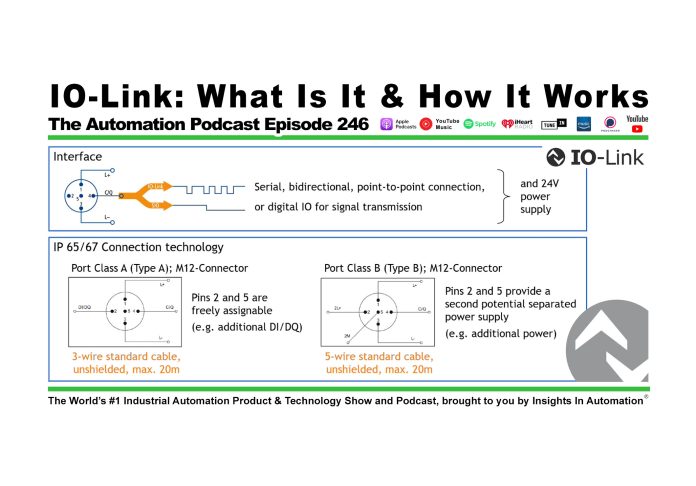
IO-Link: What Is It, When To Use It, and How It Works (P246)

Shawn Tierney meets up with Michael Bowne of PI to learn what IO-Link is, how it works, and when to use it in this episode of The Automation Podcast.

For any links related to this episode, check out the “Show Notes” located below the video.


Watch The Automation Podcast from The Automation Blog:


Listen to The Automation Podcast from The Automation Blog:


The Automation Podcast, Episode 246 Show Notes:

To learn about our online and in-person training courses please visit TheAutomationSchool.com.


Read the transcript on The Automation Blog: (automatically generated)

Shawn Tierney (Host): Thank you for tuning back in to the automation podcast. My name is Shawn Tierney from Insights in Automation. And this week on the show, we have a special guest, somebody who hasn’t been on in four years. We have Michael Bone from PI. They’re the folks who manage technologies like PROFINET and IO Link.

And Michael’s come on this week to talk specifically about IO Link. We’re gonna talk about what it is. We’re gonna talk about when you should use it, and we’re gonna talk about the technical details of IO Link, like, all the things, like, engineering minds like to know about. So I think you guys are gonna enjoy this. It took about two to three hours to edit this one, and I really enjoyed going back through it.

You know, we recorded it, I think, four weeks ago. So I hadn’t seen it in four weeks, but I really did enjoy it. I really think you guys will enjoy it too. And that brings up another point. Organizations like PI and ISA and other organizations, they’re not vendors.

They don’t sell stuff. Right? And so this episode is not sponsored by a vendor. And, you know, as I was going through it yesterday, I was like, you know, there’s a lot of great slides in here. I wanna share it with the public.

So I’ve decided to sponsor this episode myself, and I’ll use this as an opportunity to tell you a little bit about my company and the automation blog, the automation school, and the content I have planned to release this fall, including content on these products right here, all focused on IO Link. And I just actually did a live stream with these, products in front of me. I’ll be doing more tomorrow, and I’ll be adding lessons to my, courses as well on these products. So in any case, but before we get to that, let’s go ahead and jump right into the show and hear from Michael and learn all about IO Link. I wanna welcome back Michael to the show.

It has been four years. He was last on in podcast 76, back in September 2021. So just going on four years. Michael, thank you for coming back on the show. If you could, a lot of people may not remember four years ago.

Mhmm. So before we jump into your presentation, which which I am so excited about talking about IO Link again. But before we jump into that, could you please tell me a little bit about yourself and a little

Michael Bowne (PI): bit about PI? Yeah. Sure. First of all, my pleasure, to be back on on the podcast. It was a lot, a lot of fun.

I remember that back in in 2021, and, I’m glad to be be back doing it again. I started with PI North America in 2011 as the technical marketing director. And since 2016, I’ve been the executive director running the show and chairman of the board since last year. I, have the, let’s say, pleasure to serve as the deputy chairman of PI on a global scale since 2015, and I come from a prior to working for PI, I worked for a sensor manufacturer who had some interfaces on there that that brought me an introduct to to Profibus and Profinet. And before that, I studied, physics and and math at at Penn State University.

Just, really quick for those. I’m I’m sure many of you are familiar with with PI, but, it was started in the late eighties. Half a dozen companies and universities got together, and they wrote the PROFIBUS spec, and that evolved into the into into PROFIBUS DP and PROFIBUS PA for process automation in the early two thousands. PROFINET came under the umbrella. And the reason I bring all this up is because there are some newer technologies under our umbrella that I I think the audience might wanna know about.

Of course, EyeLink is is the one that we’ll talk about today, and that was in 02/2009. But there are some others like Umlocks, which is a location tracking standard. There’s one called MTP, module type package, NOAA, NAMR open architecture, also under our umbrella. And, basically, what we do is promote, maintain, write the specs, turn them into standards, and the work on those specs is done in working groups, which are staffed by volunteers, engineers from member companies. They donate their time to to develop the specs, for these technologies we have under our umbrella.

And we’re a little bit unique in that we’re decentralized. So we have competence centers and test labs and training centers located throughout the world. It’s not all just in one headquarter kind of place, and they’re all independent. But they have a contract or quality of services agreement with PI that says, hey. If you have a question about the technologies, go to a competent center.

If you want further training, go to a training center. If you want to to test the device, go to a test lab. And then they are all working with regional PI associations of which we PI North America is one of them. We were founded in 1994 by a guy by the name of Mike Bryant. At that time, we were called Probibus Trade Organization.

And we are the and now I didn’t come up with this this name. We are the North American Rio League. This is a an IO Link designation, a regional IO Link interest group, which means that we have a a separate contract and and quality of services agreement with the IO Link community to to promote and and work with members, specifically for IO Link here in in North America. And we’re nonprofit, member supported. I got nothing.

So you’re talking about products and and and stuff at the beginning. I got nothing to sell today. We’re we’re working solely on on technology.

Shawn Tierney (Host): You know, I do wanna throw out there, though, you have a great update every month about all the new products that fall in the buckets of IO Link, PROFINET, PROFIBUS, and a lot of those new products across our IO Link. So while they may not have products of their own, they do keep the, industry up to date on who’s joining up and signing up, for these new these you know, the jump on board and release new products that, that, you know, meet these specifications. And you know what? Maybe you’re not using PROFINET because you’re using brand x or y. You still probably use an IO Link.

So Oh, that’s for sure. Very interesting very interesting updates that you publish every month and, as a blog. And, I know when I was doing the news for a couple years, I would always, go to your site to look for new updates.

Michael Bowne (PI): Cool. Yeah. Yeah. I guess, I got a slide on that at the end, but the the you’re referring to the, the PROFINews.

Shawn Tierney (Host): Yes. The PROFINews. Yeah.

Michael Bowne (PI): Yeah. That’s a that’s that’s been a baby and a labor of love, for a while now. And and, oh, man, it’s it’s it’s incredible because every month, the most when we track this kind of stuff, obviously, the most popular article is the new products. Well, because that’s what, right, that’s what people want is the stuff they can buy, the stuff they can use. Yeah.

Yeah. That’s and we got another one coming out next week, and every month, we we push that out, and it’s always half a dozen or a dozen new products, half of which are are IO Link. I mean, it’s just growing like crazy.

Shawn Tierney (Host): Yeah. And you guys have had some good articles. I think you had a great series, and I’m now I’m stretching it. So stretching the old memory here. I thought you had a great series on on, MTP, which I really enjoyed.

Did did I remember that correctly?

Michael Bowne (PI): Yeah. We we try and, you know, we try and get some editorial content in there. It’s it calls it falls into, like, three main buckets. What’s new products? What are new trainings and events that are coming up?

And then and then some editorial content. I think I think what we’re driving at is I think we need to do maybe an MTP podcast here at some point in the down the road.

Shawn Tierney (Host): Probably. Yeah. Down the road. Definitely. Definitely.

I I’m still you know, I still have a very casual understanding of it. But, let me throw it back to you because I kinda jumped in and interrupted your your your, update.

Michael Bowne (PI): No. It’s good. It saves it saves us at the end when when that slide, we can just just jump over it. Now we’ve we’ve got it covered, and it’s and it’s an and it’s an important one. But you kinda you kinda gave me a nice lead into the to the next one, which talks about, the Ireland community.

And I’ll start from the bottom, work my way up as being fieldbus independent.

Shawn Tierney (Host): I just wanna break in here for a moment and thank you folks in the audience who’ve signed up for my membership program. Really, really appreciate you all. Eighteen months ago, after reviewing ten plus years of being on YouTube, you know, it was pretty obvious that there’s no real revenue on YouTube. I mean, it comes in at maybe 1% of my monthly expenses. And so that ad revenue there is just not something to rely on going forward because it’s not something that’s been reliable in the past.

And so I set up the membership program both on YouTube and at the automationblog.com. And I wanna thank all of you who signed up. I, we have a $5 tier, which I know most people sign up at, and then we have a couple other higher tiers. And so I just wanted to thank you all for doing that. You are actually the membership program’s probably 3% of my monthly, revenue.

And so that’s, you know, one or two times more, than, what the YouTube revenue was. So thank you all for that. And I hope that, some of you who are not part of the membership program will consider becoming a member, supporting my work so I can do videos that are not always sponsored videos. Now I love sponsored videos. I love it when a vendor sends me a piece of hardware and then sits down with me and teach me how to use it so I can create a video ad free and share with you on how to use that product, or maybe they just come on the podcast and sponsor it to make it ad free so we can tell their story about their product or service.

And I I will continue to do that going forward, but I would really also like to do more audience generated type of, content. So content where you generate the idea and say, Shawn, why don’t you try this? Or, Shawn, why don’t you do this? And a lot of those topics that the audience wants to see, they’re not necessarily topics that the vendor wants to promote with advertising dollars. Okay?

And so that’s the whole purpose of the, membership program. Like I said, right now, it’s around 3% of my monthly income comes from and I’m talking about the business income, not my personal income, the business income. 3% of what the business needs to, to move forward and pay its bills every month. But, still, I that that, you know, so many of you have decided to jump in and support me. I just wanted to stop and say thank you very much from the bottom of my heart.

And if you’re not part of the membership program and you’re doing financially well, please consider if you enjoy. This is episode two forty six of the automation podcast. Every episode has been free. The audio has been free for all 246 of them. And most of those episodes I funded myself just by well, you can understand how you fund something when you don’t have the income coming in.

But in any case, if you enjoy it, please consider becoming a member, and we can branch out and do other things together. And with that, let’s go ahead and jump back into this week’s episode and learn more about IO Link.

Michael Bowne (PI): So like you said, yeah. I mean, organizationally, the IO Link community came to PI in 2009 and organizationally under PI because we have the infrastructure for working groups and and IP policies and contracts and things like that. But the IO Link community has their own steering committee, and from the from the outset and from every IO Link event that we do and everything that we do is is independent of, of any Profibus or Profinet stuff. And we try really, really hard to maintain that independence, no matter what vendor you’re using. And there, at this point, we’ve got 500 companies in the IO Link community, and it’s really just growing by by leaps and bounds.

So we kinda track this stuff by nodes and all the IO Link companies. They send their node count to an independent auditor, collects the counts, and gives us back an an an anonymous total. So we don’t know where or who is selling them, but we get the total. And you can just see this this hockey stick exponential growth. Particularly in 2023, there was some supply chain over purchasing that that went on.

I mean, that’s like we’re looking at a a growth rate of 89% there, which is obviously unsustainable. But still, last year, 9,700,000 nodes were added. Again, because it’s field bus independent, it really has no competitor. And that’s what’s kinda cool about IO Link. I mean, you wanna do and and you don’t need to choose a field bus and therefore get IO Link.

You can use any field bus or industrial container protocol, and IO Link works with it.

Shawn Tierney (Host): You know, I wanna just, mention for the audio listeners. If we go back to 2012, it looks like we’re probably at the 1,000,000 mark or below it. And as you go to, you know, 2022, you look like you’re 35,700,000. Is that 2022 or 2023?

Michael Bowne (PI): Yeah. That’s the 2022. Exactly. 35,700,000.0. Yeah.

Shawn Tierney (Host): And then at, the end of twenty twenty three, we’re at 51.6. So you talked about that, you know, overbuying. And then at the end of 2024, we’re at 61,300,000.0. So you can just see from, you know, 2022 to, 2024, you went from 35 to 61. So the adoption, like you said, it’s a hockey stick.

The adoption has really picked up. And I think you you hit the nail on the head because it is fieldbus independent. It’s a way to just get more information out of our devices, like sensors and photo eyes, you know, and it’s just you know? I mean, though, these chipsets that come in these, devices now are just amazing.

Michael Bowne (PI): And that’s what, I mean, that’s what the whole point of this is. You’re you’re not gonna put a $5 ethernet chip, like, enter $5 ethernet interface on a $15 proximity sensor. But computing and memory has gotten really, really small and really, really cheap that it’s on just about everything. And so this proximity sensor not only can tell you if, like, for example, let’s say it’s on a conveyor belt. It cannot only tell you if the box is there or not, but it can tell you how many blue boxes would buy or how many red boxes would buy or if the box that’s going by is off kilter or or misaligned or something like that.

But how do you get that data out in in inexpensively, and here we are. IO Link is is the way to do it.

Shawn Tierney (Host): I’m sad to see a lot of these sensors too come with humidity, temperature, and all these other things should be like, really? I can get that out of my

Michael Bowne (PI): photo eye. But yeah. Multivariable. Exactly. Yeah.

Yeah. You know, traditionally, with an analog interface, how did you get that? You couldn’t get it. Mhmm. But now with a digital interface, which is what we’re talking about, digitalization in the last meter, now you can get that informate that data, that information, and do some pretty cool stuff with it.

Shawn Tierney (Host): Yes. You can. Yeah. I’ll talk

Michael Bowne (PI): a little bit about the architecture a little bit here to kind of get a little bit into the technical side of things about how IO Link works, but it they’re kind of some main devices, and that’s the IO Link masters and the IO Link devices. And these IO Link masters are available for we have here 16 different industrial Ethernet or field bus systems. 21 manufacturers offer central PLC, like an IO Link master built into the backplane of the PLC if you so desired. And the number of devices that so that hockey stick we showed before is just exploding. I mean, we’ve got 60 something million sold, and we have tens of thousands of unique IO Link devices from hundreds of different device manufacturers that have implemented this interface.

And for those that if there’s anybody on the podcast that wants to do this and add this to their sensors, there are a number of different companies that help with, product design, either with the chips, the transceivers, the software stacks, and then a number of companies that help provide technical support in order to do that. So an IO Link system kind of is made up of four parts. Like I said, you have the IO Link master. That’s the gateway between the IO Link devices, the IO Link interface, and the higher level communication system, such as the fieldbus or the in industrial Ethernet protocol or backplane. You have the devices.

This is the exciting part. Your sensors, your switch gears, your valves, your signal lamps, maybe some simple actuators, whatever the case may be. You’ve got a IO Link cable, just a three wire unshielded, super simple connection between the master and the devices. And then every device has an IODD or IO Link device description file, and I’ll explain how that gets used to engineer and parameterize the IO Link system and the and the devices. And what this kind of enables you know, traditionally, communication only reached the IO level.

You had connection between the PLCs and the and the the the IO, and then it kinda stopped there because all those sensors and actuators were not accessible. They were analog, and you got your one process data. You brought process signal, and that’s where it ended. But with IO Link, what we do is we enable that communication bidirectional, cyclic and acyclic, and that’s the cool part, all the way from higher level systems, not only to the PLC or especially from the PLC, but down all the way down to the simple sensors and actuators, which are now accessible. And you kinda touched on this before where these chipsets have gotten really, really smart and really, really powerful.

And it’s not that the it’s not that any of these use cases that are that are being solved with IO Link that none of them are new. What’s new is the ease with which they can be solved. So because you can get all this extra data out, things like OEE, showing things like downtime tracking, track and trace, predictive maintenance, for example, remote monitoring, recipe management, SPC, all these things. It’s not that these use cases are now being solved. The you know, we’ve we’ve been doing this for a long, long time.

It’s just the ease with which because because it’s a standard and because all this stuff is standardized in how it gets from the the the device to the master and upwards to the controller, it just makes it easier. If you spend all your effort trying to gather and collect and sanitize the data because every device is different and, you know, that’s just that’s just a mess, and the ROI disappears really fast on any kind of project to do that. But if we have a standard on how to do that, then we make it very, very easy to do, and everything can come in, quite nicely. And and and it just and it just works a whole lot easier. You start getting access to that data.

And so what we’re starting to see is connections being made. You know, you talk about the the flattening of the traditional automation hierarchy where now not only is that IO block or that sensor connected to a to a PLC, but it’s got some extra data. Like you said, like, this little photo I might have a a a temperature or a a moisture, you know, sensor also in there, just because it’s part of the the chipset. But the PLC don’t care about that. He just wants to know about the, you know, the information from the photo eye.

So what do you do with all this extra beautiful information that isn’t necessarily processed data? Well, maybe the MES wants to know about that. So how do you get that? And in a running factory, in a brownfield environment, rule number one is don’t touch the running PLC.

Shawn Tierney (Host): Yeah.

Michael Bowne (PI): And rule number two is see rule number one. That thing is running, and any minute of downtime costs more than any one thing on the on the factory floor.

Shawn Tierney (Host): Before we go on, I did wanna break in here and tell you a little bit about my website, theautomationschool.com, where I do my online training. I also do in person training. And you probably don’t know that that all started back in 2014 with a Kickstarter I ran for my first PLC basics course. At the time, it was called microprogrammable controller basics, and I ended up changing it just the PLC basics. But in any case, since then, I’ve had added a dozen courses on a various number of topics, and you’ll find them all at the automationschool.com.

But what I really wanted to talk to you about is why. Why did I do that? Well, I had spent twenty five years as a certified authorized Rockwell Automation distributor specialist covering PLCs, HMIs, SCADA, MES, and other stuff too. Right? And I knew from visiting, customers in the plant every single workday, almost every workday, that there was a real need for affordable training.

So the first thing is, you know, large companies have large expensive, large paychecks, and lots of overhead, so they gotta charge a lot. Right? And so that was a problem because a lot of the people I was working with, you know, the controls engineers, automation engineers, high end electricians and technicians, they had to fund their training themselves. Their company was sort of like, no. We trained this guy back in the nineties, and then he will have to get a better job.

So we’re not spending money on training. And so all these people were having to train themselves, and it was unaffordable to either, you know, buy the the, vendors courses. Or even if the the company did have training dollars, it was unaffordable to send them away for a week to a $3,000 course somewhere halfway across the country, probably $3,000 worth of travel and hotels too. Right? And then they go where without one of their smartest guys, right, one of their best people, because you you that’s usually who you’re gonna train and and uplift through the through the organization.

Either people are doing good on the lower level, you wanna bring them up and train them on automation. And so that’s why I started the the, automationschool.com because of the the try to provide I knew the the courses would never be Hollywood quality. I mean, this isn’t Hollywood quality. Right? But I knew it could be helpful and and, you know, be affordable by just filming them in my garage.

Right? And, you know, picking up some used equipment and putting together the episodes. And the site has grown so much. We have thousands of, students from over a 150 countries. We have hundreds of, vendors we work with.

But the other thing I did is, is made up by one’s own forever. Right? So more like an ebook or an audiobook or an m p three album. Right? And the reason I did that and I understand why the vendors don’t do that because they’re like, well, they’ll sign up one guy in the I and e shop, and he’ll share his password for everybody.

You know, that could happen. Right? People could rob a bank too. But I’m like, you know, most people, when they buy a course and I saw this. I was on an independent platform for a while, and on that platform, they showed you how the progress of every student.

Most people buy the course well before they’re ready to take it. And I’m like, I’m not gonna charge people a monthly fee or only give them access to to a short window if, you know, they have good intentions now, but it takes them a while to actually free up their schedule to get into the course and take it. So that’s why my courses are buy one’s own forever. And it can you know, as they grow, the price goes up because I’m adding more and more content, and I do split them out and make cheaper versions over time. But, those people who buy in early, they get the like, my s seven course.

Like, I think it originally came out at 40 or $50, and now it’s $200 because I’ve added so much to it over the years. But in any case, same with ControlLogix and CompactLogix. And then the other thing too is I want them to be able to take it more than once. Right? So if you take a let’s say you take a ControlLogix course.

Right? You don’t use it for a couple years, you probably gonna have to take it again. And I don’t want you to feel like you have to pay a monthly fee to do that. It’s like an ebook or an m p three album. You bought it.

You bought access to it, I guess I should say, and now it’s yours. Right? And the other thing too is I support my students personally. Okay? So I check the website every day for questions, every work day.

I should say, you know, I do take Sundays off. So in any case, if you’re if it’s a work day, though, and I’m working, I’m not on vacation or traveling for business, I’m up there. I’m answering questions. And I should say, even when I’m traveling on business, I’m I’m on there answering questions. So although if I don’t have any hardware, there’s some questions you can’t ask.

Right? I guess I should have said some questions you can’t answer. But in any case, I just wanted to share that with you. Theautomationschool.com, a high quality online courses, five star rated, buy once, own forever, and guess what? I’m updating all the PLC courses, and if you already own or buy one of the existing PLC courses, you not only get the updated lessons that get added to that course, you get the new course completely free.

So I’m not gonna charge you for just an updated version of a class on the same core on the same product. Right? That would be kinda silly in my opinion. So, I hope you guys appreciate that. Again, if you didn’t know any of this, if you have any questions, if you go over to the automationschool.com, at the very top of the site, you’ll see links to contact me, set up a meeting, leave me a voice mail, fill out a form.

You know, I have many ways you can get in touch with me. And if you have multiple people you wanna sign up, I do have multiple seat discounts starting at three seats. And, I do actually work with a number of Fortune 500 companies who, you know, enroll maybe 10 people at a time to get that discount. And you know what? Unlike the big vendors, if somebody you sign somebody up and they all take the courses, I’ll let you replace that person for free of charge.

You don’t have to pay anything extra. If you sign up Joe and he decides to quit or leave or not to learn, you can put Bob in his place. That’s not a problem. Now I have said some situations where the same spot kept getting replaced or replaced or replaced. At some point, I do charge a maintenance fee to to switch the names out.

And then, hey. Look. If Joe leaves and he took, you know, two out of three courses, I’ll prorate refilling that seat with the new person. Right? So whatever percentage of the lessons he took versus the total number of lessons, I’ll prorate it.

So, you know, we’ve had number of cases where somebody goes through half of the content then leaves, so we can reset that seat for half price. And I that’s something you won’t find, any major vendors doing as well. So if you have any questions about that, reach out to me over at the automation school dot com. And with that said, let’s jump right back into this week’s episode of the automation podcast.

Michael Bowne (PI): In a brownfield installation, what we’re seeing these these cool little edge gateways, And what they’ll do is they’ll grab the bus, they’ll collect some data, and pump it out the other side via, you know, maybe an IT protocol that that the IT guys wanna know about or, you know, like an MQTT or an OPC UA. Of course, in a in a greenfield, in a new installation where you’ve got a brand new PLC, yeah, get the data there. That guy has all the brains, has all the all the information in one ply in all in one place, so get it from the PLC. But in Brownfield, I the edge gateways, even some IO Link masters are being put on the market that have not only an industrial Ethernet interface, you know, just on one port, on the same port, industrial Ethernet interface for control, but that interface will also speak like a higher level IT protocol like an MQTT or an OPC UA, so you can get it even from the IO Link master that data is is accessible. So the different ways to get it, and, and that’s kind of the whole point is is getting that data from the sensors to the to the master and then further upwards.

Shawn Tierney (Host): We actually covered a product on the show that had two ports. It had one for your fieldbus

Michael Bowne (PI): Yeah. And then it

Shawn Tierney (Host): had a separate one for your IT or your IOT or your MQTT, which I thought was so inventive too because now the control system gets its data, and it’s under control. But reporting wise, you know, that’s kind of the best of both both worlds. You don’t have to have two sensors. You can send it to data both ways. And, yeah, just it’s the way you can do with these things and, you know, a lot of the sensors you probably have out there, I’ve noticed that some vendors, every sensor they sell is IO Link.

So Yeah. You may already have it installed and not know it because the price difference to add it to some products. Once you get up to the fanciest sensors, of course, not the simplest sensors, but once you get up to the fanciest sensors, it’s it’s, you know, there’s a lot of horsepower in that chipset. So, you know, they can add IO Link for for pennies on the dollar. So very interesting stuff, though.

Michael Bowne (PI): Yeah. That’s that’s a good point. And and, you know, of course, we could spend all day talking about IT, OT, and the segmentation of networks and all who’s who owns the IP addresses. And we I mean, that’s a whole separate topic. But in cases like that, yeah, it’s cool.

You got a separate port. IT can do what they want on their one port. And if but, hey, don’t touch me in the control realm because Mhmm. This is my this is my realm. And and you bring up another good point, and that’s kind of there’s a I don’t I don’t wanna say that, you know, there’s there isn’t, like, a thick black line between, okay, this sensor is simple, therefore, should have IO link, or this sensor is complex, therefore, should have its own industrial Ethernet, interface.

There’s almost a little bit of a gray area, but you’re right. I mean Mhmm. We kinda leave it up to the vendors to decide. Hey. My thing needs the horsepower that and it’s so complex that I need something like, like, an industrial Ethernet protocol.

But, oh, you know what? This other central line is tailored for low cost, and so, therefore, I’m gonna put IO Link on it. But that’s, you know, that’s up to them to to decide. So when we talk about IO Link in terms of benefits, we kinda like to make the analogy with USB because everybody knows USB. You got your USB cable.

You plug it into your computer on one end. On the other end, you plug it into your you know, you plug your mouse in or you plug your keyboard in, and you plug your key your printer in. Automatically, it it uses the same cable. It’s always the same. Everything everybody’s using that interface, and we kinda see the same thing with IO Link where it’s just a unified, unshielded three wire sensor cable, and it can use be used with all IO Link devices.

Up until now, you know, if you had smart devices, right, memory and computing power is smaller and cheaper. Up until now, to get that extra information out, you would need multiple cables. The wiring is time consuming. It’s expensive. They’re large, costly to to install and maintain.

But But with iolink, you just you just plug it in. It’s a simple m 12 plug, and then you don’t have all these spare parts of different cable types. It’s just one cable and, easy to maintain, thin, flexible. I’ve got a I’ve got an example here I’d like to highlight, and I’ll try and talk through it for those that are that are listening instead of instead of viewing. This is an example of 256 IOs via 16 fieldbus modules.

So, like, fieldbus like remote IOs or whatever the case may be. So we’re connecting them to a PLC out in the field. And to do that, we would need 16 fieldbus modules in order to do that. These are just let’s let’s call them simple DI, you know, digital input proximity sensors. Mhmm.

Shawn Tierney (Host): Mhmm.

Michael Bowne (PI): With IO Link, we can do that via just one fieldbus module. So that’s just one IP address or one IO Link master. So already you’re cutting out 15 of those more expensive devices. And then we use what are called so called IO Link hubs, which bring those DI signals, put it all on one IO Link connection, put it into IO Link master, and send it out the other side. And with that, we can connect if you imagine these 272 IOs as shown here via just one fieldbus module.

So it’s showing just huge, huge, huge savings simply on cost alone, due to the wiring. And, that that one cable, it fits all sensor types. So simple sensors, like a proximity sensor all the way up to complex devices like pressure, temperature, signal lamps, and even simple actuators all use the same IO Link cable.

Shawn Tierney (Host): So where an IO Link device would be giving you not just on or off, but a lot of other information and some of that analog information. If all you had was a dumb device, well, now I can put 16 of them or so, you know, some number of them together Mhmm. Bring them into a hub. And each since each device only has an on or off, where a regular IO Link device would have lots of other information, you can now just join them all together and say, okay. Here we go.

Here’s inputs one through x.

Michael Bowne (PI): It’s, almost like multiplexing, put it all together on one and then Mhmm. Pump it out the other side. Yeah.

Shawn Tierney (Host): Perfect.

Michael Bowne (PI): The other way we relate IO Link to USB is kind of in the the identification and parameterization. So if we look at how you plug your printer into your computer, you plug it in, and automatically, your computer says, oh, okay. I know that that’s a HP something something desk check printer and and okay. How do you wanna do you wanna do color or black and white? Do you wanna do full duplex?

Do you wanna do back and white, back and front on on the printing? And the same is true for for IO Link. So you plug in that IO Link sensor into your IO Link master. It reads it. It says, hey.

The dialing says, hey. This is who I am. This is my type. This is my serial number. Every device has a vendor ID and a device ID.

And then the IO Link master goes up and gets the IODD file, and I’ll show that here in a little bit, and then you can start that parametrization. And it’s just like it’s just like a USB. It’s it’s, no special knowledge is required. You can format changes very, very easily. You can even do them on the fly, for example, with an HMI on the on the machine.

And, the identification methods make sure that you don’t plug in a wrong device into an IO Nialink port, which could stop the machine. It’ll it’ll it’ll recognize that and prevent, incorrect connections. It allows you to exchange devices very easily of the same type or the the same same manufacturer, same same device. So just like USB, it it it kinda works in that way. And then the other way, it’s kind of like USBs in the diagnostics, and this is a really, really powerful part of IO Link.

So when your printer says, I’m out of paper or I’m out of toner or there’s a paper jam, it sends that signal, standardized signal to the to the computer, to your computer, your PC, and you know exactly what what to do, how to fix your your printer, why your printer isn’t working the same as true for IO Link. We’ve standardized these diagnostics. So this is a, a photo eye saying, hey, under voltage or over temperature or the the window on the photo eye has gotten dirty, so signal quality is deteriorating. So we standardized all this, so that these diagnostics all come in the same way, and, you can, you know, fix any any problem as fast as possible to to to, minimize downtime. And in the case of things like signal quality, hey.

The the the window’s getting dirty. This enables things like preventative maintenance. Oh, I know I’m going into a planned shutdown next week. Now’s the time to go out and clean those sensors kind of thing, because I know that they’re I know that the signal’s going is deteriorating. So some cool things like that, that wouldn’t be possible with a traditional analog signal, which we’re showing here.

And it also makes really no sense. I mean, in this example, what we’re showing here is a generic this is a pre pressure sensor. You know, it does its measurement. It then does some amplification, and then to stabilize the signal, it does an a to d, puts it into a micro, which does some temperature compensation linearization. But then, traditionally, prior to IO Link, what you do is then do another data a to send it out via zero to 10 volts or four to 20 milliamps, whatever, into the into a, an a to d card on the backplane of the PLC, I mean, this is just this is just crazy.

It’s it’s time consuming. It’s, the the signal is still susceptible to interference. The the analog inputs on the cards on the PLC are expensive. There’s manual calibration of the signal. But with IO Link, it just makes sense.

You take that signal right from the micro, pump it out digitally via an IO Link inexpensive interface to your, to your IO. And, we use that unshielded three wire inexpensive cable,

Shawn Tierney (Host): and

Michael Bowne (PI): then you get all those parameters and diagnostics. And, really, that’s the point of using IO Link is all that extra data, all that extra information that that comes along with the the process data.

Shawn Tierney (Host): Yeah. And so those of you who are listening, I mean, what we saw there was to to shoot out a four to 20 milliamp signal or zero to 10 volt signal, it had to convert it from the digital value that was inside the device to analog, then I have to pump it out. And, you know, we always have to worry about noise and, you know, shielding and all that, you know, depending on the length of the run. And then in the PLC analog card, it’s converting it from analog back to digital, so you have that zero to 32,000 value or zero to 64,000, whatever your PLC does. And so IO Link does eliminate that.

It eliminates the noise of your traditional analog. And I know I’ve met so many customers say we have no noise issues on our analog, and that’s great. But not everybody’s in that same boat. So you’re eliminating that d to a and then a to d, and that’s that’s you’re keeping everything digital. So you’re not only getting a cleaner, more accurate value from your device, you’re also getting all those additional pieces of information and the ability to be maybe configured to products.

Some of these products need to be changed based on the type of product they’re sensing, you know, the type of fluid going through, the recipe that’s being drawn, the lighting, the colors. So all those different things, you you know, with a typical analog signal, you’re not gonna be able to send back and do a configuration to it. So, go ahead. Back to you, Michael.

Michael Bowne (PI): No. You’re right. Exactly. We we have I I took this line out of this deck for the for, you know, for for brevity, but we show examples of of particularly food and bev, right, where you have batches, different I’m running a different batch. I’m running a different product.

I need a different label on the on the bottle or whatever I’m running through the the the machine. You reconfigure that via the HMI. It sends all that stuff down to the sensors. Okay. Now I know I’m looking for I should be sensing this instead of this.

Shawn Tierney (Host): Yeah. It could be a clear bottle sensor, the clear bottle detector that the bottles change colors. So it’s has a different setting, or it could be background suppression depending on the color of the product. You need a different setting or a color sensor. Maybe you’re making different products and the different colors, and so, you know, all this is now configurable through your PLC, through your control system, through your HMI, which I just think is so cool.

Michael Bowne (PI): Yeah. It’s it’s it’s super cool. Alright. Let’s get a little bit technical here. I think for some of the engineers, that might be nice.

The IO Link signal and 24 volt power supply, like like we talked about before, it’s it’s an m 12 connector. So you’ve got five pins. Your pin one is your high, pin three is your low, and then pin four is your CQ line. That’s that’s where the IO Link digital signal lives. It’s serial.

It’s bidirectional. It’s point to point. And then we also have on that same pin four, if you so desired, you could also parameterize your device via IO Link, set it all up, and then put it in what’s known as a CO mode or simple IO mode. And I’ll show that on the next slide too if maybe you’ve just got a digital IO, that you want a fast switching interface. So pins one and three are our power.

Pins two and five are freely assignable. So for example, if you wanted to use that pin four for your IO Link signal and then separately have your own DI or DQ line, you could do that using a three wire, four wire, five wire cable. And then what’s cool also in IO Link and we’re starting to see this more and more is we call this port class b, same m 12 connector, same five pins, but pins two and five provide a separate power supply for additional power because and this is cool. We’re starting to see more and more IO link just, like, simple actuators Mhmm. On the market.

And that’s really neat. So let’s say you’ve got some simple linear actuator, not not a complex, you know, driver, you know, or motor or something like that, but a a simple linear actuator. You can drive that via IO Link if you just gotta move something really, you know, maybe maybe even within connected to the same ports, on the master as some other sensors, and so you can do that logic in the master itself, you know, simple simple stuff like that. But that’s also possible with IO Link where you can drive it, not just sense it, but also actuate it with with IO Link. So that’s that’s some cool stuff that’s coming down the line.

Shawn Tierney (Host): You know, and I found that all the IO Link devices I had here, they came with the SIO mode already set up. So I was able to use the photo eyes and the proxies and all the other devices just as simple IO devices and without even touching the IO Link side of it, which I think is cool because, you know, in in many cases, you just need a photo eye to get up and running. Right?

Michael Bowne (PI): Yeah. And that’s and that’s how they come out of the box. So out of the box, it’s in that CO mode. And I think you you kinda touched on this before. Maybe many customers have IO Link devices Yeah.

On their machine. They don’t even know it Mhmm.

Shawn Tierney (Host): Because they

Michael Bowne (PI): took it out of the box. They needed that photo. They plugged it in and away they went. But there’s also that all all that extra stuff. If they wanted to, they could get down into the IO Link part of it.

Mhmm. Maybe to reparameterize it, or what if you got to change, you still wanna use the CO mode. You just want that digital input. What if you wanna change the switching distance, for example, something like that? I don’t want it to switch at one meter.

I want it to switch at two meters or whatever. So all that all that can be configured via IO Link. So on the if we if we talk about the the IO Link communication itself, there are three transmission speeds, comms one, two, and three. Comm one is 4.8 kilobits per second. COM two is 38.4 kilobits per second, and COM three is 230.4 kilobits per second.

IO Link masters support all three comm modes, but devices are free to choose based on what they’re sending. If it’s temperature, maybe you don’t need COM three because that’s changing more slowly than something like like like we’re talking about a proximity sensor, which may want to send that a little bit more quickly and uses that that COM three mode. Many, many devices use COM three mode because still two hundred two hundred thirty kilobits per second, that’s, you know, that’s not gonna that’s not gonna kill you. And then a typical cycle time, because this is the question we get all the time, is what kind of cycle time can be achieved? It’s about a millisecond at at com three.

So if you’re, you know, trying to go submillisecond, you know, maybe IO Link is not is not the solution at that point. But for many, many applications, that one millisecond cycle time can can, can accomplish whatever they need to. And then what’s cool is that from the EyeLink master’s perspective, it’ll have eight or 16 sensors connected to it. Each device can be set independently. So on this port this device, I’m talking at this comm rate and this cycle time.

This other port number two, I’m speaking at a different transmission speed and a different cycle time and so on and so forth, you know, so that you’re not sending data unnecessarily that is simply just being sent for the purposes of being sent. And that’s and that’s pretty cool.

Shawn Tierney (Host): And a lot of times, you don’t because you’re not reading a digital on off, you don’t the speed, you’re you’re actually getting a value, and that value a lot of times your PLC is not gonna be running faster than a millisecond scan time. So if you’re getting your value updated, you know, faster than the PLC, then that’s a then then that’s really what you need. Do you know how fast is your PLC running? How fast can your program controller use that value? And, you know, I’d be hard pressed to see a lot of applications where they’re breaking that one millisecond update rate.

The other thing too is just because we’re talking at the speed doesn’t mean the actual calculation is even possible in a millisecond. So, you know, temperature changes, things that that sensors there’s limit limitations to the physical world. You know? And, you know, I I don’t know if anybody’s ever said this to you before, Michael, but when I first saw the whole comm thing, I thought that was confusing because having grown up with PCs, I always thought of comp one, comp two, comp one group. Right?

And these are really just bought what I would call from the old days, sewer rates. Right?

Michael Bowne (PI): Yeah. Exactly.

Shawn Tierney (Host): Exactly. Insight why why they is it just maybe because it was the standard started overseas or any idea why they went with CALM?

Michael Bowne (PI): I’m not gonna lie to you. That’s the first time I’ve gotten that question.

Shawn Tierney (Host): Really? Okay.

Michael Bowne (PI): Why they’re called that yeah. Let’s just let’s just rewrite this. They call it BOD one, BOD two, BOD three.

Shawn Tierney (Host): I know. It’s just so weird. But, anyways, sorry sorry, audience. I just have

Michael Bowne (PI): That’s a good one. That’s a good one. Nope. I’ll take that one back. Alright.

So IO Link data comes in a couple different flavors. You have your process data. That’s your bread and butter, what you’re using to run the run the factory. Transmitted cyclically in a Telegram, the the data size is defined by the device, and it can be up to 32 bytes for each device, both input and output. Along with that comes a value bit indicating whether the process data is valid or invalid, and this can be transmitted is transmitted cyclically with the the process data.

And then you have things that happen acyclically. These would be device data like parameters, identification data, diagnostic information, and these happen on request of the IO Link master. Obviously, a lot of that happens during startup, but also can happen during runtime if, as shown here on the slide with the with the last case, events can be error messages. So the the, the device will set a flag. Hey.

There’s a short circuit or so, and then the the master can pull that device for more information, more diagnostic information, based on that event flag that’s that’s set by the set by the device. And so, the the question we always get at this point is, how do I make this all work? How do I integrate this stuff into my into my plant?

Shawn Tierney (Host): Before we go any further, I did wanna jump back and tell you about a service I’m doing that I don’t think I’ve talked about very much, and it’s comes in two different flavors. First of all, I’ve actually had some vendors and companies reach out to me and say, Shawn, I know you don’t wanna travel all around the country with all your equipment. Right? That’s not what you do, but we want you to come out and teach us something. Would you come out and do a lecture?

We’ll set up our own equipment. And, can you come out and just run us through some of the products and teach us some of your knowledge, and you don’t have to worry about bringing all the equipment with you. And so that’s something I really don’t talk about much, but I do wanna tell you that if you’re looking for training and you need it on-site, of course, you do have to pay for my travel time. But if you do want me to come out for a day or two days or for a week and do training on any of the products I train online now. Now if you want me to come out and do training on a product I don’t already have a curriculum on, I can’t do it.

The building the curriculum is where all of my costs is on the training. Right? I shouldn’t say that. The web service in in in the back end does cost something every month as well, but most of the time it goes into and that’s really what being self employed is it’s time. Right?

Most of the time goes into build building the curriculum. So if you have a need for somebody like Shawn, we can’t do a webinar. We can’t do a Teams meeting. We we can’t do online training. We want you to come out.

And, again, I just got a call on this yesterday. Yes. I can do that. As long as the curriculum I’m gonna teach you is something I already have existing. And, I’m not gonna hand out lab books.

We can buy you lab books if you want. People sell great lab books for $80.90 dollars a pop. If you want lab books, I’d be more than happy to include that in the quote. But in any case, I that’s one thing I do. The other thing I’ve been doing with vendors is they’ve hired me to come out and interview them at their trade show.

So, usually, what happens is somebody will sponsor a podcast for $5.99. They’ll come on. We’ll do the interview. I’ll edit it all up. I’ll put their links in.

We’ll talk about the thumbnail, and then we’ll release it ad free. Right? And so that covers my cost of producing that episode roughly. Right? We just raised it from $4.99 to $5.99 because most of the shows were were actually upside down on, so we need to raise it a little bit to make sure we’re covering our cost.

But in any case, sometimes vendors have, you know, they have their own trade show, and they may have all of their product specialists there. And they’re like, hey, Shawn. We would like to do six or seven interviews at the trade show. Would you come out and actually record them there? We’ll pay your flight.

We’ll pay your hotel and your expenses to get there and back. And so that’s another thing I haven’t talked about much that I’m doing. I’m working with some, you know, top five vendors to do that, and I’ve done it in the past. And so I did wanna explain it to you if you’re a vendor listening or if you are, talking to your vendor, like, you should have Shawn come out and interview all your people. You have them all in one place.

Let them know that they can contact me about doing that. Again, you can contact me at theautomationblog.com, LinkedIn, YouTube, theautomationschool.com, pretty much any way you want. You can write me snail mail if you want. But in any case, I do wanna share that, and we also have in person training. I think I’ve talked to you guys about this quite a bit.

We do custom in person training for as little as two people, $900 a day up to four people. And so if you wanna get some people in here, we can actually do Allen Bradley and Siemens in two days back to back. One day Allen Bradley, one day Siemens. So if you wanna learn two PLCs in two days back to back now I do have somebody ask me, hey, Shawn. Where’s your schedule of upcoming courses?

And back in my previous life of twenty five years, we were always trying to sign people up and then canceling, you know, events and classes because, we wouldn’t get enough people to meet the vendors minimum. So I don’t wanna do that. So I don’t have actually any dates now. I have been talking with doing a intensive POC boot camp, but, you know, I just got so much things going on in my life right now that I don’t think I could pull that together this fall. But in any case, if you need some training, you wanna send your people here, we can even start at, like, noontime and then end the final day at noontime so you can get your flights and travel and all that.

We’re one hour away from Albany, New York, and that’s a great little airport to fly in and out of. Actually, I’m flying out of it in November. They’ll go to a trade show, to interview vendors, vendors, product people. But in any case, I just wanna break in. There’s something about my company.

I don’t think I ever talked to you guys about much, and so I just wanted to insert it here since I’m sponsoring this episode and eating the cost to produce it. I wanted to share that with you. And now, I won’t be back until the end of the show, so please enjoy the rest of this episode. Send any feedback you have to me, and, we’ll talk to you at the end of the show.

Michael Bowne (PI): And it kinda works like this. So you have your IO Link device, which has an IODD file, which we mentioned earlier, that gets ingested by a parameterization tool. The parameterization tool comes with the IO Link master. Could be a separate piece of software. In some cases, could be a web page built into the IO Link master itself.

Depends on depends on the vendor. But then what happens after that, how that data goes from the IO Link master to the controller, the PLC, is fieldbus specific. So you have your own, fieldbus file, you know, GSD or EDS or ESI, whatever the case may be, which is ingested by the engineering tool of the of the PLC and kind of outside way outside the scope of of of IO Link. And so the EDS file, the GSD file, and and that is the that data then gets sent via fieldbus, and that’s the sum of all the IO Link device data from all the ports on the IO Link master, where that IO Link communication as as defined by the IODD file, configures the port for the master and for the devices. And so an IODD file is provided by the devices, and every device manufacturer must provide an IODD for their device.

It can be downloaded from the IODD finder, which is a website, and, it it describes what the entire device does. It describes the process data length, the process data structure, the parameter the name of the parameters, what range to expect, the data types, the addresses of the parameters in the in the in the indexes and subindexes. It can talk about GUI information, pages on which a parameter shall be displayed, names of parameter pages, all this kind of stuff is in an IODD file. It’s a it’s a zip file where you have that IODD as an XML. So that’s how we format the file.

So it’s it’s both and this is the key part, both machine readable and and human readable. It’s got a little picture of the device, picture of the manufacturer logo. And with your permission, maybe I can show the IODD finder. It’s, ioddfinder.io-link.com. Mhmm.

Looks simple enough. Let’s say we wanna look at a I’m gonna type in something here. Max ref. Let’s pick this. So this is just a this is a reference design, not an actual product that that, an end user would employ in their in their factory, but a reference design of something that maybe a device manufacturer would use.

And it’s shows the manufacturer name, the article name number, the product name, the device ID. All that stuff is ingested by the parameterization tool, which then uses that information to go up to this IODD finder and grab the IODD file shown here, which can be downloaded if you wanted to look at it yourself. But in the past few years, we implemented what’s called an IODD viewer, which is pretty cool, which takes that nice XML file and parses it. So in human readable form, if you wanted to compare quickly, hey. I’m an end user.

I wanna compare the IODD file from device vendor a to device vendor b to kinda see what kind of features they have. You could do that all very easily, and that’s shown here in the IODD viewer. What’s really what’s really neat about this IODD finder is that it has two ways it it it gets accessed. That’s this website that I just showed here. So as in humans are are accessing it, but it’s also accessible via API.

And we we track the the traffic to the Audi divider, and the vast, vast majority of the traffic comes via API. So these are IO Link masters that just had a device connected to them. Parameter is I’m sorry. Parameterization tool that has a you know, or connected to the IO Link master that had device connected them. They go up to the AudiD finder, and they pull down that IODD file for the device that was just connected so that now they they can be, configured.

And that’s really, really cool stuff. So all these IODD files are in one spot, in one database up there for for viewing or via the IODD viewer or for access from any number of IO Link tools out there.

Shawn Tierney (Host): So when we’re talking about API access, we’re talking about the tool we’re using to configure the master. So it could be a web page built into the master, or it could be a separate software program. Do I have that correct?

Michael Bowne (PI): Yeah. Right. So the parameterization tool, yeah, is usually is usually a software package that’ll run on your computer connecting to your, IO Link master that parameterizes the IO Link master. Yeah.

Shawn Tierney (Host): Excellent. Or

Michael Bowne (PI): through the network somehow. Maybe through the network. Yeah. Goes out and grabs that IODD file from the IODD finder to, you know, to parameterize that port in that device.

Shawn Tierney (Host): Which is excellent because in previous iterations of smart networks and smart devices, you always have to go searching a vendor’s website, and then people would get the wrong file, and then I would be in the field saying this is never gonna work because you get the wrong device file. If they can’t give you the right device file, you’ll never get it to work. You know? And so this is much better having the organization have everybody require everybody who has IO Link to put their IODD files in the one place so everybody can always find it. And so the software tools can find it automatically for you, which is just a huge a huge change versus what we went through in the nineties.

Michael Bowne (PI): Exactly. We came on a CD or something or what I mean, God only knows. I’m gonna switch gears a little bit here, talk about two topics subtopics within the IO Link domain, and one of them is IO Link wireless. This is, what we call is bridging the gap. So it’s an IEC standard, six eleven thirty nine as of November 2023,

Shawn Tierney (Host): and

Michael Bowne (PI): it’s enabling connections that simply weren’t possible before for IO Link. And in an example here, we’re showing a a smart machine tool where the IO Link sensor is integrated into the chuck of the lathe. Now that guy is spinning at 6,000 RPMs. That connection simply couldn’t be possible couldn’t be done any other way than with IO Link wireless or, let’s say, independent movers. So you’ve seen these moving systems where you’ve got the either floating or on a on a rail the other track systems exactly.

If you integrate the smarts of IO Link onto the movers themselves instead of using, SCARA or Delta robots to do the to I mean, that’s you’re saving huge amounts of cost Mhmm. That way if the if those guys can move on their own, and they use IO Link wireless to do that. Slip rings where certainly sending power, is is well known, but sometimes communication can be tricky via slip ring. Mhmm. Yeah.

End of arm tooling, like robot robot end of arms where you have a you’re gonna change the tool at the end of the arm. It’s more lightweight, saving on on robot cost that way. Less fewer lighter robots can be used, but it’s it’s, it’s cool. It the architecture looks pretty much the same, where you have your field level, your IO, and instead of wired connections, it’s it’s simply a wireless connection. Is that wired?

It’s it’s wireless. And and what’s different about IO Link Wireless is that it was built for industry. So I think in the past, people have been burned by wireless technologies that made some promises that didn’t maybe you know, they they couldn’t meet the the the the the rigorous environment and and requirements of of industry, but that was different. It was built for industry from the start. So it uses the two point two point four gig license free ISM band.

And what we do is a is this frequency hopping so that we use the same IO link, you know, data structure. We do this frequency hopping, and it’s it’s a cycle of five milliseconds. So you’re not going to get that one millisecond time that you get via wired IO link. We do a five millisecond cycle time, and then it’s using this frequency hopping method. It’s basically cable grade, connection, 10 to the minus nine error probability.

You can have hundreds of wireless devices in a machine, and it’s deterministic. It’s designed it is designed from the outside for both for control, of course, but, of course, also for for monitoring and maybe, like, a brownfield. You wanna you can’t get IO Link to a sensor or something that you can maybe use IO Link wireless to get access to some some hard to reach sensor.

Shawn Tierney (Host): Well, you know, I thought that I think this is so interesting. We actually had a company on, I think, a year or two ago, who does IO Link wireless, and that was the first time I had heard of it. And he said, yeah. Hundreds of devices. Right?

It’s pretty amazing, especially if you have a lot of a lot of things, the smart devices that need to be, you know, free from the network, need to be wireless. Maybe, you know, the slip ring communications has been a problem for years and years. This because this is frequency hopping, it eliminates a lot of the, problems with, you know, interference. Right?

Michael Bowne (PI): Yeah. Right.

Shawn Tierney (Host): Exactly. And and, you know, it’s just and I I highly recommend people look into this if you’re if you’re challenged. You can’t run a wire to every sent every sensor or every device. This is definitely some very interesting technology.

Michael Bowne (PI): And just like with, so we we I I didn’t mention it explicitly, but when we’re talking about IO Link wiring, there’s a 20 meter limit Mhmm. For wired IO Link. And we, you know, we talk about the same thing for IO Link wireless that you’re not gonna be going hundreds of meters wireless, via via via IO Link wireless. So we we stick to that 20 meter limit for IO Link wireless as well.

Shawn Tierney (Host): Great for a cell. Great for a robot. Great for a robot tools. Right? But, yeah, this is not gonna replace your Wi Fi or your LTE or anything like that.

Michael Bowne (PI): Yeah. If you’re or if you’re in a, you know, a tank farm or something, you’re not going long distances Mhmm. Across across a a plant like that. Alright. In the last couple minutes, one more thing I wanna talk about.

This is pretty new. That’s you’re not gonna find devices out or at least many devices out on the network like this, but this is functional safety for IO Link. So IO Link safety is really clever name. IO Link safety because today, you’ve got if you wanna do functional safety, you’ve got your FSCPs or your functional safety communication protocols like FSOE or SIP safety or PROFIsafe, whatever the case may

Shawn Tierney (Host): be. Mhmm.

Michael Bowne (PI): You connect it out to your remote IO, but every single device needs a different interface. If it’s a relay, it needs a maybe a DO. If it’s a estop, it needs a DI. If it’s a analog signal, it needs its own functional safe, analog input. With IO Link safety, we can get rid of all those separate interfaces.

Just use IO Link for that, for any kind of safety measure functional safety measuring sensor, functional safety switching device. Maybe if the drive has a safe input on it that it that it that it could use, all that can be done with a functionally safe IO Link master and IO Link safety. And, it’s it’s the same concept as as IO Link where we’re transmitting this data via IO Link, but we transmit both safety and standard data from a device. You can migrate, IO Link safety and OSSD, so output switching signal devices can be done in the same product. The masters also offer generic IO Link standard operation.

They also they offer the OSSD mode. And it’s cool because you don’t need any switches for safety addressing. The the watch log time is set automatically. You can exchange devices without a specific tool just like with regular IO Link, and then it’s just that regular IO Link connection of 20 meters, flexible, no shielding, inexpensive. And this is this is pretty new stuff.

We just just and I’m talking, like, this month, got the the TUV, the TUV certification for IO Link safety. So we’re we’re expecting this to ramp up quickly over the next couple of years again for the same reason that IO Link, grew so so fast, and that’s the no comp no competitor, and, you know, you’re saving on a lot a lot of costs by by using it.

Shawn Tierney (Host): Does it simplify the wiring? Because in your photo on the screen, you show the safety sensor with the two, let’s say, two, relays. Right? Mhmm. And, you have to acquire both of those up to the to the input, the safety input.

Right? Functional safety digital in. With IO Link safety, are we running just one cable?

Michael Bowne (PI): Just one cable. Yeah. It’s the same same IO Link cable. Exactly. Yeah.

Shawn Tierney (Host): So just like with, let’s say, SIP safety or a PROFIsafe, where you’re still just running one Ethernet cable. Mhmm. Here, we’re just running one IO link cable. So you’re you are simplifying installation, I think.

Michael Bowne (PI): Yeah. And it’s and and it uses some of the similar concepts, mainly that that whole, black channel principle, that we know from all that all the that all the functionally safe, protocols use that, what you care about is making sure that that signal gets from one end to the other. Now it’s a whole heck of a lot easier with IO Link because IO Link is point to point, not going over a network. So, that that becomes a whole heck of a lot easier, but it’s yeah. That’s great.

I mean, it’s just one one wire. You you don’t have to okay. Did I plug it in? You know? Is it normally open, normally closed?

Do you have both? Do you have three of them? It’s just that one IO Link connection. Alright. I think I’ll wrap it up quickly here.

So a lot of this focused on end users, people installing IO Link in their machines or in their in their factories. But for the if any listeners are sensor manufacturers, device manufacturers, there are really two main ways to get an IO Link device certificate. There’s, the membership route, and then there’s a license model for those that may, for whatever reason, choose not to become a member. And, with the license model, you I’ll start on the right hand side to work backwards. You implement IO Link, request the test in an IO Link test center, then you get your IO Link vendor ID from PI, and then you get your product tested at the test center.

And then every device has a manufacturer declaration. And when I mentioned the IODD finder before, when when a device manufacturer uploads that IODD file to the IODD finder, they also at least in the last couple of years, we’ve we’ve we’ve asked and required them to do that. They also upload the manufacturer declaration. So end users can see, hey. The manufacturer has tested this device, certified, and, and they can rest assured that it’s it’s gonna work as specified per per the IO Link specs and standards.

And then in the in the license model, you gotta purchase a license per device and acquire patent rights. Just about nobody goes this route, but it was initiated for political reasons. Some companies or company, didn’t wanna join PI, but just about nobody, does that. And most go the membership model route where you join, get your IO Link vendor ID, implement IO Link, and then we allow members to self test using any number of testers that are out on the market. And then you can sign the manufacturer declaration yourself, which is basically self certification.

If you wanna learn more, these slides were taken from a slide deck that’s presented couple times throughout the year at an IO Link one day workshop. And this is a this is a a very special Shawn Tierney, resource. We don’t, you know, display this everywhere. But if anybody wants to get access to this stuff, they can go to, io-link.us/2020five. It’ll ask for a little password.

The password is twenty twenty five, and you can download the the training class manual, the so, the full slide deck that is that is performed and and really demonstrated at these IO Link workshops. So like I said, we do four of these throughout the year. We did two already, one in Seattle, one in Philly, Philadelphia, and then we’ve got two coming up in October, one in Vancouver, British Columbia, and one in Richmond, Virginia. So if anybody’s listening and and in those areas, it’s a free class. You get lunch.

You get a day of learning all about IO Link. We do a lot a lot of demonstrations. We get down into the the bits and bytes a little bit. And then what’s cool is at these events, a bunch of vendors, maybe a dozen or so show up with products. So if you wanna walk the room, it’s kinda like a little bit of a micro fair, and they support the event, which is how end users are able to come and get a free class and get a free lunch.

So go to iolink.us/events. And if you’re in in those areas, we welcome you to to join us at at one of these classes. And that’s my that’s my plug. Yeah.

Shawn Tierney (Host): Yeah. And I I just wanna focus in on this for those who are driving. So Vancouver, British Columbia, October 1.

Michael Bowne (PI): Oh, yeah. Yeah.

Shawn Tierney (Host): Richmond, Virginia. Right? East Coast people. October 28 in i0-link.us/events. So just wanted to say that again because sometimes they’re driving, they’re like, well, I didn’t hear it or you know?

So, hey. Look. If you’re on the East Coast with me and you’re near Richmond, October 28, sign up early. Don’t sign up often. Just sign up once.

But but, you know, if you have friends you wanna meet there, you don’t have them do that. And, it’s great that the vendors come and make the events possible. Yeah. And it’s it’s nice just to get that one out. So many so many of us are so busy.

It’s nice to get that one on one with the vendors. I’ve actually been with the vendors at these shows, and it’s the the audience that it’s attendees usually have some awesome questions. And a lot of times, they ask you about things not even related to it, but, you know, they just see you, so they wanna talk to you. So definitely wanna shout out to all the vendors who are gonna be there as well.

Michael Bowne (PI): Yeah. It’s it’s it’s it’s a great I mean, it’s learning. It’s it’s product if you want it to be, but the content like this, is it’s not salesy at all. I mean, it is a it’s an it is an educational event.

Shawn Tierney (Host): But if

Michael Bowne (PI): you do wanna talk to the vendors, then that’s that’s great. They’re there to help you out. Because at the end of the day, you can’t you can’t buy an IO link. Right? I mean, it it’s just a standard.

It’s just a what you can buy are the products that use it. And so that’s why, we work together with the vendors to to do to put these events on. Yeah. It’s awesome. Yeah.

And they’re and they’re I mean, it’s it’s really impressive that they’re willing to get in a room with, really, their competitors and and do this and put this together. The last one I wanna mention is profuse news, but we talked about that at the beginning. This is that monthly newsletter that we that we send out to 130,000 of our closest friends, and maybe you’re receiving PROFINews. If not, you can go to the website. It’s simply profinews.com and, subscribe to PROFINews, where those new products, particularly IO Link products are mentioned and and, and highlighted.

Shawn Tierney (Host): Yeah. One thing I like about this is, you know, if you get too much email like me from sources you don’t want it from, You know, it’s nice that you can go to the website and pull it down when you wanna see it. Right? So so maybe it’s you’ve been a couple months. You wanna see what’s new on IO Link.

You can go up there. Their website is excellent. You can go and look at all the articles, all the different, new products that have come out. And you don’t have to if you you know, I know a lot of people like the newsletter subscriptions. I’m one of those, Gen x’s who don’t, and and it’ll at least you know, I want, like like, I wanna hear from Michael.

I wanna hear from Tom. I wanna hear from students like Daniel I was emailing yesterday. You know, I’d I’d every vendor, there’s, you know, hundreds we follow. If I had a newsletter from each of those, it would my inbox would be full. So but in any case, it’s excellent, guys.

It’s it’s no fluff. It’s really. And and I’ve discovered new vendors from just following that list. You know? These people I didn’t didn’t know from my past.

And, in any case, highly recommend you guys all check it out at least once or twice a year if you don’t want the email.

Michael Bowne (PI): I appreciate that. Yeah. And, like and and like I said and and right there at the top, there’s a button that says product news. Click that, and then there’ll be every month’s worth of new products section article that we published

Shawn Tierney (Host): for our newsletter. There’s some great articles up there too. So, thank you very much for publishing them, and keep up the great work on those. I know we enjoyed them during the couple years I was doing the news. We would, go up there on a regular basis.

Michael Bowne (PI): We’re gonna send out issue number 251, next week.

Shawn Tierney (Host): Oh, wow.

Michael Bowne (PI): So every month, that’s, you know, do the math. Twenty years worth of crazy. Crazy.

Shawn Tierney (Host): Job. Good job. Keep it up.

Michael Bowne (PI): That’s all I got. Once again, thanks thanks for having me, Shawn.

Shawn Tierney (Host): Michael, I really appreciate you coming on, and that was a great update. And thank you for including some real technical details in there. We will be, using the opportunity of having this episode to go ahead and, cover more IO Link products. So, we have had a number of vendors send us products, but with non sponsored products. So it’s it’s hard to find time to use things when when, know, everybody says, well, play with it in your free time.

I think we’ve all heard that. And, but in any case so we have new lessons coming. We have new videos coming. We have new demos coming. So stay tuned, folks.

But, again, Michael, thank you so much for coming back on the automation podcast. Let’s not wait four years. Let’s say you’re back on in a few months to talk about MTP and, because I think that’d be cool and then maybe Noah later on. Yeah. But thanks again for coming on the show.

Really appreciate it.

Michael Bowne (PI): Oh, my pleasure. My pleasure.

Shawn Tierney (Host): Well, I hope you enjoy this episode, and I wanna thank Michael for coming on the show and bringing us up to speed on IO Link. We hope to get Michael back on in the coming months to talk about MTP and Noah, and some of the other things that they’ve added to their portfolio since we had them on four years ago. But with that said, I also wanna thank all the members out there who’ve joined my membership program. I look forward to today where we can grow that above the two to 3% mark and actually start doing content dedicated for, what the members are asking for. Right?

So you guys can ask, hey. Cover this, cover that, and we can actually afford to do that. So thank you all the members out there. I know you just love to support the channel, and, you know, you really are very busy like most of us are. So, in any case, I just wanted to take a minute to thank you.

And I also wanna thank all my students over at the Automation School. Did you know I’ve added a bunch of new, lessons lately? So especially to the POC classes. So in any case and I got a bunch more planned this fall and a lot planned on IO Link. So you’re gonna see a lot of content from me at IO Link, both on the lunchtime show that I’ve been doing, as well as in some upcoming episodes of the automation show and the automation minute.

So, it’s something I’ve wanted to do for a long time, and the stars are just aligned. So, we’ll be covering IO Link a lot both on the blog, on the channel, and over at the automation school as well. And with that, that’s all I got to say. Thank you very much for making it to the end of the show. I wanna wish you all good health and happiness.

And until next time, my friends, peace.


Until next time, Peace ✌️ 

If you enjoyed this content, please give it a Like, and consider Sharing a link to it as that is the best way for us to grow our audience, which in turn allows us to produce more content 🙂

Shawn M Tierney
Technology Enthusiast & Content Creator

Support our work and gain access to hundreds members only articles and videos by becoming a member at The Automation Blog or on YouTube. You’ll also find all of my affordable PLC, HMI, and SCADA courses at TheAutomationSchool.com.

Shawn Tierney

(no views)

IFM AL1322 IO-Link Master to Logix: Automation Tech Talk for 09/11/25

Shawn walk’s through connecting an IFM AL1322 IO-Link Master to a Rockwell Logix PAC using Studio 5000 in today’s episode of #AutomationTechTalk Lunchtime Edition livestream:


Watch Automation Tech Talk on The Automation Blog:


Listen to Automation Tech Talk on The Automation Blog:


Automation Tech Talk Show Notes:

Thanks for listening! If you’d like to join the show sometime, don’t hesitate to use the contact us link.

Link mentioned in video:

IFM AL1322 Webpage
Shawn’s Online Courses
Shawn’s In-Person Courses


Read the transcript on The Automation Blog: (automatically generated)

Shawn Tierney (Host):  Happy afternoon, everybody. Shawn Tierney here from Insights and Automation. Today is Thursday. What is today? September 11, I believe.

I hope you all are having a great day. And, you know, I didn’t even know if I was gonna be able to do this, give it everything that’s been going on. Plus, I just got off the phone, actually off of out of a meeting with a larger vendor talking about their brand new IO, which I’ll be covering in a few weeks. Pretty awesome stuff. Can’t wait to share it with you guys.

But in any case, if you were here yesterday, I actually ended up deleting the livestream after the livestream because I ran into an issue that something didn’t work. And I believe I resolved that. So I’m gonna try it again today. And what am I talking about? What are we gonna cover?

Well and, again, if you can’t hear me or if there’s a problem with the visuals, let me know in the chat because there’s no nobody in the control room. It’s all just me. But in any case, we’re gonna be integrating these two. I have, a long time ago, the folks over at, IFM sent me in some products. They didn’t sponsor any coverage on it, and I’ve really struggled covering it.

So I did cover these modules with a, with a, a PLC they sent me, and I did, cover these devices with Allen Bradley and Siemens products as dumb devices, not as IO Link devices. But I thought, you know, the automation, automation tech talk lunchtime edition, I think, would be a great time to cover some of these unsponsored products that have been piling up, and I try not to accept anymore because I’m out of room. But in any case, it’s it’s, I thought this would be a good time to test them out. And today, based on what happened yesterday, today, I’m going to try to get both of these set up on our CompactLogix. Now try to go back here to full screen.

What happened yesterday was Logix kept crashing, and I believe it’s because of, Connect Components Workbench when I upgraded it and installed something that was incompatible with the version of Logix I had. So we’ll find out. But in any case, let’s go over to the computer here, and I have to do this kind of a different way because if I do it through the camera system, I do have a I do have an, request into the company, this whose software this is, and it’s not showing me the view I wanted. That’s the view I wanted. But I’m like, guys, you gotta help me make my you know, zoom in on this camera, but in any case, I won’t, bother you with that.

What we are looking at here, though, is what’s the first step in getting these things to work? And the first step is where’s the web page I had up? K. We gotta go to the product’s web page, and on the product’s web page, we wanna grab a couple of downloads. Okay.

If we’re gonna integrate these, IO link blocks on EthernetIP to our CompactLogix, we’re gonna wanna get the download. So this is the web page. After the fact, this is an AL thirteen twenty two. After the fact, I’ll go and put all links. And, again, I ran right over here from the meeting I just had, so I didn’t have a chance to put those links in.

But any case, we wanna go to downloads. And the two downloads I needed, and I apologize if you caught yesterday’s show. I’m gonna repeat myself a little bit, but I got the Allen Bradley collection here. Right? And I also got the, NetSetter software.

K. So this allows me to configure the device’s IP address. Okay. Now I don’t know if both of these are set up or not. So let me minimize that, and let’s go over to, the net set of software, which I just opened.

Right? Unzipped it, and you get this error here. I didn’t show this yesterday. You gotta have a PCAP library. Now PCAP, if you’re not familiar with that, packet packet captures.

Right? Capturing packets as they go down your Ethernet. Okay? So we need to have, some software that does that. So let me close that, and they they recommended two different ones.

I just went and got WinPCAP. It seemed like, seems like good software. And, no. I don’t wanna start it all the time, and finish. Now let’s go back to the NetSetter, IFM NetSetter here, and let me know if I’m leaving anything out.

I’m kinda did this yesterday, so I wanna make sure I’m being clear on what I’m doing here. And what we’re looking for let me go back to the overhead, and nope. That’s not what I wanted. Let’s do this. K.

So these are the a l. Let’s see if I can get an even closer here, and I don’t have the overhead lights on. I feel like I’m missing a light, but in any case, let this one be easier. So you can see that this is the Ethan IP version of the a l thirteen twenty two. So I also have PROFINET versions of this, and maybe I’ll do those next week.

We’ll see how things go. But I wanted to show you guys that, and let me back that out. Alright. Excellent. So let’s go back over to it it hides that view.

Okay. And now we can see the net setter. Alright. So let’s go ahead and run a scan here and see if the IFM nets, and it says, the installed PCAP library has been restricted to limited to admin rights. I’m also got this security.

I’m gonna get rid of that. There we go. And it says, hey. The PCAP library you guys see in this has been, restricted to to admin rights. And saying I won’t find anything pro profi profinet if it’s restricted to that.

So let me go ahead and see if it’s running. Let’s see here. PCAP, when PCAP? K. Let’s run this as an administrator.

K. It’s saying it’s already installed. So windows, why didn’t you find it? You always get you had to love that. Let’s go down to the w’s.

There she is. Now see, I don’t see, I don’t see an executable to allow that. So we’re just gonna press on here. I don’t wanna get stuck with any of those issues. Let’s go ahead and do a scan.

And I know it saw my 7069 l 30 e r, and it’s not finding these because I just wired them up. Again, I just run-in here, and so I did not put power back on. Looks like no smokes coming out. I shouldn’t joke about that. We had a fire alarm today, which also kinda threw a cold curveball in.

But, in any case, Yeah. Now they’re coming up. K. Let’s see here. It does seem like it’s cutting off part of my screen.

Why is it why would it do that? Stream. Yeah. What’s wrong with you? Maybe it’s just the browser I’m in.

Alright. So you can see it found them. And you know what? I wanna make one of these one thirty 1, and, the other one’s already 132. So I’ll make one one thirty one, right to device, and 132.

So that’s how you configure these out of the box. That’s how you would set them up. And so now let’s go ahead and, close this up and go to RSLogix. Now to save time, I, just created a blank, l 30 e r program. Okay?

And this is where we were having problems before. I would right click and do new module and I crashed, but one of the things I had to do to make sure this would work before we went live is I wanted to go into the downloads and register the EDS files. K? So inside the starter package for Rockwell, there are EDS files. Right?

And so what I did is I copied this path, and then I ran the EDS hardware, installation tool, or there’s another one called the device, depending on the version of software you have. There’s another one called the device hardware installation tool. Let’s see if we can find that here. Yes. See, this one has the EDS one.

Sometimes you’ll see the device hardware installation tool. They they do the same thing. They just change the name to device because it can support IO Link as well. So let me go ahead. IO Link uses an IODD.

Oh, speaking of IO Link, let me switch over here. They did not get the IO Link did not get the IO Link episode out last night. I’m hoping to get it out tonight. So, stay tuned if you follow the automation podcast and you look at those kind of technical presentations. We should have the IO link out tonight.

So let me go back to this view. Okay? And we’re going to bring in those EDSs. Now I’ve already done this because I, after what happened yesterday, I want to make sure everything was working, but if you’ve never done this before, I just wanted to walk through it with you. Okay.

And now in Logix, and I may have to close and reopen Logix. I’m hoping I don’t have to. It’s acting a little funny. It’s like refreshing. K.

I’m gonna right click on Ethernet here. I assume it’s already refreshed, and I’m gonna add it in. You can see I already did it once. Oops. Yeah.

It’s it’s definitely host. K. New module. K. AL1322.

It’s been added as an EDS, so there it is. Create and this is where it was crashing yesterday. And what I did with and you see it then it crashed this time. Thank you. AO1322.

We’ll call it A and b A, and it was 1921681Dot131. K. And I even checked the version. Hopefully, the version’s right. K.

And then the next one will be I accidentally hit, add again. AL1322B. I’ll give that an address of one ninety two one sixty eight. Come on. Sometimes in VM, if your mouse goes off the screen, it stops working.

+1 32. Okay. Close. Alright. So they’re both in there.

And, again, just to kinda stress the point here, when I was doing that and it was crashing yesterday, you know, I thought maybe Studio didn’t like me bringing the EDS files while it was open. But I was like, you know, I tried it on another computer, didn’t have that problem. So I went home, spent a couple hours last night on it, actually, trying to update the old VMware image on here with a new version. Some people said it was had to do with FactuTalk, a services platform, so I downgraded that. I downgraded our Sling.

So I was trying to see what did I install that broke my Studio 5,000 VM. And it was same Windows version, same version of Studio 5,000 on other computers I had at home, and everything was working. So, what I did on this VM is I went back to before I installed the CCW update. I updated CCW, and I don’t use it a lot, but I updated it because I wanted to show the MicroLogic’s to micro 800 conversion. We did that in a previous episode, and so that is what was triggering.

Now I haven’t nailed it down to what component CCW installed. Again, I went from 13 to 22, and I already had studio 5,034 installed. I didn’t nail it down to what component was in there that caused the problem, but I’m kinda thinking with that kind of problem, I may just spin up my own VM. I used to do this, and I kinda, like, was having so much luck. I was putting everything on the same VM, but I may spin up, separate VMs in the future for CCW if installing 22 on a system that has version third 34 on it, Studio 34, if installing CCW version 22 on that, it’s gonna hose it and break it.

And, then, yeah, that’s not that’s something I can do. And and spring up new VMs is so easy to do that. A little time consuming, but, again, I already lost two hours last night, plus didn’t get the, episode out yesterday. So, you know, it’s kinda like you’re looking forward. You’re kinda like, well, let’s, let’s, you know, take the least the road of least resistance.

But in any case, so I have these two installed. Let’s go ahead and download them. So we’re gonna go download. Yep. Can’t download because I’ve never connected to it before.

So let’s do a network who here. Who active? I have you oh, no. I didn’t want the f one. Why am I that’s from the L30, l 23, l 30.

Most of these are off. I don’t leave stuff on when they’re when I’m not using them. I think yeah. $1.73. That’s what I want.

Download. Again, I chose 34 because the last in person class I had here was in 34. Saying, do you really want to download? Yes. I do.

And this is just gonna take a moment. So, you know, the proof and the putting here is, you know, will the IO come up as valid or will it come up as errored? You know? Do we get a green IO light or not? Okay.

So we’re not getting the green IO light, and I’m proud because of the versions I chose. Right? So let’s see if that’s the pro the problem. So I’ll go to properties here, and let’s go to module info. These are one OFives.

Right? It says, owned, no. Configured, unconnected. Yeah. It’s, you know, it’s 105.

I chose 106. Right? Very interesting. You know what? My first guess would be that it’s a, mismatch here.

So it’s a status failed faulted. Status faulted. Now I could try to reset the module here to see if that fixed it. Again, I did use it previously with a code SYS PLC, but I don’t think I don’t think that’s gonna fix it. But, hey, I’m here.

Might as well try it. I think we’re gonna have to go offline and change the version to match. I’m not getting the, version mismatch error, but this is not a Rockwell product either. So let’s see. Nope.

Still not happy. So what could it be? Let’s let’s go ahead and go offline real quick. We will, change the versions to match even though we’re not getting a mismatch. Let’s see here.

Oh, this is one thing. Yep. This is one thing I skipped over that I didn’t skip over yesterday. So the I’m gonna leave the minor rev at one zero six, but I’m gonna change this to match what’s in the book. And the book says you wanna do int.

And not dent, but you want to do int and let’s go take a look at that here. Okay. So we’ll go to PLC setup. We’ll go to this manual and I was just going so quickly. I just browsed right over it.

Let’s see. Oh, no internal. They don’t want that. Okay. We added the EDS files.

Yeah. This is what I overlooked. Yep. K. So it needs to be int.

Okay. It wants exclusive owner. It wants int and then 223151. Alright. Well, let’s take a look at that.

Exclusive owner, 223151. So really was int. That’s I forgot that you make that change. I did make it yesterday, but, well, last time I did this, I don’t even know if I get that far yesterday. Let’s see.

Properties. A lot of times I’ll practice for lunchtime. I’ll do this, like over coffee in the morning, you know, four or 05:00 in the morning before work just to practice and make sure everything’s working. Alright. Now let’s download and try it again.

Really confident that’s the problem because we didn’t get a firmware mat mismatch or version mismatch. And because that was a minor rev, not a major rev, I’m, really feeling like That was the issue. So let’s give it a second here. Oh, yeah. No.

It stopped updating why whenever I clicked on it. So, yeah, it is. It is saying electronic key mismatch right here now. So let’s try one more thing. We’ll match them up.

Typically, the minor revs don’t don’t matter, but this will be the last thing we’ll try. Matter fact, when I was doing the, lessons for the, IO modules, the new CompactLogix and ControlLogix IO modules for my courses, I was like, yeah. I’ve never seen a minor rev cause a problem, but this is a third party product, so that could be a problem. Just gonna double check, make sure it’s +1 05. +1 05.

Okay. Download. Okay. Let’s see if this is what we were looking for. We’ll we’ll know soon.

I had another idea too on how I can make that camera bigger, so I may try that tomorrow. I do plan to continue this tomorrow or part two of this tomorrow. I didn’t have a chance to you know, with that meeting I had this morning, I didn’t have a chance to go through all that. I am excited to show you that new IO, though. That that was it.

So we had to change it from, dent or cent to int, and we had to make the IO match perfectly. And now the next thing I would do is I would you know, we could look at the controller tags, but the the better thing probably would be to add their add on instructions. So, you know, if I look at the data coming in from number one, you know, I have just this this data here. Now number one, I believe, is the well, let’s see. No.

I think number one is the let’s see which one it is. Can we see any data changing? Lots of data in there. And this is why you wanna use the add on instruction because who wants to well, there it is. You can see I’m turning the you can see I’m turning the right.

So these two. K. I’m turning the encoder, encoder, and you can see it’s updating. But you know why? You can see it’s it’s spread across two words, two dents, and so the add on instruction is gonna give me that in a nice tag.

Right? Now if we look at the other one, so I wouldn’t I wouldn’t I would use their add on instruction to mass massage the data. I wouldn’t use the raw data, but you could if you wanted to. Let’s look at the other one. The other one is temperature.

Again, what port is what? I mean, who we used to have to document this all ourselves, you know, back in the day, remote IO and whatnot. Wonder if that nine eighty is the temperature. Oh, yeah. So as I hold on to it, you can see the temperature’s going up and up.

K. So what we’ll do tomorrow let me go back to full screen here. Gonna find a better way to make make all these buttons work. The reason I’m not using, OBS for everything while I’m sharing the screen natively inside of StreamYard is because I looked at the resolution, and StreamYard does not when it gets the camera feed from OBS, it doesn’t it’s not the quality of, of the screen you would want, ten eighty p. So that’s why I did it that way, but it makes the camera view a little op, awkward.

But in any case, so we got them working. We got both these IFMs. It was pretty easy. Right? Once I figured out what was wrong with my Studio 5,000, I just backed up to a snapshot.

This is why I never use do do anything without VMware or virtualization because you’re gonna be able to back up to a snapshot. Install all that software again. Not even not even that’s a nonstarter. But we got both of these on the network. We saw their values coming in.

So what I’ll do tomorrow at lunch, assuming everything goes well, we’re gonna bring get the go get the add on instructions for the encoder and for the temperature sensor. We’re gonna download those. We’ll add on the Studio 5,000, and then we’ll take a look at how it massages the data to give us some really good data. I know a lot of you guys have used IFM out there. You’ve given a great reviews to me.

You guys have told me you love using their products. They have great products. Not every product, but most of their products have been, well received. So I figured we’ll, do that tomorrow. And we will have the IO link, We will have the IO link, episode of the podcast come out today.

I think what I’ll do is I’ll go grab some lunch, and then I’ll record the bumpers for that, finish editing that, and publish that, this afternoon. So, you know, I’ve I kinda felt better than going yesterday. I usually do on Wednesdays, but then again, with everything that happened yesterday, it’s probably for the better that I get delayed today. So with that, I wanna end the show by wishing you all good health and happiness and safety. And until next time, my friends, peace.


If you have any questions about Shawn’s in-person or online courses, please don’t hesitate to setup a time to meet with Shawn via MSTeams, or drop him an email using his contact form here: https://theautomationschool.com/question/


Until next time, Peace ✌️ 

If you enjoyed this content, please give it a Like, and consider Sharing a link to it as that is the best way for us to grow our audience, which in turn allows us to produce more content 🙂

Shawn M Tierney
Technology Enthusiast & Content Creator

Support our work and gain access to hundreds members only articles and videos by becoming a member at The Automation Blog or on YouTube. You’ll also find all of my affordable PLC, HMI, and SCADA courses at TheAutomationSchool.com.

Shawn Tierney

(no views)

What’s New In School for September 4, 2025

What’s New in School update for September 4, 2025:


Links from today’s show:


If you have any questions about our in-person or online courses, please don’t hesitate to setup a time to meet with Shawn via MSTeams, or drop him an email using our contact form here: https://theautomationschool.com/question/


Until next time, Peace ✌️ 

If you enjoyed this content, please give it a Like, and consider Sharing a link to it as that is the best way for us to grow our audience, which in turn allows us to produce more content 🙂

Shawn M Tierney
Technology Enthusiast & Content Creator

Support our work and gain access to hundreds members only articles and videos by becoming a member at The Automation Blog or on YouTube. You’ll also find all of my affordable PLC, HMI, and SCADA courses at TheAutomationSchool.com.

Shawn Tierney

(no views)

MicroLogix to Micro800: Automation Tech Talk for 09/04/25

Shawn walk’s through converting an RSLogix / MicroLogix program to a CCW / Micro800 project in today’s episode of #AutomationTechTalk Lunchtime Edition livestream:


Watch Automation Tech Talk on The Automation Blog:


Listen to Automation Tech Talk on The Automation Blog:


Automation Tech Talk Show Notes:

Thanks for listening! If you’d like to join the show sometime, don’t hesitate to use the contact us link.

NOTE: There is no show planned for this Friday (9/5).

Links mentioned in video:

Migration Guide
Conversion Tool Released
Conversion Tool Updated
Conversion Tool Download
Conversion Tool How To Article
Conversion Tool How To Video
Shawn’s Online Courses
Shawn’s In-Person Courses


Read the transcript on The Automation Blog: (automatically generated)

Shawn Tierney (Host): Hey, everybody. Welcome to Automation Tech Talk lunchtime edition. Shawn Tierney here from Insights. And today, we’re gonna take a look at something different. We’re gonna take a look at migrating a Micrologix program to a Micro 800 program, and we’re going to do this because, I had somebody ask a question about connecting to a Micro 800 from a SCADA package.

And, you know, when I did my VSC course, I did I think every Allen Bradley PLC except for the Micro 800. So I thought, you know, this would be a good time to convert my my VUSC application that I use to simulate the data for that for that course. And, anybody in my VUSC course can download that, in Micrologic, PLC five, ControlLogics, CompactLogics, multiple versions. You know, you know, I recently converted it to Siemens because I wanted to add those advanced graphical lessons to my unified comfort panel and unified, a basic panel course. So I need to convert it to Siemens, and then somebody asked me to test their SCADA package with Codesys.

And as you know, I had a couple of vendors step up and send me Codesys PLCs. So I converted well, not all of it. There’s five molding lines. I wanted to do something different than a bottling line or, you know, a a widget maker. And so, I only did one molding line into the into the code Sys because, you know, I I I we all we’ve talked about that before.

But in any case, needs a little love and tender love and care to the code sys, IDE does. But in any case, yes. I figured, hey. Let’s use this to convert my existing program, which I which I wrote from scratch to the micro 800, and let’s see how it goes. Now I did this this morning around 04:30.

I went through it once, and it seemed to work okay. So I figured, we would do this during lunchtime. And so if you guys have any questions on this or anything, let me know. Oh, a couple of housekeeping things. There will be no episode of the show tomorrow.

I’m kinda backed up trying to get through a couple of videos that I’m, sponsored videos with vendors. And, also, I have to, just get all the stuff to do with the the automation school, but I do I did record this morning an update for any students at the automation school. So that I’m gonna schedule that to go out this afternoon because I said September 4 in it. Now looking backwards, I probably should have said September 5. But in any case, that’ll come out this afternoon, and I kinda update a lot of the new lessons over at the automation school.

So, especially customers and PLC courses, PAC courses over there, you wanna check that out. I did have a great conversation with a gentleman who was who knew what a Symax 300 was, so we’ll try to get him on the automation museum podcast, which is I’m calling the history of automation. I have we’ve recorded three already. History of Triconics, history of Wonderware, history of, Rocco PLCs. And these are all from people’s perspectives.

This is, like, the definitive history, but, you know, it was been a lot of fun hanging out with these people who work with this old stuff, and, I really have enjoyed it. Sunday, my goal is to edit those three and, and, start scheduling them to release. They’ll they’ll come out on the on the regular channels I have now because we haven’t even funded the Automation Museum yet. So if you have a an extra dollar or 2 this month, please consider going to automationmuseum.org and making a donation. I wanna thank everybody who has already donated.

Last time I checked, it’s been a few weeks, but, we were, like, 7% of our goals. So, I mean, we’re we’re you know, there’s no rush on this. The old stuff’s not going anywhere. So, and I have a lot of people asking if they can send stuff in. I’m asking them to hold on to it into their in their attics for right now, because I just I don’t and when when when they when when you get taxed as a business, they wanna tax everything that’s in in your business.

Right? And so it’s hard to explain to them that this is stuff that’s for a future museum. So to avoid getting taxed on stuff that I don’t use for my business, I’m asking people to hold on to it. Now if you absolutely have to get rid of it, I do have room in my attic at home, and, I’ll stick it up there for the meantime. But in any case, you can imagine I hate their that stuff all the way up and then bring it back down later.

So in any case, with that said, I do appreciate everybody who sent stuff in. And now I’m gonna try something new. I wasn’t happy with the the the way StreamYard, which is a software I use to livestream. I wasn’t happy with the way they were doing the graphics. So I’m trying to put a little bit different today.

And so I’m gonna switch over, and try it this way. I hope this is better resolution for you. I don’t have as much control when I use StreamYard natively. Like, I can’t crop myself out instead of having the whole studio here, but I’m hoping the graphics are better for you. So here’s an example.

And I wrote this program. I wanted it to be something that my VUEs students could understand. I don’t wanna make, like, some new algorithm that was, like, gonna win a Nobel Peace a Nobel Prize or anything like that. But in any case, I don’t know if it would be a peace prize, but some other prize. But in any case so it’s a very simple program.

Basically, I have a bunch of JSRs in the main routine. So many people are used to that. I figured I would just go with that. And, because, this had to run on a Michelogix 1,000, I put all the simulation in one ladder program. Now this is the 1,400 version.

I didn’t change it. I just you know, I did it all in the 1,000, tried to cram everything in there. Actually, could not fit everything into the 1,000, but I came close. So in any case, that’s why you’ll see the, the the lead numbering here of the of the files. And, I did separate the molding machines here because, you know, you only have 15.

You know, I think it’s, fifteen and sixteen is your debug. So, that’s why I did it that way. So if you’re asking, hey, Shawn, why’d you do it that way? That’s why I did it that way. So this is a program we’re gonna convert to Micrologix.

And to do this, I’m gonna first do a file save as, and I’m gonna save it as a SLC, a library file. Okay? Even though it’s even though it’s a 1,400, we’re saving as an SLC. It doesn’t mean slick 500. It means library file.

At at one point, it probably meant slick 500 library container or something, but in any case now I have found that if you have the free software. Right? So if you have the RS Logix micro starter light, I found that that option is not in there. So you may wanna reach out to your local Rockwell rep, and usually, they have a real nice guy named the PLC specialist. That’s a job I did for twenty five years, and they’ll do that for you.

Look at it just takes some you know, it’s so, I mean, we’re talking seconds. Right? So in any case, usually, that’s something I would do for my old customers, you know, over morning coffee. So in any case, I’m gonna save this. I have a folder, my VSC basics folder.

I downloaded all the files just a few minutes ago, and, I’m going to go ahead and export with comments, and I’m just gonna leave all the defaults there, and voila, it’s all been exported. Okay? So now we’re ready to switch over to CCW. And in CCW, this utility used to be able to be downloaded separately. A matter of fact, I put all the links because I have covered this quite a bit.

I put all the links in the description so you can see all the different links to all the articles and videos I’ve done on this in the past. But now in the mic in connect components workbench, I’m gonna go to tools, micro MicroLogix to micro 800 converter. Okay? And so and if you guys can’t hear me or you can’t see me, let me know in the chat. But any case, that brings up this little guy here.

This is version five point o five. I’m in CCW version 22. It just happened to be what was installed. Okay? So in any case, let’s go ahead and choose the MicroLogix file.

I put it into my I think it’s in documents, VSC basics. Boom. I have this checkbox checked because the files match. K. Those the the files have the same name.

I’m gonna go to well, I happen to have here the I think I have the L24QBB. Yeah. That’s what it looks like. Yeah. So that’s what I’m gonna use there just because that’s what I have on the workbench.

And we’re gonna do, okay. And I wanna thank everybody for tuning in. Guys, if you have suggestions on what you would like to see for future episodes, please contact me, throw them in the chat. Also, if you wanna come on the show and share a trick that you learned, I’d love to have you on the show. This is, my new lunchtime thing that I do to learn.

You know, why browse the web and, you know, read the bad news? But I can share tips with the with you folks. And this is something I was doing anyway, so I had to do it for my I wanted to add those lessons to my VSC course. So figured, why not do this with the, with the audience as well? And so one of the things you’re gonna notice now there is a really good go back to full screen here.

Did it go back to full screen? You know what? I think that’s the other thing is too. With this, you have to select the browser. So one of the things that you’ll find the links in the description is that Rockwell has a phenomenal phenomenally phenomenally well documented guide to doing this.

So I’d super appreciate as I was reading through it, and it’s they’ve done a great job. They updated it over time, and it really does a great job explaining what the differences are. So if you do take on a project to do this, whether it’s internal or for somebody else, get that guide. Read it the cover to cover. It is excellent.

And, I just really appreciate when a vendor puts that much effort into it. You know, I I I talked about other vendors where I was looking up trying to look up just how a single instruction worked, and it was so frustrating. But when you’re working with people like Rockwell and Siemens and other big companies, they just have great documentation, and it’s it’s hard not to have that. Right? You want that good documentation.

But, they have great documentation on this process, and you can see it came in, but we got a lot of errors. Now I wanna look at these errors, and I don’t know why go to the stop page. How do I see my errors, people? Why is it hiding behind? I’m just gonna open up the main program, see if we can get the error list to be on top.

There we go. Okay. Great. So and I know a lot of you may be listening while you’re driving, so I’ll try to go through these. So first of all, no status file.

Right? There’s no status file in the, like, gray 100. Now there is a first pass bit. So we’ve talked about this a lot lately, and so we don’t have to worry about that. It’s it’s in there.

Like, they used to say what was it? Prego? It’s in there. So in any case, we don’t have to worry about that. But there is no, like, status file.

So one of the things I would use in the Micrologix and, really, all the PLCs is that free running clock, to to flash different lights on and off. And so, because I encapsulated in this program the program out of my PLC basics course. It’s a subroutine. And so, typically, we don’t use it because we’re and but I wanted to put it in there. So if somebody wanted to go in and, and and create a screen and view for their for the PAC basics or POC basics, they’d have it.

But in any case, it also talks about arithmetic status bits are not supported in the 800 as well. You can, like, have a math overflow or something like that. So you’re gonna be cognizant of that. And then this is revised usage of the timer accumulate value. Now it talks about this thing called an RA ton, MicroLogic’s, user defined function block.

And so I wanna get into this. Let’s take a break here, and let’s look at what happened here. So first thing is we have a main program. There is not really a subroutine with the micro 800. It’s you just have all these programs.

Think of think of, ControlLogix and just having a bunch of routines that all run at the same time or a bunch of programs that each have one routine in them. Okay? And that’s all they have in them. So yeah. So there’s not a exact this to that, but in ControlLogix, let’s say you had you could only create programs, and every program has a single routine, and every program would always run.

That’s what you have with the POUs, program organizational units inside of, inside of, the CCW and the micro 800. And, you know, I think if you had let’s say you had, Siemens and you had a bunch of OBs, and they were all scheduled to run continuous. So OB1, then OB2, then OB3, and then OB4. I know you can’t some of those numbers you can’t use, but you guys get the point. Right?

So that’s what a POU is. All the POUs run. All the POUs run. I think, you can change your order by reordering them, but they all run, and each POU is really a language. So you can have a POU that’s a think of a POU.

It’s like a program and a routine together. Anyways, with all that said, you can see the main POU. This is my jump to subroutines, except instead of jumping the subroutines, it’s jumping to user defined functions. So this is very similar to, like, a function block in Siemens. Right?

And I I guess you would call it in logic, say, they, you know, you kinda look at it as a as a a subroutine, right, as a routine that you have to jump to, a routine other than the main, but it’s not in that group. It’s in this other list. Okay? And so you can see that looks that looks like my original code except for one big difference. Okay?

Is that some of the timers like, I don’t have my tons, didn’t come over as tons. And when I was doing, factor IO, when I was doing the quest for, you know, Micrologix, Micro 800, and ControlLogix, it was like, hey. Some of these instructions operate differently. Coners, timers, slight little differences. Well, I addressed that by just changing the way I wrote the program for a factor I o.

But here, if you’re if you have an existing plant, you don’t wanna have to figure that out. So what Rockwell does here is they give you all they create all these user defined function blocks. They have a countdown function block. They have a copy, a counter function block. Right?

This one’s a structured text. So, very simple. They just do that that line of text. Right? Just checking over there, make sure you guys can see this.

So here’s one that’s called the count up CTU. Now there is a CTU inside of the, micro 800. I wouldn’t have wrote all this code to to to make it work, but they wanted to operate identically to the way it was in the Micrologix. And so here you go. And so you can see all the code.

It took several lines of code, eight lines of code to replace to make the CTU in the mic in the microHunter act like the like the one in the, MicroLogix. In any case but some of these, like the LEM instruction, this is like you can just look at this and say, okay. Yeah. They they did exactly what we’re looking for. But when it comes to, like, the one shot, it’s kinda like, nothing.

It’s like, yeah. Maybe you should not use the ONS. Maybe you should use the OSR. And there was another one too it didn’t do. Oh, sequencer.

The sequencer is just like, yeah. We don’t have one, so make your own code up. So in any case, there’s two of those in there. Out of all these instructions it created for me to to to mirror what was in the micro 800. What was to mirror, actually, what was in the Micrologix inside of the micro 800.

You know, it created all those, those new instructions for me. So let’s go back to the error list because there’s a couple of very other interesting things you guys would probably wanna know about. First of all, the only symbols that can convert it to aliases, sadly, are for the inputs and outputs. So all my inputs in slot zero went to the input, the underscore I, underscore I o, embedded I o, and same thing with the outputs. But those are the only ones who got the symbols brought over.

I had symbols on timers, presets, and counters, and I had a lot of symbols in there. None of those came in. It’s very sad. And, we can see here the warning about the time of the accumulate value. So, you know, some of the changes there, the status files, these are the two flashing bits I would have to replace, which is not a problem.

I get all the bits I can use in the program. You see a lot of information about the timing timer accumulate value, how how it operates differently. Here’s the two, the ONS and the SQL that didn’t work. And then, the every place that did find the s one fifteen bit, it did convert it over to the first scan bit. That’s good.

Right? That was really good. There was also, in the one I did this morning, there was also some truncating of my descriptors. Okay? So with the descriptors, you know, they’re limited to 255 characters.

And so I don’t know why this one was different. Maybe I already truncated it, but, with the, with the descriptors, if you had a lot of descriptions, comments and and whatnot, they would get truncated. And not a big deal, but, you know, you gotta be aware of that. The good thing is they totally document, you know, in the that file. We were looking at that conversion file.

In there, they tell you everything that doesn’t convert over. So I know at home this morning, I know that, all of the all of the, comments and descriptions that get truncated, it’s totally documented. That’s a CSV file that gets saved to your hard drive. And so you know everything you have to go and fix. But, I just thought it was very interesting how to address the slight nuances between the counters and the timers and whatnot that they create all these at, like, what you would think of as an add on instruction in Studio 5,000.

They create them as, user defined function blocks inside of CCW. And, apparently, if it’s not on that list, if there’s an error not an error in that list, then you’re gonna expect the same type of operation, but you’ll also see that they warn you that you do have to test it. You cannot assume that everything translated perfectly. Right? And some things you gotta know is, like, what is the, what is the speed of the controller?

You’re gonna assume that the micro eight hundred’s faster. Does that cause any issues? You also have to understand about, like, what’s the response time of the IO. Right? So in 90% of the applications, that may not be a big deal.

But in some applications, you know, you may start seeing multiple counts where you only saw one, you know, multiple posts where you only saw one. You may have current limitations on the new inputs and outputs versus the old ones. So a lot of things you had to do to do one of those conversions. I think the first thing you would typically do is, you know, get the and they actually have this in IAB. It’ll convert from one to the other, and that manual I mentioned has even the wiring diagrams from one to the other.

Just they just did a phenomenal job. So that’s what I’m working on here. I wanted to share that with you. It’s actually pretty user friendly, but, again, don’t discount the amount of time you’re gonna have to do to test the converted code. Same goes when we talked about converting PLC five or six five hundred to ControlLogix, CompactLogix, or soft PLC.

You always have to test out the code because, these people make these importers and exporters. They don’t they don’t know everything. Right? They’re not perfect. I will say this, though.

Doing what we just did was so much easier than manually retyping everything into Siemens and the Codesys. So, yes. Would I do this and then go and debug it? Yeah. I’d much rather do that than have to manually reenter all the code.

That was a real drag. I’m glad it’s done, but it was a real drag. So tools like this, yes, definitely. I know some people like, no. I’m gonna do it.

Everything bit by bit. I’m like, well, go for it. Have fun. But, I would rather use something like this. And so any case, it looks like, we’re running over twenty minutes.

So I wanna thank everybody who joined us today. Again, if there’s something you would like to see on a future lunchtime show, let me know. I usually when I’m drinking my coffee first thing in the morning, I’ll go over things and try things potentially to do at lunchtime and, be happy to share anything I can with you guys. I do wanna show now that I I I still have to refine this and get it working. Once I do, I will be adding those lessons to, both my migrate hunter course on how to do this and my VSC course on how to connect to it.

And I probably end up connected to it two different ways through LinX Classic and LinX Enterprise. But, I’m I still I didn’t get that far this morning. But in any case, there will be a what’s new in school this afternoon. There will be no episode of the lunchtime show tomorrow. Don’t know if there’ll be one Monday, so that’s we’ll play that one by year.

Just depends on how much work I have left over tonight that I don’t get through this weekend. But with that, I just wanna thank you all again for tuning in. I wanna wish you all good health and happiness. And until next time, my friends, peace.


If you have any questions about Shawn’s in-person or online courses, please don’t hesitate to setup a time to meet with Shawn via MSTeams, or drop him an email using his contact form here: https://theautomationschool.com/question/


Until next time, Peace ✌️ 

If you enjoyed this content, please give it a Like, and consider Sharing a link to it as that is the best way for us to grow our audience, which in turn allows us to produce more content 🙂

Shawn M Tierney
Technology Enthusiast & Content Creator

Support our work and gain access to hundreds members only articles and videos by becoming a member at The Automation Blog or on YouTube. You’ll also find all of my affordable PLC, HMI, and SCADA courses at TheAutomationSchool.com.

Shawn Tierney

(no views)

Module Discovery and Reading IO Config: Automation Tech Talk for 09/03/25

Shawn discusses Module Discovery and Reading IO Config in today’s episode of #AutomationTechTalk Lunchtime Edition livestream:


Watch Automation Tech Talk on The Automation Blog:


Listen to Automation Tech Talk on The Automation Blog:


Automation Tech Talk Show Notes:

Thanks for listening! If you’d like to join the show sometime, don’t hesitate to use the contact us link.

NOTE: There is no show planned for this Friday (9/5).

Links mentioned in video:

– Online Courses: https://theautomationschool.com
– In-Person Courses: https://theautomationschool.com/live


Read the transcript on The Automation Blog: (automatically generated)

Shawn Tierney (Host): Happy Wednesday. Right? I was gonna say Tuesday. It’s not Tuesday. It’s Wednesday.

I hope you’re all doing good. I hope, my mic and video is coming out okay. Let me know in the chat if it’s not. But in any case, I do want to, wish you all a great lunchtime here. And it is Wednesday, and, this is Automation Tech Talk lunchtime edition.

And, feel free to chat in the, both on YouTube and on LinkedIn. And, of course, you’ll always find the audio, the video, and the transcript up on the automationblog.com later in the day. Typically, right after the show’s done, I try to get that all up there before going back to work. So in any case, today, I was gonna do one thing, and I decided to do something else. So, we’re actually gonna take a look at discovering IO, automatically discovering IO so you don’t have to crank in all those different part numbers.

And, we’re gonna do it today for Rockwell. And I did have some things that, I’ve been telling myself, Shawn, you gotta kinda remember to mention some things to everybody, when you’re doing the show. So let me just pull my notes up here and bring them over to the screen right below here so I can read them. So, first of all, the idea for today’s, discussion about discovering IO, adding IO, reading IO was, based on some lessons. I’m I actually had to I found some bugs in them, so I had to rerender them.

So I’ll be updating them, and, several of the courses over at the Automation School are getting updates, including my CompactLogics and ControlLogics. They’re getting the most updates today. But in any case, I also wanted to mention that I already have two industry veterans who I’m talking to about coming on the Automation Museum’s History of Automation podcast. And so I mentioned this because we already have three shows in the, in the can. We talked to experts about the history of Triconics, the history of InTouch or Wonderware, and the history of Rockwell PLCs.

But, again, these are things where we want to have multiple guests on about each each product and, to share their own experiences with them. And, you know, everybody remembers things differently. Like, some people remember some features, other people remember other features, and so on. So, we have two new people who I’m talking to to get them to come on the show. And I wanna invite you, whether you’re a vendor, user, integrated OEM, if you have done something with automation before the year February, I’m just using that as a kind of a benchmark.

Right? So, you know, we’re talking legacy stuff. We’re not talking, you know, fifty three seventies and fifty three eighties or a ‘7 you know, fifteen hundreds or December, or m two sixty twos if you’re a Snyder guy. But, we’re talking we’re talking, you know, older stuff, legacy stuff. The automation museum is not gonna be a museum of what just came out this this year.

It’s gonna be a museum of all that old stuff. And I wanna thank everybody who sent me stuff in. I will be doing more automation museum videos on the stuff you guys send in. I got a PCMK card. I got a net alert or or net net alert, I think, device too that I wanna show off.

So, in any case, thank you everybody and, for that. So what else do I have to cover here before we get started? There is no podcast today. The next podcast it takes, like, a day to produce every podcast. So, I’m taking this week off because I just got so much other else going on.

The the next podcast will be next Wednesday, of course, we release on Wednesdays, and that’ll be on IO Link. And that’s gonna kick off a bunch of IO Link coverage. So, I’ve been working after hours and weekends getting all the IO Link hardware I have together built into demos that we can not only use as labs here in the office, but also to do videos on. So, we got Siemens, we got Rockwell, we got IFM, Even had a a good friend of the show send in some stuff, so we’ll be looking at the stuff he sent in too, which just depends if I can get it working at 05:00 in the morning. We’re not drinking my coffee, but, hopefully, I can.

And, also, I’m looking at some really cool three d simulation software I wanna use in the school, but it can also be used as a digital twin, and it’s affordable. It’s not like the 10,000, $50,000 packages you see out there. Right? So, I’m actually been working on that, working with the vendor on that after hours as well. And a lot of things going on.

We are getting ready. I just got off the phone with the vendor, actually off a meeting with the vendor. We got a exciting new, episode coming up on, OPC. And then we have another episode coming up on Ethernet push buttons. This one actually was re requested.

We actually have the equipment here, but we’re waiting for the vendor to schedule that. I’m also guys, you probably remember the, military trade shows demo I have in there. I’m just gonna work through a couple of bugs, and that should be that video should be coming out. And, I actually have a major vendor approached me and said, Shawn, come and interview our folks at our trade show. And so we’re finalizing the details on that.

So that’ll be in several weeks from now, but I did wanna share that with you guys. So in any case, hey. Before I forget too, and I wanna say greetings to Nicholas. Before I forget, anybody, any of you guys out there, if you’ve learned something you wanna share with the rest of the community, please just send me a message. I know we had people sign up, and then they couldn’t make a customer’s call, the boss calls.

I totally get that. Totally get that. But if you are using I saw one person said he was he had created a video showing people how to use safety in a Siemens drive, and he got a lot of really, good feedback from it. I mean, those are the type of things. You know, a lot of you probably don’t even know what that video is.

Right? So we wanna get people like that on the show to talk about, you know, what they’ve done and and sharing, useful tips. And I think it’ll be easier, on the audience if they’re not always hearing from me all the time because I’ve been doing this for full time now for over ten years, going on eleven years. And, so you guys you know, I got thousands of videos in Ako, so you guys know all about me. But in any case, let’s go ahead and go over to the computer.

And, again, feel free to, chime in on the chat. Let’s see if I have everything set up here correctly. I think I’m in the top right. So, of course, this is a live thing right over my face, but that’s okay. I don’t think you guys see that.

So in any case, what are we gonna look at? We did not wanna see my desktop. We wanted to see VMware. Okay. And I’m actually in, and if you guys didn’t notice here on the, workbench, I have an old Suck 500 full of stuff, just full of IO.

And I try to pick up so many different types of IO modules for my course, which I’m filming now in the slick 500. So I wanted to pick up a a a real, you know, assortment of of IO cards. You know? And I could go in there and I could say, you know, let me type in each and every model. But one of the great things we got with the slick 500 that we didn’t have with the PLC five, now correct me if you think I’m wrong, but I don’t think there’s any redial thing on the PLC five.

Maybe I’m just having a senior moment, but I don’t think it existed. But in the slick 500, it did. And this also worked for the compact for the, Micrologics as well. And so what you could do here in this old platform from the nineties, early nineties, late eighties, is you could go across RSLogix 500 didn’t come out until, like, 9596. Right?

I was actually I beta tested it. It was really cool. When it first came out, it was like Winlogix five on steroids. Right? So in any case, what I’m gonna do here is I got I got Studio 5000 open in the background.

Let me hide that a little bit. I’m gonna go to IO configuration, and I’m gonna do something called a read IO config. K. This is, again, a feature from the nineties, early nineties. Right?

And what’s what’s this work? Right? Now I do have to have the path to the PLC correct or I can’t read IO config, but I’m just I’m not online, but I’m giving it the path to where the PLC exists. Read IO config and look at that. It started off with a four slot chassis, and it was like oops.

Let me minimize that. Get that back. And it was like, nope. He has a 13 slot, I guess. And look at it.

I have an IB, ITB, IB, IB, IV, IV, IV 32, OBOV, NI 4, NI 4, NI four, I, NI four, I, NI four, INO4I, blah blah blah. But look at it. I read it all in. I didn’t have to type that all in. Now how often are you gonna have all the equipment on your desk before you actually create your program?

Well, maybe not that often. But this was a feature I loved about the Slic 500 and the MicroLogix. And, you know, so when Rocco came out with ControlLogix and CompactLogix and it did not have this it this feature, everybody’s kinda like, bummer. That kinda stinks. Right?

And so but they added it. They added it inversion starting back in version 20.011. Yes. I looked it up. And, what they did, though, is they only added it for, originally, seventeen fifty six modules.

And so that left all the CompactLogix people just kinda hanging out there with no way to find their modules. And so what would happen is so here’s an on the left hand side, I got a, an l 33 e r that both these PLCs are in the other room, in the training room. And if I right click on the bus, the seventeen sixty nine bus, and do discover IO modules, yeah, it can. It’s not as good as the SLIC 500. So sad.

No. And we know that it knows. Right? How do we know that it knows? Because in Arislynx, we can go out there, and we can see everything that’s in that chassis.

Of course, I can’t see it here because I have an EDS issue. K? So if I could upload the EDS file, but I have a problem here. But typically, if you didn’t have the problem I have now, you would be able to expand expand the backplane and see all the IO modules out there. And, yeah, see, this is when things happen when you just, like, come on to lunch and you’re like, yeah.

Let’s just do a show and, you know, we could try to should we try to register the EDS file? Should we try to do this live? I think it’s, it’s somewhere here. Right? I know it’s in where’s the EDS?

Well, probably easy to go here. Alright. So let’s close that one now. Let’s do tools. EDS I don’t even know if I have it on this hard drive, do I?

No. Well, we’ll take a little side trip here. Let’s see if the EDS tool launches. Here it is. Okay.

Let’s see. Register. Let’s register a, folder directory. Look in subfolder. Sure.

Where would it be? Where would I have put it? Alright. I don’t even know if I have them. Nah.

Alright. So forget that. But in any case, if everything was working, we would be able to see all the modules on the backplane. Just like on the l 16 I have plugged in, right, you would be able to see any point IO modules I have on that. Right?

And that is just the way it works. And a little secret here is I believe that the backplane on both PointIO and on seven sixty nine seventeen sixty nine is actually based on DeviceNet. So we always get all the information. We could see all the modules, and that’s a great thing. But, apparently, they couldn’t figure out how to get it into the software.

I mean, I’m assuming it wasn’t a commercial decision not to add it into the software. I’m sure it was a technical decision, but with the l 30, the 53. Right? So much newer than the sec five hundreds. They just couldn’t get that that Discover modules to work.

So very sad. So maybe maybe they could get it to work, but they couldn’t get it to add it online. I don’t know. But here’s the good news. If you have gone to the, to the newer, right, to the fifty three eighties, if I right click on backplane and do discover modules, yes.

Okay. It’s like, are you not gonna work? What’s going on? But any case, yes, we’re as good as the slick 500 from 1990. Woo hoo.

But, and this works for 1756 as well. Originally, it was just for 1756, and I think the PowerFlex drives. I went to grab the latest release notes, and every time I say give me release notes from version 21 to ’30 seven, it just crashes my browser. So in any case, I didn’t have again, this is automation tech talk lunchtime edition, so I get my entire lunch to prepare for this. So, I didn’t couldn’t go any farther than that, but pretty confident, that it’s, seventeen fifty six, fifty sixty nine, and of PowerFlex drives.

I could not confirm whether or not Flex 5,000 supports it or any of the servos support it. And if anybody wants to shoot me out, I did I did search the knowledge base. So, you know, if anybody, thinks I missed something, let me know. But I think there’s not a very wide, support on that. But, now I can go ahead and create typically, you just create them all.

You know? And because this is not full screen, it does give you a warning about adding modules online. And let me pull this over here so you can see it added it right there. And so this is I actually I did a new lessons on this for both ControlLogix and CompactLogix as part of another lesson where I’m adding IO and testing IO and all that good stuff. But in any case, I wanted to do everything in the version 31 plus because I know, we had some, students who I think I mentioned this yesterday, who’ve never used version 30.

You know? They’re they’re they’re lucky. They’ve been sheltered, only used 31 plus. So, you know, when they don’t see this blue background, they would get a little, little disconcerted. But in any case so that’s what I wanted to talk about today at lunchtime, and I wanna thank you guys for tuning in.

I’m just looking at the list of stuff I covered at the beginning of the show. I don’t think I have anything else left. Again, being the lunchtime show, there’s not a whole lot of prep that can go into this. But in any case, we do have another, message in the chat that I wanna say. Person’s asking about the BRX, the BRX system, and he has two servo drives.

I don’t have any movies on the any videos on the BRX. I’ve only done an unboxing on it. I have tried to get the AutomationDirect folks on many, many times. I think they’re a great company. Again, I know Siemens and Rocco guys and scenario guys are probably rolling their eyes, but, you know, they’re they’re you know, just like just because you like Honda or BMW or, you know, Chevy doesn’t mean you should pooh pooh Dodge or or any any other, you know, or Acura or somebody at some other, you know, Nissan or some other company.

So there you know, these companies have been around for a long time, so they they gotta be doing something right. In any case so, yeah, sorry. I won’t be able to help you with your BRX. I don’t have a quest on the any of the automation direct stuff. Not that I don’t want to.

It’s just timing and market. Right? So when you’re self employed, you gotta do everything you can to keep the lights on. And with that, I gotta get back to work. So I wanna wish you all I hope you enjoyed today’s show.

I wanna thank you for joining in with me. Please reach out to me if you wanna come on and share your expertise with the audience, and, just wanna wish you all good health and happiness. And until next time, my friends, peace.


If you have any questions about Shawn’s in-person or online courses, please don’t hesitate to setup a time to meet with Shawn via MSTeams, or drop him an email using his contact form here: https://theautomationschool.com/question/


Until next time, Peace ✌️ 

If you enjoyed this content, please give it a Like, and consider Sharing a link to it as that is the best way for us to grow our audience, which in turn allows us to produce more content 🙂

Shawn M Tierney
Technology Enthusiast & Content Creator

Support our work and gain access to hundreds members only articles and videos by becoming a member at The Automation Blog or on YouTube. You’ll also find all of my affordable PLC, HMI, and SCADA courses at TheAutomationSchool.com.

Shawn Tierney

(no views)

Studio 5000 Logix Designer v30 vs v31: Automation Tech Talk for 09/02/25

Shawn details how Studio 5000 Logix Designer’s look and feel changed from version 30 to version 31 in today’s episode of #AutomationTechTalk Lunchtime Edition livestream:


Watch Automation Tech Talk on The Automation Blog:


Listen to Automation Tech Talk on The Automation Blog:

Coming after the show


Automation Tech Talk Show Notes:

Thanks for listening! If you’d like to join the show sometime, don’t hesitate to use the contact us link.

NOTE: There is no show planned for this Friday (9/5).

Links mentioned in video:

– Online Courses: https://theautomationschool.com
– In-Person Courses: https://theautomationschool.com/live


Read the transcript on The Automation Blog: (automatically generated)

Shawn Tierney (Host): Happy Tuesday, everybody, and happy, September. It is September now, the second, and, please let me know if the video or audio is not working, but everything’s looking great. I can actually get the, streaming out over here on the right. And, I was hoping to have a guest come on the show today. We were all set up.

There was actually one that was, rescheduled, and, no guests. Now it could be a problem with StreamYard because I have seen the delay when somebody tries to join as a guest and when they actually show up in my in my web browser. I’ve, like, refreshed a 100 times, so I don’t know what else to do. But in any case, I still have something that I was just working on for my students that I figured we could talk about since the guest is not connected. So and I was really looking forward to having a Julio on to talk about his company because it just sounded really interesting.

But in any case, I don’t see anything in the chat. So let me go ahead and switch over to this view. Now I’ve had many people, actually, I shouldn’t say many people. I had one person I was talking to about two weeks ago, and they said, you know, Shawn, I was taking one of your courses, and I didn’t recognize I didn’t recognize Studio five thousand. I’m like, what do you mean?

He’s like, it looked totally different. And I’m like, well, that’s not good. And so I’m going back, and I’m like, I think I know what happened. So some people work with only new products. Right?

So they’re only using the latest and the greatest version of the software, and I’m like, wow. You know, that that that’s not me. I’ve been using RS logic since beta. Right? And so I’m like, wow.

So some people make it that, you know, look and feel shock when they, when they, use the latest version and then go back a few versions. So I thought, you know, I did an update a lesson. I just rendered it for my students, and I figured we hey. Since we had a new show, again, he could still connect if he wanted to, but I figured, hey. Let’s cover that.

We’ll call this, Studio 5,000 Logix Designer version 30 versus versus 31. And so what I wanna show you here is I actually have version 10. Now to save time, I typically will will often not install one, two, three, four, five, six, seven, eight, nine. Right? And so and some of those versions don’t exist.

Right? So in any case, so this is what, Studio 5,000 Logix designer, a k a RS Logix 5,000, if you didn’t know. This is what it looks like, brand new program. This is what it looked like the version 10. 10 is the first version that supported multi, multiple installs or what they call side by side installations where you can install ten and eleven and twelve and thirteen and fifteen and sixteen and seventeen and eighteen and so on.

Before that, you can only install one, kinda like everything else that’s come before it. Like, you can only have and and you guys correct me if I’m wrong, but, typically, you can only have one copy of Microsoft Word installed or one copy of, you know, most any application, Excel or Premiere Pro or whatever you’re using. You can’t have two installed at the same time. It’s kinda annoying, but because Logix is has to be lockstep. In other words, you have version, let’s say, a version 16 in your controller.

You have to have version 16 to program that controller, unless you wanna upgrade the firmware, which why would you wanna do that? It’s long. It’s complicated. No reason to. Right?

And so I like this idea of side by side installations, And, people used to complain a lot when it first came out that it could take 500 megabytes to install a new version because it’s a lot more now. But but with hard drives so big, like a terabyte, two terabytes, three terabytes, you know, what’s the big deal? Right? So in any case, rather have the feature because you only have to install the versions you’re working on. Right?

If you have sixteen, twenty, and, you know, 34, those are the only three versions you need to install. So in any case, here we are. To me, this looks like RS Logix 5,000. Let’s compare it to version 20. Okay.

Well, this is this version 20 is for my course. Okay. If you could see this, they look pretty similar. Okay. Except I got extra routines here, but look at look at the look and feel pretty much the same version 10.

Right? You see there’s extra stuff in there. Some things have been renamed. Okay. If you look at the toolbars, very similar.

I know on the above one, I went, I went and did this, so I didn’t show you that. You can see the path. I don’t know why it’s up there now. It used to be down here. But yeah.

So version 10 and version 20 were looking very, very similar. Right? And so now let me go ahead and migrate this to version 30. And, I’d love to hear your thoughts and ideas on all this. Okay.

Version 30. Of course, it can’t be an l one if it’s a version. Notice that’s one thing this the old versions. Right? So let me change because you used to be able to do the version in the controller as two separate steps.

Right? Okay. So see, this will only go up to 63 because it’s version 10. So let’s let’s see what happens. Let’s just try.

We’re just experimenting live on the ear here because we had a, a guest not show up. So let’s see let’s see what happens. And it could crash. That’s okay. It’s just the lunchtime edition of automation tech talk.

If you guys have questions or thoughts or ideas, things you wanna share, please, post them in the comments. Unfortunately, today, because I’m in the classroom working on new lessons for my students, I do have to go and get back to the METTLEDO, the episodes I’m filming. I ran into a little glitch with that, so I gotta do some research. But, in any case also, I was playing with some IO link early this morning over coffee. So it’s gonna go from l 71 from an l one to an l 71.

Sure. That’s great. I get an l 73. You can’t see it’s off the screen here, but I have an L73 my L73 s back here. I was just, had the camera.

I had to pull it over because I had the camera up to it to, you know, the to show the I wanted to show the analog testing the analog and digital out. So in the trainer, as opposed to in the in the, you know, what it would look like in the, classroom. So we get a warning here. Let me switch back. I I know I often forget to do that.

There’s no control room. It’s just me. I’m doing it all. But in any case, so we’ll convert that. So we we just established here so far that version 10 or version 20, they pretty much look almost identical.

Right? So that’s good. That’s good. So if you’re using 10 or 20, you’re feeling pretty good. Again, minor minor differences here and there.

But let’s go ahead. I wanna make sure I open the same one. Okay. Now let’s take a look at version 30. Okay?

Still looking pretty much the same again. These these are two different programs and not the same programs. One big thing you’ll notice here I know this throws some people. I don’t know why. Program tags were renamed parameter and local tags, and it’s much better because now you can use what used to be program tags in other locations in your code, you know, which is great because you can make them parameters, like, in our parameters.

Right? And local tags, of course, would be very much similar to what program tags were. And it’s all good. You know, version I mean, looks similar. Right?

This is 30. This is version 30. Okay. Let’s look at the toolbars. Right?

Everything you know, slight coloring differences, I think. Yeah. Right? So thirty, twenty, and 10, they all look really practically identical. So now let’s compare 30 to 31.

Boom. Oh, well, this is actually 34, but this you you won’t see a difference between thirty one and thirty four. And this is where Rocco did a graphical, refresh with 31. And now look at all these icons. They’re all, like, kinda new looking and fancy versus the old icons.

Again, two different programs. One thing that is different, kind of a major difference is this assets folder. So if you’re in 31 and up, you’re gonna have an assets folder, which that stuff you should just be all here in the main tree. Right? So, yeah, it looks a lot newer.

Right? You can see instead of gray, it’s kind of this dark blue. K. You see that? Get rid of the arrow windows.

I should just close them. But the toolbar is a lot different as well if you look at the toolbar. K. So one thing that gets me is I’ve been going here for well, since the product came out in the late nineties for controller properties. Now it’s over here, and it’s smaller.

I’m getting older. It’s out of the sea yet. So in any case, I I, that’s one thing I don’t like that they did. But, hey. You know, they may have a good reason for it.

Also, these drop downs here are now over here. Look at that. Interesting, Except for, you know, all these lights now move to the left. K. The biggest one gets me is control properties, and the other one is verify project or verify controller.

Verify used to be pretty easy to see. Now it kinda looks like controller properties. It’s like, well, not as not as I don’t think as clear to see as the guy was. But, yeah, if you look at, you know, you get the path toolbar. Used to be up here.

Now it’s down in here. Right? And a lot of things are smaller. But overall, you know, I I was a little struggling for them to say when they said, hey. This looks totally different.

I’m like, does it really? I mean, it looks refreshed, like a Windows 10 to 11 type thing, But I was like, oh, I don’t I don’t know. Yeah. The main program, main routine. You know?

Well, everything has the same names. So in any case, That is, those were my thoughts. What do you guys think? Does it does it, you know, if you’ve only programmed in this, do you think going back to this would be like, wow, different software? Or we’d be like, no.

That just looks like an older version. But, in any case, I wanted to kinda walk through that with you because I’ve had some people, at least definitely one person who said a student of mine said, hey. We only use the new stuff. He didn’t say this, but it turned out that he they only used the new stuff, 31 and up. And he’s like, hey.

I’m like, well, you know, they’re I’m trying to teach people who are using one through 37. And so one through 30 all look the same and then 31 and up. So but that’s what I was just doing now. I was adding more lessons to the courses to kinda show both of them. And so if you’re in my compact, the ControlLogist course, you’ll see those new lessons show up, soon, if not today, tomorrow.

But, also adding new lessons, some new analog lessons, testing them with the trainers here in the office versus the, the trainer I use in the course just to kinda give you, like, a this versus that look. And, you know, of course doing it with the new software as well since, version 31 did not exist when I filmed the course. Right? So in any case, that’s it. That’s all I had, because it was kinda like a last minute replacement.

And, talk about what’s coming out this week. No podcast this week. We will be doing I do plan to be back here tomorrow and Thursday, to do lunchtime. No. I won’t be doing a lunchtime show on Friday.

We have, we’re working on new videos on the METTLATOLEDO, I n d three sixty. I, excited to, excited to work with people like, Software Toolbox and Schneider on some other videos. And, I get some, videos coming out on IO Link that I’ve been working on. Next week’s podcast will be IO Link. Again, with the experts on it, the actual company that’s in charge of marketing it, and, and certified in products and all that.

So, will be that’ll come out next week, and I wanna have some IO content ready for that. So I, spent the weekend building some IO Link demos, and so look forward to, look forward to showing you that. And, with that, I since there’s nothing in the chat, and that gentleman never popped up in my interface here, I’m just gonna call a lunchtime show a little early, thirteen minutes, but I do wanna wish you all good health and happiness. If you have any questions about anything I’m doing on, YouTube, on the blog, or at the school, just reach out to me. There’s content with contact links everywhere.

And, of course, you can contact me on LinkedIn as well. And, I do wanna throw a shout out to anybody who wants to come on the show, or if you’re a vendor or you’re end user, OEM integrator, you wanna come on and and just see us something you learned, please reach out to me. And with that, I wanna wish you all, again, good health and happiness. And until next time, my friends, peace.


If you have any questions about Shawn’s in-person or online courses, please don’t hesitate to setup a time to meet with Shawn via MSTeams, or drop him an email using his contact form here: https://theautomationschool.com/question/


Until next time, Peace ✌️ 

If you enjoyed this content, please give it a Like, and consider Sharing a link to it as that is the best way for us to grow our audience, which in turn allows us to produce more content 🙂

Shawn M Tierney
Technology Enthusiast & Content Creator

Support our work and gain access to hundreds members only articles and videos by becoming a member at The Automation Blog or on YouTube. You’ll also find all of my affordable PLC, HMI, and SCADA courses at TheAutomationSchool.com.

Shawn Tierney

(no views)

Brandon Cooper makes guest appearance on Automation Tech Talk for August 28, 2025

Today Shawn has Brandon Cooper on the #AutomationTechTalk livestream to talk about what he’s learning in his travels.

Note: There is no show planned for Friday or Monday.


Watch Automation Tech Talk on The Automation Blog:


Listen to Automation Tech Talk on The Automation Blog:

Coming after the show


Automation Tech Talk Show Notes:

Thanks for listening! If you’d like to join the show sometime, don’t hesitate to use the contact us link.

Links mentioned in video:

– Online Courses: https://theautomationschool.com
– In-Person Courses: https://theautomationschool.com/live


Read the transcript on The Automation Blog: (automatically generated)

Shawn Tierney (Host): Hey, everybody. Welcome back to the Automation Tech Talk lunchtime edition. You may hear some background noise because today, I have a special guest on. It’s Brandon Cooper, who you probably all know has written a bunch of articles over at the automation blog. And I’ve actually had Brandon on the automation podcast back on episode one zero six.

That was in 2022. Brandon, thank you for, agreeing to share your lunch with us.

Brandon Cooper (Guest): Hey. Glad to do it. Glad to do it. Thanks for

Shawn Tierney (Host): having me. You’re well. Thank you. And I was telling, Brandon in the preshow, he’s actually sitting in his backyard in Louisiana, and it just sounds awesome. He’s got birds chirping, and it sounds so great.

It’s like, man, that’s so relaxing. But in any case, let me see. Brandon, you are

Brandon Cooper (Guest): eighties this week, so it’s almost fall in Louisiana.

Shawn Tierney (Host): Yeah. Eighties. We got into the seventies. I had to put the heat on this morning because it was in the sixties, which is which is kinda odd for late August. How about you guys?

Is this normal for late August? Or

Brandon Cooper (Guest): not really. We usually don’t hit get into the eighties until, sometime in September, but we get we got a a lower temp week this week, so it’s it’s nice.

Shawn Tierney (Host): Yeah. I’m I’m not complaining at all. So you are a senior process control engineer, and, I know you from your what you do with POCs, but you also work on a lot of DCS systems or what would classically be called the DCS. And like I said, he Brandon was on, in episode one zero six. He’s written several articles on Rockwell and Siemens.

His latest one was on, simulating e threes, I think, for migration purposes. And he also wrote two articles recently on the things I’ve learned because, change. And I don’t want you to give away the actual companies you worked for, but describe your old old role and the new role you’ve been doing now to give the audience some perspective on that’s kinda how you change roles.

Brandon Cooper (Guest): So I guess for twenty two years, starting at 19 years old, I joined on as basically a process control type technician and then moved up to to a process control engineer and then a senior engineer later, you know, working in in specific specific facilities, you know, doing the day to day program and then graphics and troubleshooting and working with operations at a facility, which is also, you know, being on call twenty four seven for for all those twenty two years. So, it was it was great. I learned a lot and, helped me get to the next step, I guess. So, three years ago, I had the opportunity to take a job, where we travel around and and do things in different sites. And there’s, like a like a, capital project type, role.

And that’s been really good. I’ve, I’ve enjoyed it, learned a lot more, and just a a a different role. Kids are kinda grown now, so they didn’t need me at home as much anymore. So just a lot of things fell into place about the same time and, decided to do something a little different. So

Shawn Tierney (Host): Yeah. I could definitely see the appeal to that. So Brandon works. We’re not gonna give him the company names. Brandon works for re a major Fortune 500 company.

And those companies, they have big manufacturing facilities throughout the world, and they usually have their own people, their own techs and electricians on-site. But Brandon gets to come in and do the big projects, and, that sounds it sounds like the fun stuff, but it could also be, like, mission critical stuff. And so you’re traveling a lot. You’re not reporting to the same place every day. You’re reporting do you often like, every month, are you somewhere new?

Brandon Cooper (Guest): I tend to get on projects. You know, I might handle three or four projects at a time, different sites and probably different phases of those projects. So one might be scoping out, you know, phase one and and, getting together what we might be, putting together a scope and and deliverables and that sort of thing. And then the other project might be an execution next month. So, and and that might be from Florida to to Oregon.

So traveling a lot for certain periods and, you know, different phase like I said, different project phases require different attention.

Shawn Tierney (Host): You know, I wanna ask you about so from a PLC background, I’ve never used Emerson’s delta v, but I believe you’ve used it quite a bit, right, at different places?

Brandon Cooper (Guest): Yeah. I’ve I’ve used Emerson some over the years. I’ve, not used their PLCs a whole lot. They’re they’re, Delta v, DCS system. I have I have, used some.

Shawn Tierney (Host): So you were telling me recently, and I know you’re not a representative for Emerson. We’ve had Emerson on the show. We constantly invite Emerson to come back on the show to talk about these products. But just as somebody in the field there, you’ve heard about something new coming out, and it’s called the Delta v I q. Again, this is all just, you know, customer impressions, but can you share your impressions of what you’re hearing through the grapevine about this new product that’s coming?

Brandon Cooper (Guest): Yeah. So, Emerson, is kinda I believe they’re doing a really good job cutting edge, trying to, jump on the ether you know, Ethernet bandwagon of, I call it bandwagon. It’s, you know, Ethernet protocols all the way through the system. So that’s, you know, virtualization for for servers and op systems as well as their controllers. Their new IQ controller that I believe is coming out in version 16 that’s supposed to be released later this year.

The IQ can be is a is a totally virtual controller that has, you know, double the capacity of their previous, PK controller, 3,000 BSTs, I believe.

Shawn Tierney (Host): Wow.

Brandon Cooper (Guest): I think you can have 13 IQ controllers on a on a virtual system, so that’s, like, 30,000 DST points.

Shawn Tierney (Host): Wow.

Brandon Cooper (Guest): Quite quite impressive technology there. You know, that’s using charms I owe, on their network. And then, you know, they’re also playing in the instrumentation world with the, Ethernet APL. So, you know, theoretically, in a few years, there’s still there’s still a lot of things out there that are coming and and all that, but you could have a totally virtual system, you know, totally Ethernet system from instrumentation all the way to your controllers to your your servers and workstations and everything. So I I think that’s, I I think that’s on its way.

Shawn Tierney (Host): Yeah. I think on the Rockwell side, we saw Ethernet was going to really be the thing. Right? Right. And I I think that was we saw this become and I recently talked about the generations of control logics and or compact logics, I should say.

And with the 53, 35 e. Right? So the l 35 e and the l 32 e, you know, those products also came out with an l 32 c and an l 35 c. And, you know, the there was a l 31 serial, which I never knew anybody who was happy with that because of the speed. It’s slow.

Right? Because, the communications is slow. But in any case, when those products launched, right, I think it was I’d have to go back to the automation plot, but I think we’re talking, like, two thousand four, two thousand five. What really became obvious is that the 35 e and the 33 e outsold the the c’s by a ton. Right?

It’s like the age of Ethernet is here, and ETH and IO is here because nobody’s buying the, control net version. And so, you know, when the fifty three seventies came out, they were a 100% Ethernet. And so I think we can go back twenty years and say, Ethernet has won with SteelBus, and, of course, there’s different protocols we have. Ethernet. We have a trophy net.

We just had a prophylnet expert on talking about prophylnet. We’ve had multiple prophylnet experts on talking it. And, you know, there’s other you know, you still have Modbus TCP, which I know I just talked to Schneider. Even their latest product supports, Ethan IP and Modbus TCP. Right?

Right. So, you know, there’s that legacy as well, which is great because, you know, I I don’t like it when a vendor stops supporting the older stuff. Right? It’s nice to have that. I don’t know how I don’t you know, this is a brand new product from Schneider.

So I you know, it’s it’s a matter of fact, I got a box of them right here because the packing slip I’m I’m working on doing a, show and tell on a brand new next gen IO. And, I mean, this stuff is truly next gen. It’s just not a a a a, you know, paintbrush, you know, to make it look new. But in any case, with Ethernet having one, there’s still topology challenges with our standard Ethernet. Right?

And I think that’s where mingle pair Ethernet and Ethernet APL can really take us to the next level. And then, you know, aside from that, we also have the virtualization in where we see that. And, you know, I mean, in your in your business, not to not to talk about company specifics, where do you think, you know, virtualized POCs would work and where they wouldn’t work? Right? I mean, I I can definitely see some applications where they wouldn’t be a good fit.

Brandon Cooper (Guest): Yeah. Certainly, right off the top of my head, you know, safety systems, high speed, critical, guarding, anything like that, I I would certainly say you won’t see that anytime anytime soon or if ever. But I think overall, process control systems, I don’t see any reason that, you know, in the next five to ten years, you won’t see that largely implemented because the speed and the capability and everything you’re doing in a in a virtual system, you’re relying on it already for all your servers and op stations and things like that. The controller living in that same same system, is probably in a better environment than it was in the field. So while it might be slow to adopt, it’s certainly a viable solution, in the near in the very near future, I believe.

Shawn Tierney (Host): Yeah. You bring up a good point too because with a lot of process control systems, you can’t operate the system without your SCADA or HMI or, user interface. Right? There’s not a lot of discrete standalone parts that are totally separate. So if your main console and all your screens go down, you know, you can’t operate it.

And so in a lot of those cases, the PLC or DCS, the the main brain is installed in the control room. And so if you’re installing the brains in the control room anyways, can it be virtualized on some hardened redundant hardware versus, like, we do with SCADA today, versus being a brick. And I think the advantage, though, of having a hardware PLC is you can swap it out. The PLC dies, you swap it out. Where if you go with a virtual PLC, now you’re relying on the computer IT people to keep that robust and and, and up and running.

I I think there’s probably quite a few, stand alone, and I don’t know if you have any examples, but I’m sure there’s a lot of stand alone applications in your your facilities and others you’ve worked in where you don’t you don’t wanna you know, you if you lose a connection to the main control room, you don’t wanna stop. You don’t wanna stop production, whether it be palletizing, material handling, you know, shrink wrapping. I mean, I’m sure there’s a lot of things that are stand alone. Like, if the whole front office went away, this machine still has to run. Am I do you think I’m right about that?

Brandon Cooper (Guest): Yeah. Absolutely. You’ve always gotta have those, critical systems that are that are isolated and have to be you know, whether they can talk to the rest of the world or not, they they have to run. So there will always be places that you would you would stay away from, going totally virtual, I believe. But, I believe the overall system, I don’t I don’t see it as a problem to go in that direction.

Shawn Tierney (Host): How about Ethan at APL? What are you seeing on that side? What do you think the promise is there from the process perspective?

Brandon Cooper (Guest): So I guess what they’re calling gen one, it has been out several years. I believe interest Houser is leading that quite a bit. And, along with a lot of other companies, Emerson, a lot of other companies are are are playing in that world, and it’s developing. I think there’s some instrumentation out there, but I don’t know that there’s enough instrumentation released compatible to to say you know, do a whole facility at the moment. Now I have read about some facilities, I believe, in South America that have gone in that direction and, you know, are are making it work, but I don’t know that it’s all the way there.

I I believe, I like I say, I can’t speak for Emerson or anybody else, but I I I know that they’re looking at some, some gen two, opportunities where, you know, getting away from the the gen one, which was like switches with, APLs, Ethernet switches that had, you know, 20 devices plugged into it. You know, they’re looking at more of a one to one Ethernet APL, charm or or connection that, would provide a little more robustness than than having a single single point of failure for 20 plus devices.

Shawn Tierney (Host): You know, I I wanna throw out an invite too to whether it’s Emerson or Hintra Sousa. We’ve had them both on the show, the automation podcast. Love to put an invite out there for them to give us an update on Ethan and APL. We’ve, followed it quite closely, especially when I was doing the news, just all the different people who jumped on it, all the big players. I mean, pretty much everybody’s jumped on to it now, but we’d love to get those vendors on to tell us what they’re doing in that area and, you know, and give us more information about that.

Is there anything, Brandon, that you came across that was like an, oh, moment? Like, whether it was programming a POC or a DCS system, you know, think back over the last month or two. Any tips you can share with the audience that maybe, you know, you found a version, didn’t do something, or there was a feature in this that did something extra. Any any knowledge or or even if it has to do with your life of traveling, any tips you have for Mhmm. The audience from going from, like, being landlocked to being this world traveler?

Brandon Cooper (Guest): That’s a wide open question. So you mentioned protocols a minute ago and and my bus, TCP and and Ethernet IP and all those things. Whether it’s Delta v, whether it’s Honeywell, whether it’s Rockwell. You know? What I’m finding is that every time I go to scope something, there’s 10 different ways that I can topology wise that I can make this work.

And trying to come up with standards and, repeat ways of doing things that are you know? There might be three ways that are all good options, but trying to figure out the best way, whether that’s, like I say, every vendor’s got the got the capabilities to talk both. Say, say, let’s just pick on Honeywell for a minute and their EIM module, their c 300 to EIM module. You know, it’ll talk Modbus TCP or Ethernet IP depending on you gotta flash it one way or the other, and you can’t do both at the same time. But, you you know, looking at those devices and trying to figure out the best way to to handle, you know, a third party integration or a smart MCC, another p you know, another PLC, you know, whatever the case, you there’s just so many options and so many protocols, PRP, DLR.

Yep. You you name it. There there’s lots of options for everything you do, and, just trying to come up with those standards says, helps to not have to to to reinvent that wheel the next time.

Shawn Tierney (Host): You know, I know Rockwell, and I think all vendors do this, but I’m more familiar with the Rockwell examples where they have these, they’re they almost look like graph paper, but they’re example configurations. And I used to, love to use those to show people, you know, this is what you would do in this situation. So if you had a serval application, here’s the products that are recommended. If you have, you know, lots of VFDs, here’s the networks recommended. Here’s the topology recommended.

And I think I think it’s a good one vendors do that because, like you said, they all have so many options. Right? And and, you know, guidance. You know, you need to give guidance. Like, Siemens has they have basic modules.

They have standard modules. They have five functionality modules. Right? And it’s like, alright. So do I is it just price?

I mean, why am I choosing one or the other? Right? And so having that type of guidance from the vendors is always extremely helpful. I think, you know, for me, if I had to choose between Ethernet IP and Modbus CCP, I’d pick Ethernet IP because, you know, it’s a generational difference in, development. Right?

So you got Modbus, Modbus TCP when it came out versus Ethernet IP, PROFINET, and the other the other big guys up there on the the field buses. But then you could limit yourself something because, a lot of old products don’t talk, Ethan and IP. And, you know, a lot of vendors, they like the openness of Modbus TCP. So, you know, they can just implement it without too much hassle. You know?

Don’t have to join a group. Don’t have to get a spec and so on. So, yeah, that’s a good point. Hey. I may be traveling out to out across the country here in a couple months for a sponsored engagement.

And I wanted to ask you, any advice for somebody who hasn’t been traveling a lot, since you’re traveling an awful lot? What would be, like, your top couple of things? And I I do have one of the ones you recommended. I do have TSA PreCheck, which I am a big fan of. This is something my wife talked me into getting, and I love the shorter lines.

I love leaving my shoes on. I love all of that. But, other thoughts other thoughts that you have on, on just making making the traveling and since you’re traveling so much, what would you recommend?

Brandon Cooper (Guest): So, yeah, what I talked about several things as far in the articles, but, I would say in the article number two, probably, taking care of yourself is a big thing for, trying to eat eat healthy, exercise a little bit, things like that when you’re on the road. When you do it week after week after week, the choices you make will either benefit your life or take their toll. And, I guess I’ve learned some of those things the hard way. And then and then also, you know, just on the on the upside of traveling a lot, hey. Collect your points and, you know, get those you know, it’s your choice.

I’m not advocating for Hilton or Holiday Inn or or Marriott, any of them. But you pick your, you pick your, where you like to stay and and collect those points and then, use them later on your personal vacation.

Shawn Tierney (Host): Yeah. That’s a good point. It’s it makes sense to choose one company to get all your points with because I know a lot of people have taken personal vacations for free because they get so many points for work. So that’s, that’s really good advice. Before we before we close out the show, I did wanna let everybody know there’s no show tomorrow, and there’s no show Monday because Monday in The United States is a holiday.

So we’ll be back on Tuesday. I got another guest on who’s gonna talk about a totally different subject, so I’m I’m hoping, you guys will enjoy that episode as well. Of course, I hope you enjoyed our time we spent with, Brandon, and I’m really wish I was in his backyard right now with all the birds and and and and, it just seems like such a of a quiet, peaceful place. But with that, Brandon, we’re coming to the end of the show. Was there anything else, you wanted to share with the audience, before we close out the show?

Brandon Cooper (Guest): Not that I can think of, but, hey, I’ve been listening to your your your lunchtime show here lately, and, enjoy it. And I appreciate you doing it because it’s a it’s a good way to get tips while you’re eating your lunch. So appreciate it, Shawn.

Shawn Tierney (Host): Well, I thank you, Brandon. And I I would like to ask everybody if there’s something you wanna know or see. We did have somebody say, how do I connect the factory talk view to a micro 800? So I’ll be trying to do that next week. I think before I do that, I’m gonna roll in how to convert.

I think you and I both wrote articles on this, but I’m gonna roll in how to convert a Micrologix product project to a micro 800 because in my factory talk to you course, I I do everything but micro 800 just because of time. It was just so so time consuming creating a course that just for time, I left it out. But I’m figuring, hey. I might as well add it now because I’m adding I’m always adding lessons to my courses. So, in any case, if we wanna if we wanna see the courses I have available, the automationschool.com.

With that, Brandon, thank you so much, not only for coming on the lunchtime show today, but for all the articles you’ve shared with the audience over at the automation blog. And, again, if you have any tips or ideas, we’d love to have you submit them or even come back on the show and share with the audience.

Brandon Cooper (Guest): Sounds good. Thank you, Shawn.

Shawn Tierney (Host): Alright. And I’m gonna say goodbye to everybody on the live stream. Hope you guys have a great day. Again, I’m not on tomorrow or Monday, so have a great weekend. And until next time, I should probably go full screen.

That’s full screen of Brandon. That’s not full screen of me. Let me try that again. Until next time, my friends. Peace.


If you have any questions about Shawn’s in-person or online courses, please don’t hesitate to setup a time to meet with Shawn via MSTeams, or drop him an email using his contact form here: https://theautomationschool.com/question/


Until next time, Peace ✌️ 

If you enjoyed this content, please give it a Like, and consider Sharing a link to it as that is the best way for us to grow our audience, which in turn allows us to produce more content 🙂

Shawn M Tierney
Technology Enthusiast & Content Creator

Support our work and gain access to hundreds members only articles and videos by becoming a member at The Automation Blog or on YouTube. You’ll also find all of my affordable PLC, HMI, and SCADA courses at TheAutomationSchool.com.

Shawn Tierney

(no views)

ISA OT Cybersecurity Summit (P245)

Shawn Tierney meets up with Ashley Weckwerth of ISA to learn all about the OT Cybersecurity Summit in this episode of The Automation Podcast.

For any links related to this episode, check out the “Show Notes” located below the video.


Watch The Automation Podcast from The Automation Blog:


Note: This episode was not sponsored so the video edition is a “member only” perk. The below audio edition (also available on major podcasting platforms) is available to the public and supported by ads. To learn more about our membership/supporter options and benefits, click here.


Listen to The Automation Podcast from The Automation Blog:


The Automation Podcast, Episode 245 Show Notes:

To learn about our online and in-person training courses please visit TheAutomationSchool.com.


Read the transcript on The Automation Blog: (automatically generated)

Shawn Tierney (Host): Welcome back. My name is Shawn Tierney from Insights and Automation, and I wanna thank you for tuning back in to this episode of the automation podcast. This week on the show, I have Ashley Weckworth from ISA to talk about the OT cybersecurity summit they just held over in Europe in Brussels, and, very interesting conversation about OT cybersecurity. In addition to that, I had a couple announcements. First off, I wanted to let you know that I have rebooted the automation news podcast, and I renamed it Automation Tech Talk.

And I’m trying to do a show at least three or four times a week at lunchtime. So if you’re not already subscribed to the old automation news podcast, you should be able to find it now as Automation Tech Talk. And, I’m just trying to spend ten to twenty minutes every lunch trying to share some knowledge that I have with the community. I also wanna mention that if you are a listener, I’m running a special 20% off, sale on my courses over at the automationschool.com. You will not see that there.

It’s only for those listening. And I know most of you are already automation experts, so you don’t need to take these courses. So, really, this would be something you would pass on to the people who work for you or people you know who need to get up to speed on whether they need an introductory PLC course, so they need to get up to speed on ControlLogix, CompactLogix, s seven twelve hundred and fifteen hundred, PanelView plus, USC, and so on. So in any case, to get that discount, that 20% off any course or bundle of courses at $99 or more, All you have to do is send me the email address of the person who wants the discount. And, of course, we do do, group enrollment with, we’ve done it with a lot of Fortune 500 companies.

Actually, I got a new order that just came in I gotta process. But, when we do a group enrollment, you you enroll, like, several people at your shop, and then I enroll them all at once, and you get a discount a quantity discount and all that. So in any case, if you have any questions about that, just go to the automationschool.com. All my contact info is at the very top, my voice mail, my email. You can even fill in a form there or book a meeting with me.

But, please let me know if you know anybody who needs training. Even if you just want me to reach out to them to see if I can help them with their training needs, please let me know over there. And with that, let’s go ahead and jump into this week’s episode of the automation podcast. And, Ashley, I know this is your first time on the show. So before we jump into the summary of what what what this OT cybersecurity summit is and what it was all about and the highlights and all that good stuff, before we even get into that, could you tell the audience a little bit about yourself?

Ashley Weckwerth (ISA): Yeah. Thank you, Shawn. I appreciate being here. My name is Ashley Weckworth. I am located in Orlando, Florida.

I’ve been a volunteer for ISA for twelve years now. I actually have a day job, though. I’m a volunteer with ISA, which is the International Society of Automation. But in my day job, I’m actually a project manager for automation projects, so specifically SCADA systems projects for the electric grid right now. But our company also supports many other industries, so I actually started my career out.

I was a chemical engineer. So I like to tell people, you never know how you’re gonna find your way to automation professions. There’s so many different varying degrees and everything that kinda lead us to this place. But I graduated in chemical engineering, went into instrumentation and controls, for the oil and gas industry. So doing a lot of, you know, it was PLCs or DCS systems that we used.

But essentially, as I actually got my pro professional engineer license in control systems. So as a chemical engineer, you don’t know a lot about instrumentation controls and automation, at least I didn’t. And so I was actually recommended to join ISA right out of school. So I joined ISA in June 2012 and became a volunteer leader at the local section in 2013 and then just grew, in my volunteer roles, and I am now the ISA president-elect secretary. So what that means is in 2026, I will be the, ISA president for that calendar year.

So I’m excited to be here today, to talk to you all about the ISA OT Cyber Summit. I actually was able to attend this event this year. It’s the third year that ISA has done this event. The first year was Aberdeen, Scotland. The second year was in London.

And then this year, the first year I was able to attend was actually in Brussels, Belgium. So we’ve been all over Europe in different capacities, and I was really excited to attend this event. And I wanted to come on here today, and I’m so thankful you allowed us to come on here today to just tell your audience and community that are all very, enthusiastic about automation about this summit. So, hopefully, maybe they wanna attend in the future or maybe just can see what ISA is all about, and look into it more. So I’m really excited.

Shawn Tierney (Host): No. And thank you for coming on. You know, it’s we we all get so wrapped up in our day to day that it’s great to have people on, like, from ISA to tell us what’s going on. And, you know, maybe, you know, you’re you get in a position later in your career where you can actually spend some time after work, you know, meeting with, your colleagues from all kinds of different industries. ISA is a great place to check into and and get involved with.

But let me go ahead and turn it back to you.

Ashley Weckwerth (ISA): Yeah. No. And, Shawn, you’re so right in the sense of I tell people is even though right now I’m not really in the day to day cybersecurity or OT cyber space, this conference was actually still really beneficial because of all the diverse connections that I gained there. It was actually the first time I had been more of the minority coming from The United States in the sense that you had people from Spain. You had people from, you know, Belgium, of course.

You had France, you had Ireland, you had London in The UK. Right? You had different perspectives that everybody’s trying to come together. And ISA had this vision statement that’s create a better world through automation. Is and that’s truly what this group’s trying to do is we’re trying to protect all of our automation systems in the OT space against those vulnerabilities or those threats and how it will impact us from an operational standpoint, but also a business standpoint.

So I thought even though I’m not in it day to day, like you mentioned, is sometimes I just have my blinders on, do my job, know what I’m doing, is it was very unique to talk to these folks at the socials and in the the meetings and listen to them to really expand my knowledge of what automation can be and also what we can do to protect it, but also just, like, building those connections because you never know where your career might lead. And I really did value that. So, with that, I did wanna mention that ISA OT Cyber Summit did have two unique tracks this year. I do feel like we try to change up the tracks based on what’s happening in today’s world, what people are talking about, the trends in this area. And so this year, we had a chain a track called threat intelligence.

So really just identifying threats, knowing the vulnerabilities, knowing how to respond and react to those, how to prepare for those threats. So that was one track that we had, and the other track was securing the supply chain.

Shawn Tierney (Host): Hey, everybody. Just wanted to jump in there for a minute and pay the bills and talk to you about some of the changes coming to the courses at theautomationschool.com. If you’re watching this video, then you will see me standing in front of a bunch of equipment, and that’s because I am updating actively updating all of my PLC courses as well as filming new additions. So I just wanna make it very clear. If you buy the existing course today, you will get the updated edition as well.

And, there are some add on courses I’m doing that will be optional. You can buy them or not buy them. But in any case, I just wanted to let everybody know that I wanna protect your investment. I know I’ve been doing this for twelve plus years, you know, on my own as the automation school and the automation blog. And twenty five years before, I was, you know, working as a, a specialist.

But I just wanted to let you know that, you know, if you make an investment today, you’re not gonna miss out on what I previously did, but you’re also gonna get what I continue to do. And that that’s very important to me. And all my courses are buy once own forever. So if you, make the investment if you made the investment, let’s say, going back to 2013, 2014, you’re still gonna get the updated, courses. So I know a lot of people get confused when you start looking at the new versions of Studio 5,000.

It looks different, you know, than even version 30. Right? And so, you know, I figured it was you know, a lot of people too move to a Windows 11, and, there’s some new cool stuff I wanna include. You know, over the time, I’ve looked for different hardware sales and, you know, I bought a lot of different equipment, you know, just out of my own pocket that I wanna show you guys as well. So with that said, that’s an update on the automation school.

Now let’s get right back into this week’s podcast.

Ashley Weckwerth (ISA): So making sure that when we have disruptions to those supply chain areas or what those disruptions might look like, how are we gonna adapt to those? What does that mean to do to make sure that we’re being dependable and reliable in what we’re trying to accomplish in the supply chain and making sure we understand those impacts as well. So two different tracks. Of course, we had speakers, that sometimes overlapped both because they do kinda intertwine together. We had 40 speakers, two thirty attendees, and over 20 sponsors this year.

So the event just continues to grow and grow. But the, the real thing that I loved about the conference and the content was it it actually shocked me how transparent and open the conversation was, because I feel like at some conferences, you go and you feel like you’re just sitting and being, like, preached at. And you’re like, I don’t know if I agree with that. At this conference, I felt like was different. It had more panel discussions.

And one that really stood out to me is it was a panel discussion about ITOT convergence. And now this has been a theme word for years now. Right? IT, OT convergence, that’s the way to go. It actually took a shift in the the discussion in the panel discussion where people were actually like, why?

Why why are we trying to do that? It seems like IT just wants to do that, and OT is being told you must do that. And so I thought it was and and you would think that we were about to go, like, in a boxing ring, but we weren’t. Right? It was actually, like, people wanted to hear and be inclusive of counterarguments, which, again, I think was very unique for this kind of conference in the sense of you might think that we were trying to push OT, IT convergent, but it was no.

Like, let’s discuss the pain points and the challenges and where we like, what’s holding us back from converging? What are the benefits of that convergence? And I thought what was unique is we had IT backgrounded people on the panel as well as OT backgrounded people. So you kinda see both sides where they actually had people raise their hand what their background was in. And it was kinda unique to see the audience members being like, yeah.

I came from the IT background, and I’m being told I need to watch over this IT space or the IT people raising their hand or OT people. I’m sorry. OT people saying, yeah. I came from the OT side, and I want the IT side to to watch what they’re asking and be careful and stuff like that. And so I, again, wanna go back to it was very cool to see the diverse connections in this group, but also the inclusiveness that we weren’t trying to push ideas.

We were trying to get people talking about the options and what’s available and why. And I so I thought it was interesting that I feel like I’ve always heard, like, we wanna push towards convergence, with, you know, just having better data, knowing what’s happening through the whole system, and and from a cyber aspect. But I thought it was unique to hear how we could work together and keep them still separate in some certain situations and and why. And so that was that was unique to me. I I thought I was like, wow.

This took a it took a turn, but in a positive way. And I think we all left there really challenged with where do we want this to head, why, and how do we get rid of those pain points. So Yeah. You know, I

Shawn Tierney (Host): think a lot of controls engineers, right, they they know their they know their IT guys. So let’s say you’re an NGS er, and they know but they know the the cost of downtime. Mhmm. And and in many cases, there’s there’s no convergence because Right. There’s there’s no tolerance for downtime.

If you’re making computer chips or you’re making, well, I guess, even potato chips, you you really downtime is such a profit killer. Right? And Yeah. In in some cases, it can it can take years to recover from a day or a week of downtime. And so that mission critical aspect of what we do in industrial automation is not always that mentality is not always present in IT.

In many companies, and I’m not saying all IT people, but in many companies, IT is a firefighter. They’re a tech who’s been thrown into the, you know, thrown to the wolves, and they’re fixing everything from smartphones to, you know, trying to get the UPS, replaced to, you know, somebody needs a better monitor to the to the CEO, maybe needs a little hand holding to get the PowerPoint to work. So, yeah, different worlds and and and it’s so you every every and I’m sure you see this in your business, but every site, every customer seems to be unique well, because they have unique people. Right? But every site you go to is even different sites in the same company.

They have different cultures and just I guess they all have unique people, unique teams, so they’re gonna that’s gonna happen. But, yeah, I can definitely see where you’re coming from, with with that. That sounds like it was a very interesting discussion.

Ashley Weckwerth (ISA): Right. And you bring up a great point in the sense of I I remember specifically this, CISO or CISO, you know, chief information security officer from Johns Mansville came in and was talking about how he came from an IT background and was told you’re kinda leading this. And he noticed that he had the gap from the OT lens and that downtime, like you’re talking about, or the individual plant to where he did a strategic hire, essentially, or move to bring in an OT lens into his, you know, umbrella, essentially, to make sure he wasn’t, like, missing something or speaking and not realizing that impact of downturn. And that’s that’s actually Scott Reynolds who talked here, I believe, last year about this summit, is that’s who he brought under him to bring in that, you know, OT thought process, and they actually do travel to their different locations. Like you said, every plant’s different, every manufacturing facility is different, to make sure they’re hearing the unique circumstances and what they can do to support, but also not just, like, pushing them to do it a certain way knowing that there are the variances.

So I think that you’re exactly right. So perfect. So the other side, right, is that that’s really trending right now and especially in Europe, which I learned, fun fact, I was like, why is this conference in Belgium and in Brussels? And I did not realize that Brussels is, like, the de facto capital of the EU, the European Union. And so there’s a lot of regulation that is happening in Brussels and and things that, like, come down from a compliance standpoint.

And so a lot of the other, you know, discussions that happened was regarding the regulatory landscape across, all the all the world essentially and, like, NIST two, which I had to write this down because I am I’m not as familiar with NIST two, is network and information security directive. There’s been NIST one for a while or just NIST, and now they’ve come up with an update that actually spans across multiple sectors. And we can see from NIST two and from RED, which is radio equipment directive, and just other cyber initiatives and regulation coming down, cybersecurity initiatives, that more and more government or state officials are seeing the vulnerabilities that could happen or the risk that could happen if they don’t say you shall follow this or do something to protect your OT systems from, you know, disruption, from downtime, all of that, especially the those, again, like you mentioned, mission critical things. And and and there and I’m gonna talk about one specifically, one session that stood out with this. But I do want us to all be aware is, like, with these regulatory and governmental mandates or guidance or directives, is there are products out there and standards out there that a lot of people are leaning on to make sure they are protected and, you know, ready for an incident and how they respond, how they react if it happened.

And I I think last time this was also talked about is six two four four three. I think you all had Eric Cosman on

Shawn Tierney (Host): Yes. Yeah.

Ashley Weckwerth (ISA): On an episode as well. So I would advise anybody that isn’t familiar with 62443, go back, look for that episode to really dive into the meat of what that is. But ISA developed the the IEC ISA six two four four three standard that has different different layers to it that you kinda can pick it which layer you need to do based on where you stand in this process. But, essentially, is because ISA has this as the foundation is this is what a lot of regulators are looking at to be like, you need to make sure you’re doing this. You need to make sure you’re being as compliant as you can be with six two four four three.

So that’s why ISA continues to host this event and talk about it because we can see from a regulatory, you know, perspective that it is coming. And and and it has been coming for a while now, but I think it’s now being more enforced than ever before in certain regions. So just keep that in mind.

Shawn Tierney (Host): Yeah. You know, I think, and and I may get this wrong, but from a previous coverage of NIST and NIST two, you know, it’s it’s, you know, from memory, just going by memory. You know, NIST was really about core providers. So those people who, if they got hacked, could really affect society in a big way. And with NIST two, right, it broadens that.

So some industries that you may think, well, you know, if that plant goes down, it’s really not gonna well, it could affect your your community, your city in a big way. You just may not be have been aware of that previously. And so, you know, in America, I think you’re absolutely right. You know, not that we’re gonna get those same regulations, probably not word for word, but, you know, a lot of OEMs here are shipped there. Right?

A lot of integrators work on machines here ship there. But beyond that, understanding what the threats they’re trying to protect from, the six two four four three layered you know, the different layers of standards, You know? So you understand what when you see a product, right, like a remote access product, and it has all these different numbers on it, you understand what are they protecting? What kind of what kind of security was built in, baked into this product? Like, this this product has this number on it.

That means they went through all kinds of testing and and, you know, and to to make sure that their, you know, processes and the product itself and the supply chain and all that. So I think it’s very helpful. Not that we’re going to necessarily have to meet this and this too. We may have similar regulations, but the fact that you’re staying up to date with what’s going on in the world as far as cybersecurity is concerned. And we’ve had so many vendors on talking about zones and conduits and Yeah.

Just all kinds of all kinds of different things, you know, secure remote access, VPNs. And all of this plays a role in in you know, there’s just so many great products out there, but, you know, that that’s my pitch for why staying abreast of these is important. In worst case scenario hey, everybody. Just wanted to break in here and pay some bills. Did you know that the automation school is a factory IO reseller?

That’s right. Not only that, I have questions on using factory IO with ControlLogix and CompactLogix, with the MicroLogix and Slic 500, and with the micro 800. Now factory IO is a three d, factory simulator that allows you to really practice your programming skills, not on an actual machine, but on a three d simulation of a machine. And I’ll tell you what, some of these, are really challenging. Right?

The early editions are not the early levels aren’t really that hard, but as you get them to lesson three, four, five, six, and more, they start getting much harder. And a lot of times, we utilize, like, a state machine to solve them because, like, if we have, merging two different conveyors or if we’re checking for the height of packages and things like that, or we’re filling a tank, whatever we’re doing, a lot of times you wanna take a very sequential approach to those type of applications, whereas other applications, you know, you take more of a batch approach. But in any case, if you don’t know anything about Factory IO, go check out lesson one zero two in any of my PLC courses, and I put a little demo in there along with the free utility I give away with my courses as well as for the compact and control logics. There’s another package we sell called, PLC Logics that is similar to Factory IO, but it doesn’t require a PLC. It doesn’t require that you have your own license of Studio 5,000.

It’s actually it’s all self contained training, software. So check those out over at theautomationschool.com. And with that, let’s jump right back into this week’s episode. Don’t connect the plant flow to the Internet. You know?

I know you I know you wanna be able to VPN in and check on your PLCs, but, you know, just make sure that connection is ultra secure. If you’re not if you’re not sure if it’s secure, unplug it and and do the research because, you know, we’ve heard about the pipeline where there was, you know, a cyber attack and there was, you know, ransomware, and we’ve heard about hospital hospitals and, you know, just, you can pretty much think any place in our society, there’s been a ransomware attack. And so we’re just gonna be cognizant. We heard a major news talking about don’t even charge your phone at the airport because Right. Cult I don’t know how to get in, but culprits have been going in and hacking the physical hardware so they can steal your information when you’re using The US.

So we all have to help each other stay up to date on this. We gotta share these stories. That’s what people do best is share stories about things that are important that we need to know about. And, you know, that’s that’s kind of my pitch for staying. Let me turn it back.

Let me turn it back to you.

Ashley Weckwerth (ISA): Well no. And you bring up it honestly makes me think about a session that happened about Wi Fi. Is it it’s talking about Wi Fi security, and I know that I’m just as, like, guilty of this where we’ll just sign on to what we believe is the local safe Wi Fi, whether it’s the airport. Yep. Or the use case that he gave me even here, like, how many of us signed into the hotel’s Wi Fi?

Shawn Tierney (Host): Yeah.

Ashley Weckwerth (ISA): Right? And he talked about how and he kept saying, hypothetically, to make sure because he knew it was against the law, but, like, hypothetically, I could spoof it right now. Right? Is essentially and he went through how he could do it. Right?

How he could use a device, hypothetically, in his laptop to essentially make the Wi Fi go out for a second, create a new Wi Fi with a very similar name that makes you believe that that’s now the new connection that you have to, you know, say that you’re joining and, you know oh, there it is. My my current hotel Wi Fi went off. There’s the other name that looks very similar

Shawn Tierney (Host): Yeah.

Ashley Weckwerth (ISA): And joining and not realizing you’re joining, that unsecure network. They can get in different ways now. So you’re you’re very right. As I tell people, is is really that threat intelligence track at OT, cyber made me, in a good way, again, expand my knowledge for what is possible out there, but also, like, what what I should be thinking about taking into consideration in my day to day home personal, you know, career and life and what I’m doing. But also, what am I doing in the job that I should be second guessing or making sure I’ve thought through?

Are there any loopholes or gaps that someone could get in or is already in? Right?

Shawn Tierney (Host): Well, that’s the thing because you bring most people are bringing their devices to work. So if you get hacked at the airport or get hacked at the hotel, that’s a vector into your company. And a lot of companies, that’s where that’s where the intrusion comes from a personal device. I mean, today, it used to be people are a little on and don’t bring your devices. And today, everybody brings their phone with them everywhere.

Yeah. And so that is a vector into the plant. And that’s another reason why maybe your POC and HMI and SCADA system and VFDs and everything that you have in your network should only talk to a list of approved IP addresses and proved you know? You know? Maybe there should be some digital signatures there.

I’m not saying for for certain networks, but for other networks that are more wide open, like, maybe you plant for a Wi Fi, maybe you should be locked down a little bit more. Maybe it shouldn’t be a great place to to stream you to. But, anyways, let me turn it back to you.

Ashley Weckwerth (ISA): Well and and you, doctor, her name was doctor Marina Krotafil, And I’m gonna say it wrong. She actually shared a case study. Now I won’t give all the details of the case study, but, essentially, is it talked through how even at, like, state sponsored cyber operations. So when we’re talking, you know, we’re talking maybe, like, everybody thinks, like, hackers are, like, you know, the the people that just have too much time. They wanna do ransomware, get money.

They wanna get through it’s like, you know, you think about especially with all the things happening in the world today is Mhmm. Countries against countries or states against states, essentially, that want to get in and disrupt the economy or disrupt and show their power can do so through cyber attacks. And she actually talked through how attackers, especially at a state level, that get recruited by a state, maybe like a Russia, you know, at first, like, essentially, she went through different scenarios where is if a if a government official or government wanted to get in and learn the vulnerabilities and all that for another, entity or another country, they know how to do that. Right? They know how to essentially make it to where they they’re testing their limits.

Right? How long does it take them to get caught? How long does it take them to to make you notice that they’re in your system? How what do you do about it? Like, they’re essentially, she gave examples in this case study where everything certain state sponsored cyber operations do is strategic.

Right? They’re testing their limits. They’re testing their capabilities. They’re testing and training up folks for when they actually want to do something. And I think you mentioned this in other, podcasts too that I listen to is, like, we gotta be cautious that people could be lurking.

They could be in. They could be just not making themselves known in our critical infrastructure. And and, again, she she spun it in such a way that I’m not here to scare anybody on this podcast, but, essentially, just being aware that people are very smart, and we need to be smart and ahead of that as well. And that’s what I think this conference allows us to do is it shares best practices. It shares that knowledge.

It builds those connections. So now, like, you kinda mentioned, there’s so much equipment that you can buy and vendors selling different things that have different security settings. Like, all those sponsors make great products. And and understanding what they can do, what they can’t do helps us be able to protect ourselves, get ahead of these risks, get ahead of these potentials, and not be afraid. Right?

It’s kinda like you put a lock on your door to make sure you’re not just welcoming anybody in, not that you’re gonna plan for someone just to walk in your house that’s not welcome. Right? Is we wanna make sure we’re doing what we can, and I think that’s what this conference really allowed is to know the risk out there, to be aware of the situations, the cyberattacks that have happened in in recent history, but also, like, what can I do as an end user, as a consultant, as an integrator, as a product, you know, manufacturer? What can I do to make a difference to help safeguard our OT systems and make a difference and and protect them?

Shawn Tierney (Host): You know, I I I restore to the people. They’re like, well, why would they hack us? And it’s like, you know, take a step back. You know, the first of all, these people who are working for their governments, whether it’s The US, whether it’s EU, any country in the world, you name it. Right.

They all they all think that they’re doing a patriotic thing working for their com their country. In every country, every almost virtually every country in the world, virtually every one of them have been hacked by almost every other one of them. Yeah. And we don’t know who hacked for us. Right?

This is the eye for the eye thing. Like, it’s been going on for so long. You know, did the French start it? Did the Americans start it? Did the Russians start it?

Did no. Every country in the world’s been hacking every other country. There there’s no tracing back to who started this this roller coaster of hacking, but everybody’s perceived like the other people are hacking me, so I have to hack back. So you just have to be cognizant of that and and and understand that it may not be you. It may not be your company.

It may not even be what you make that’s the target. You may just be the punch back for the punches they received last month, and you’re just the only target they can hit. And so we we, you know, let’s stop all the punching. Let’s secure our facilities. So so we frustrate all of these, including our own, all these people who are trying to illegally hack into different companies and and cause problems like the ransomware.

And, you know, I and and it’s real. And, you know, it came years ago, it came to me. I put a SCADA server as a demo for my customers. I put it on the Internet. I was just like, hey, boss.

Give me a cable modem. I’m gonna put my server on. I’m gonna demo, you know, web based SCADA to all my, to all my great customers in the area. And the thing was hacked within a day. I mean and I’m going back twenty years now.

This is twenty years. It was hacked in a day. And every week, I would spend a couple hours trying to make it hack proof. You know? And, you know, this was before I even you know, firewalls were even, like, consideration for a small business.

Right? And so, yes, the people are being hacked all the time. Yep. We we you know? And and we have to be vigilant against those hacks.

And we gotta people are tired of me saying this. Also, please back up your PLC HMI SCADA systems and all those VFPs.

Ashley Weckwerth (ISA): Just in

Shawn Tierney (Host): case. Stuff up just in case. It’ll there there’s so much room on your hard drive now. You could back it all up a thousand times, and you would still have room left over. So I like to

Ashley Weckwerth (ISA): Can you imagine how much money you would save having that backup ready to go instead of like you mentioned, downtime earlier, right, is Yeah. Essentially, if if something were to happen, right, say, ransom ransomware hap whatever. Right? Is is you you end up saying, no. We’re not paying it, and you lose everything.

Is now if you had to rebuild all of that code and all of your systems and get everything back talking to each other is I mean, I don’t even wanna do the math. I mean, you’re talking you’re you’re not you’re losing revenue, just whatever you’re producing or making with that system, but you’re also now spending money to get it back to whereas if you had the backups already ready. Yes. You’re still gonna have downtime. You’re still gonna have to get everything back up, but you’re saving all that developmental time to, like, redo it all, essentially.

Shawn Tierney (Host): Sometimes you can’t. There are some machines that are so complicated. Right. And they, you know, they may have had changeover. Nobody may have that file anymore.

So take your take your own future in your own hands, back up everything, back it up more at once. Right. You know, and take it like Microsoft will tell you if you go to any type of server type of training or certifications, you’re gonna have a copy of that off-site. They all cannot be on your site because if there’s a fire where you store all that stuff, you don’t have any backups anymore. So very interesting stuff and, you know, I hate to preach.

I know the the I know the audience is used to me saying this stuff, but, but it’s so important. I I I’ve had multiple customers well, former customers, colleagues, audience members tell me about their horror stories where they had ransomware, and it’s just it truly is devastating to the companies. Right. And it really, like, I mean, it hurts people’s paychecks because, you know, there’s no raises that year, no bonuses that year, sometimes layoffs. So

Ashley Weckwerth (ISA): Oh, yes. It kills the culture. I mean, truly. And and that’s where I and I I think sometimes we take for granted, kinda like you mentioned at the beginning. We put our blinders on.

We just do our job. We think we’re doing our job, and you don’t think about all these things. And I think that’s the the benefit of groups like this. Right? Your podcast, bringing a community together to talk about things like this, lessons learned, things that I’ve learned in my career, my product.

Like, you’re getting knowledge out there, and that’s exactly what ISA is trying to do as well. It’s like, why do we all have to learn by the the hard way or learn by things happening when you have all these resources? That’s what I think frustrates me the most sometimes is people will be like, well, I didn’t know that.

Shawn Tierney (Host): Hey, buddy. I just wanted to jump in here and pay some bills and tell you about my training at the Automation School, my in person training that I do right here in my offices in the beautiful Berkshires. So many great things to do out here in Western Massachusetts. We’re about an hour away from Albany, New York. And one of the things you’re gonna find with my training that you’re not gonna find with, the big vendors is, you know, I can kinda customize it for you.

Right? So, you know, if you wanna do, like, a day of, Allen Bradley PLCs and a day of Siemens PLCs, I can do that for you. Also, you know, we teach not just using the the trainer trainer boxes, but we also teach using factory IO so that even the most advanced students should have a full day’s worth of work or two or three full days depending on what you wanna do. And you’re gonna see over the coming weeks, I’m adding even more hardware to the training room. I’m, creating all of these one by one demo boards that I’ll be showing you guys in on the, the lunchtime show that I’m doing, where, I’m bringing in things like Flex IO, Point IO, you know, seventeen sixty nine distributed IO, fifty sixty nine distributed IO.

All these things that, you know, if you go to some of the place where they just bought, you know, APLCs and APCs and say, here’s a manual, you’re not gonna get the same experience. So in any case, if you have any needs for in person training, maybe you don’t wanna send your folks off to the factory for $5,000 a pop and have them gone for a week, get in touch with me, and you can see all these details about what I’m doing over at the automationschool.com forward slash live. That is where I have not only information about my in person training, I have pictures of the training room, I got pictures of the building. I also have all the local hotels. Within three miles, we have all of the big hotels as well as all of the kind of fun stuff you can do in the Berkshires when you come out here, like visit the Norman Rockwell Museum, climb Mount Greylock, and there’s so many other things to do as well out here.

And a lot of historical places too, like Susan b Anthony’s home or Herman Melville’s home and so on. So with that, I just wanted to tell you about my in person training that I’m offering here in my office. And now let’s jump right back into this week’s show.

Ashley Weckwerth (ISA): And I’m like, but you gotta, like, you gotta go find that out. Right? You gotta ingrain yourself in a community that knows more than you do and admit you’re not the smartest person in the room. Right? And and learn from the group.

Right? Learn from the greater good that is really trying to help make make the world a better place. I know it’s a a tagline, but, essentially, that’s true. Right? Like, you’re trying to get the automation community more knowledge, more information, and that’s what ISA is trying to do.

And I think it’s nice to know that you don’t have to do it alone in the sense of whether you’re starting out in automation and you have no clue what you just signed up for, or you’re in it. You’re now charged with making sure the OT system’s safe is knowing that there’s conferences out there that specialize in OT cybersecurity as well as, like, standards that tell you how to make sure that you’re protecting your OT cyber, you know, security assets and all that stuff, but also training courses. So I think Scott mentioned this last year, but we did the same thing this year where we hosted two training courses with this conference that you could sign up for. One of them even sold out, and that was using the IEC ISA six two four four three standard, like how to use it to secure your control systems. Literally a two day course sold out.

Full house packed room. Marco Aiola? I can’t ever say his last name. Sorry, Marco, if you’re listening. He is great if you’ve never met him, but he has tons of knowledge.

He he trained that or taught that course this during this conference in Belgium. So if you’re not sure where to start and you’re just like, I just need to, like, wrap my head around what this standard is, maybe reading, you know, a standard is not what you love to do, maybe you want someone to teach you what’s in there and how to use it, that’s the place to start, as well as, Steve Mustard taught, assessing the cybersecurity of new and existing systems. So industrial con industrial automation control systems. So Steve Mustard’s also been on an episode. He taught a a class as well at Brussels.

And so I just wanted to encourage everyone that is listening, is you don’t have to be an automation professional alone. You don’t have to do figure out how to just make sure you’re safe and secure alone. Get involved in communities like this podcast, like ISA. Find those people that have walked it, have learned from mistakes, have done things because there’s resources out there that you can find and get involved in, whether that’s discussion boards, conferences, standards, training, all of the above, podcasts. I just I think that’s where I truly people are like, why are you involved in ICA?

I’m like, why wouldn’t I be? Like, it’s like you just it’s so much knowledge. It’s so take it take it with what I I say as I just ask people to get involved. That that’s what I’m saying in in any automation community.

Shawn Tierney (Host): Yeah. And if you’re an engineering manager out there, consider, you know, be in the first take the first step. Get yourself involved with your local chapter. Right? And maybe it is an ISA.

Right? If you don’t have an ISA local, there’s probably another another similar organization, and get involved. And if you find it valuable, right, that whatever it is, an hour or a week, an hour a month, then, you know, encourage the people who work for you to also get involved. It’s it’s yes. Some of them may find may network a little bit and find a new job, but then again, you may find people to fill positions you’re open.

So but it did just, you know, this this this industrial automation, industry is so tiny. Right? To tip to, like, health and fitness, right, or or all those type of things that that, you know, we’re we’re at a disadvantage as far as, you know, just be able to have, you know, everybody on the corner. Had there’s a gym on every corner or there’s Yes. You know, a a maker shop on every corner.

Well, with industrial automation, you know, a lot of times, we can’t visit each other’s facilities just because of intellectual property. So so consider that, and there’s some great places online, plcs.net, misterplc.com, and other forms online. We get the ISA and other organizations. So, yeah, I definitely, confirm that too. We wanna we wanna encourage people to get involved.

And I know a lot of folks are like me. You got family, you got kids, grandkids. You’re just busy all the time. But if you’re able to, and and I live in the boonies, but if you’re able to, get involved. So I I definitely encourage that.

Yeah.

Ashley Weckwerth (ISA): Exactly. And I have I have two boys on my own, two and six. And the the joke around ISA is that they’re the youngest members because they are going to be I literally have bought merch with ISA on it for them because it’s just one of those things that the it it it does take a village to be part of something like this and and try to really make a difference. So I do wanna go back a step. You mentioned this too, and I think it’s so valuable.

I joined ISA because my manager found the value and said, you should join ISA because it will skyrocket your career. You’ll learn from other professionals. You’ll network. You’ll get up to speed faster in this type of industry with if you didn’t. Right?

And I can tell you as as working for the same company now for thirteen years, that that hasn’t been a true statement. Is is it truly enabled me to, one, get involved in this industry, grow from an I and c engineer, you know, putting in big EPC projects, engineer procurement construction projects, you know, midstream refineries to now managing automation projects for my clients. And it I I I truly credit getting involved in the automation community because, again, it’s a small world. I’ve literally met people across The United States that are like, I feel like I’ve gotten an I like, an email from you. Like, are you part of ISA?

Like, it’s truly, like, you don’t realize how that, like, comes full circle. You’re like, yes, I am. And, like, what how do you and how are you involved? So I’ll just say, I totally agree. And I do want to say, if you go to events, is you might start you might be the first to hear something that’s in the works or that’s starting.

So I did wanna mention in here, because I think it’s it’s a really cool, initiative that’s rolling out, is our group ISA Secure, which, again, focuses on six two four four three, is they’re rolling out the industrial automation control system security assurance program this fall. So there was a session on it at the conference to announce it, and there’s a whole, flyer on it. You can find it at isasecure.org. What it’s doing is it’s kinda coming full circle. Right?

Is ISA developed a standard. They then made training for the standard. They then, you know, essentially said, okay. What else can we do? Okay.

Let’s do ISA secure and really, like, certify devices and and things that that fall as ISA secure. They’re doing what they should be doing. And now it’s saying, now let’s offer a site assessment program to where we will validate or essentially not prove, but essentially, they’re gonna say, yes. You are following what you can do for six 2443. And so it’s gonna roll out this fall, so more details to come.

Like I said, there’s a two page flyer on it. It goes through different stakeholder benefits depending on, are you an asset owner? Are you an insurance underwriter? Are you, you know, an end you you know, I said end user, but you know what I mean. It essentially is it kinda lays out that they’re going to come in and say, yes.

You are being compliant with 62443 as the person that, you know, wrote 62443 is essentially kind of validating that through this new, it’s called ACSSA. We love acronyms in ISA, and control systems love acronyms. So we had to fit the the part there. So all to say, I think it’s good to join events because they’re the first ones to know. I learned that at the conference.

So it’s essentially it’s like you’re always finding out what’s coming ahead that you can be on the lookout for, what can help you instead of going down a rabbit hole that you didn’t even realize this was coming into play. So

Shawn Tierney (Host): That’s awesome. That’s awesome. Was there anything else you wanted to share with us about the event? I know we covered a lot of ground already.

Ashley Weckwerth (ISA): Yeah.

Shawn Tierney (Host): But were there other things that you wanted to talk about?

Ashley Weckwerth (ISA): The only thing I wanted to say was, I know I mentioned this before, but I would say get involved at a conference that maybe is overseas if you ever get the opportunity. Next year, it’s going to be in Prague, Czech Republic, also in the month of June. You’ll find all the details coming out, on our website, o t c s, for OT cybersecurity, summit, .isa.org. And I I want to just reiterate that you really do build that diverse connections. You build confidence if you’re doing it the right way.

You get the knowledge if you essentially, you know, needed more knowledge on what to do to secure your OT assets. So I I just think going to a conference like this really builds that community, that network, and that confidence. And so I encourage you all to join, but, essentially, I think you should look at our pictures on our website. It makes it look like you missed out. I will say it was a lot of fun.

I was so glad to join. But I do thank you, Shawn, for letting me be here today.

Shawn Tierney (Host): No. And it’s great to hear what, ISA is doing. You guys do so much. And I know this, this security summit, OT security summit, or cyber summit is a big part and and and touches on a very important aspect of what, the audience the people in the audience do on a regular basis. And, we love getting updates from you guys.

Maybe we can get you back in a few months to talk about, some maybe something else you guys are working on. But, in any case, we

Ashley Weckwerth (ISA): should that.

Shawn Tierney (Host): Yeah. I really appreciate you coming on today and, bringing us up to speed on the the summit.

Ashley Weckwerth (ISA): Well, thank you, Shawn. I really appreciate you and your community.

Shawn Tierney (Host): Well, I hope you enjoyed that episode, and I wanna thank Ashley for coming on the show and talking OT cybersecurity with us. It sounds like a great opportunity to go to this, event if you especially if your company has, offices in Europe. It’s not something that I think I could do as a self employed person here in The US, but, definitely, any of you folks out there who are, you know, working with your European counterparts, maybe going to SPS over there, this may be a trip you may wanna consider. And, of course, please check out the ISA. They’re a great organization, and we love having them on the show.

I also wanna thank our sponsor, the automationschool.com. If you know anybody looking for PLC, HMI, or SCADA training, whether it be in person right here in this office or it’d be online, please, contact me directly at theautomationschool.com. You’ll see all my contact links up at the top of the site. And with that, I wanna wish you all good health and happiness. And until next time, my friends, peace.


Until next time, Peace ✌️ 

If you enjoyed this content, please give it a Like, and consider Sharing a link to it as that is the best way for us to grow our audience, which in turn allows us to produce more content 🙂

Shawn M Tierney
Technology Enthusiast & Content Creator

Support our work and gain access to hundreds members only articles and videos by becoming a member at The Automation Blog or on YouTube. You’ll also find all of my affordable PLC, HMI, and SCADA courses at TheAutomationSchool.com.

Shawn Tierney

(no views)

Distributed I/O: Automation Tech Talk for August 27, 2025

Shawn discusses generations of Rockwell IP20 distributed / remote I/O in today’s Automation Tech Talk, Lunchtime Edition:


Watch Automation Tech Talk on The Automation Blog:


Listen to Automation Tech Talk on The Automation Blog:


Automation Tech Talk Show Notes:

Thanks for listening! If you’d like to join the show sometime, don’t hesitate to use the contact us link.

Links mentioned in video:

– Courses: https://theautomationschool.com


Read the transcript on The Automation Blog: (automatically generated)

Shawn Tierney (Host): Hey, everybody. Welcome to Automation Tech Talk. I’m Shawn Tierney from Insights, and I’m about seven minutes late today. I just got off a, really excellent call with a major automation supplier, actually, automation manufacturer, who, was introducing me to his next generation IO. And, so I didn’t have a lot of time to prep, and I’m like, what am I gonna cover today?

And I’m like, let’s talk about distributed IO. So that’s what we’re gonna talk about. I love to hear in the chat where you what you guys are using for distributed IO if you’re using distributed IO. Now OEMs typically don’t need distributed IO. I mean, don’t get me wrong.

They will, oh, and I should also say if you guys can’t hear me or you can’t see me or something’s wrong, let me know. But in any case, typically, an OEM with a small machine, they don’t need the distributed IO. Now they will run a lot of times Ethernet through their different devices like VFDs and HMIs, but, they don’t need distributed IO. However, a facility with a large machine or a large system, it makes no sense to run all the wires back from all the sensors and switches and buttons all the way back to the main panel, and that’s where distributed IO really does extremely well. And, you know, PLCs and PACs more and more can handle even more and more higher quantities of distributed IO.

But before we get into that, I thought we would talk a little bit about the history of distributed IO or remote IO as Rockwell coined the phrase or patented the phrase back in the day, back in the late seventies. In any case, in the first distributor IO I saw out there, saw a lot of it out there, was seventeen seventy one. And seventeen seventy one IO was, big and bulky. This is an eight point module. I just grabbed what I had available, you know you know, with two minutes to go before the show started.

Let’s see if I set up the overhead cam correctly. So I do not have the terminal block on here, but this is an 8.1771, IO module that was donated to, somebody who then donated it to me. And, thank you to both of companies for the donation. And I have a ton of this stuff, and, it’s really super inexpensive online. But the, you know, the problem is the programming software is so expensive.

So, you know, a lot of people could use this, reuse this stuff for hobbies or whatnot. But, in any case, this would fit in a big, jack. You guys have seen the racks here before, the big seventy seventy one chassis, and we don’t call them racks. We call them chassis. And, you know, it worked.

Remote IO definitely worked. The the digital was so easy to set up. The analog, a lot of people had a hard time getting their mind around block transfers. I always felt that I could explain it to people easily, and that’s why I’m doing a PLC five course with seventeen seventy one IO. I don’t have that on here on the stage because it’s just so big.

I actually have it over there on the floor. But in any case, you know, of this you see this a lot. I remember going to one power plant and walking through and and, because they wanted to migrate all this seventeen seventy one IO and just taking pictures and pictures and pictures of MCC is full of distributed IO racks with remote IO and seventeen seventy one IO. And as I was going through there in the seventy eighth rack of IO, I’m like, this is not affordable. This stuff, first of all, it’s bulletproof.

Why replace it? Second of all, I mean, I don’t want my electric bill going up just so they could say, we have new stuff in the enclosure. So in any case, a lot of times no. I don’t know. I will I won’t go I’m not gonna go down that that route.

But in any case, so 1771 was the first distributed IO I ever I ever, came across. And then, of course, there’s there’s all the stuff, and I’m just covering Rockwell today. This vendor who I met with who has next purely I mean, really, next generation, distributor IO, I’ll be doing a video on. I have a box of this brand new stuff they sent me. They sponsored some coverage on it so I can make the video and keep the lights on at the same time, so I’m excited about that.

But in any case, the next one I ran into was block IO. So this is some of the original block IO, remote IO. Again, a lot of times these IOs were available on multiple different networks, like device that control net, remote IO. But in any case, let me see if I can go back, over to the overhead cam and maybe even zoom in a little bit here. Again, I’m doing this all ad hoc.

Here’s some original block IO. Check a look at that. And, man, this brings back memories, but these are actually fairly easy to use. And, you know, being all in just one little package, you know, pretty awesome. Pretty pretty awesome, distributed IO.

And so that was block IO. So now we move forward. We really had, something called flex IO. Now all my flex IO I’m using this as a stand in. This is really just a, a, drone that adapter for the flex IO.

But, in any case, this would be the control that had all my Flex IO, my Ethernet Flex IO, it’s all at home. I’m building up new demo boards for the automation school. But in any case, Flex IO was very popular because it was, of course, modular unlike the, block IO and not and small unlike the seventeen seventy one IO. And you could do up to eight of IO modules on a single, adapter or network head, network, interface module. And, yeah, pretty cool.

The modules, again, I have it all at home. So but the modules are separate from the terminal blocks, so the module would come off. The terminal block would stay. A lot of people like that. And, very, very popular.

You could also one of the one of the few things of Rockwells that you could mount, vertically as well as horizontally. I see a lot of people mounting, new stuff vertically, like, CompactLogic stuff for you can’t do that. So you gotta check the book out. You don’t wanna get, in trouble with your customer. Now FlexiO, it had some issues definitely on, device stat.

Okay? There were some things where it kinda did a boot up the first time and read in the modules, and if you don’t have them all plugged in, you had to reset it and went through that whole thing in the nineties. But, in any case, very reliable. I like it on all platforms. And, the only one thing it had that was really, like, the, when it first came out.

Right? So, like, when it first came out, everybody was bending these little pins. Let’s see if we can do the overhead camera again. I don’t know if I can get them that close. These little pins that connect the, the units together, everybody would bend them when they try to put the units together.

And you may say, Shawn, how would they do that? Well, if your DIN rail wasn’t perfectly flat, right, was twisted a little bit, then your modules weren’t lined up perfectly, and the pins would get bent. Now you can unbend them if you’re careful. If you break them, throw it away. You know, you got, I don’t know, $500, a thousand bucks worth of junk.

But in any case, that was one of the things that, I didn’t like about this platform. You just gotta be very careful assembling them. Make sure they’re all very flat and lined up before you slide the slider over. Really, that was the only thing I really didn’t like about them. But, again, in the chat, please, please put your and I got a comment in here from Emmanuel.

Hey, Emmanuel. Good to see you again. It wasn’t inexpensive when it was yeah. True true that. True that.

So that is a flexile. And and something that came out that really, and I’m not covering the on machine aisle. Again, all my on machine is at home. I I do have one PC out, but it looks like, not worth showing. So, that would be the machine mount IO that’s like IP 67 or IP 69.

Another unit that came out was Point IO. Point IO is extremely popular, and let’s see if we can zoom in on this guy. And I really like this now. There are some caveats with this too. Don’t don’t try to flash your, module’s firmware.

Not that anybody does that. Right? Most people would never flash their modules firmware unless you found that the chain the, whole blast state isn’t working, and then you’re panicking because your exhaust vents aren’t exhausting poisonous gas. You’re like, I need a last state to work. And then you go to, blast of firmware.

I think they actually don’t let you do it anymore because you could brick it if you are browsing the backplane that this sits on with IrisLinks. The flash would actually break the unit. And so, I know I can’t stand in the middle here. I keep going back and forth, but in any case, you guys don’t need to see me. Right?

Yeah. That’s better. So in any case, very popular platform, never flash the firmware on the IO module so you could break it if you’re browsing the same rack with RS links, but I don’t have the terminal block on here. The other thing that, with point I o that was kind of a bummer, you can see there’s eight terminals here by default. So you had no place for your commons or your, your, your voltage plus.

Right? Your DC minus and plus. No. And a lot of IO cards, you had a place to land those. Right?

So if you had two wire, three wire sensors, you had a lot more terminal blocks, than you would with those, you know, classic. Like, you know, a lot of people would get the Flexi with the the t b threes with the three rows of terminal blocks or terminals, and, yeah, that was great. You had a you could land everything right on there. No interposing terminal blocks if you didn’t want them. Some people would still do it, which I thought was kinda like defeating the purpose of it, but, hey.

You gotta do what you gotta do. Right? But in any case, really, really big fan of. Again again, we’re talking all legacy I, distributed. Io here.

And then I do have to throw out a shout out to, the fact that you can always use, like, slick 500 io, like the ’17 71 io, not when it first came out. Out. You could not use this as distributed IO. But as years went by, Rockwell made adapters for the ’17 46 chassis, and so you could use your Slick 500 IO as distributed IO. Also, although not very popular, well, the 1760 IO was very popular for the micro 1,500 and for CompactLogix.

We just finished doing a series on CompactLogix. But, yeah, putting using this as distributed IO, not as popular. Right? Very rare. We actually do have an Ethernet adapter at much cost.

We picked one up, used, and we will be showing that off, to our students. Maybe I’ll even do a lunch and learn on it or a lunch lunchtime episode of the automation tech talk show. But in any case, you can put this on distributed IO as well as seventeen fifty six. A matter of fact, when, ControlLogistix first came out, almost all the IO it used both locally, was seventeen fifty six IO. The cool thing with this was that you could just use your EMT card or your ENET card.

Well, only certain versions of the ENET card could be used, as an IO scanner, and it was very limited. So let’s say let’s just leave the ENET out of there. So the EMBT, you could use that as your scanner and as your adapter card in Rockwell’s parlance. And that was, that’s pretty cool, but very expensive. Kinda like using $17.71 for the extruded IO.

Kinda expensive. And so, we also had, other types of, IO come out. So this is, what they call butter stick IO. This is compact LDX. I think you can still use the device that version of this for, the micro 800.

That’s an upcoming lesson for that course. Let’s see if we can put these under the, under the camera here. Let’s see. Oh, yeah. That’s already zoomed in pretty good.

So these, I like, the next generation of the, Block IO. And I’ll tell you what, they call this butter stick. I can really like this form factor. Easy to wire, small, just a fan favorite. Right?

And, Yeah. So this came in a bunch of different versions, but most people remember it for the device that, capabilities and, the LDX as well. Right? So this was I you know, I never used much of this, but right now, last time I checked, it was the only, one distributed IO you could use with the with the OG, micro eight hundreds. So now you got some eversions out there, so they can do some other things on Ethernet IP.

But, my understanding is it’s it’s really cool the, the way that device that module works on the mic great 100. So that’s why I picked those up so I can actually show it to my students. And maybe we’ll do a lunch, a lunchtime episode on that. So let’s see. How am I doing?

Oh, Oh, and then, of course, and this is something else we’re gonna be showing too in our CompactLogix course, is the fifty sixty nine IO, which is really high end, high capacity IO is what you’re talking about was yesterday. So the IO is fast, high capacity, feature rich. It’s really more like the 56 IO in many ways. But in any case, you can actually put this on Ethernet. So you can do a compact CompactLogix, fifty three eighty with all the same 69 IO, fifty sixty nine IO locally and remote, which is really cool.

Not low cost, but really cool. And now I wanna go over to the computer because there’s some other options which I don’t have. You know, I I partner with vendors to cover their new products, and, you know, some vendors, are like to do include the hardware in that, and so some don’t. But I do still wanna cover these, and this isn’t gonna be the prettiest share I’ve done. But let me just go ahead and see if I can share my screen here.

So this is what they call a flex 5,000, and this is kind of the replacement for the, the, the flex aisle. Right? And, flex 5,000 is the adapter. I couldn’t you know, it’s funny. I could not find a selection guide for this guy or a brochure for this guy.

I thought it was really weird. But in any case, let me see if I can zoom out a little bit. Come on, picture. Okay. That’s better.

So this is I’m just saw it right on Rockwell’s website. And so I don’t have this, but it looks really cool. The design, it looks like they really fixed the connector. I don’t have a picture of that, but, really, the same design. Thank you for putting all vendors.

Thank you for putting QR codes on here. Really, really appreciate that. I know that saves them from having to put a manual in the box that we get thrown away. People just don’t keep paper manuals anymore. I mean, I have a bunch I wanna donate to the Automation Museum, but, but in any case, this week, we’re recording an episode on, the history of Wonderware, which I’m so excited to do because they were always like the big competitor when I was out there with RSView, and, I actually built some systems, some demos, I should say, with InTouch, and I just thought it was pretty cool.

I still like RSV better, but because I was beta tested for it, but, still, InTouch is pretty cool stuff. Anyways, I got a question come in. What’s your most preferred digital IO to use? That’s a great question. Let’s hold hold on to that question.

I would like to know what you guys prefer. So everybody who’s watching, I can see the count right there. What are your preferred, distributed IO options if you use it, if you’re not an OEM? But in any case so Flex 5,000, I haven’t used it, but it looks like they’ve fixed a lot of the problems with the original Flex IO, which again was still very, very popular. Look at the three terminals there.

Three rows of terminals. I just think that’s great, you know, wiring your three wire devices right into it. But when I was talking to somebody about next generation IO, this vendor who sent me all the hardware that I’m gonna cover, they mentioned how, there was another product out from Rockwell. Now I hadn’t I don’t you know, guys know. I have nose to the grindstone.

I don’t get to do the news show anymore. It just wasn’t profitable. It was actually, it was a big drain on the company’s finances, time wise, anyways. But, they told me about this new product from Rockwell. I’d never heard of it before.

It’s called PointMax IO, and I’m like, okay. I thought they would have called it point 5,000, like flex flex 5,000, point 5,000. And, so I’m like, that’s interesting. PointMax. So I figured, well, let’s take a look at this.

So good. ANTR. I’m glad they kept that. Looks like we have safety in there, guys. Ain’t that cool?

You can see the indicators on the IO. Very I I like the I like the look. I gotta say that. I like the look, and I like that it’s not painted black like, the the many of the other products that went from, the light gray to black like we talked about, I think, yesterday. I, I like the push in, terminals.

I like how they’re labeled. I think you guys could see the labeling there. Whoops. Okay. And, I I don’t see test points, which is definitely it keeps it out of that next gen, option.

But, I mean, I see these tiny little holes, but you’re not gonna get a probe in there unless you’re have, like, a I don’t know. But in any case, you know, the black really well, I’m a big fan of the, you know, the light gray. The black really and you’ll see it on the ControlLogix too. The black background really makes the LEDs really, light up. So I like that.

But I like how they kept the light gray on everything else. And, yeah, very cool there. You see the again, a QR code. Thank you. Thank you.

Thank you. I don’t see and, again, I this looks like there’s a little cover here. Maybe it’s under this cover, but I’m not seeing the dial for the IP address. So that’s one of my favorite products about when Rockwell has distributed IO where you can actually dial in the IP address. I like that.

But in any case, I think this is interesting. I’m hearing and, again, I did not do any research on this, but I’m hearing that this kinda misses the next gen mark, because it doesn’t have an OPC server built in, and it doesn’t have that security, built in between the modules and the, and the adapter, which kinda keeps it out of that next gen realm. But still, if you’re a fan of the the current point I o, this is saying that it’s going to be available quarter three twenty twenty five, so you probably see it at automation fair. They have the system specs, system installation, selection configuration tools. So, I mean, it looks like a decent product.

It’s just, you know, I haven’t read up much about it. Again, I I always extend I just sent the list out to Rockwell a couple weeks ago of all these great things. I’d love them to come on the show and talk about. I know they’re very busy. They got a lot going on.

But, in any case I don’t know. I thought this was cool, so I thought we’d talk about it. You know, I I I wonder if it has the same thing with the fifty sixty nine IO. It’s like they changed the IO addressing so that, you know, it’s the bits on part of an array anymore. The bits are all standalone bullions.

The actual inputs and outputs are standalone bullions. I would imagine they probably did that for some reason, which I never found described anywhere for them doing that, but that does make converting programs a a pain because the the the software doesn’t know what to do with it. But in any case, very interesting stuff. I would, again, love to get Raquel on to talk about this more. You know, we’ve had him on ten, eleven, 12 times.

So I’d love to get him on to talk about this and so many other things. But in any case, I wanted to share that with you. I just became aware of it, but, this is probably there. I’m gonna guess it’s the new value line because it’s missing some of those neck next gen features. So, and who knows?

We’d like we talked about, yesterday. Who knows what the future is? We only know when they tell us. Right? So let me go back full screen here, and let’s see what came in on the, comments here.

Well, point.io, a lot of people are big fans of point.io. You get the exact number of IO you want. It’s affordable. You know, if you’re not doing high density IO, you know, like, I and I’ve shown like, I think I showed it in the presentation yesterday. You know, I’ve been at sites where they had racks that were almost maxed out 60 some odd modules.

But in any case, the points per slot, though, is low. And if you have an eight point module, then, you definitely have to have to, you know, use the terminal block to do your, you know, if you have a two wire sensor or three wire sensor. You only get one point on the o IO modules, so that is kind of a downside. You know, as far as other vendors, I think all the vendors do a good job with this. Again, we’ll show you the next gen stuff that I’m gonna be covering here in the coming weeks.

But I was putting together, and I will be showing you guys this, some of the e t 200 e t 200 SP IO distributed from Siemens. And I really liked it, especially wiring it. The push in terminals were great, and, it was just so simple to use. Commissioning it, I I still haven’t found the book that tells you how to commission it. I had to kinda do it the old fashioned way and kinda figure it out myself.

But, in any case, if anybody knows, if you use an e t two hundred s p I o, and you didn’t find the book to commission it, when I say commission it, give it its IP address. Right? So, you know, with the Rocco, you just dial it in. If you don’t dial it in, if you need a different IP address, you boot p it. Right?

So, that’s all documented very well. And then the wiring diagrams. Now I know a lot of these IO devices have the wiring guide right on the front of it, but, you know, it’s always nice, and and I think this is one thing. If you’re a Rockwell user, you probably agree with me that they have their installation instructions. Most of their installation instructions have great wiring diagrams, and so I was struggling with that last night.

Of course, it was late, so it could have been that too. But, in any case, I don’t have anybody else posting what their favorite IO is. So Capone IO wins in the chat, and I, I’m at twenty two minutes. So, again, sorry I was a little bit late. You know, meeting with vendors like that has to take precedence because that’s that’s a potential income to keep the lights on.

Also, don’t forget, if you have anybody I know most of you here are don’t need training because you’re experts. Right? But if you have people working for you who need training, that is a big part of my business, the automationschool.com. You know, I just tried to add a chat box to it today, and then as I started this live stream, I could see somebody trying to chat with me. It’s like, oops.

But in any case, the automationschool.com, I got courses on ControlLogix, CompactLogix, MicroLogix, Micro 800, and soon, click 500 PLC five and, of course, Siemens. That’s gonna expand it. I have HMI courses and SCADA courses. I think I I would have to say it’s probably the best Fact Talk View course online because a lot of people don’t, won’t spend the money to buy a license Effect Talk View course. I did because because being an RS View beta user, Fact Talk View is the next generation of that, of course.

So in any case and I got some exciting stuff coming over there. So if you wanna get a, 20% off coupon for an online course from anybody you know, anybody who works for you, you know, wants to get into this crazy business, just get in contact with me. All I need is the email address of the person the coupon’s for, and, they’ll get 20% off. I’m doing this just for viewers of the automation, Tech Talk, show. And then, of course, we can do custom training here.

You wanna either get up to speed on Siemens. Maybe you’re an Allen Bradley user, and you’re like, yeah. I wanna learn Siemens. Or maybe it’s vice versa. You’re a Siemens user.

You’re like, yeah. I wanna learn Allen Bradley, or, anything like that. Just get in contact with me. All the contact links over there at theautomationschool.com. And with that, I agree.

Rockwell has great documentation. I do agree with that. And with that, I’m gonna go eat my lunch. So I wanna wish you all good health and happiness. Have a great day, and until next time, my friends.

Peace.


If you have any questions about Shawn’s in-person or online courses, please don’t hesitate to setup a time to meet with Shawn via MSTeams, or drop him an email using his contact form here: https://theautomationschool.com/question/


Until next time, Peace ✌️ 

If you enjoyed this content, please give it a Like, and consider Sharing a link to it as that is the best way for us to grow our audience, which in turn allows us to produce more content 🙂

Shawn M Tierney
Technology Enthusiast & Content Creator

Support our work and gain access to hundreds members only articles and videos by becoming a member at The Automation Blog or on YouTube. You’ll also find all of my affordable PLC, HMI, and SCADA courses at TheAutomationSchool.com.

Shawn Tierney

(no views)

CompactLogix Gen 5: Automation Tech Talk for August 26, 2025

Shawn discusses the Fifth (and current) Generation of Compactlogix Controllers in today’s Automation Tech Talk, Lunchtime Edition:


Watch Automation Tech Talk on The Automation Blog:


Listen to Automation Tech Talk on The Automation Blog:


Automation Tech Talk Show Notes:

Thanks for listening! If you’d like to join the show sometime, don’t hesitate to use the contact us link.

Links mentioned in video:

– Article: https://theautomationblog.com/compactlogix-gen-1/
– Article: https://theautomationblog.com/compactlogix-gen-2/
– Article: https://theautomationblog.com/compactlogix-gen-3/
– Article: https://theautomationblog.com/compactlogix-gen-4/
– Course: https://theautomationschool.com/courses/015-cpx-l12/


Read the transcript on The Automation Blog: (automatically generated)

Shawn Tierney (Host): Hey, everybody. Hope you are all doing well today. Please let me know if you can hear me and see me okay. Everything’s looking good on my side, though, so I hope you’re off to a great day. I was I had a, actually, a special guest scheduled to come on today.

But at the last minute, then a customer called, and, he had to go out and do a sales call or a service call. And, yeah. So these things happen. I mean, I would like I was telling them, customers come first, and, lunchtime tech talks come second. That’s always the case.

But in any case, we hope to get him back on. I didn’t put all his information in the show because I know, you know, these these kind of folks, you guys out there are very busy, and, you can’t make every show. So I also wanna say hi to Rob in the chat. We have the chat coming in from both, YouTube and, LinkedIn. But when I reply, like, hey, Rob, it only went to YouTube.

So in any case, okay. Rob confirms. Thank you, Rob. You’re like my producer today. In any case, let’s go ahead and get in today’s show.

The first thing I wanna do, though, is let me click here. And I am offering this is a a special for, well, we’re almost in fall now. Right? So I’m offering a special. I’m gonna offer any viewer of the show, and you can give this to somebody you know because I know a lot of you are already experts.

A lot of people watch this show are already automation experts, so you would not need this. But you can gift this to one person. It is a, a 20% discount on any of my courses that are $99 or more, and, that is, that goes for the bundles as well. And I do this I always do this for returning customers. So let’s say a student takes a PLC course, that he wants to take an HMI course, I always offer a 20% discount to on their next course.

And, of course, they can always upgrade to the bundle for the difference in price. But I thought, you know, I wanna do something. You know? This show is only a couple weeks old, so I wanted to do something, special for you guys who found the show here early. This not only goes for those who are watching live, but also for those who are watching after the fact.

All you have to do and you can see here the automationschool.com. I got the email you can use. I got the voice mail. I got the you can actually submit a form to send me an email if that’s easier, and you can even book a time. Now this also applies to, group enrollments.

So a lot of people don’t know this, but I work with a lot of Fortune 500 companies, and we enroll, you know, five, ten, 20 people at a time. There’s an additional discount off of the sale prices when they do that. And so we’ll also have that 20% off just to get started for anybody who has a group. Now a group is three or more. Some people like to say a group is two.

Two is a peer. So, like, we we we did clearly have a group of three or more more students. But in any case, we work with a lot of Fortune 500 companies in, actually, for for going on a decade now. So in any case, you’ll see somewhere here I have all the logos of all the different companies. Actually, I think it’s on the course pages.

That said, I wanted to show you guys something else too. In, the automationblog.com, you guys now move this to a new server. You know, we’re having a little, you know, moving pains. You know, some things are working great. Some things are are, still, still working on.

Every once in a while, I have to talk to them about some speed issues. But in any case, of course, this is your free resource for over 2,000 articles of videos. And I wanted to show you, though, what this show will look like when it’s done. So here’s the, show from yesterday. So we have the video.

You can watch here. Right? Then you have the audio. Right? And this is the automation tech talk audio, so I rebranded the automation news headlines.

And then I’ve been you know, it takes an hour or two to get the transcripts, but these are actually pretty good transcripts. Much better than what you get from YouTube, because you have a little time stamps and everything. And so this is more conversational. So I’ve been trying to do this for the automation podcast and, this show, and it’s so far, it’s going well. Cost this does cost extra, but, in any case, if we could get you guys, you know, if you ever missed the live show and you wanna catch the replay, you could do it on YouTube.

You can do it on LinkedIn, but you also get that full, nice, easy to read transcript. And I know some people would rather read, especially first thing in the morning than than watch. So in any case so with that, let’s get over to what we’re gonna talk about today. This is the backup plan I had here. Let’s go to present mode.

And so what I’m showing here, we’re gonna talk about the fifth generation of CompactLogix. And what I’m showing here are free pro PowerPoint slides from Rockwell. I spent a whole weekend going because I had this rush order come in. A vendor wanted me to go teach their, their, customer how to program their PLCs. Right?

And I was like ecstatic to do that, but I I had to spend the whole weekend, taking all kinds of slides and putting them together. I wanted to give this the customer something that they could keep, something that wasn’t something that was free to the public. Right? So in this case, Rockwell gives these slides away for free, and, they’re all copyrighted by Rockwell. But in any case, you can call your Rocktell, Rockwell distributor and ask for a copy of these.

Again, if they have any good people left, they’ll they’ll have this archive like I did. I have, I don’t know, twenty five years archived before I started my own business. But in any case, I was just sending somebody, so we do the Automation Museum podcast over the weekends. Haven’t released any episodes yet, but I’ve been sending the guests when they come on. They’re like, you know, I wish I had something on this old product that that old I’ve even helped companies.

They’re like, oh, I can’t find this old manual. I’m like, yeah. I got it. So in any case, I I did I did, post this for those of you in my compact basics course, CompactLogix course over at the automation school. I did put the this up there in appendix a so you can grab a copy of this.

But if you’re not in my courses, just ask your Rockwell rep. If they’re worth their salt, they’ll have all these presentations free from Rockwell. But I thought we had used this. I thought it would be good because all my you can see behind me let me go back full screen here. You see behind me my, all my, you know, high end or, actually, every one of my CompactLogix except for the one, two, and three generations I showed you earlier in the series, they’re all wired in the trainers here at the automation school.

And, again, we’re we’re good to do four, five, six, seven people. If you wanna send them in, we can actually do up to eight people if you wanna send them in to learn Logix or s seven. We can also do the HMIs. But, you know, you wanna definitely in the falls, the Berkshires is a great place to visit. And, we have within three miles all the major hotels.

Just go to automationschool.com forward slash live. You’ll see all that. Plus, we get the Norman Rockwell Museum. We have Jim Jiminy Peak. We have, Mount Greylock.

But in any case, let’s get back to what we’re talking about here. And, let’s see. Wrong one. I wanna be up there. Okay.

Great. Where The Berkshires is about an hour east of Albany, New York. It’s officially in Massachusetts, and I’m in the center of The Berkshires in Downtown Pittsfield. So, actually, this building used to be an old paper mill. So in any case and it houses a, a newspaper now, but I don’t know if they print here or not.

In any case, thank you for asking where I was located. And, the automationschool.com forward slash live, I got links to all the attractions, links to all the nearby hotels, Hampton Inn, Holiday Inn, you know, all the big ones you can think of we have within three miles of the site. And, you know, one of the things I do that, you know, of, and, you know, that, you know, big corporation can’t is, you know, if you wanna learn Siemens and Rockwell the same day, I can do that. Right? The other thing is, if you wanted to start at, like, twelve noon because you wanna drive in, like, I’ve had people drive in from Pennsylvania.

You know, if you wanna drive in from some place that’s four or five hours away, we can start at twelve, 01:00 and then finish the next morning, right, or do two or three days in a row. We also not only have the physical trainers, we also have factory IO. I’m a factory IO reseller. So if you blow through all those, we’ve got even more. And trust me, you won’t finish all the factory IO in a day.

That’s for sure. So in any case, back to generation number five of, CompactLogix. And this is a ’50 three eighty. Now, again, I wanna I think it was Dean yesterday who said that the fifty three seventies, the l twos and l threes, were just recently marked as active mature. And at the time, I was like, why would they do that?

But then I remembered, the micro 1,400 has been active mature for a long time. So maybe maybe they’ll still be around for a long time. There there’s really no low capacity fifty three eighty. Right? And that’s the point I’m trying to get to here is, they’re they’re expensive and they’re high capacity.

Right? So, you know, you know, if you like, to use a comparison, there’s no s seven twelve hundred version of the CompactLogix fifty three eighty. Right? So in any case, you know, if you know anything about Siemens, it’s a twelve hundred and fifteen hundred program with the same software, but the 12 hundred’s a little micro size PLC. In any case, so, this and I’m gonna tell you that that this line has really just taken off for those high performance needing applications with the dual giga gigabit.

Now when it first came out, you could not have two separate IPs. But from the beginning, they’ve always talked about the ability that will that they will allow you to have dual IPs. And I believe it was version 19, ’29 19. Version 29 that came out, with the dual IP support. And it was so it was just a firmware flash.

So the the scan time is, you know, much faster. Okay? And, the core languages all execute with the same performance. That’s a big difference. And then screw to screw performance from, like, input to output, they’re much, much faster.

The IO is the backplane is just so much faster. Right? So, I mean, not that it’s a physical backplane, but you know what I mean. Right? The connection between the modules and the controller.

So in any case, let me make sure here. I don’t wanna pass a slide here. Okay. Because these look very similar. So if you think about the fifty three eighty, 20% increase in capacity.

Right? So that means, you know, just generically, 20% more servos, 20% more memory, 20% IO, you know, 20 more you know, 20% in most categories. Right? And you can see here, 32 axes that that this is all dependent on the controller you buy and, 80 Ethernet IP nodes. Right?

So just think 80 drives or 80 racks of IO off of one controller. Pretty cool. Now if you do a motion control, of course, you want the m version. One of my two are an m version, but I don’t have any of these beautiful looking servos. But, in any case, 32 drives in a single controller.

Multiple cost update rates in advance. Now they even have testing. You can actually test the moves now, or simulate them. I we when we had Rockwell on the show, they talked about that. Advanced tuning with the load observer and tracking notch filter.

I am not a motion guy, so I I don’t have any of that stuff here. So, but my motion people tell me that’s really cool stuff. So in any case, security, you know, the control based change detection, there’s a bunch of stuff that people don’t realize this for years, though. Compact and ControlLogix have been logging stuff to the nonvolatile memory. So, that’s been going on for years, and now they’re doing even more.

So that’s very cool. What do we have here? So the onboard display now, this morning, early this morning, in the wee hours of the morning, I was trying to change the IP address on my s seven fifteen hundred. Thank you, Siemens, for sending that in. And, this is the one I’ve showed you guys years ago.

And, I just went up to the screen and did it like it was a micro 1,400, you know, but in color. Right? So s m 1,500 has this gray screen. I’m not trying to belittle the screen on the fifty three eighty, but, you know, we’ve had these on the IO modules for a long time. And quite honestly, it’s so two thousands.

Right? Or maybe 20. But, in any case, I I would rather have it than not have it, but I should maybe maybe throw a little ping out there to Rockwell. Take a look at the competition. They are doing some awesome things.

In any case, I did love the you know, comes with the SD card still, switch the set of key, which I’m I you know, at first, I was not a big fan of, but it’s really doesn’t matter. U USB, perfect, like the fifty three seventy. Terminal blocks, I don’t believe it comes with the terminal blocks. You have to either buy them either screw or or spring type. So always make sure.

That’s why I always tell people when you’re buying rock, we’ll always use IAB, integrated architecture builder. I’ve done many videos on that in the past, and, it’s in all my courses. Probably have to do an update for the courses soon because, you know, every few years changes. But in any case, I really like it. And then this cover here on the right hand side, unlike the 69 IO, this is just a piece of plastic.

So I like that it’s just inexpensive, just a dust cover for the for the terminals, which are live. Right? So very important to have that on there. But and I always thought this one was a little odd. It supports up to 31 local IO modules.

So we’ve been 30 IO modules local for so long. Right? CompactLogic’s up to 30. Slick 500 up to 30. Right?

Here, they got to 31. I don’t know why. It’s just kinda, like, funny. Maybe just because they could do it. Right?

What do you guys think? But in any case, up to 31 local IO modules. Very interesting. And, of course, it supports all the now this is what we kinda took a sneak peek at yesterday, and this is what I was saying. Hey.

It is truly high performance versus fifty three seventy. Now when the fifty three seventy came out, we were like, wow. This is so much better than the 50 well, than the l three series. Right? But in any case, if we look at some of these thing, of course, you get dual one gigabit, not a 100 megabit, one gigabit Ethernet ports.

Right? That’s pretty cool. Right? So you can see there’s a chart over here that kinda goes through this. You know, complex applications, high performance applications, you know, you’re gonna use the fifty three eighty.

K? Communications is now separated from control. This is huge. Right? So there’s no more with the fifty three eighty.

Right? There’s no more what we call the, overhead. 20% of, you know, the communications overhead. Yep. Previously, 20% of the control scan by default was set for the, you know, overhead time slice totally gone, eliminated.

This unit is now a quad core if you haven’t looked at the the, books on it. So they just give a core to that. I think we have a slide on that. But, yeah, that is that’s very cool. Right?

So no system over head time slice. Now if you’ve never run into that, you probably never used one of the old contact logics because maybe not so much with the fifty three seventy. But back in the day, I still remember when they went from 10% default to 20% default because, HMIs were having a hard time getting all the data. You know, you have 20 HMIs going to a single PLC. They can put a quite a load on that PLC.

Right? PAC. I know. I know. Before everybody types it in, I know Rocco caused their newest generation PAC, so does Schneider, but not everybody does that.

So PLC, PAC, it’s all vendor specific. Okay. So program I actually had somebody tell me once. PAC, is there anything that doesn’t isn’t called PAC? It’s old, old, old.

And I’m like like, like, dude, you can get out more. Look at some of the other vendors. They they have every feature that your PAC has, but they call them a PLC. So, you know, it’s marketing. Sometimes we just buy into it.

Like, it’s not a tissue. It’s a Kleenex. Right? Well, that’s life. Programming language extension and task switching enhancements.

What I really wanna show you here is how much faster. Right? How much faster the, the fifty three eighty is over the fifty three seventy. Not that the fifty three seventy was bad, but look at this. Here’s your l three.

Like, so l three x. Right? We talked about l 35, l 32, l 31, if you’re unfortunate to get that. Still here, a 168 for this program, hundred and sixty eight milliseconds. L three, forty five, huge increase.

Fifty three eighty, nine. Talk about fast. Yeah. Really fast. K.

And then the test switching time, we used to say, you know, budget a millisecond every time you switch tasks. Now we’re down into the microseconds. Right? So and, again, they’re saying a hundred and sixty five microseconds for the, l 35 e. I don’t that’s not the rule of thumb we were using, but in any case, very interesting slides here.

Dual IP mode, we really already covered this support for DLR. You know, fifty three seventy had that too. I think that was one of the big things about the fifty three seventy having that dual port switch in every unit was just amazing. So lower investment cost with higher performance. Now, I would say, space reduction for sure.

Right? So look over here. So you could here you would need the, let’s say, the l 30 e r, right, fifty three seventy three, PA four, and ECR. So that’s three items, but now the power supply is built into the controller, like the PLC twos. And then, here you have the mini twos.

Right? LSP, like, two sixteen with the built in power supply. In any case, then you have the l three ten e r. So you can see much less space because everything’s kinda built into one. Because if you’re lucky enough to have the l four, you save him even more space.

Right? So because that power supply was we already saw earlier in the series. Right? Now as far as cost, I I’m I don’t know. I don’t no.

On the l four, yeah. Sure. But was this, like, real cost, or is this, like, inflated cost? I don’t know. So, and you know what?

You I guess you could pull up an old old price list from ten years ago to see if that changed, but we got better things to do. As you can see, full memory utilization. So, you know, this is a big thing because we used to say you can’t use all your memory. Right? Don’t use it all.

You need may need to save some for some firmware or something else. Not anymore. That’s all stored somewhere else. So you can actually use all your memory. Now I would always save a little bit.

You never know. Right? But, in any case yeah. We’re not we’re not you don’t tell people anymore, hey. Save 20% just in case you have to add a new firmware, and it gets a little bit bigger.

And you may say, well, I’ll keep it at version x forever, and then you may find there’s a bug in version x. You may have to go to version x point two. Right? So but, yeah, that that is just another advantage. You know, not only thing is this thing really fast, but now we can use all our memory for program.

It doesn’t show you yeah. It’s kinda like you buy a computer, has a terabyte, and then there’s, like, 200 gigabytes worth of spam built on the hard drive. It’s like, why do they do that to me? But in any case, so you do get the diagnostics. Right?

That’s much better than the $53.70 and, the security with DigiSign. Enhanced diagnostics and the web page. I don’t spend a lot of time in the web pages, but it’s there if you’re having problems. Here’s where we talked about the memory, not having to reserve 20% anymore. You see message instructions, trans alarms, RS links, online edits, all that goes away.

K? So here here’s where they’re recommending you kept 20% open, and now you don’t have to. So you’re really getting 20% more usable memory. The the this this reminds me the way the system’s laid out reminds me of no point I o in in some respect because you have the, these different buses here, and you have the field power distributor blocks so you can, feed more power through. I don’t know if they’re changing from AC to DC here.

Those kinda look like relay boards. K. But in any case, let’s go around the easy identification. Yeah. You know, now they these these are the original look.

They did they did stop painting them black. One of the reason I’m not a fan of that because the black scratches off sometimes. Not that you should be scratching your program or controller, but, I kinda like the kinda beigey gray, the light gray color. But in any case, I don’t know. You guys like the would you like do you like the controls about the new black look with the hourglass, or do you like it better as light gray?

I’ll I’m a light gray guy. Both my units here are like grays. Hey. Maybe that’s why I got deals on them. Though they wanted the black version.

The DIN rail connections, I’m still not like, the oh, well, the 60 nines is snapped on. These, I’m kinda like, is that really on there? But, reduced space, this is true. One inch of thermal clearance. That’s big.

You save because I think the other ones were, like, two and a half inches or two inches at a minimum. There is a vent triggers, instantaneous event triggers. So that not everything could do an event trigger in the CompactLogix. There’s very limited what you could do an event trigger on. The high speed backplane, that is true.

If you look at your RPIs, you can go much faster. Now remember filters. And so I had even wrote articles on the blog about this. Yeah. Filters, they had the of, you know, trim off that noise, eliminate noise, analog and digital.

And so, you can have this high speed you know, you can put a higher RPM there, but if you have a filter in there, right, then, you’re not gonna see that kind of speed. Time stamping of inputs and scheduled outputs, I haven’t done anything with that. Alright. So I think we covered all that. K.

So he has a ladder diagram, 13 times faster. Structure text, 21 times faster. Function blocks, seven and a half times faster. Sequential function shot, 20 times faster. Very, very cool.

K. So a 20 x improvement. K. So this is why this is why the $53.80 came out. This is what it addresses.

It just makes it everything you can do a lot more. You don’t have to jump right into the control logics to get this high speed. Right? Alright. What else do we got here?

Ah, yeah. See, I highlighted these. Don’t forget to order these. I need to get an extra set myself. You do get the MCAP, though.

Thank goodness. Imagine forgetting that. K. Here’s a closer look. K.

See the ports on the bottom? They’re I wish they were a little closer, and they’re separated a little bit too. I I really like the fifty three seventy ports, but, you know, these have more functionality, so maybe they need more spacing. Hey. You could see your reset button.

Okay. And USB port. And there’s your part numbers. They’ve added a bunch of models since the this came out. I’m sure, there’s no start energy.

There’s all these. I think it there’s so many more of these now. The m promotion. K. What else we got?

Zero to 60. I’m not seeing any anything else there that’s interesting. Okay. So that’s kind of the summary slides. So that’s it for our tour of the fifth generation CompactLogix, the 5380.

Don’t know if there’s gonna be a 5390. Probably. Right? But I don’t know. We did have Rockwell on talking about the l nine or 5590.

Right? That, they’re gonna be showing our automation fee. Very excited for that. And, you know, probably a year or two later, they’ll have a fifty three ninety. I’m wondering if the reason they act and mature the l two and l three is because they’re gonna have a fifty three ninety one, like an l one that’s actually a fifty three ninety.

Or maybe they’ll do a fifty three eighty l one. That would be very cool. You know, that that smaller level, I think, is you know, when it comes to doing large systems, high performance, there’s no no problem with Logix. They’ve always been able to do that, but they’ve always struggled on the small the small end. And then the l one was a great until it went from, like, I don’t know, $1,400, $2,400.

It was a great small fit for small OEMs now. You know? And everything’s going up. It’s just incredible. I you know, the one thing that I was checking that didn’t go up was, or substantially, anyways, was the starter pack for the micro eight twenty.

Now I know there’s a new micro eight twenty coming. I start referencing a couple manuals. I didn’t actually see it anywhere, and I I I would love to get somebody from Rockwell on to talk about it. Because, you know, they upgraded the states the five the, was it? The August, the August, and now it’s August turn, and I see it referenced in some manuals that they’re gonna update it.

And I think they add, like, the f one and some IO support, Ethernet IO support. They probably add on things too, but I don’t have any, so I haven’t looked into it. But you can still get a a micro eight twenty. According to proposal works updated last week, you can still get that for around $250. And I was actually looking at an eight ten.

I’m trying to get that eight ten input simulator to show it to my students, but they want about the same price for the eight ten solder pack. So it’s like, yeah, I’ll pass on that. I got a couple of eight tens, and I don’t use them much. So in any case so with that, you know what I should probably do is just, first of all, I wanna invite any vendors, cuss, any users, or any, SIs out there, OEMs who wanna come on to talk about well, if you’re a user, whether you’re an SI or an end user, talk about what you’ve learned recently about products, automation products. Doesn’t matter if it’s Allen Bradley, Siemens, whatever.

You know? Love to have you on. And then vendors, if you want well, and also SIs, if you wanna talk about your company and services you provide. OEMs, if you wanna come on during lunch, talk about the machines you build. You know, I wanna use this lunchtime as a way to just educate everybody, you know, quickly, you know, during a half an hour and, you know, I’ll pass on my information.

But if you can pass on yours and vendors, you get a cool new product. You you you just wanna come on and do a casual livestream. We still have the automation podcast, which is kinda like that sit down half hour, one hour, you know, not recorded. You know? I’m sorry.

Not live. It’s recorded and edited. But, actually, I’m editing tomorrow’s got about half done. But in any case, yeah. So just wanna invite you guys to contact me.

You can contact me on LinkedIn, on YouTube. Let me pull up the automation school again. There’s all kinds of contact links up here. If you wanna know about training, you can even book a presales meeting if you wanna sit down and talk about some options. The automation blog, there is a contact link up here.

It’s more of a generic contact link, but, you know, you can contact me that way as well. And, you know, don’t forget if you want 20% off any of the courses, $99 or more, you know, these are buy once or forever. Right? This is not $90 $9 a month for $500 a year. Actually, you can get almost all of my courses for $500 a year.

Not all of them, but a a big bundle of them for that price. So, let me see if I can go back here. So with that, we are recording, and I’m reaching out to people who know stuff about old automation products for the Automation Museum podcast. We did one with a gentleman who actually wrote the book on Triconics, and, we got that in the can. This is something I’m doing on Sundays.

It’s totally nonprofit for automationmuseum.org. We’re trying to raise money for it. And we did another one last weekend for on the PLC one and the PLC two from Rockwell. And, we talked about the PLC three and got into the PLC five some as well. And, I’ve reached out to some folks who know a lot about Cymax.

I reached out to folks. One of the guys is reaching out the the founder of, Wonderware, one of the founders to have him come on. So, I don’t know when those will start releasing, but they’ll have their own like, I gotta find an inexpensive way to do this because this is off a charity, but, they’ll have it’ll have its own podcast. I won’t be mixing it up with this one. But it will still be out of my YouTube channel until we actually get the Automation Museum funded.

Right? So I’ll just stick because what’s the sense of publishing it on YouTube if you have no followers, with a brand new channel? But in any case so lots going on. I still got the middle of Toledo and the other room I’m working on and a lot of all this stuff, but I am gonna let you get back to what you have planned this afternoon. I wanna make sure I’m done before I hit that half hour mark.

So I wanna wish you all the CFM up to date on the chat. Thank you, everybody who chatted today. I wanna wish you all good health and happiness. And until next time, my friends, peace.


If you have any questions about Shawn’s in-person or online courses, please don’t hesitate to setup a time to meet with Shawn via MSTeams, or drop him an email using his contact form here: https://theautomationschool.com/question/


Until next time, Peace ✌️ 

If you enjoyed this content, please give it a Like, and consider Sharing a link to it as that is the best way for us to grow our audience, which in turn allows us to produce more content 🙂

Shawn M Tierney
Technology Enthusiast & Content Creator

Support our work and gain access to hundreds members only articles and videos by becoming a member at The Automation Blog or on YouTube. You’ll also find all of my affordable PLC, HMI, and SCADA courses at TheAutomationSchool.com.

Shawn Tierney

(no views)

CompactLogix Gen 4: Automation Tech Talk for August 25, 2025

Shawn discusses the Fourth Generation of Compactlogix Controllers in today’s Automation Tech Talk, Lunchtime Edition:


Watch Automation Tech Talk on The Automation Blog:


Listen to Automation Tech Talk on The Automation Blog:


Automation Tech Talk Show Notes:

Thanks for listening! If you’d like to join the show sometime, don’t hesitate to use the contact us link.

Links mentioned in video:

– Article: https://theautomationblog.com/compactlogix-gen-4/
– Course: https://theautomationschool.com/courses/015-cpx-l12/


Read the transcript on The Automation Blog: (automatically generated)

Shawn Tierney (Host): So I wanna welcome everybody. Happy Monday. I wanna welcome you all too. Sorry if we get some echo. I’m actually here in the, really the, the foyer, the the kind of the you know, where you walk into my offices.

And today, we’re gonna talk about the CompactLogic’s fourth generation. I do wanna wish you all a very happy Monday morning. And what you see here is the METTLA Toledo trade show demo from well, I I expect it’ll be an automation fair this year and other fairs as well. I wanna say hi to, I think it’s Jim’s the the because of the setup, the screen is very far away. So but hello to everybody who’s watching.

So in any case, this is what I’m working on next couple days. I gotta get this all up and running and do a video on how to set it up and use it, and I just thought it would be really fun. It’s a rate control application. So, the the scale feeds into the I n d three sixty, and then no matter how much is left in there, it keeps maintains a steady rate out. So it should be pretty cool, but I’m looking forward to getting that set up later today.

And I was here, so I figured, well, let’s just do today’s automation, tech talk lunchtime edition from the foyer. Again, I apologize for any echoes you’re here. Last minute mic setup change. So I’m wearing the lavalier mic, not the the headset that I was hoping to use. But in any case, let me know if you guys can hear me okay.

If everything looks good on my side, make sure you could see me okay. What we’re gonna do today is the generation for oh, I know what I wanted to say. Tomorrow and I believe it’s tomorrow and Friday, we have special guests coming on to talk to us about their companies and, what they’ve learned, recently in automation. So this way, you guys don’t have to always just wait to hear from me. And what I’ve learned, you can hear from other people, and I invite all our audience to also, thank you, Jims, to also, you know, come and join up in, a ten day a ten day lunchtime, automation tech talk with me.

Because, you know, I I’ll tell you what. I learn every time I go somewhere or visit somebody or talk to someone, I learn something new, and, I love learning new stuff too. So I wanna invite you all to come on the show. Now with that said, let’s see if everything’s all still set up correctly. And to do to switch to make the switch because I’m here in the lobby, I’m gonna have to do it like this.

Okay. Great. It looks like it’s working. Okay. Let’s see here.

Alright. Alright. Excellent. So we’re talking about the CompactLogic’s fourth generation, which is also known as, the fifty three seventy line. So we talked about on the first gen, we talked about the fifty three twenty and thirty, then we talked about the fifty three thirty one, 32, and 35.

We talked about the fifty three forty three and forty five, and so now we’re on the fifty three seventy. And I gotta tell you, this, I thought, was a great product launch. I gotta remember, I’m using my my webcam now, so, don’t put my hands in front of my face. But in any case, yes. So I, you know, I thought it was such a great product watch because if I remember correctly, they all came out at the same time, the l one, l two, and l three.

They all have the same features. Now this presentation I’m using is a free presentation from Rockwell. You should feel free to call Rockwell and ask them for a copy, and, they should give it to you. But in any case, I did take this compilation that I’ve been putting together for some training. I did make it available in my CompactLogix course.

So if you’re in my CompactLogix course, go to appendix a. It’s the first item up there that you download this compilation. Again, all the slides are free. What I did is I spent over a day going through them and taking out all the good slides and try to put put them into one one collection. But, again, every all the source material is free from Rockwell.

So with that said, let me see if I can find my mouse here, and let’s jump into this. So like I said, there were three of these released. Three in this one series, we had the l one, l two, and l three. And these address a ton of the complaints from the previous I mean, the improvements are just awesome. First of all, there’s some commonality with all of these that, that, you know, they all have, you know, internal capacitors.

No more batteries. They all have a USB port. No more serial port. They all come with an SD card. No more having to buy a 100 doll explain it to the boss why you have to buy a 100 or $200 Rockwell Compact Flash card.

Right? And so I think those things alone are awesome. Plus they all had a built in two port switch. Now you can’t not with these guys. You can’t use that that that’s just one IP address.

It’s a switch. It’s not two independent ports, but still very cool. The l two and l three, as you can see here on the screen, supported, the seventeen sixty nine I l, and the l one supported point I l. And the l one was much less expensive, and, you know, it just addressed all the issues we had with the l 23, but in any case, that we talked about earlier in the week. So the l one specifically, you can see it here.

We have one in the training room. I’m not I didn’t I decided to do the presentation and not and not rip everything apart in the training room because that’s just a lot of work. I figure we could you know, in fifteen, twenty minutes with the presentation, we’ll cover everything we need to know. But in any case, it’s supported up to two axes of motion. So caveat there.

You know, this is not gonna be, you need a an m version, like an l 18 m, right, or e r m to do a motion. Right? But, it was things that you could do to point IO because that that’s so much less expensive. You can only have, I believe, six six modules four or six modules. I have to look that up.

I think it’s in here. But in any case, you know, you could get point out with eight point inputs and eight point outputs. So, really good. I covered all this, you know, status indicators. The it didn’t have a key, Although, who cared?

Right? Nobody cared. You had the toggle switch on the front, and, you know, the amount of distributed IO you could do on the Ethernet was limited. But still, if you just need, you know, perfect for a new OEM, you need a maybe an HMI and a couple of VFDs, a great, great little controller. And, I was a big fan of it.

I wish they would still do the starter pack with that because that was a great deal too. Then we had the l two. This is and I’m using these I’m specifically using these nomenclatures because this is what we use, to talk about them. You know, the l 23 is the l 23. When I say l one, l two, l three, we’re talking specifically about the fifty three seventies.

And, again, I I don’t know why they did the slide this way, but I would actually have have named this one the fifty three seventy one that is actually on the module itself on the side. And I would have called this fifty three seventy two. Again, that’s exact that’s on the module. But But I maybe they just wanted to show, hey. This is all one family, so they just call them all 53 seventies on the individual slides.

But long story short, this is just like the l 23, but a lot smaller, has removable compact flash. There’s no serial only version. They have Ethernet. And, this one’s motor up to four axis if you had the m version. You know, you could get the built in high speed counter if you wanted.

So in any case, a huge upgrade from the l 23, and then we had the l three. So this replaces your l 35. And and, really, in most cases, we replace your your l four because we’re not using Sarcos anymore. We’re doing sip motion, and, you can get this this comes in several different sizes. So if you need lots of, servos, you need lots of modules, this guy would do it for you.

Now there is a version of this that they that has no stored energy. So, you know, we have this capacitor backup that’s in the model in the unit, so we don’t need to have a battery. But, what if you need to have no energy in the thing when it’s turned off? Right? Like, let’s say in our mind or you’re in a explosive environment that when you turn this off all power has to drain, there could be no stored energy.

And so they do because it’s not removable like the l seven. They do have a version of this that will not have that capacitor in there, in which case, you’re gonna have to reload from the SD card. Right? So, in any case, you can see here just such a jump up from the l 35 e. Again, the ports are on the bottom.

Here’s a picture I took of my units. So on the left, you have the l two, and on the right, you have the l three. So you can see the ports there on the bottom of the units. Okay. Now this starts going in the Compact I Logic I o again.

You guys probably already know all about this, but I left this in here for the students who are maybe brand new to this and wanna learn more about this. I did just so the students know, I do have one of these units in the school. I’m getting ready to do some labs on it for you guys. So maybe we’ll even do some, some tests. We also have point IO on a on a actually, I should say IO Link on point IO as well.

That will be have some coming up labs. So in any case, if you guys are not in my compact course, Rockwell should be able to get you these or your distributor should be able to get you these slides. That’s where I got mine. But in any case, if you’re in the course, all these slides are there. So that’s it for the fourth generation of CompactLogix.

Again, I think probably most of you out there are using Rockwell, familiar with these. Of course, we’ll cover the fifth gen. Again, I have us, guest coming on. Let me set see if I can switch back to full side. And I do have some people, on LinkedIn commenting here.

So let me see if I can pull that up really quick. And let me let’s see here. So I don’t have all my fancy buttons that, you know, my that I would have in the other room. So let me switch back to full screen here, and let me see if I can see some of the questions that came in. Let’s see.

Have a discussion about cinematics s two twenty and c u three twenty, with the Siemens managers. Well, we’ve covered the s two twenty, and I think we’re gonna cover the s two twenty again. Talking about the clean energy version of that drive. I got that in my schedule. So that’s great.

I we also had in, an exchange for some marketing dollars, to do some, ad free how tos. We had an s two twenty donated to us to use at the school. So, we hope to get to that again. Number one priority is keeping the lights on so, you know, actually making money, but we do like samples, and, we’ll definitely get to all of those. So the next one, and I thank you for the all the good comments.

Great. Thank you and all that. The fifty three seventy l one is still active products. Alright. So Dean is saying that the l two and l three just went active mature.

That’s too bad because if we look at oh, we’ll talk about this tomorrow in great detail. But if you look at the, fifth generation, right, the fifty three eighties, they’re a lot more expensive. Why? Now, again, could the vendor increase the price of the lower lower, you know, the slower, less memory products so there is the same as our new products? Yeah.

They could. But in any case, if we look at the launch price and the real price, not the any inflated pricing that goes on as a marketing scheme, I’m not saying that’s what they’re doing. I haven’t looked at the pricing. Okay? So but I’m saying sometimes you will see that.

But in any case, the l two and l three are not the high capacity, high speed, you know, controllers. Right? Their IO is not as fast as fifty three seventy IO is not as fast as fifty three eighty. 50 we we’ve had, Rockwell on the show. They talked about that, the performance difference between one and the other.

And I think Rocco does a great job of you know what? Let me see if I have this slide. I think does a great job of talking about performance versus, you know, your OEM type. You know, if you need a standard controller or a performance controller. And so I’m going back to my desktop now, and I wanna thank Dean for for providing that information because I really appreciate that.

I don’t get to file that the I don’t get to know I if there was a way to get notifications of that stuff, I would definitely sign up for it, but there’s just, like I just want POC, HMI, VFD, you know, get those notifications. But in any case, the reason I came back to the slides is because there is a, some Rocco did some great jobs. So here’s one of the slides. We’ll cover this tomorrow, but they call it their performance controller. And so the l three is their nonperformance.

I’m kinda, like, going into some of tomorrow stuff today, but there is a nice chart here. Again, all of these public free slides are available from your Arakwal distributor. These are dated 2016, but, you know, with I’m just looking at some of these charts here that talk about speed, and and we’ll go through these. You know, we’ll spend some extra time on these tomorrow. Okay?

But you can see here we’re comparing the l, you can see the l three x, l three, and the fifty five eighty. K? You can see the speeds. I mean, it’s not even not even close. Right?

The speed comparison. So I always thought it was great to have the l three for your for your larger OEMs and then the the fifty three eighty, right, for your, you know, high end system needs. Right? And so if Raquel you know? And I don’t know what’s going on behind the scenes.

Maybe there’s a component shortage or maybe, you know, something else is going on. Let me switch back to full screen here. You guys don’t need to see my Google desktop. But in any case, who knows what’s going on? I do not.

But I do appreciate Dean. He even put a link on now this is on LinkedIn. He even put a link in there, that that, shows the, information on that. So, Dean, thank you again, and, thank you everybody who’s saying thank you. What are we at?

Fifteen minutes? I think that’s all I have for today. So I’ll be working on this next couple days, but we should have a guest on tomorrow. I believe it’s Thursday or Friday. We have another guest on.

These are people you guys will probably know from LinkedIn, if you’re on LinkedIn. And, one of them is Brandon, who’s done a lot of articles and and stuff for us over the years. And then, we’ll do January 5, I think, on Wednesday. And then you should see this probably in a couple weeks because it has to go through the review process once the video’s done. And we got, some other cool stuff coming out as well.

But with that, I’m gonna end lunchtime tech talk. Again, I wanna invite vendors and users to come on the show and share what you know, what you’ve learned. I know I also wanna get into, I got a new PLC from Schneider. I wanna start covering them at lunchtime as well. I still have to, I literally have to buy a light switch because the occupancy sensor in there, I can’t get at the stand long enough to get through a show.

It turns lights off. And because of my monitors and everything, it just there’s no way to set up the stage so the occupancy sensor could see me. And so I literally have to buy a light switch for that room and, and get that set up so I can actually, go from that room. But in any case, I wanna wish you guys all a great rest of your Monday. I wanna wish you all good health and happiness.

And until next time, my friends, peace.


If you have any questions about Shawn’s in-person or online courses, please don’t hesitate to setup a time to meet with Shawn via MSTeams, or drop him an email using his contact form here: https://theautomationschool.com/question/


Until next time, Peace ✌️ 

If you enjoyed this content, please give it a Like, and consider Sharing a link to it as that is the best way for us to grow our audience, which in turn allows us to produce more content 🙂

Shawn M Tierney
Technology Enthusiast & Content Creator

Support our work and gain access to hundreds members only articles and videos by becoming a member at The Automation Blog or on YouTube. You’ll also find all of my affordable PLC, HMI, and SCADA courses at TheAutomationSchool.com.

Shawn Tierney

(no views)

First Look: MSI Crosshair Windows 11 Laptop (S2E16)

This week Shawn unboxes and takes a first look at a new MSI Crosshair Windows 11 Laptop in episode 16 of The Automation Show Season 2:

#Automation #IndustrialAutomation #InsightsInAutomation


Watch The Automation Show: MSI Crosshair Laptop


Show Notes:

1) After Shawn recorded this episode, MSI released new models with 5070 Graphics Cards.

2) BestBuy no longer has this model, so we’re including a link to Amazon below:

* Shawn may receive a small (~1% after taxes) commission if you use his Amazon link above to make a purchase on Amazon


Vendors: Would you like your product featured on the Show, Podcast, and Blog? If you would, please contact me at: https://theautomationblog.com/contact

Until next time, Peace ✌️ 

If you enjoyed this content, please give it a Like, and consider Sharing a link to it as that is the best way for us to grow our audience, which in turn allows us to produce more content 🙂

Shawn M Tierney
Technology Enthusiast & Content Creator

Support our work and gain access to hundreds members only articles and videos by becoming a member at The Automation Blog or on YouTube. You’ll also find all of my affordable PLC, HMI, and SCADA courses at TheAutomationSchool.com.

Shawn Tierney

(no views)

CompactLogix Gen 3: Automation Tech Talk for August 21, 2025

Shawn discusses the Third Generation of Compactlogix Controllers in today’s Automation Tech Talk, Lunchtime Edition:


Watch Automation Tech Talk on The Automation Blog:


Listen to Automation Tech Talk on The Automation Blog:


Automation Tech Talk Show Notes:

Thanks for listening! If you’d like to join the show sometime, don’t hesitate to use the contact us link.

Links mentioned in video:

– Article: https://theautomationblog.com/compactlogix-gen-3/
– Course: https://theautomationschool.com/courses/015-cpx-l12/


Read the transcript on The Automation Blog: (automatically generated)

Shawn Tierney (Host): Hey, everybody. Welcome to Automation Tech Talk, lunchtime edition. I hope you’re having a great day. And, I ate my lunch early, so I’m here ready to go. And I just wanna welcome everybody who’s joining.

I can see people joining up, and, please feel free to leave comments as you go. And, somebody asked yesterday why I wasn’t covering a particular product. I’ve never heard of that product. So I wanna invite that person to come on the show and tell us all about the product. And I wanna thank everybody who’s actually reached out to me about coming on the show.

We had some very interesting guests that are gonna come on and talk about what they’re learning and what they’re doing. That’s all about what this lunchtime show is about, you know, just sharing what we learned. And because I have the kind of disarray in here, I’m going over the generations of CompactLogix. And today, we’re gonna look at generation number three. Now you can always watch this if you’re not available during lunch.

I know some people can’t get to the computer at lunchtime. That’s okay. You can always watch the replay. I’m also releasing this as an audio podcast. I’ve renamed the old automation news roundup news headlines podcast automation tech talk, and, it’s also being put on the blog.

And if you’re one of those morning readers and you can’t watch a video, I’m also putting trying to put every, transcript up there now. It costs me extra to do that, but I’m trying to get those up there. It costs extra to get it, but it’s a really good transcript. It’s not just like the the captions you get on YouTube. So, not that it’s a 100% correct.

It’s all AI generated. But in any case, it’s nice for those people who wanna read about, what, the video instead of watching the video. Right? In any case, with that said, I hope you are all doing well. I’m just checking my mic, checking my video.

Everything looks looks to be working on this side. Again, if you’re seeing not seeing something working, let me know in the chat. Otherwise, I’ll just talk the whole time and not know that you can’t hear me. So in any case, the first thing I wanna do, though, is let’s see if I rearrange this correctly. Yeah.

So I wanted to show you where I wanna try to broadcast from tomorrow. So tomorrow, I’m gonna try to use what I’m gonna call Studio C. So I get this studio set up for, you know, recording my lessons, And so there’s not a lot of room on the workbench, and there’s a lot of other products I wanna cover besides what’s on the workbench here. So that’s why I’m, trying to get this set up. I don’t know if you can see.

Probably can’t. I got a Monoclon PLC on there. And so that will be Studio C for shop for, closet. It’s kinda like the you know, when you were a kid, you might had a if you went to a small school, you might had a a cafeteria. This is kinda like the closet slash storage closet slash three d printing area slash studio and, slash tool room, etcetera, etcetera.

So in any case, with that said, also, if you have any questions on what I cover today, if you’re enrolled in my course over at the automationschool.com, I did put a link in the description. Please feel free to ask them. I know I probably won’t cover this, this new guy as much in the new course as I did in the original course, but don’t worry about that. If you have the original course, you get the new course. And if you end up buying the new course, you’ll get the original cost.

So there’s a big you know, over the years, a lot changes, and it doesn’t seem to make sense to go back. But, of course, I can always add lessons. So I had somebody ask me the other day if I could add a lesson, I added it. So, that’s what being a full time instructor, that’s makes it easy for me to do. So in any case, let’s go ahead and go to the overhead cam here, and this is where I’ll need to put the old glasses on.

And we can see the, third generation of CompactLogix. This is the l four, commonly known as the l four x. This particular one I picked up, on the secondhand market was a, l 43. I, did check with some distributors to see if they wanted the pot with their demo cases. They did not.

So I I’m sure they are collecting dust dust in there in there or sitting at some customer site in collecting dust. But in any case, this actually came in two different flavors. There was an l 43 and an l 45. And a lot of people don’t know this, but this is actually like an l six in a, in a, CompactLogix form factor. So and you don’t know.

A lot of people never use these, but they were very powerful, bringing that, control CompactLogix ControlLogix down to the CompactLogix. So, some of the things here, let’s just look at the, look at the unit first physically. This is the only CompactLogix that had a left hand bust or left side bust, and we’ll talk about that all more in a minute. But the right side, we still used our regular old 1769. Okay?

And then in the front, for whatever reason, they put a cover over the CompactFlash slot. Okay? But this is a good cover. It like, it’s not like the l 71. The first l 71 I got or l seven I got, I broke the latch because I was pushing down so hard.

My finger just kept going and broke the, and broke the little tab. So I actually took it off my l seven I have here for the training room because, I don’t want anybody to break it. But in any case, this one’s good. This is not like that. This is very, very good, easy to open and close.

Don’t know why they put it in there. Maybe they had to meet some kind of spec, and it was sticking out farther than what it does on the, the ones we looked at yesterday. But in any case, and just like the l three x that we looked at yesterday, gen two, these units had a, serial port. The key, they changed the key. Not a fan of this.

So the new key they had on these guys, and I I don’t have one out. Probably should’ve got one out, but it’s like a hollow key. It’s a plastic hollow key. And so you may if anybody knows me, knows I keep a PLC five and a and a six five hundred ControlLogix, key on CompactLogix key on my keychain. And the reason is because, you know, I’ve driven someplace for three or four hours just to get there to see the PLCs in a hot run.

And I’m like, do you guys have any PLC keys here? And they were like, no. They’re like, well, you just wasted four hours. Now eight hours because I gotta drive back home of my life because you don’t have a key. I mean, that’s like saying, you know anyways, help us with a computer, and you don’t have a computer.

Right? It’s, like, ridiculous. Anyhow, so that would that memory was buried pretty deep there. In any case, these keys, I had one on my key chain for a while, but it broke. It’s just it was a cheap plastic, and it was hollow, and it broke.

And so was not a fan of the key. Again, if you just leave the key in there, it’s not a problem. But in any case, I I again, I don’t know why they changed to that key, but I would have preferred if they would have stayed with the same key. I know tolerances would have been a little tight, but maybe they could have moved it over. I don’t know.

But in any case, that key doesn’t return in any other product that I know of. So that’s good. And I wanna say hi to the folks who are saying hi in the chat. Hi, guys. Alright.

So what else do we wanna talk about this? This did have a default comms button. Now we talked about how with the, first generation, that default comms button, right, it just erased, what was there, replaced it with the defaults, and we actually tested it. Right? And so that doesn’t change here, but what does change, because this does not have a battery.

Woo hoo. This doesn’t have a battery. That you can use that default comms button to reset the memory. Right? So if you hold it down while you’re powering up, you reset the memory.

Yeah. So that’s cool because, like, with the other, controllers, we just took the battery out and waited, and, we lose, sometimes you do as this, as capacity you would short. But in any case, with this guy, since there’s no battery, thank goodness. And that was a big problem with the l six. Now this is based on the l six.

Right? But the l six, you know, they that battery they were using in the l six was designed for the l one, right, which didn’t have a lot of memory compared to the l six. When you get to the l six and, you know, the memory is four or five, ten, 20 times bigger, a 100 times bigger, the battery wasn’t lasting very long, maybe a couple of weeks. And that’s not enough if you ship it a machine overseas. Right?

So, you know, of course, people would not put the contact flash card in, and then then they would have a problem. They’d have a machine with no with no program. So in any case, with the l four, what they did they decided to do was, do something very similar to the Micrologix 1,000. If you remember the Micrologix 1,000 that came out in ’94, it didn’t have a battery because it had a built in EEPROM slash flash memory on the circuit board, what we call nonvolatile memory. And when you power it off, a capacitor just held the memory long enough so it could transfer over to nonvolatile.

Never had to worry about an EEPROM. Never had to worry about, a battery. And so that’s what they did with this unit, and they added added it to the series b. That’s what they did with the series b l sixes. But in any case, that was that was a big deal with this guy.

And, let’s go ahead and talk about the IO here. And I also have the article linked that I wrote, quite a bit back, back, six years ago over at the automationblog.com where I cover a lot of this stuff. But let’s go back to the overhead cam. Okay. Great.

And let’s take a look at, I wanna zoom out just a little bit. Okay. And let’s take a look at what we could put on the left hand side. Okay? So the right hand side was pretty much the same as all the other CompactLogix, but what was new was what we could put on the left hand side.

Now first of all, we always had a power supply. Look at the size of that guy. So much bigger than the regular PA two or PA four. But in any case, Yeah. So we always had to have a power supply.

Now one thing you can need to know is that these latches here. Right? And I always forget this. But these are latched in by the, DIN rail clips. Okay?

So these are not just DIN rail clips like they are in the rest of the products. These actually also latch in those, those side pieces. So, k, so these right here. Okay? So you gotta keep that in mind.

I recently had, one of my students replacing one of these at a big name company. And, actually, he just added a Cognex camera or BACo reader to the existing out four. Didn’t even take it out, which is cool that you can go back. And I think he was using 18. He was able to go ahead and add that functionality, the AOI, to version 18 and get the system up and running without replacing the PLC.

PAC. Sorry, Rockwell. In any case so, yeah, big honking. So this is always the leftmost thing. I know with the other compacts, you could put, you know, the power supply up to four modules typically away from the controller.

But on this guy, yeah, he has to be on all the way on the left. He’s big too, but that’s because he has to power some stuff. Right? And so we had a choice. Now with the l 43, you could have, only two modules to the left.

Okay? With the l 45, you get a four modules, but here’s the problem with that. You still only have two of each type of module. So there were two types of modules. There were Circos motion control modules or there were communication modules.

And a lot of people wanted to put in, like, four Ethernet or two control net and two Ethernet. Can’t do that. Right? So even if you had an l 45 and you had four available slots here, you can only have two communication and two motion, and that was Circos. I have not I don’t have any Circos motion, so I I didn’t look to buy any Circos cards.

But what I do have is Ethernet. So sometimes people would use this as a bridge, and they put two ethernets in. Okay? Because I have an l 43. I only can have two, or in some cases, they would put control net in.

Now the control net did come in both the standard one single port and the redundant port. I have a single port here. Then you can see that NAP network access port that is not an Ethernet port. That is not a d h 45 port. So, just be aware of that.

And then, you know, there you go. So that that is what you could do. Now these Ethernet modules were, they handle lots of distributed IO. Right? So a lot of times, you would see people go to this, and you could tell these are closed because I can’t slide them together.

Come on, boys. Open up. K. Here we go. And now let’s try that again.

Okay. So a lot of times, people would do this because they had a lot of distributed IO, but they wanted to save. They don’t wanna get the big expensive chassis and power supplied. It’s a lot bigger too. So, they could have two modules.

They could talk to a bunch of distributed IO and, still have some local seventeen sixty nine IO. So that that was pretty pretty popular. I don’t know if it was a technical reason why they didn’t let you do four Ethernet modules or if it was a marketing slash commercial decision because they didn’t wanna eat into the, ControlLogix. But I think it kinda made the life of this a little little, shorter because, you know, it couldn’t do much bigger systems. Right?

So I don’t know. I I it’s a great system, but it did it ended a life, pretty quick. And we’ll look at tomorrow, the fifty three seventy series, which was pretty which was extremely popular, very well launched in my opinion. Probably one of the best product launches I’ve ever seen. And, but in any case so now here on the right hand side, we could put a device net module, because I always check the book to see if something’s compatible or not because who knows?

My memory. You know, I’m getting older. Right? And we could have some, compact. These are some of the, one and a half, slot modules I picked up.

This is, I think, a 32 module. Just digital in 32 points. K. And over here, we have, what’s this guy? Relay?

Yes. 16 relays. K. And, of course, you always need your end cap. So that is the, the third generation of CompactLogix.

Now let’s take a look at the article, see if what else I missed here. Again, you’ll see a link there in the in the description. Again, the same key, the same, no modem cable we talked about earlier in the week, same c p three or just a regular no modem cable. We talked about the mode switch. We talked about the, communication reset.

Talk about no battery. That was good. What else do we have? We talked about the module limitation. The, there’s also an IO limitation.

I’ll get to that in a minute. Let’s see here. So with the l 43, you could only do four axes, four position axes, and up to 16 local IO modules and up to two banks. The l 45 supported 30 modules, local IO modules up into up to three banks. And, while the l 43 only had two meg, the l 45 had three meg, and the l 45 supported eight position axes across two surplus modules.

K? There was also an EWEB. I don’t think either of these are EWEBs. I guess I’d just assume that neither of them were. Let’s see.

EMBT. EMBT. Yeah. So they’re both EMBTs. So can I show can I share my, screen here?

No. I don’t have that over there. Alright. Well, in any case, let me just go through the article here. You guys have a link in the description.

And no. I think I covered everything. So let’s go back to we’re already on full screen. So, yeah, so that’s everything I wanted to cover about the l 43 or the third generation of CompactLogix. Now the fourth generation will cover tomorrow.

The fifty three seventy is pretty awesome. I remember one of that launch, and it was just a great, great product launch because they came out with all these new versions, and they come out with them all at the same time, and they had truly small ones. It’s not like the l 23. They had truly small units. Used to be affordable, you know, with inflation.

We talked about that earlier. I think they’re up to $2,400 now when they used to be, like, a, you know, $1,100. So $1,200. So in any case, they used to have starter kits too, which were awesome. Excuse me.

But the the fourth generation, I think most of you are familiar with, and, of course, the fifth generation will cover on the last day. But because I have those things already installed, I’ll probably, cover those a different way from the other studio. But with that, let me see if any questions have come in. I’m not seeing any questions from you guys in the field. Again, if you have a if you’re in my courses, you have any questions on anything CompactLogix related, just post it there.

Also, you’ll notice there’s a lot of new lessons in the existing CompactLogix course. The new course is also being filmed and updated, but the existing course has a lot of, a lot of, updates in it as well and more coming. So as I’m filming the new course, I’m updating the existing course, not everything, but, you know, things that are common and, things that I felt like need to be updated, like, like, lesson one zero two on, like, what the software costs and, you know, what simulators are available and whatnot. So with that, I don’t have anything else on my list to cover. Again, if you know anybody who needs CompactLogix training, please mention the automationschool.com.

That’s what pays the bills and keeps the lights on. So if you know everybody needs some training, We will have to update the pricing in mid September due to inflation held off as long as I can. Also, I have some exciting things coming. I’m setting up a trade show automation fee, a trade show demo here in the office later today, from a major company. Can’t wait to bring that video to you.

We got some great, podcasts already recorded. We got some new ones coming. I had some an Ethernet push button, demo I wanna show you, which is awesome from a major vendor. Also hope to get them on the podcast. So lots of things in the works behind the scenes, but for now, I’m gonna leave it there.

I wanna wish you all good health health and happiness. I hope hope you have a great day. I hope I can start talking with off. Mess it up. And until next time, my friends, peace.


If you have any questions about Shawn’s in-person or online courses, please don’t hesitate to setup a time to meet with Shawn via MSTeams, or drop him an email using his contact form here: https://theautomationschool.com/question/


Until next time, Peace ✌️ 

If you enjoyed this content, please give it a Like, and consider Sharing a link to it as that is the best way for us to grow our audience, which in turn allows us to produce more content 🙂

Shawn M Tierney
Technology Enthusiast & Content Creator

Support our work and gain access to hundreds members only articles and videos by becoming a member at The Automation Blog or on YouTube. You’ll also find all of my affordable PLC, HMI, and SCADA courses at TheAutomationSchool.com.

Shawn Tierney

(no views)

CompactLogix Gen 2: Automation Tech Talk for August 20, 2025

Shawn discusses the Second Generation of Compactlogix Controllers in today’s Automation Tech Talk, Lunchtime Edition:


Watch Automation Tech Talk on The Automation Blog:


Listen to Automation Tech Talk on The Automation Blog:


Automation Tech Talk Show Notes:

Thanks for listening! If you’d like to join the show sometime, don’t hesitate to use the contact us link.

Links mentioned in video:

– Article: https://theautomationblog.com/compactlogix-gen-2/
– Course: https://theautomationschool.com/courses/015-cpx-l12/


Read the transcript on The Automation Blog: (automatically generated)

Shawn Tierney (Host): Hey, everybody. Welcome back to Automation Tech Talk lunchtime edition. I had a little, issue earlier, so I watched the replay. Everything looked great. So, again, I wanna thank you for hanging out with me at lunchtime.

I also wanna thank those folks who’ve reached out to me about actually being a guest on the lunchtime show. I really appreciate that. And, you know, it’s it’s nice to actually hear what other people are doing. Right? And, we got some pretty cool guests lined up.

I I also have some vendors who, maybe they’re not ready to sponsor an episode of the podcast, but they just want to, tell us the cool things they’re doing. And so, inviting them on as well. Just trying to share everything I’ve learned and share help people share what they’ve learned over the years, during lunchtime, right, when we all get to take a break from all the serious stuff trying to make money to pay the bills and all that. So in any case, with that said, I had and and I’m assuming I guess I’ll just delete the original five minute livestream, because, things didn’t seem like they were working. So I got a couple things I was talking about in that livestream.

Number one is that that big box in the middle of the training room, that is, some hardware for the add on lessons I’m gonna be adding. I have a lot of different hardware here from all kinds of different vendors, and I will be adding those as bonus, lessons add on lessons to the courses. So if you’re in in any of my level one or two do I still have the automation school up? So if you’re in, my level one or two courses, level one and two courses, I should say that correctly, over at the automationschool.com, you will get those, add on lessons at no charge. And, plus, there’s some other courses you’re gonna be getting at no charge as well as I kinda mix things up, and and I think I covered that over at the automation school and the updates for each of the courses.

Also, I ran across somebody on Reddit who was looking they’re like, you know, what do I need to get started? I’m like, hey. Lesson one zero two in all my courses is free and all my PLC courses, and it tells you everything you need to know to get started programming PLCs, software options, hardware options, demo options. So if you know anybody looking to get started and they don’t know where to start, like, how much does Rockwell software cost, and is it free, and can I get a free demo, and, you know, how about for Siemens, and what starter packs are available? I cover that all, and I make that lesson free.

Because quite honestly, I don’t want anybody signing up for a course and then be like, you know, I didn’t wanna do a simulated PLC. I wanna do a real PLC, and I can’t afford it. So I want everybody to know upfront what the costs are. For a lot of people, it’s not an issue. They get a bunch of PLCs in the software at work, so and they’re gonna do it at at during their lunchtime.

But in any case, I did wanna share that with you. And, now I wanna talk about the second generation of, CompactLogix. Let’s see here. Yes. CompactLogix.

This is where I gotta put the old glasses on. And, let’s see if I can go here. Okay. Great. And so let’s see if I can zoom in.

I don’t wanna zoom in on both cameras, just the overhead one. And so you might be asking, Shawn, why do you have all this hardware in the test stand? That’s because I am filming the new twenty twenty five courses. So, I got a lot of wiring to do, but but, you know, there’s no getting around that. So we talked about generation one.

Let me see if I can slide this a little bit. Maybe four. So not sure. Don’t push it off the table. That would be bad.

Okay. So if we look at these three controllers let’s see here. Maybe I can move them this way a little bit. Okay. This is what we call the second generation of CompactLogist controllers.

I don’t know that Rock will ever call it that, but it’s kinda makes sense because you can see these are all very similar. Right? And they all came out around the same time after the, I don’t and I I just can’t look at the camera with everything appearing backwards to me and make them straight. But in any case, these were the three options. Now this first guy, you know, I had some OEMs buy these, and they were very unhappy because just the speed of the serial ports.

Yeah. It was great. You had two serial ports. One that could be connected to, you know, an HMI, and the other one one could be for programming. But it was just really slow.

So, yeah, you can muddle through some online edits, but uploads uploads and downloads, you know, for the impatient northeasterner like me, it was kinda tough. It was like, yeah. You know? We used to call those, coffee downloads. You’d go grab a cup of coffee while it downloaded and hope nobody pulled the, and then you had to flash the firmware, of course, you had to flash everyone.

So flashing the firmware via serial is a very dangerous prospect because if anybody breaks the connection, you could end up with a brick, an unusable, PAC. Although these days, that I think Rockwell has figured out ways to resolve that. I think one of the ways they do that, and don’t quote me on this, but talking to product people over the years is they put, like, a basic firmware on the unit. So if the firmware is corrupt, it’ll just load, like, one dot x, which is just like a stub. It doesn’t can’t really program it in one put one dot x.

But in any case, so this is the l 31. And let’s see if I can get a little closer here. You guys can see that. And this is I don’t know if you can see it on there. Let me take a look at it myself.

It should say somewhere on here 5331, but it doesn’t. I’m sure it says it somewhere. Let’s see. Let me find ah, there it is. Okay.

I found it. And again so you can see it on the label right there. If you can’t see it, no worries. But, in any case, 50, 50 331. There was also a 53, 32, and 35.

I think I have both, both of these are 30 fives. Right? So the difference between I would have to fix this backwards thing. It’s killing me. The difference between the ’32 and the 30 fives are just memory, how much IO they can support, but there were also of the thirty two and thirty five, there were also control net versions and Ethernet versions.

Now they kept the because US they didn’t have a USB port in their PLCs at this time. They kept the serial port, and and serial ports are great for, you know, serial ports are great for third party products, barcode readers, ASCII. You could do d h 45 with them and all that good stuff. Right? But in any case, you know, it would be better to have USB.

Right? And the new the new gen threes had US gen four had USBs. But in any case, what else do we have here? So a lot of people get confused with the control net. So the control net’s unique because it has the control net ports coming out the bottom.

Now the l 35, c, but it’s actually a c r because it had two control net ports. The l 32 c only had one control net port, so you couldn’t do redundant media with that guy. But in any case, control net really confused a lot of people. It was very easy to use, but the software cost quite a bit of money. Right?

And so RS networks for ControlNet was expensive, and I think that’s what eventually led to its downfall, plus Ethernet just became you know, Ethernet’s built in every laptop. You didn’t need an expensive ControlNet card. Right? So in any case, I think control net, was very fast. If you’re running Ethernet at 10 meg or control net at five meg or even Ethernet at a 100 meg and control net at five meg, control net was so efficient that you could really do this get as much data through.

However, ControlNet was scheduled. Right? So that you were scheduling the data to show up every so often. Kinda like how your RPI is off in the backplane when you put IO modules in the backplane. And, I always liked it.

I always thought it was easy. A lot of people would try to make their own cables and, you know, the, coax cables, and, they wouldn’t do a good job. I went to some places where they’re like, this piece of lousy piece of junk keeps falling off the network when you open up. And first of all, they have this the coax, r g six coax, and it’s going into, like, a a one one or two inch, one and a half inch piece of pan to it. Right?

And it’s, like, making a right turn. Right? And it doesn’t doesn’t bend radius to these things. Right? And so it’s going and a lot of times it would be right at the connector.

I’m like, oh, I want I wonder why your why your network’s in a minute. Here, let me try it. You shake it and it’d be like, oh, on, off. It’s like, really, you gotta have some common sense people. And so a lot of times, engineers don’t see inside the, panel that, they just order a panel and expect it to come in work.

And so, you know, sad but funny now after the fact, but a lot of people would get upset because, you know, they would self crimp their connectors with not using, you know, the expensive tools, a $100 tool, a $150 tool. They go buy a $5 tool and expect that the work and last forever. And it’s you just kinda wonder, you know, what kind of stresses they have in their life. They actually think that because, you know, if you’re doing professional work, you use professional tools. Don’t play around with anything that’s out of your kid’s toy box.

Okay? So in any case and I’m I’m having a lot of fun with that. But in any case, yeah, you’d see that a lot. So, you know, I’ve bought, I’ve bought, pre crimped cables and never had a problem with them. Again, you gotta you gotta, be cognizant of the bend radiuses of our g six.

But in any case, this point here confused a lot of people because it looked like a Ethernet port, and it’s not. It’s a network access port. Just like the r j 45 and a five zero three, it’s not an Ethernet port. It’s a, a d h 45 port. I need to be careful on that one.

It has power in it, but, we’re not talking to 600 today. So in any case, this unit, wasn’t very popular. I had a hard time getting one and, just like upon this one here. And you can see I got a commercial grade because, you know, this isn’t a facility. There’s no, no problems with downtime.

I can’t get it out of there. There we go. So I just have a commercial grade, SanDisk, confident flash in there because I’m not running a machine that’s making millions of dollars for the company. With that said, then we have the l 35. And this is the l 35 and l 32 were the most popular.

On the outside, they looked identical. They have the Ethernet port and extremely popular. And, yes, this Ethernet port could, control IO, and, that just made it super, super popular and, really became, we we sold a lot of l 30 twos and l 30 fives over the years. So many people I know used dozens, if not hundreds of them in their plants. Really good for the, small OEM.

Some users would you know, small users don’t have the don’t have the, budget of, you know, the big the big factory would use, just great. And everybody I always like the seventeen sixty nine I o, the way it connected and everything like that. So in any case, that is, the l 31, two serial ports, the l 32 and l 35. They both look the same, either control net or Ethernet. And, again, 5331, 5332, and 35, depending which one you got.

Again, I have two thirty fives here because I have one in control that one in Ethernet. But 32 just has less memory and less capabilities. Right? So I wanna show you another product that I consider part of the second generation of CompactLogix. And the reason is it pretty much supports the same firmwares and same features as those other guys.

Let me get it on here. And, okay, here we go. Alright. So this is the l 23. This particular one was donated by a very good customer of mine.

Thank you very much. RK, I really appreciate it. And, at least, I mean, it’s been a dozen years now, so I think he’s the one that donated it. I’m pretty sure. But in any case so this a lot of people wanted this.

They wanted the shoebox version of the CompactLogix. You can get the price down. It’s not as inexpensive as the, MicroLogix, but, you know, less expensive than buying all the components separately. You got a built in power supply. You got the, CPU.

You got, IO cards. You could get it without the analog and high speed counter, and some people would. But there was one flaw to this. Otherwise, awesome, perfect, and you could actually put a couple of expansion cards on it too. There was one major flaw that my OEMs ran into all the time, and that was the lack of a compact flash card.

So this is an OEM product. Right? Typically, you’re gonna use this if you’re an OEM. You wanna go low with the price as low as you can. You don’t need a lot of extra capabilities because your machine only has so much IO built in.

And this unit, like, we I I don’t know why we’ve gone through this so many times. It seems like every cycle, we have to go through this, but it did not have removable, removable memory. So, it had a battery, battery backed memory, but did not have removable, nonvolatile memory, which to me, if you’re an OEM, I mean, how else are you gonna send send the project? It’s not like the CompactLogic software is very cheap to buy. So, do you wanna spend an extra, I don’t know, $2, 1,500 to send every customer a package of software?

Typically, you do not if you’re a small OEM. So that was a major killer for this guy, but everything else about it, I really liked. It is a little big, but it’s kind of the equivalent of what you would do if you bought all the parts separately. I really like the design. When you look in there, you can see all the individual cards.

It looks like they were able to reuse the circuit boards from the actual regular cards. But in any case, really a big fan of it except for the fact of that no nonremovable memory. I even have one OEM. It says, I’m just gonna get you a free one so you can ship the whole unit out when you need to change the program because, what else are you gonna do? So, what else can I tell you about these guys?

Let me see if I can get them all back in the camera here. I got some more stats. I did include a link to my article on this I wrote a few years ago. So if you guys want more information about it and let’s just take a look at some of the stats. So the first one came out in 02/2003.

That’s a long time ago. Right? And, these were so very popular. Although, I gotta say, when we talk about not the third gen, but the fourth gen, it kinda blew these guys out of the water. As great as these are, the the fourth gen, the fifty three seventies were just a home run.

And, again, everything’s backwards here, so it’s hard for me to evenly space everything out in reverse. But in any case so let’s take a look at the article here. I’ll leave the product up on the screen here and see if I can get my mouse down to the right screen. So came out actually came out a couple of years before the Micrologix 1,100. So that would have been the first Micrologix with Ethernet.

Great product that we should have hadn’t, obsoleted it. That’s also the only Ethernet Micrologix that works with the free software. So in any case but, yeah, it came out in 02/2003. That’s the l 35 e. It looks like the l 35 e.

A lot of times they come out with the most expensive one first because quite honestly, you know, you might as well sell the most expensive one out the door and then work on, making it less capable, you know, via firmware or whatnot. In any case, it did use a no modem cable just like all the other serial ports that, that, Rocco products has because this is a DTE device, not a DC device like a printer. So you’re gonna need the crossover on no modem cable. It did yeah. Any of them will work.

C p three any c p three or no modem cable will work. It did take the seventeen sixty nine b a. We talked about that yesterday. Had that compact flash slot, which which was just a huge upgrade from the l 20 and l 30 we talked about yesterday. The battery is on the left hand side on these guys.

This one is there’s a door you have to pop off. The other one has that slide that I showed you yesterday. Let’s see here. The l 31 only had five twelve k of memory. That was usually, good enough.

16 IO modules and four tasks. Okay? So, yeah, the four tasks, I’ve never run into that being a problem, although it is it is very limited if you’re doing again, get 16 IO modules. Do you need more than four tasks? I I think that would be very odd.

The l 30 twos came with 768 k and supported 30 IO modules and six tasks. And the l 35 let’s see here. The l 35 did I write it down? Had a 1.5 or or 1.5 meg of memory, supported eight tasks, and took 30 modules. So six tasks versus eight tasks, and then double the memory for the or actually yeah.

Double the memory for the, from the 32 to the 35, but the same amount of IO local IO cards. Let’s see. Yeah. Distributed IO on the Ethernet, that which was great. Of course, that was not an option with the, with and that really kicked in.

You know, it kicked in the Ethernet IO because in ControlLogix, you could use device that control that all e or Ethernet. And, but getting the Ethernet on the CompactLogix in 2003 meant everybody was looking at doing Ethernet IO. Yeah. And so those are all the highlights. Again, the article I’m looking at, you’ll find, in the link in the description, of course, because this is the second edition, the second try of the show.

It’s not in the description of this show. I will add it after the show. But in any case, it’s just at the automationblog.com. I think it’s CompactLogic’s dash gen dash two. So with that, that is, the CompactLogix second generation.

I’m gonna look in the chat, see if there’s any questions there or not. So if you’re watching and like, hey. I wanna come on and share something I learned. I don’t care what the manufacturer is as long as it’s industrial automation. Yeah.

I wanna welcome you on. Of course, you have to speak better English than me, but in any case, yeah, just reach out to me. You can contact me, the automation blog dot com forward slash contact. You can leave me a a message on YouTube or on LinkedIn. That’s where all this is going.

And, we used to do all the other sites, but we got really zero interaction over there. So several other sites. So trying to just because it’s just me here. But in any case also, I’ll repeat something I said earlier that, I ran into somebody on Reddit who was looking trying to understand what they needed, in order to learn about CompactLogix, like, what they needed to like, what they needed. And I wanna show you that in each of my PLC courses, I have this free lesson.

Right? And I did this because, let me see if I can pull this up on the screen here. Yeah. So I did this because, I don’t want people signing up for my courses and then finding out they don’t have what they needed to take the the course. So this is lesson one zero two.

Every one of my PLC courses has this, all the new ones, as I break my my grade 100. No. I didn’t break it. In any case, what this is is this lesson one zero two, you just click on it here. Right?

Anything that’s a sample lesson you can take without buying, and this runs you through. It’s, like, twenty minutes, and I cover everything, everything you need to know. Like, how to get free software, how much the software is if you wanna buy it, you know, best, way to get the samples and starter kits and all of that for all the different PLCs I cover. So I wanted to bring that up because I know a lot of people are like and it also gets you, you know, my teaching style. You can get to see my teaching style and all that.

But, I do that for micro 800, Micrologics, CompactLogics, ControlLogics, and the s seven. And as I learn new things, I have those update those lessons. Those lessons, most of them were updated in November. I, probably do another update in November for the new prices, but in any case and if there’s any, requests, I did have somebody asking, how do I access tags in a micro 800 from a SCADA package? So, maybe when I get done the generations of CompactLogix, I’ll do that.

Also, I I wanted to show you the picture. I’ll have it ready for you tomorrow. I am setting up another studio because I got a bunch of products I wanna cover with you, but this is kinda in the way here in Studio B. So I’m setting up, what used to be, the office in the Studio A again. And, so I can show you other products besides when I’m filming my quest, my updated quest is on and lessons on.

And with that, that’s all I got for you today at lunch. I hope you guys had a great lunch. I hope your, your day is going well, and I wanna wish you all good health and happiness. And until next time, my friends, peace.


If you have any questions about Shawn’s in-person or online courses, please don’t hesitate to setup a time to meet with Shawn via MSTeams, or drop him an email using his contact form here: https://theautomationschool.com/question/


Until next time, Peace ✌️ 

If you enjoyed this content, please give it a Like, and consider Sharing a link to it as that is the best way for us to grow our audience, which in turn allows us to produce more content 🙂

Shawn M Tierney
Technology Enthusiast & Content Creator

Support our work and gain access to hundreds members only articles and videos by becoming a member at The Automation Blog or on YouTube. You’ll also find all of my affordable PLC, HMI, and SCADA courses at TheAutomationSchool.com.

Shawn Tierney

(no views)

First Look: Samos Pro Safety Controller (S2E15)

This week Shawn Tierney hosts Michael Warren from Wieland Electric in studio to demonstrate the SAMOS PRO Safety Controller in episode 15 of The Automation Show Season 2:

#Automation #IndustrialAutomation #InsightsInAutomation


Watch The Automation Show: Samos Pro Safety Controller


Listen to The Automation Podcast from The Automation Blog:


Show Notes:

Thanks to Michael for coming out to our office, and to Wieland for sponsoring this episode! For more information about the SAMOS Pro Safety Controller, see the below links:

Note: The video edition was originally released on 07-22-25, and re-released with Audio Podcast Edition on 08-21-25.


Read the transcript on The Automation Blog: (automatically generated)

Shawn Tierney (Host): Everybody, welcome back to the show. Sean Tierney here from Insights and Automation, and we have a special show for you today. I have Michael here from Wheelan, and we’re gonna talk safety PLCs and all kinds of great stuff. But before we jump into that, you know, I haven’t had Wheeling on the show before. So, Michael, I’m hoping you can give us a well, not only introduce yourself.

I got to meet him this morning before we started recording. But, if you could introduce yourself and then maybe tell us a little bit about your company, and then we can jump into why we’re here to talk about these good looking products. So let me turn it over to you.

Michael Warren (Wieland): Okay. Great. Well, thank you, Sean. Thank you for having me. I appreciate that.

And, yeah, my name is Mike Warren. I’m a business development manager for, Whelan Electric, North America. I’ve been, with Whelan a couple years now, but, I got over twenty years of experience in the industry. I have a couple of TUV certifications under my belt. I have a TUV functional safety engineer and also TUV certified functional safety expert.

In addition to that, I do consulting for safety applications. I teach safety classes. I also teach the CFSE class. And, I do things like, review machine safeguarding, standards, CE marking, risk assessments, remediations, lockout tagout, basically everything that, is involved in in the safety world. These are some of the classes that I cover.

So, what we’re doing today, Sean, is to talk about, our product. Okay? The the Samuels Pro Compact. And the Samuels Pro Compact is a safety PLC. It’s known, by various names, safety controller, brick PLC, whatnot.

But it is a compact, as the name implies, safety controller. And in a safety chain, it really is, the keystone to a safety, system. There’s always, an input device. Okay. We follow the ILO system.

Okay. I for input devices. L for logic, in this case, the Samuels Pro Compact. And an output devices could be contactors, which I have here, in the demo itself. Okay.

It could be a, OSSD, inputs from a VFD or robots. Okay? So those qualify as output devices. But the input device is for detection. The large device makes a decision, and the output device executes.

And the primary purpose of an output device is to remove energy in an emergency or a, an intrusion, situation. So let’s take a look at the product itself. Okay? The Samuels Pro Compact, again, is occupying this spot right here, in the demo itself. It’s 45 millimeters.

Okay? Very compact. The base system is set up with 20 inputs. Okay? 20 devices.

Okay. 20 inputs, it would be, 10 safety devices. Safety device is always redundant. There’s two points per safety device. So that device is already set up for 10.

There’s four safety outputs on it. And the version that I have here in the demo is actually an upgraded version including motion. So not only will it, set up and accept the inputs from some of these safety devices that I have here, for example, like light curtains, I have door switches, I have an e stop, I also have an analog position switch right there that’ll detect the input. Other than those devices, I also have a safety encoder attached to one of the axes, in the demo to do motion detection. Not only are we detecting people, but we’re also detecting shaft movements, okay, with the encoder itself.

Shawn Tierney (Host): And that’s optional. So there’s two models, one with motion and one without.

Michael Warren (Wieland): That’s absolutely right. Alright. And I wanna point out that the software is free. It can be downloaded easily. It can throw it on your laptop.

And the nice thing about it, and we’ll get to the software. We’re gonna show a little bit about it, that you can use the software without any hardware attached to it yet. Okay? You could literally can build your safety system in the virtual sense, test it out, check to see if it’s, working properly. And, again, when we dive into the software, you’ll see a little bit, the nice, additional features you get.

Things like a schematic and a report, and also show you the modules that are actually part of the system itself. Okay? Now, we talked about, the communications on this too. Okay? We have three onboard communication, protocols.

Okay? Onboard, we can, work with PROFINET, Ethernet IP, and Modbus TCP.

Shawn Tierney (Host): Oh, nice.

Michael Warren (Wieland): There are additional gateways that you can get to add additional, cons. Okay? That includes CAN open, PROFIBUS, and EtherCAT. So, again, we have a nice way of communicating with other protocols, and let’s face it, other manufacturers. And in the safety world, the manufacturer’s controllers, the actual, automation controllers are not to dictate to the safety system when to remove energy or not.

It’s the other way around. The safety always has a a precedence and a priority over the controls. Its purpose with these communication gateways is to inform the control systems of what’s going on in the safety.

Shawn Tierney (Host): Yeah. I mean, most of the time, your your master PLC is gonna already have an HMI or SCADA system. Correct. So they’re gonna wanna display that information. So if you have those especially the the three you have built in, I’ll be able to probably the biggest three Yep.

You know, according to all the surveys and industry reports and whatnot. Having those built in means I mean, you cover most PLCs standard PLCs. You’re gonna be able to give the data to them. They’re gonna be able to know in their program. They’re They’re gonna be able to let their operators know using the existing equipment.

So very cool.

Michael Warren (Wieland): Yep. And in this world, we, fully understand that, it’s a it’s a mix and match. Okay? Okay. Rare do we find customers that are using a single brand for everything.

You and it’s necessary that, you know, one brand of light curtains works with the controller and another brand of door switch and whatnot. They’re all kinda compatible. And the communications, though, is very, very important, because, again, they’re not, operating, independently and in a silo.

Shawn Tierney (Host): So if I understand that correctly, so we’re seeing your products, Ian. I really don’t know much about your company and what products they make, but I can see you make a lot of products here. So you’re saying that you don’t just work with the Whelan products, you work with other people’s safety products as well. Absolutely. Third party light curtain or third party contactor or safety contactor or third parties, safety push button.

Michael Warren (Wieland): Absolutely. Okay. Whelan, itself is a, it’s a German company. Okay? Okay?

They’re famous for their terminal blocks. Okay? So really we put them on the map, you know, many, many years ago. But, there’s two pillars for the company right now. One is safety products, and the other is distributed power.

And, again, this is an important product for it. This is really our keystone and our leading product, as a logic device in a safety system. So a lot of time and energy and development has been put into this, to make it, a world class and, leading with all the features, like you said, including communications.

Shawn Tierney (Host): Well, I think too the fact that the audience can go out there and grab a copy of the software and actually simulate their system, that gives them a you know, because maybe they maybe they’re like me. Maybe they haven’t used your system before. So they can actually build a system, put it together, test it in the simulator without spending a dime. They’ll be like and, hey. They go to the boss and say, hey.

I got a proof of concept here. Let’s let’s call Mike and say, we can’t come to call out and and show us more.

Michael Warren (Wieland): Yep. No. No. As a please call. By the way, I appreciate that.

No. Like I say, it is a, a wonderful benefit. It helps people try to determine because, let’s face it. Not everybody knows and understands safety unless you do this, day in and day out. Yeah.

You’re not up with the latest standards. You don’t understand simple things like an e stop here requires a, a contrasting yellow background to it. Something as simple as that. And, again, the, the the software itself is smart enough where you put these devices together, and if you configure it wrong, it bounces you out. And the reason that it bounces you out or says that you can’t, you’re not permitted to do that particular because it’s always traceable back to standards.

Okay? So the standards are embedded in the configuration, and the algorithms that allow you to drag and drop and put particular devices together are based on, on the standards themselves. Okay. So the controller itself, in a safety system, is of the highest rating. Okay?

In the PL system, it’s PLE. Okay? That’s, that’s that is the highest, that you can, arrive to in in the PL system. It’s PLE, SIL three, or CAT four. Okay?

They’re all being used in in today’s industry. People, communicate, about safety either in cats or seals or PLs. But the latest and greatest, in, going forward really is the, the the performance level, PLE. That’s the highest level. But, again, it follows basic, safety fundamentals that if you attach, devices, in a chain, a safety chain, and you have PLE, PLE, PLE, and you have one device, that’s PLD or PLC, for example, a little lower than the whole system always reverts down to the lowest in the chain.

It’s the weakest link basically. The weakest link. Yeah. Okay. So, again, you’re starting out with a a PLE safety controller, and now the weakest link is not the controller.

It tends to be something else. Good. Okay? I mentioned also that, the motion control. Okay?

And it has a a safe motion, embedded in the software, and we’re gonna take a peek at these a little bit. Six different TUV function blocks. Okay? Certified function blocks. Okay?

They are, a safe standstill motion. Okay? Or or basically a zero RPM, determination. Okay? And all of these function blocks in the motion world are designed to detect shaft motion, shaft speed, shaft position, okay, and shaft direction.

All the rest of the safety devices we have on here are for human detection. Okay? Hands, like light curtains, hands going in, door switches, gates opening, things like that. To your point, Sean, that, yeah, you say, you know, we have compatibility with lots of other brands and lots of other products. We don’t have all the safety products that are available here in front of us.

For example, safety mats. Okay? Okay. Safety mats can be fed into this. Okay?

It’s just another input device. Mhmm. Okay? Safety scanners can be fed into this. Okay?

The form factor of a safety scanner is a little different than light curtains. Okay? But it’s basic same principle. Okay? Rope pulley stops.

Okay? Two hand controls. All of these different devices are available in the library. Okay? And, again, we’re gonna show the software here in a little bit, and you can configure it, as you please with whatever brand, you’d like to use.

And, again, some people are are stuck on certain technologies. For example, safety mats are kinda older technology. Mhmm. But they’re still viable and a viable solution in a lot of applications, and we see them all the time. So, obviously, the safety controller, will take those, as a, a viable input.

Shawn Tierney (Host): Yeah. A lot of times I’ve seen that the choice there is really I mean, I think most people wanna do the light curtains, but I think the mats, the rope pulls, the the scanners, I mean, they all address applications where the light curtain just doesn’t isn’t the best fit. So it really comes back, and you tell me if I’m wrong, but it seems the the choice there, a lot of times, comes back to, not always. I mean, there’s preferences. They want they all work.

Right? Yep. But the scanners usually being the most expensive in my experience. But, yeah, a lot of

Michael Warren (Wieland): it there’s there’s some applications you just have to have the rope pull. You something else won’t work. Yep. No. You’re absolutely right.

The application typically drives the choice of devices. And, one of the things that, I go through when I do safety, machine safeguarding classes is this should always be be based on risk assessments. Yeah. Really looking at it, holistically, the whole system, the usage, the severity of the potential injuries, the frequency, the chances of these injuries type of happen. And, again, we put the best recommendations going forward, based on when we see applications.

But it is by application by application. Rarely do we see, two that are exactly the same.

Shawn Tierney (Host): Yeah. And the risk assessment, I mean, if you’re an expert, you have the training he has, you you maybe you can do your own. But a a lot of us don’t have that training. And so to pick the right products, you gotta know what the risks are. And you don’t wanna spend thousands and thousands of dollars on something and then find out, oh, like, the biggest risk you didn’t address because it just didn’t come to mind.

So the risk assessment by an expert is so huge in these type of applications. Again, some of the people, maybe they went to your training, maybe they got certified, and they can do their own. But, that’s usually a big part of a part of a project.

Michael Warren (Wieland): It is. It is. And, it’s important, again, to have at least, you know, some background. Okay? It isn’t really an arbitrary, choice of devices.

It’s usually a thoughtful process thinking of the input devices and the risks to people and, considering the the, the collaboration of people and machinery together. This is where we have to try to protect, humans near the equipment.

Shawn Tierney (Host): Yeah. Absolutely. And it’s gone on the days from a 100 years ago where, you can take those risks. I know a lot of people still do, but, you know, every time somebody gets hurt and there’s a new light current going up or a new god going on something, the go on are the days where a sign says, don’t touch or you may die. That’s not sufficient these days.

And a lot of that’s driven by the insurance companies because they don’t wanna have to pay out for people getting all these injuries. Right? And I think we all know people who are missing hands and thumbs and and and body parts because they got they got stuck in a machine. So, I think this is a good trend. And these products, I I I think when you guys see the software, they’re super easy to use as well, so it makes a lot of sense.

Michael Warren (Wieland): Yep. And let’s not forget, you mentioned insurance companies, but let’s not forget government oversight. Okay? OTA Yeah. True.

Is, here in The United States is, really the watchdog for safety. And, not only are there, costs involved with machine downtime and injuries and insurance payouts, but let’s not forget, fines, levied by, OSHA. Okay? And, once you, unfortunately, once you get into, OSHA’s radar, they keep they can’t they tend to keep an eye on you. And, you don’t again, it’s it’s this kind of scrutiny you really don’t want.

Poor publicity, downtime, and, again, that’s reputation. I mean, at some point, it boils down to company reputation. Okay? But, speaking of software, why don’t we take a peek at the software here, and let me show you a couple of details about it. Okay?

This is the basic work screen right here. I have the software, called up. Again, it was a free download. I downloaded it online. And, again, I wanna create a basic system.

Okay? I’m not gonna replicate this whole system here. There’s a lot of devices here and there could be conditions where I have multiple safety zones, which is something that you could put in the software. But I’m just gonna do a very basic configuration. I I call it the five minutes to safety setup.

And what’s the simplest safety device to wire up and set up here? It’s the lonely estop. Okay? What we’re going to do is we’re gonna take an estop, put it into our, our our workspace here, and wire it up, run it, make sure it operates properly. I have the proper, wiring, I have proper configuration, and then we’ll see how the software guides us to, that completion.

Okay? So, Sean, we’re gonna grab a device here. Okay? I’m gonna go ahead and grab an e stop. And you’ll notice here, I have a choice either a single channel or a dual channel.

We always wanna pick dual channel. Safety is always redundant to contacts per. Okay? So I grab that. Okay?

Now as part of a safety system, once I, initiate an emergency stop, I have to be able to reset it. Okay? That’s an important part of the actuation of the, of the estop. So what I’m gonna do is I’m gonna grab a reset button. Okay?

Right out of the library. Now pop it right over here. Now the next thing I wanna do is I have to have the actual contact, the initial initiation of a switch itself. Okay? So I’m going to come over here to the switch, and I’m going to grab a dual channel switch.

Just drag it over here. Okay? So I have my emergency stop. I have my reset, and then I have the actual switch, the initiation switch of the system. And what’s missing?

My output device. Right? So I’m gonna come over here, and I’m gonna just grab some contactors. Okay? Quite similar to what I have in the demo itself.

And again, dual channel. I’m gonna grab that guy right there. Okay? So input device, logic device is the Samuels, controller here, and also the software called Samuels plan is right in front of us. Now we connect.

I’m connecting here to there. I connect here to here, and then I connect the output to the contactors. Okay? Boom. I’m all set up.

That’s it. Now why don’t we run and initiate, a safety function here? Let’s test it out. That’s how you’re gonna really know now. Right?

I turn the simulation on. The background goes green. So I’m in a simulated mode. I’m in a virtual system right now. And as you can see, I have no hardware set up.

I’m just using the software and the tools in the software itself. Okay? I’m gonna start the safety. Okay? Start the simulation.

You can see the counter go up. This is the the time, okay, that I’m run actually running the, the simulation, and I have to turn things on. Right? I have to initiate them. Okay?

I turn that on. You’ll notice here I have this flashing display, display reset request. I turn that one on, and then I actually do a reset. It’s as though I just set up an estop, and I say, okay. Let’s initiate it.

Let’s get it started. Okay? Now I want you to notice the lines. Right? From my estop to the reset to the contactors are all green.

That means I’m up and live, and I have a living, breathing safety system right now. So how do I know if it’s working properly? Well, let’s just trip the estop. It would be as simple as hitting the mushroom here and depressing it down. Since we’re virtual here, I’m gonna hit the estop right here.

My green lines disappear. Okay? I’ve effectively executed a safety function. I, pushed the estop here, and I lost my connection to my contactor. I now have removed energy from that contactor.

Okay? But and now if I wanna go through a a reset, sequence, go back on, you’ll see the flashing light. I turn that on, turn that on, and now I have my system back up again. Okay? Very easy.

And, again, I I tell people that, this isn’t really a a programming system. This is really a configuration, and you’re just dragging and dropping. Now let’s take a look at some of the other tools that we have here. I’m just gonna pause the simulation for a second here. Okay.

Once I actually do this and I know I have a living, breathing, simulation system. Okay? I shut off the simulation for a second and let’s see what the software has shown us or what done for us. Okay? Number one, the module.

It actually shows us the module that it’s selected to accomplish the function that we wanted to do. Okay? This particular model, okay, the non motion one, you you mentioned that before. This is a non motion because all we’re doing is an e stop detection here. And if you take a look, you’ll see some very interesting points.

Okay? Notice you’re gonna see an e stop symbol right here on I one and I two. It automatically selected, I one and I two to do that connection. The switch, the reset switch itself, I three and I four, and on the output side, I have q 1 and q two. They’re my contactors.

It actually shows up right on here. Okay? And, as you can see on the demo itself, we have flash we have lights that are on. We have a communication light on the Ethernet IP port that’s flashing. These would be, your indicators on here telling you the condition whether you have good communications, you have good connections, or in in the event that you have a safety trip.

Okay? Some of these indicators will go red. And that’s how your your first visual when you approach a, controller like this and you see that you have a safety trip, you would have the red indication on here. Okay? So that’s the module that that came up automatically in the software.

Next is the report. Okay? It’s gonna generate a report on our configuration. Okay? And it’s nice because there’s a lot in the report itself.

If we scroll down, we end up with a CRC control number. This is actually a time date stamp that identifies the unique configuration of the, project that we just created here based on the time date, and it’s unique. Okay? And when you go ahead and build a big system and you get a machine commissioned, okay, the CRC number is important to identify the material condition and the safety, the report that is generated, the safety level, and it’ll be identified here in the report itself. Okay?

Okay. List of materials. Okay. We have, not only a bill of materials. Okay.

Scroll down. There’s our controller again. That is in the report. Again, it’s a replication of what we saw in the software. There’s a bill of materials, the actual devices that are part of the safety system here.

Okay. And we scroll down a little bit more. If we ran some diagnostics and more elaborate systems, we can run diagnostics and collect that information and actually have it show up here in the report. Okay? General information, things like CPU cycle time, for example, CPU usage.

Okay? Isn’t identified here. Now we go down a little bit further and this is a really really cool part of the system that I like is actually the wiring diagram. We get calls all the time. Hey, how do you wire this?

They say, you know, what do I connect? And I said, well, you know, it’s a input device, log device, output device. Yeah. But how do you connect it? When you set it up in the software here and you do the drag and drop like you see and run the report, you get an automatic wiring diagram.

That’s all. So you don’t have to, you know, break out a pen and paper and draw up your wiring diagram. It’s already in here. And you can export this and put it into your master, wiring diagram. Okay?

So those are on the inputs. Right? Okay? It’s my test policies. Okay?

It shows my mercy stop and then also my reset switch. And on the output, I show my contactors. Okay? So, again, as you go through the whole report, it shows all the details or anything we configured. Again, we did something very simple.

Just wired up an e stop to, actuate, a safety function, and we had the contactors to actually do something. The logic device makes a decision, and the contactors actually remove the energy. Okay? Now if we had additional things like, IO. Okay?

This does have the ability to, have expanded IO. Again, we mentioned there were 20 IO points, resident, on the, controller itself. But if you needed more than 20, okay, we have additional safety inputs. We have additional safety outputs. We you also can attach through the backplane on the DIN rail itself, non safety IO.

Okay? Things like the lights that are on here. Okay? Those aren’t really safety functions, but we do need IO points to actually run those.

Shawn Tierney (Host): Is that what the gray module is?

Michael Warren (Wieland): That’s exactly what that is. Safety. Yeah. Absolutely. Absolutely.

Good call. And again, it’s, there’s not a really a standard that says that that they shall be yellow, but it’s kind of an industry convention. Yeah. Okay? There’s a difference between a standard convention and, yellow kinda calls out as a safety device and non yellow, for example, would be a, non safety, and that is a non safety function.

So again, we have, additional, IO not only for, the safety but non safety. And, again, people tend to think that, the safety itself, can’t do a standard, operations and standard logic. But, I might point out here in the function blocks themselves. Okay? We actually have capabilities like that.

Okay? In the software itself, okay, you take a peek here. These are just standard logic symbols. Right? Okay.

I have a not, and, or. I mean, I can do a lot of features on here and really create elaborate safety systems. Mhmm. And again, a safety controller can do some non safety functions. It’s you just can’t go the other way around.

A a non safety controller cannot be, utilized, for safety. Okay? But that’s all built into the software right there. And again, if we had additional if we wanted EtherCAT, for example. Okay?

EtherCAT was not resident on here. We would add a separate, comm gateway, to that system right there, and it would show up in our report here. Additional gateways, extension modules, and any sort of logic that we had associated with the system itself. But, again, this report just gets printed up automatically. It shows, basically what we saw in the software that’s resident in here too.

If you have to go back and make modifications, you’re obviously going to change the CRC number because every time you change configuration, you get a new configuration code. But, you do get a chance to basically see, and it’s a copy of, whatever that you had configured there in the report. So you have the report, you have the modules, and then you have your workspace. And, again, all of this was done virtually. All we had was, the free software downloaded, and we ran it, to run, the system for us.

Shawn Tierney (Host): I should’ve asked you before you close the report. Do you get a bill of materials, like, the actual part numbers you need to order?

Michael Warren (Wieland): Yes. Yes. Absolutely. I’m glad you asked that. Okay.

Run the report. Open it up again. And our bill of material,

Shawn Tierney (Host): let’s It’s usually a pretty big one too because, you know, you you’re not gonna be an expert like they are on their products or use any data tool to help you select which products you need, especially since you just went through and configured it all. And so there it is. There’s your bill of material.

Michael Warren (Wieland): That’s the bill of material there. Okay? We have the controller itself. The card is, an SD card. Okay.

Good point. We should mention this now. Yep. The, the SD card itself, okay, is, specially configured to work with the, this it’s not entirely big. It’s only a 512, megabyte, but it is required and this is where all of the, safety programs are actually resident.

The nice thing about that is if you’ve had if you have multiple safety controllers in your facility and you have your recipes, resident on the card here, you literally can take this out and pollinate, literally go to each controller, install it, and then load up and have have safety programs. So you go from one controller to the other to the other, but the recipes are resident on the card itself.

Shawn Tierney (Host): So what how about duplicating the program? If I if I’m an OEM and I have a bunch of machines. Right? And I just wanna duplicate the program. Can I use the card to do that as well from machine to machine to machine?

Michael Warren (Wieland): Absolutely. You could do it card to card or if you did, you know, use your laptop. Okay? And you have the program on there.

Shawn Tierney (Host): Okay. You save right to the card? You save it to the card. Yep. Okay.

Without having the controller here, you can save right to the card.

Michael Warren (Wieland): Save right to the card.

Shawn Tierney (Host): Oh, that’s a nice feature. Yep. Some people can’t do that. Yep. I won’t mention any names.

Michael Warren (Wieland): So yeah. Like I say, the good news is, it does save to the card. The bad news is you have to have the card, as part of it.

Shawn Tierney (Host): It needs to be the company. It needs to be a wheeling card that’s matched for that device. Exactly. The special call it out.

Michael Warren (Wieland): Yep. To close it out. And then again, the the rest of, the the bill materials is we have the e stop, the dual channel closer. That’s that’s just the software’s name for the reset switch and a set of contactors inside. But that is, to answer your question, that is the, the bill material there.

Did you have any questions? Well, you know, he gave me some

Shawn Tierney (Host): of the most popular good. I have not well, I purposely as you guys know, I purposely don’t look at the companies the first time I see them because I wanna try to have a natural reaction like you will the first time you’re watching this episode. Yeah. So, in any case, Mike was kind enough to give me some of the questions that come in. So how about number one?

Alright. So I’m gonna read number one here. What makes the Samos I’m sorry. What makes the Samos Pro Compact ideal for space constraint applications?

Michael Warren (Wieland): That’s a great question. And, we touched upon this and it has to do with the actual size of it. Okay? As I mentioned, it only occupies, 45 millimeters, on a DIN rail. Okay?

Great. And, itself is set up with 20 input points, meaning it’s 10 safety devices. And let’s say I had discrete relays. Discrete relays typically take up 22 and a half millimeters a piece on the DIN rail space. 22 and a half millimeters times 10 devices, okay, would be occupy the whole DIN rail here.

Okay? For 10 devices using discrete relays. The beauty and the benefit of having a say a compact like this, it only occupies 45 millimeters. Okay? So you have all this additional space for either expansion modules or other products.

For example, the controls themselves. Yeah. K. No one says you have to run the controls, okay, or for safety in a separate cabin. They oftentimes share the same space in in the cabin.

Cabinet space is valuable. Very real estate is very valuable. So again, it only occupies 45 millimeters. It saves an awful lot of space, holds a lot of devices just by itself. So, there’s an advantage right there.

It makes a quick and easy configuration.

Shawn Tierney (Host): Now you talked about something. I always thought this was a little odd. So you have an existing PLC, and then the the word comes in that whatever equipment you’re adding to the line or maybe it’s been reconfigured and you need to add a safety PLC. A lot of times, companies will not they’re like, we’re not gonna mess with the part that works. We’re gonna add in a separate safety PLC.

And I think that’s unintuitive for people who you know, if you’re designing a brand new system, you’re gonna wanna design and get to buy a POC that’s a standard POC and a safety POC all in one. But I don’t think that’s that’s the opera. Do can you just share some of your thoughts on applications that you’ve seen over the years where they had an existing control system, but they needed to add a safety POC? And and that’s why they chose your product because it had to be totally separate from the existing system.

Michael Warren (Wieland): Exactly. Exactly. You know, it’s it’s often nice to work on projects where you’re in the design, the front end. Okay? And you can have it all integrated and it all works quite nice.

Yeah. Whatever you want. But, the the reality is that, you know, we’re called upon to add safety to a lot of older legacy systems. And, the concept that we always adhere to is really it’s a safety layer. Okay?

And I really try in my classes, I try to separate control circuits from safety circuits. I call the control circuit the black circuits, and I call the safety circuits the red circuits. And the red circuits always have priority. Okay? And they have overreach, let’s say, of the black circuits to remove energy in an emergency situation.

I mean, that’s what we’re that’s what we’re here to do. Right? We’re here the logic device is here to make a decision on an input. It could be either a detection of a hand or door opening or whatnot, or in the case of motion, an encoder signal. Okay?

Identifying, over speed, going the wrong direction, has not reached a zero RPM state. Okay? That’s a a dangerous situation and it won’t open a door. It won’t unlock something until it achieves that state. So, to your question, we do a lot of applications where we have to put safety on as an afterthought.

Yeah. Okay? And we work again with the controls, but we never integrate the safety directly. It always has a priority over it. And the idea is that the safety system will remove energy Yeah.

From, whatever source. And when I say energy, it doesn’t have to be just electricity. Right? There could be kinetic energy. Mhmm.

Okay? There could be Okay? There could be hydraulic energy. Okay? Their fluid power safety is just as important as electrical power safety.

Okay? Quite honestly. Yeah. So those have a priority. It removes that energy, from the source, and then it turns around and it forms the control circuits.

Okay? And this again, it’s it’s a little more painful and a little more complicated sometimes to add it onto a legacy equipment, but, it does get added, all the time.

Shawn Tierney (Host): Yeah. And, you know, I know a lot of the vendors these days are only supporting the last, maybe, the six or seven years of software. If you have a multimillion dollar system that’s full of racks and racks of standard controls, you know, upgrading that, just even upgrading the CPU to get a safety CPU could be that could be more than than this entire project. Yeah. And I think that’s what I’ve seen is, you know, they don’t wanna update the software.

They don’t wanna have to buy new laptops. They don’t wanna have to stock new spares. That control system is standalone and works great. And so they’ll whether they go with the same company or a different company or a wheel in, they they’ll add in the safety, the PLC as as a secondary PLC that controls the safety that’s integrated with the safety because that big expensive system, they can’t touch it, and they can’t afford to upgrade it. Just as a standalone, trying to upgrade that would be would be, really overkill.

So and that’s what I’ve seen. And you guys tell let us know in the comments what you’ve seen. Now am I way off? You know, let let us know in the comments, and I’d love to hear what your thoughts are. But let me pitch it back to you, Mike, and, after that interruption.

Sorry. No problem. Any other questions by chance? Hey. I have another, often asked question.

How does Samos Pro Compact reduce programming and commissioning time? Ah.

Michael Warren (Wieland): How does it do that? Well, let’s start off with everybody’s favorite word. It’s free. The software is free. Okay?

Truly. Easy to download and, as we just, showed us, easy to configure. And, quite honestly, the complaints for a a lot of system, setups and a lot of software packages is the complexity of using it. And, slowly but surely, software is evolving to the point where it’s very graphical and it’s all drag and drop. Okay?

Yeah. And as you saw on the library, all the ingredients are there. Okay? And even if you select the wrong thing and you try to you drag and drop, you know, the output of one thing into the input of another thing, and if it bounces and it won’t accept it, you know you’re violating or you’re not setting it up properly. So slowly but surely, it’ll explain to you.

And what you can do in the software too, if you ever have any questions, I should have mentioned this when we were looking at the software, was you can right click on any of the modules themselves, and it automatically goes to a help screen and you get all the details on that device. And if there are variables, if there are variables available to change the features on that. For example, like a a an or device. Okay? Or an and gate.

Okay? You can pull it up, drag it into the screen and say, well, it’ll default to, to two. And it said, well, I need, I need three. I have three. Okay?

I need this and this and this. Okay? You right click and you have a variable and a drop down and you can add another input to that.

Shawn Tierney (Host): Oh, that’s cool. Okay. I love how you’ve combined the configurator with the programmer. Yeah. So now it’s all in one.

So you get your bill of materials. You also get to test the program. You get the simulator built in. Very cool.

Michael Warren (Wieland): That’s right. And to, cut down on commissioning time, again, a lot of this work can be done prior to actually receiving. So you have a concept, a safety concept. You do a risk assessment. You say, okay.

I need the following input devices. I need this logic device. I’m gonna attach to these output devices. And there’s time for that to come in. Okay?

And you don’t have to wait for those to come in. Okay? You can actually get the software, start putting all those pieces together and setting up the system prior to the, hardware actually arriving. So, your commissioning time, you don’t start your commissioning time when the hardware shows up. You’re literally done before the hardware is done.

It it comes in. That’s awesome. Yep. Yep. Any other questions, Sean?

Shawn Tierney (Host): Hey. I got another one right here. How easy is it to connect Samos Pro Compact to existing control systems? I think we know the answer to this one. Go ahead.

Michael Warren (Wieland): Gateways. And again, what we don’t have resident, on board, the the Samos Pro Compact itself, we have additional, gateways. Okay? CANopen. We have EtherCAT.

That’s quite a popular, gateway protocol these days. We’re able to add just add an additional card to that and have that compatibility. And as you saw on the software, it showed up. Okay? Mhmm.

When you add the cards, the card shows up and that protocol shows up. So it’s ready as a, an EtherCAT module, in an EtherCAT based system.

Shawn Tierney (Host): So You said that it has PROFINET, ETHANIP, and Modbus TCP built in, which I think is so cool. Yes. I’m such a fan of companies that are doing that. But do you have to do something in the software to tell it which one you’re gonna use?

Michael Warren (Wieland): No. You do not. In the software itself, it does especially when you’re using the virtual system, it does a detection, a health detection. Yes. Actually, that’s how it works.

And then, again, you can go in and make a a a slight or small adjustments. You can actually get, addresses, through the software itself. So Oh, nice. It’s it’s not again, it’s you’re not, programming, you’re configuring.

Shawn Tierney (Host): That’s awesome.

Michael Warren (Wieland): It’s it’s a huge time savings, quite honestly.

Shawn Tierney (Host): That’s awesome. You want me to go to number four?

Michael Warren (Wieland): Sure, please.

Shawn Tierney (Host): Let me ask you this. Is it sustainable? I’m sorry. Is it suitable for safety critical applications in demanding environments? Yeah.

We haven’t talked about that yet.

Michael Warren (Wieland): Yes. The the the device itself, typically has, most electrical devices in the industry typically have, an IP 20, rating themselves. Yeah. So IP 20, it doesn’t keep out, a lot of moisture itself. And quite honestly, these are typically, put in, cabinets, themselves to protect them.

Okay? But but, the, the cabinets themselves, can, experience, a lot of temperature variations. Okay? So, these are rated between a minus 25 c to, plus 65 c. Okay?

So, again, they are, designed for, harsh, cabinet temperatures, let’s say. Vibration, there are some, values of, it’s, it’s shock resistance. Okay? I had a customer the other day saying that, he was concerned about, the vibration that the cabinet was going to receive in a punch press. Every time the punch press, there was just this huge vibration.

And we talked about the, the the shock resistance of the, controller itself and, mounting techniques. I mean, in my job as a safety consultant, as I mentioned, I look at things holistically. I talk about things that again, things like a shock mounting. Okay? We have the safety light curtains mounted here.

At the moment, I have some standard, t fittings, okay, on the brackets, your standard ones. But if I was in a shock environment, I would, you know, talk with the customer and I would say, you know what? Based on what I’m seeing here, these obviously will handle a certain amount of shock by themselves. There’s no moving parts. Okay?

So it does withstand a certain amount of shock, but, light curtains are notorious for being going out of alignment. And over a long distance, if one, the the transmitter, is, poorly aligned with the receiver, okay, and there’s some shock, then they’re gonna lose alignment with those vibrations and you’re gonna have nuisance stress. Nuisance tripping it. In that situation, I would tell people, I says, look, we have isolation dampeners. Okay?

And a little rubber, grommets that you can actually put between the hardware and give a little bit of, a shock resistance to the light curtain themselves to help maintain. These are the kind of, little, advice, nuggets that we, deliver when we talk about a system, a holistically system, because we understand. Like you said, you know, some of these environments are pretty harsh and demanding. And the controller, as we mentioned earlier too, is a PLE. So the controller itself will never be, you know, the, the weak link in a safety system.

There are some other devices. For example, in the motion, world, when we use a, a Samus motion and we use, the TUV function blocks for motion themselves. In addition to those is a vibration toolbox in the software itself. Okay? And that helps fine tune and take out nuisance vibrations that you’re trying to detect pulses from an encoder.

You’re not trying to detect, other vibrations. Okay? Now the good news is that you can invoke these things in harsh harsh environments. Okay? You will knock down okay?

According to the standards, you do knock down your PLE to PLD. Okay. But PLD is quite, is still is quite impressive and and robust. And again, the controller tends not to be the weakest link in a safety system. But great question.

Shawn Tierney (Host): Yeah. I’m just seeing something else here too. What is the four amps for? Is that each output’s four amps or

Michael Warren (Wieland): No. It’s the high switching power. That way you don’t have to use actuators. Okay? You’re able to have that.

So, again, they they tend to be, kind of a high power on the output side of things, and it reduces the need for additional relays or any any sort of additional devices, for that.

Shawn Tierney (Host): Yeah. How about question number five? You ready for that one? Sure thing. Encoder types.

Does it have to be a Wheatland encoder?

Michael Warren (Wieland): I get that all the time. Actually, no. Okay? It’s just looking for a standard HTL incremental encoder, and, it and in in fact, the people are using, non safety encoders too. Okay?

There are safety rated encoders and non safety rated encoders and they can use it. The good news is you can use a non safety encoder with it. The bad news is it does degrade the PL level. Okay? You can get a PL level, e by using, safety rated encoders.

Again, redundant. You can do two tracks. You do four tracks. However you need. And again, I I gave the example about, shaft, shearing and trying to detect whether or not you have a broken shaft.

We mount an encoder on both ends and match and, tune up those two signals together. Because soon as you have a deviation, you know you have a shaft breakage. I think we were pretty successful in showing not only, the fact that it’s it saves a lot of space on the DIN rail for the number of devices it’s able to manage. Okay? It, the input devices, again, can be varied.

Some of them are here, some of them are not here. But, a lot of typical devices, that get applied. And again, it’s not brand specific. Okay? It’s quite agnostic.

Okay? Most of the safety devices in the industry work with our controller. As I mentioned, the the Wieland Safety Controller is our own product. Okay? So it’s our own design hardware and both software.

So when we have upgrades and development, again, the upgrades are free. Okay? We we send out, and anytime the software gets over, there’s a point release, whatnot. Those are free. Okay?

And, we know a lot of people in the industry, charge, for software. There’s licensing fees and whatnot, and, that never happens, with, the wheel and controller products.

Shawn Tierney (Host): Yeah. You know, could you wake up the HMI? It it looked like the screen was very well designed. Would you mind tapping the HMI? Yeah.

So the HMI is good. So let’s talk a little bit about, like, aside from this, what are the products do you make? I mean, you make a safety POC. It looks like you also make an HMI.

Michael Warren (Wieland): Yes. Yes. I’m glad you asked that. By the way, some of the, non safety type products, are actually on here. As you mentioned, the HMI itself.

Okay? It’s a touchscreen, and, we have various sizes on it. And what you’re seeing here on this demo is a representation of a CNC machine. Okay. K?

It gives a little bit of a story behind the devices that go into this. So for example, I turn it on. I’m running it. Okay. Okay.

You hear my CNC running? Yeah. Oh, yeah. There we go. Very robust CNC.

Now I go to open one of the doors. Okay? Okay. Not only will it stop the motion, but it’ll also show me on the HMI which particular door I opened up. Okay.

Did you see that? Yeah. Yeah. That moved. Okay.

And back with that.

Shawn Tierney (Host): You see HMI updating as well?

Michael Warren (Wieland): That’s right. So the up, the HMI updates itself and again, it continues to tell the situation. And that’s what’s nice about sending the output of this, over this, Ethernet, port here, to the HMI itself that when you have a trip. Okay? Look, I have several safety devices here.

I have light curtains. I have three door switches here. I have, a an analog, position switch, a distance switch here. I also have an e stop here. Various devices.

If I have a trip, okay, and if this was a real machine in a facility, I’d have a light stack and I’d have a light flashing. You would come up to the machine saying, which device tripped? I don’t know. You can look at the HMI and either have a graphical display of the machine itself or a table. Okay?

It would show all the devices and it would have an indicator of which one it is. So you’d come to the machine, you say, oh, I see what it was. It was that door switch. I close the door and then I have to reset it. Okay?

A safety system requires a manual reset. You just don’t close the door, the machine starts up automatically like that. Okay? And then I did a reset, and then I also did a machine start. And now And my CNC is back up and running.

Shawn Tierney (Host): That’s excellent. That is excellent. So you’re more than just safety PLCs.

Michael Warren (Wieland): That’s right. No. We do the safety PLCs. We do the light curtains. We do all these door switches.

We have three grades of door switches here. The simplest technology is standard key, door interlock. Okay? Yep. And a standard, fork, key interlock.

The switch goes on the frame. The key goes on the door. Open the door, key comes out and it indicates to the system that there’s an intrusion. Now in addition to that, those are contact switches. Okay?

We have this version here. We have a secondary version that’s a little bit bigger that has a solver in it, and there’s a locking, guard locking. Yeah. Yeah. Yeah.

K? Therefore, if I have an application where I want to go into the cell, but the cell presents a hazard and the hazard has to either cool off or there has to be a a coast down period, say 60 or whatnot, A timer is used inside the controller and once sixty seconds elapse, it sends a signal of the solenoid to release the door lock and allow you to go into the cell. Okay? Keep it. And then there’s other applications where non contact is preferred.

And we have two versions of non contact here. Okay? One is a coated magnetic. Okay? There are several codes available, and so you can’t take another, magnet and fake it out.

Shawn Tierney (Host): Big thing. Right? It has to be coded. Yeah.

Michael Warren (Wieland): Bypassing. Yeah. Bad bad word in the safety world. I get calls. People say, hey.

I have door interlocks. I keep finding the keys in there, but they’re not attached to the, to the door anymore. And I said, okay. And we can improve the robustness of the safety system by switching out keyed interlocks to a coated magnetic switch. And these coated magnetic switches do not work with refrigerator magnets.

Okay? It takes a coated actuator to actually close this. But, people that have a lot of these can find another matching actuator and fake these out. And we’ll get a call. Mike, I’m getting my magnetic switches being bypassed.

What can we do? The next level of technology up is RFID. Oh. Okay? RFID is high coded.

Okay? High coded. And and if you high coded means that you have a thousand or more codes. And if you have a thousand more codes, nobody is gonna find another matching actuator to fake out the switch and try to bypass it.

Shawn Tierney (Host): When you buy it, do you get it just random from the shelf or

Michael Warren (Wieland): You get it initially random and then there’s a sequence where you, cycle the power to do and change the codes. Oh, okay. So you can actually get multiple codes. Okay? Okay.

That and again, so we start out with the basic technology. The next step up is magnetic, and the highest level technology is RFID for door switches. Okay? So, and let me see. Now in addition to all of this, okay, you’re gonna notice that, I have

Shawn Tierney (Host): Turn the speed down. So

Michael Warren (Wieland): Oh. Oh. I went I went back. Sorry. Reverse the direction.

That’s okay. Or we coulda we coulda just, put our hand in the light curtain or whatnot. Oh, yeah. Yeah. Yeah.

Okay. But, in addition to the products, the safety products and the HMIs, we sell power supplies. Okay. Okay. So, yeah, we have our own power supplies.

As a matter of fact, I always advocate people that when they have a safety system is to have a dedicated power supply. Yes. They’re not really expensive and for the peace of mind. Okay? And for the robustness and integrity of the safety system is to have a separate power supply running the safety system alone as opposed to sharing it from some other things.

Okay? Yeah. You don’t have to worry about spikes in the system. You don’t have to worry about, in rush currents or whatnot. And, again, it’s dedicated and it won’t interfere with the functions of the safety because let’s face it, you’re trying to maintain, say PLD or PLE safety system.

And, the the best thing that you could do is, it make the power supply independent. Okay? It makes the safety system robust and safer. Okay? You always have an eye towards making, the application as safe as possible.

Now, in addition to, the HMIs, the power supplies in here, just within the system here, some of the other products that Whelan offers are distributed power systems. Okay? And as I mentioned in the beginning, Whelan is famous for their terminal blocks. Yes. Okay?

And again, our catalog is full of, industrial automation, pieces. We really try to a bridge, from device to device in the automation world, all these filler, and detail type products, gateway switches. We have managed and unmanaged switches too, by the way. Okay? Oh,

Shawn Tierney (Host): Yes. You have switches as well.

Michael Warren (Wieland): We do. We do. I invite you to, take a look at our website, wheelen,uh,-electric,uh,.com. And, it has a lot of good information, and you’ll see the full catalog of information. Today, really, we were just kinda covering, safety, but it’s really the tip of the iceberg of the, Wheeling portfolio.

Shawn Tierney (Host): Yeah. And we will conclude not only an end of show slide here so you can see all the important stuff. We’ll also include all these links in the description. So wherever you’re watching, you’ll have links to everything we’re talking about so you don’t have to go and hunt it down and, like, you know, how do I spell wheel end? And all the links are there.

We’ll put the slide up on the screen as well so you guys can see all that good information. And, Mike, with that, was there anything else we wanted to cover today?

Michael Warren (Wieland): I think we covered it, pretty thoroughly. I wanted to make sure that, I showed you the software because, you know, a lot of manufacturers, create the box and a little the little safety PLC. And, quite honestly, the the magic of the PLC itself isn’t the hardware, isn’t the 45 millimeters resin case itself. It’s the actual software. How easy to use, how comprehensive it is, what information it’ll do for you.

Okay? And again, we showed that we have a, workspace, drag and drop, library, pull the devices in. We have motion, we have presses, we have combustion technology, muting. We have a lot of different libraries, function blocks, certified function blocks to drag into the workspace. It creates the report.

And, basically, again, it just shows you, the creation of your system short of hardware. Of course, when you hook up your hardware, you do a synchronization. Okay? And now you can make your tweaks. You may find that your virtual system was better than the hardware list that you created, and you may want to upgrade that at some point.

Okay? The nice thing about a controller is it’s infinitely repurposable. Okay? You program it one way, one day, and if you add another device, that’s not a problem. That’s easy to go in the software, add another device.

Okay? I subtract a device, change out devices, whatnot. It’s easy enough to use. So, yes. Again, the Samos controller, is a leading product for us in the safety, product portfolio for Wieland.

And, again, we lead off with, our our software, the Samos plan software.

Shawn Tierney (Host): Yeah. And I appreciate it. Just that short demo you did really helps. Like, I feel like I could get in there and start doing stuff. You know, when you open something up for the first time, if you’ve never seen a demo of it, it can be like deer in the headlights type of and I’ve been there many times myself.

So thank you for not only talking to us about the hardware, talking to us about your company, but also giving us that software demo as well. And I wanna thank you for coming out and driving all the way out here, three hours to get out here to do an in live. He doesn’t Mike doesn’t know this. He’s the first one to come and do a live. I had to clean up all last night.

The place was so messy, but he was actually the first vendor to come out and do a live, and I really enjoyed having him here, medium, and the preshow and, and whatnot. But I also wanna thank Wheelan for sponsoring this episode so there’ll be no ads on it. Didn’t you guys enjoy having no ads during the episode? We don’t make a lot of money from those ads. It’s pennies.

So thank you to please tell your, people to thank you very much for sponsoring this episode so we can bring all this information to the audience without any nasty ads. And with that, any final words?

Michael Warren (Wieland): No. No. Thank you, Sean, for having me. Appreciate your hospitality, and, you did a great cleanup job here. It looks wonderful here.

And it’s a it’s a great, for, format here for us to, show off our product here.

Shawn Tierney (Host): Well, thank you, Michael. I hope you come back sometime.

Michael Warren (Wieland): I’m looking forward to it. Thank you.


Vendors: Would you like your product featured on the Show, Podcast, and Blog? If you would, please contact me at: https://theautomationblog.com/contact

Until next time, Peace ✌️ 

If you enjoyed this content, please give it a Like, and consider Sharing a link to it as that is the best way for us to grow our audience, which in turn allows us to produce more content 🙂

Shawn M Tierney
Technology Enthusiast & Content Creator

Support our work and gain access to hundreds members only articles and videos by becoming a member at The Automation Blog or on YouTube. You’ll also find all of my affordable PLC, HMI, and SCADA courses at TheAutomationSchool.com.

Shawn Tierney

(no views)