Home Blog Page 2

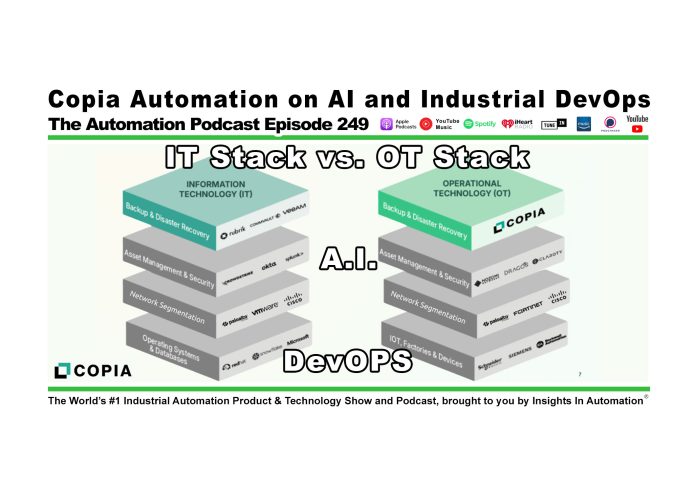
Copia Automation on AI and Industrial DevOps (P249)

Shawn Tierney meets up with Gerry Abbey, Gavin Schalliol, and Kaitlin Lockridge of Copia Automation to learn about the new AI features added to DeviceLink, as well as review the new 2025 Industrial DevOps survey results and report in this episode of The Automation Podcast.

For any links related to this episode, check out the “Show Notes” located below the video.


Watch The Automation Podcast from The Automation Blog:


Listen to The Automation Podcast from The Automation Blog:


The Automation Podcast, Episode 249 Show Notes:

Special thanks Gerry, Gavin, and Kaitlin for coming on the show, and to Copia for sponsoring this episode so we could release it “ad free!” To learn about the topics discussed in this episode, checkout the below links:


Read the transcript on The Automation Blog: (automatically generated)

Shawn Tierney (Host): coming soon


Until next time, Peace ✌️ 

If you enjoyed this content, please give it a Like, and consider Sharing a link to it as that is the best way for us to grow our audience, which in turn allows us to produce more content 🙂

Shawn M Tierney
Technology Enthusiast & Content Creator

Support our work and gain access to hundreds members only articles and videos by becoming a member at The Automation Blog or on YouTube. You’ll also find all of my affordable PLC, HMI, and SCADA courses at TheAutomationSchool.com.

Shawn Tierney

(no views)
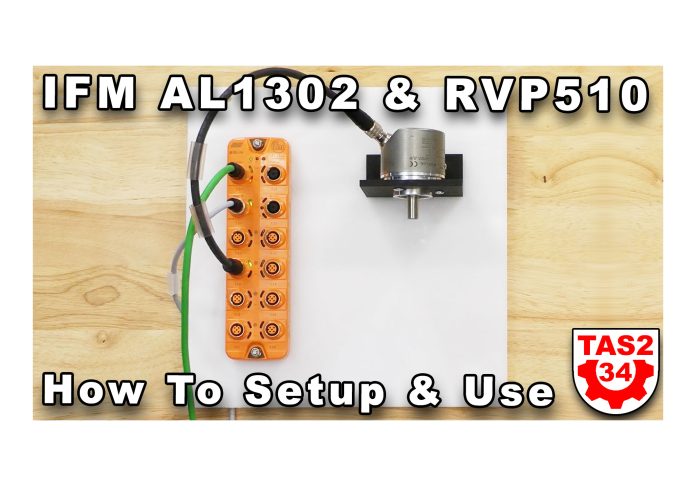
IFM AL1302 and RVP510 Setup & Use (S2E34)

Shawn walks through how to setup and use the IFM AL1302 IO-Link Master with an RVP510 Encoder on PROFINET in Episode 34 of The Automation Show (Live,) Season 2.

For any links related to this episode, check out the “Show Notes” located below the video.


Watch The Automation Show from The Automation Blog:


Note: To unlock the hundreds of exclusive videos, become a member starting at just $5/mo here.


The Automation Show, Season 2 Episode 34 Show Notes: Links mentioned in the product show:


Until next time, Peace ✌️ 

If you enjoyed this content, please give it a Like, and consider Sharing a link to it as that is the best way for us to grow our audience, which in turn allows us to produce more content 🙂

Shawn M Tierney
Technology Enthusiast & Content Creator

Support our work and gain access to hundreds members only articles and videos by becoming a member at The Automation Blog or on YouTube. You’ll also find all of my affordable PLC, HMI, and SCADA courses at TheAutomationSchool.com.

Shawn Tierney

(no views)
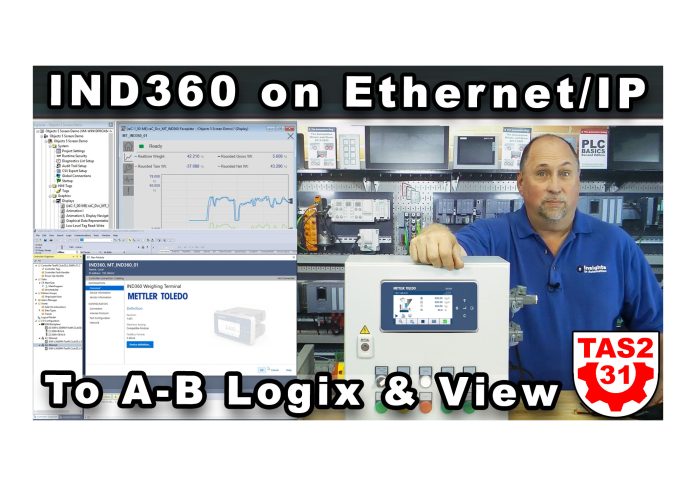
IND360 on Ethernet/IP: Using with Logix and View (S2E31)

Shawn walks through adding a Mettler Toledo IND360 on Ethernet/IP to Studio 5000 for use with Compact and ControlLogix, and Imports and Tests the IND360 Faceplates for FactoryTalk View in Episode 31 of The Automation Show, Season 2.

For any links related to this episode, check out the “Show Notes” located below the video.


Watch The Automation Show from The Automation Blog:


Note: You can unlock hundreds of “member only” episodes for just $5/mo here.


Listen to The Automation Show on the Tech Talk podcast:


The Automation Show, Season 2 Episode 31 Show Notes: Links for more information about Mettler Toledo’s IND360:

*** Links mentioned in episode

Programming Note: Due to scheduling conflicts, episode 31 is releasing prior to episode 30 😉


Read the transcript on The Automation Blog: (automatically generated)

Shawn Tierney (Host): Hey, everybody, welcome back to the Automation Show. Sean Tierney here from Insights and Automation. And today on the show we’re going to integrate the Indy three hundred sixty from Mettler Toledo into studio five thousand with Compact Logix five thousand three eighty, as well as into Factorytalk View Studio. And I think you guys are going to really enjoy this. This is a pretty cool integration here, and they did a great job, I think, with, uh, providing all the files that we need to make this happen. Now, that said, I do want to thank Mettler Toledo, who sponsored this episode, so we would make it completely ad free. So thank you to them. And with that said, let’s go over to the computer here and get started and let me press the right button here. Okay. So here we are on the computer. You can see I’ve got SES links open. You can see I have well getting ready for another in-person hands on class. Um, we’re going to be doing a special here. So if you guys want to buy block of times for in-person training next year, let me know. The special price is only good through the end of twenty twenty five. So even though you don’t have to take the training until twenty twenty six. But in any case, um, what we’re going to see here is this is the PLC I’m going to use this is my Or pack. This is my uh, L368 fifty three eighty, I think I got thirty seven in it. And then up here you can see the IND three sixty shows up on the network. But it’s got the big yellow question mark. Right. And you guys all know what that is. If you’ve been watching me for a while we need to load the file now. I already have a Logix uh, studio five thousand project open, and this is the one I used for the 3D, uh, digital twin that I’ll be given to my students. Actually play with that quite a bit this weekend, trying to refine it, get it ready for students. But in any case, that’s great for those students who can’t come in to do hands on training. We’re going to give them a virtual trainer at no charge. So in any case, we’re just going to repurpose this for use with the Mettler Toledo. No. And let’s go ahead and find out a little bit more about the version here. I think it’s thirty seven. Yeah. Thirty seven. There you can see the, uh, catalog number. And so let me go ahead and close that. Now the first thing I want to do here is bring that file in. You guys know I have a shortcut on my desktop to both the editors installation wizard and the device installation wizard. Pretty much the same thing, but, you know, it’s under here on the tools as well. So the device description installation tool will open that up here. And I will include in the description the links to where I got the files I’m using today. So you don’t have to search that and worry about where to get them. You’ll find both links there. There’s one for the editors file, and then there’s another for the add on instruction we’re going to be using. And the faceplates for Factorytalk view. So pretty cool stuff. Let me just walk through the wizard here. Uh we’re going to register a single file. Let’s go browse I think I put it into my documents on this virtual machine. Okay. So empty. And there’s my editor’s file. Okay. And next. Okay. Pretty quick. Brought it right in. There it is. And we’re all done. Beautiful. So now the next thing I forgot to do is I’ve got to add that to my studio five thousand project. I just happen to know I’m plugged into A2. So I’m going to right click and do new module. After a moment it comes up and I’m going to just search on Indd three hundred sixty. Yeah. And there it is. Okay. So because we added the editors file, now it shows up here in the available items to add to our Ethernet. So let’s go ahead and create that. Okay. You can see the configuration. Of course every time we add something to Ethernet IP right. We got to have or add it to the uh to the I o tree. Right I o configuration. We got to have a name for it. So I’m going to call this empty underscore I three sixty underscore zero one. Now the important thing to note here is whatever I name the physical device I cannot give the instance the same name. So we’ll just give our AI. When we get to that point. We’ll just call it indie three sixty without the underscore in the front. Now I’m not going to give it a description, the IP address. I’m going to use the default IP address one nine two dot one six eight dot zero dot two. We talked about that in the last episode that we did on the indie three sixty, and we’re going to go ahead and click on okay. And with that done I’m just going to go ahead and click on okay. And now you can see it down here under A2. All right. So that’s all the I o I wanted to add. Now that’s great I have a unit there I can talk to. But usually you want to get an add on instruction right. That’s going to get all the information and put it together in a nice easy to look at format. Plus it’ll format it for the faceplate we use in Talk View Studio. So let’s go ahead and see about importing that in. Again I’m going to give you the links to the files I’m using today okay. So in any case I’m just going to open up my main routine. And instead of bringing in the AI, I’m going to bring in a run with the AI on it. Um, kind of kills two birds with one stone. So let’s go ahead and import a rung, and I’m going to go back to those files I downloaded and under here. As you can see I drilled down I get to this and you can see you get the AI or rung. So I’m going to bring the rung in. You got to put it on a rung anyway. So eliminates one step right now at this point it’s going to come up and say hey we need some more information here. So on the tags right. It says the instance name. Well what do I want to give this instance. So let me go ahead and select that out of there. And then I’ll come up here and do a find replace. And I’ll say let’s replace instance with what do we say we’re going to do in D three hundred sixty. Underscore zero one making sure we’re not using the same name. We gave the object the actual I o itself. And we’ll do replace all okay. So now we have a real instance names. All right I’m not going to play around with the description. You can play with that if you want. But now I have to actually tell it. Well what’s the module. So let’s go down here and we will see. We have the IND empty IND three hundred sixty inputs okay. So let me select those and we’ll do the outputs as well. There we go. All right. So that’s all good. Now let’s come down here to other components and saying module name okay. What’s the module. Where is it. There she is right there okay. Now if you look over here I have no more flags. Right. All the flags are gone. So I’m in pretty good shape. So I’m going to click on okay. And we should see it. Bring it right in here. It’s going to add all kinds of data types and custom data types, add on instructions, and all kinds of stuff that go with what you would expect with an add on instruction. You see them over there on the left, all that get added in. But what we’re really concerned with is this add on instruction block. You can see right here. Right. And I want to show you something about that right now I think mine went as a program tag. Let’s see. Yeah it went in the program tags. That’s okay. So in any case look at all of this that you get you get all these command bits right. You get all of these uh set you get status. Status is really the stuff I’m looking at here just to make sure it’s updating. So, you know, is the current. Wait, I have a demo on the scale, so I have a demo case on the scale. I didn’t want to bring in all the lentils and make a mess. So I just have a demo case on the scale around thirteen kilograms. And so, um, all of this is done for you all in the names, right? You would think a name of a function block, you know, these kind of follow those same names. So in any case, it just makes everything very, very easy. Now there’s no description over here because I didn’t change the description. All right. So I probably should have put change the description too. But in any case. So I got instance description. Of course those are all coming down from the parent. So if I change this to let’s say empty underscore I three sixty underscore zero one, then all of them change. Right. Because you can see they’re grayed out. So they’re getting they’re inheriting the the beginning of the description from above. Okay. So let’s see what we’re going to do here next. So we get that in we get the main I think we’re ready to download. Let’s let’s try it. Let’s go ahead and go to communications to active. And just waiting for it to come up. Let’s go find our PLC here. Boom I know I say still say PLC sometimes guys, but I know it’s Rockwell. It’s officially a pack, but, uh, It’s just who I am. Same plc a lot longer than Pike. I think it’s funny too, because you’ve got partners of Rockwell who have connectors to their products, and they call them the Rockwell PLC connector. It’s not a PLC, it’s a PAC. But anyways, doesn’t matter to me. Call it what you want. So we’re downloading now to the controller and if everything was done correctly, we should be able to go in there and see the current weight. Right. I don’t have everything hooked up. We can’t spray lentils all over the place. But in any case, you should be able to see that we are connected. We should have green IO up and we should be able to see the current weight at least. And all right, so I got green io. That means everything’s working right. I’m online. I got green io. Everything’s happy here. Okay, let’s go and see if we can find the current weight here. Because I think it’s about thirteen kilograms. We got all these statuses coming in. Okay. Gross weight minus twenty three. That’s a little lower than I thought it would be. Okay, here’s the net weight. Thirteen. Now, I have something in here that weighs a little bit more. All right, so let me go ahead and put it on top of the scale here. Yep. We got up to fourteen point two five. So I’m feeling really confident that everything’s working. I got green lights no errors in my tree. I got the current weight coming in. I thought that was super easy right? And so as long as you have the links to those files, it’s easy. Now what’s also easy is getting it to work with the factorytalk view. Okay. Now, the first thing, of course, this is a what I did is I decided to open up the objects five screen demo. Just figured we’d use that. And the first thing I’m going to do, I already have effective talk links open. I figured we would create a shortcut here, and I’m just going to call it, uh, five thousand three hundred eighty. Okay. And so that’s my unit. And that is the one here at one seventy four. So I’m going to go ahead and apply that shortcut here. You guys I’ve been doing these videos on creating shortcuts for over a decade now, almost two decades now. So I’m sure you guys are familiar with that. I’m going to not that I’m going to download to a panel view. Plus, I do have panel view pluses on the shelf here. But just to just to be thorough, I’m going to copy from design the runtime okay. And then I’m going to click on okay to save everything. And so now my shortcuts done from my project. This object five screen demo doesn’t didn’t have any connections to a PLC. So the next thing I want to do is I want to bring in the face plates okay. And you typically will start with the images. Okay. Now I notice when I was doing the images okay I’m going to go back to my documents okay. Indd three sixty Mettler Toledo files, general files, device library and Factorytalk images. Not on the mask. It’s on the factorytalk images. And one of the things I noticed when I brought these in, they came in really slow. So I’m not going to. I already did it just to save us time. Okay, so all those images have been added, but you typically want to do that first because the objects, the global objects have you use those images. So the next thing we’ll do is we’ll go to global objects and let’s add those in. And if you’ve never added any type of faceplates or plant packs or anything like that, this is a standard procedure you go through. So the next thing is I bring in the global objects. Let me do me. I’m just doing me for simplicity. Um, let’s see here. I’ll bring both those in. I did not choose the update my SC license on my technical tech connect, because I don’t plan on updating my SC costs in the next few months, but I do want to update my piano view plus costs in twenty twenty six, so I forgot to get that on the support. Okay, so I brought in those global objects there. You can see them right there. Okay. Now let’s bring in the display Add component into application. And there’s the display. Okay. That’s great. Now, this display is it expects you to pass something to it. When I play test it, I don’t have anything pass to it. So it’s going to say hey what do you want to put in parameter number one. And I believe if I remember to documents in this there’s instructions in there’s actually a nice PDF with instructions in there. Um let me go ahead and do show server names, which I love to do. I wish that was on by default. Okay. And then there’s my pack and then it wants what it wants. Is that tag for the Indy three hundred sixty. So that’s it right there okay. So I’ll click on okay and say let’s test play it with that as parameter number. The first parameter okay. Give it a second. And boom okay. Customer defined under load okay. That’s great. Well I don’t have that big hefty uh thing on it. But as you can see here, um, we can come through here and we can look at things. I’m going to go ahead and just put a little extra weight on the scale, and we can see it changing. Oh, now it’s ready. So I must be at least as heavy as that big piece of equipment, the feeder that we were using in the last episode. Okay. And, um, we have already we don’t have the error anymore. You can see all of this information here. Okay. And this is just great. You get this for free. It’s all done for you, right? There’s our error. Let me see if I, uh, take some weight off of it. Yeah, we get another error because it’s expecting to have that big, um, feeder on top of it. Right. Okay. And so this is all done for you. You don’t have to do anything. And I just think that’s amazing. Um, if you’re using mettler-toledo, the NDI three hundred sixty, and you’re going to use Factorytalk view now, I believe they also have files across view. Um, very, very similar. I thought I saw something in there for panel view Five thousand. I didn’t see anything for optics, but I could be wrong on that. But in any case, I’m just varying my weight on here as, um. As. So we can see the chat goes up and down, but you see how easy that was? I mean, really, we just have to tell it you’re looking for. And again, this is all in the manual. You’re looking for the actual instance we want to, to connect this to. And you could you could actually have different buttons for different instances. Let’s say you had ten insta360’s out there. Or you could have ten different buttons to choose which one. Or you could use a select a list, whatever you want to do, right. But in any case, I just wanted to show you this because I thought it was just. The integration is so sweet, so quick. The really the only thing you need are those files and I’m going to link to them. Right. Some of them are on my website, some are on Rockwell’s website, which I thought was interesting. But in any case, you know, they’re in a compass partner. So, um, and I do want to thank let’s go back to the main screen here. I do want to thank, um, Mettler Toledo for sponsoring this so I could show you this with zero ads and let me know. Did you like that? I thought it went together really quick. It’s not one of those videos where I was spending a day banging my head against the wall. No, it was very easy. As long as you have the right files, boom, boom, boom. It’s all set up and working. And again, I appreciate Mettler-toledo for letting me borrow their demo and for sponsoring these two episodes so that I could bring them to you ad free, and I could afford to actually spend the time with the product and learn it and use it. So with that, we’ll be shipping this back out. You may actually see this exact demo at Automation Fair if you’re going. I actually have a different vendor who has hired me to come and do interviews at their trade show, so I won’t be at automation fair, at least not Tuesday and Wednesday right now, because I’ll be somewhere else. But in any case, you got to you got to follow the money, right? If you want to keep the lights on with that, I want to thank you all. I want to thank you, members. I want to thank all you viewers and listeners, and I just want to wish you all good health and happiness.

And until next time, my friends. Peace.


If you have any questions about Shawn’s in-person or online courses, please don’t hesitate to setup a time to meet with Shawn via MSTeams, or drop him an email using his contact form here: https://theautomationschool.com/question/


Until next time, Peace ✌️ 

If you enjoyed this content, please give it a Like, and consider Sharing a link to it as that is the best way for us to grow our audience, which in turn allows us to produce more content 🙂

Shawn M Tierney
Technology Enthusiast & Content Creator

Support our work and gain access to hundreds members only articles and videos by becoming a member at The Automation Blog or on YouTube. You’ll also find all of my affordable PLC, HMI, and SCADA courses at TheAutomationSchool.com.

Shawn Tierney

(no views)
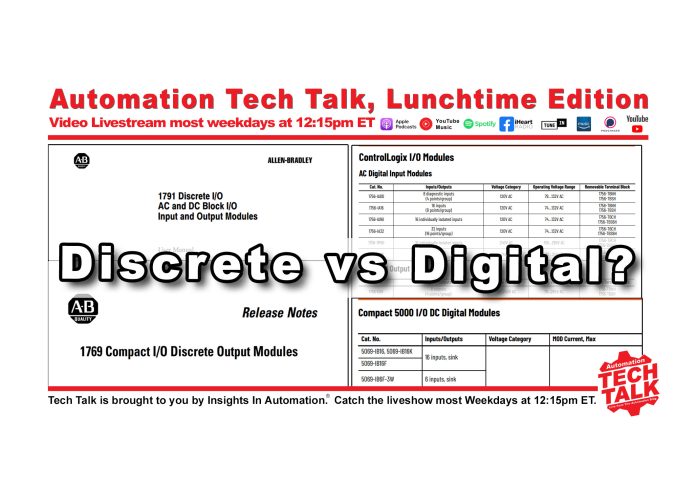
Discrete vs. Digital: Automation Tech Talk for 10/20/25

Shawn discusses how many so called “experts” don’t use the correct terminology when referring to Rockwell and Siemens Modules in today’s episode of #AutomationTechTalk Lunchtime Edition livestream:


Watch Automation Tech Talk on The Automation Blog:


Listen to Automation Tech Talk on The Automation Blog:


Automation Tech Talk Show Notes:

Thanks for listening! If you’d like to join the show sometime, don’t hesitate to use the contact us link.

Link mentioned in video:

Shawn’s Online Courses
Shawn’s In-Person Courses


Read the transcript on The Automation Blog: (automatically generated)

Shawn Tierney (Host): Hey everybody. It’s Sean Tierney here from Insights and Automation. And I’m trying something completely new. I hope it’s working. I hope you can hear me. I’m actually in a different room here. What I’m calling studio C, which as I’m updating all my PLC courses, I need to I needed another spot to be able to, um, film videos.

And so I’m kind of looking off to the side because I need to get another monitor in here. But in any case, I hope you’re doing well. I don’t know if you guys are seeing my audio. I don’t know if you’re hearing my audio or seeing my video. I don’t know what the quality is, but hey, you get to try things out. I’m actually trying Restream instead of StreamYard because there’s some audio delays with the StreamYard that, uh, if you’re not using the webcams, audio or whatever.

So in any case, I just figured I’d just, uh, show you, uh, you know, test this out. And I wanted to talk to you about discrete versus digital. I o so I’ve seen some people who call themselves experts. Of course, you guys know I train for a living. I teach, uh, you know, Allen-bradley, Siemens PLC, HMI and SCADA and, uh, you know, there’s a lot of competition out there, a lot of people saying they’re experts and a lot of them actually share incorrect information.

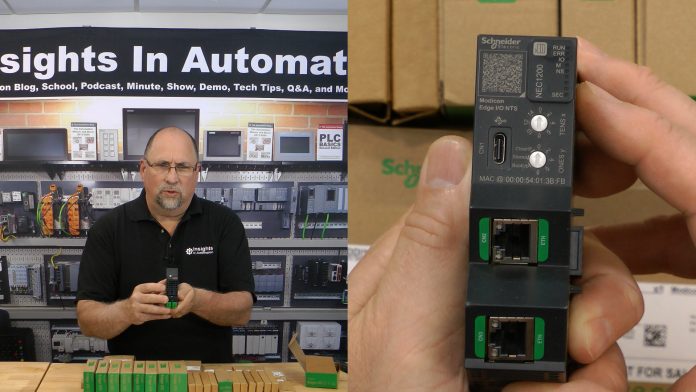
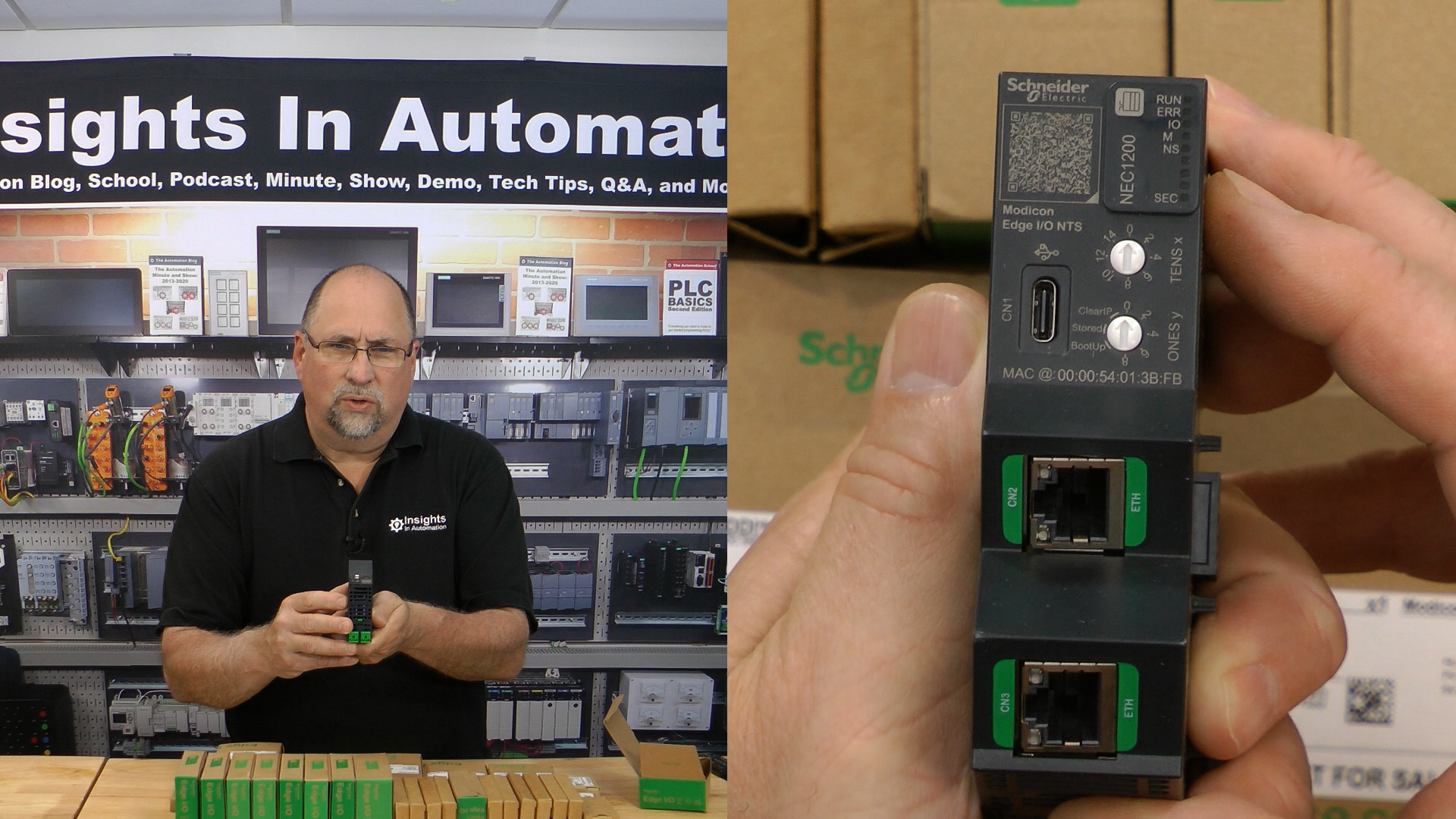
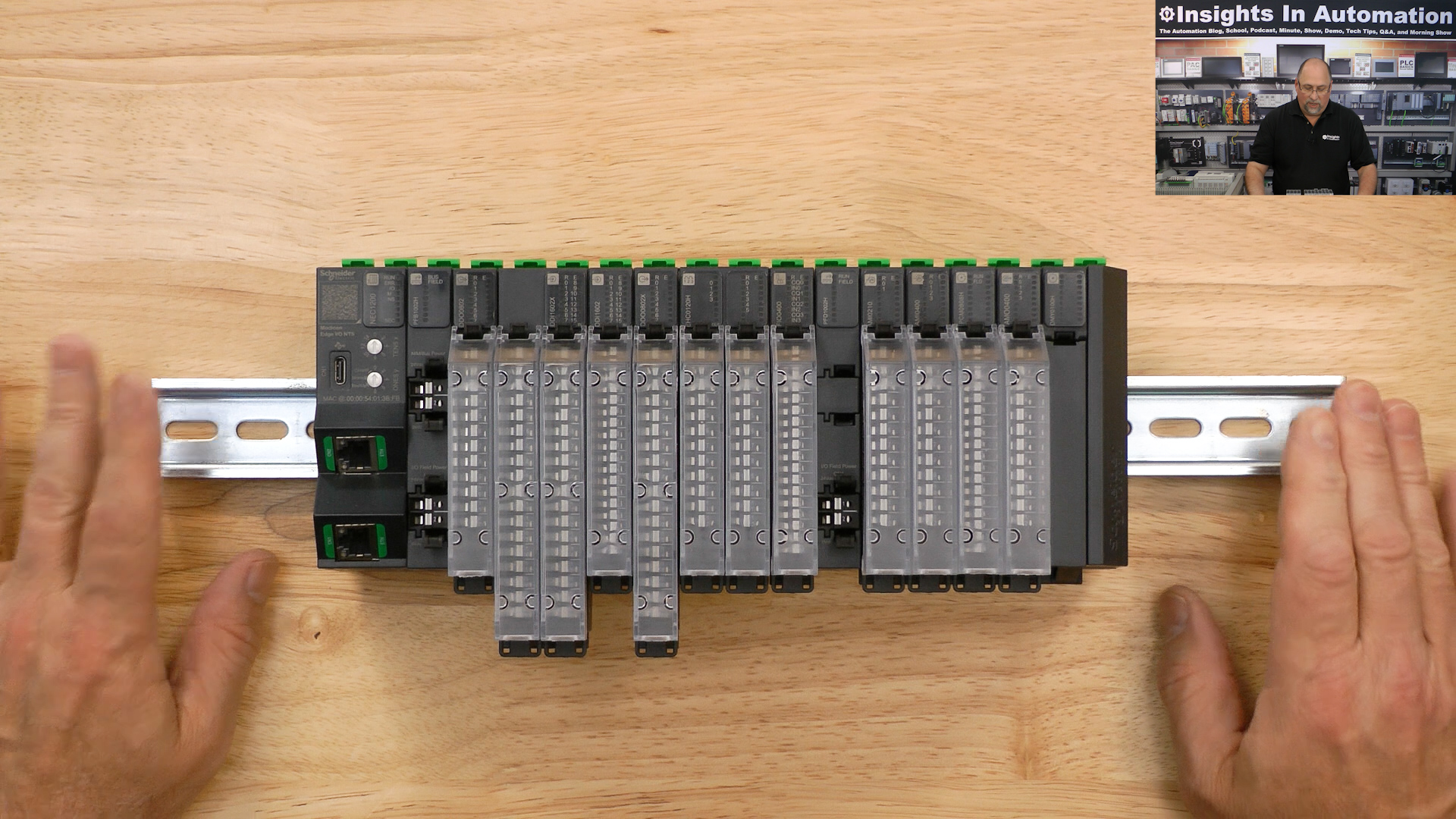
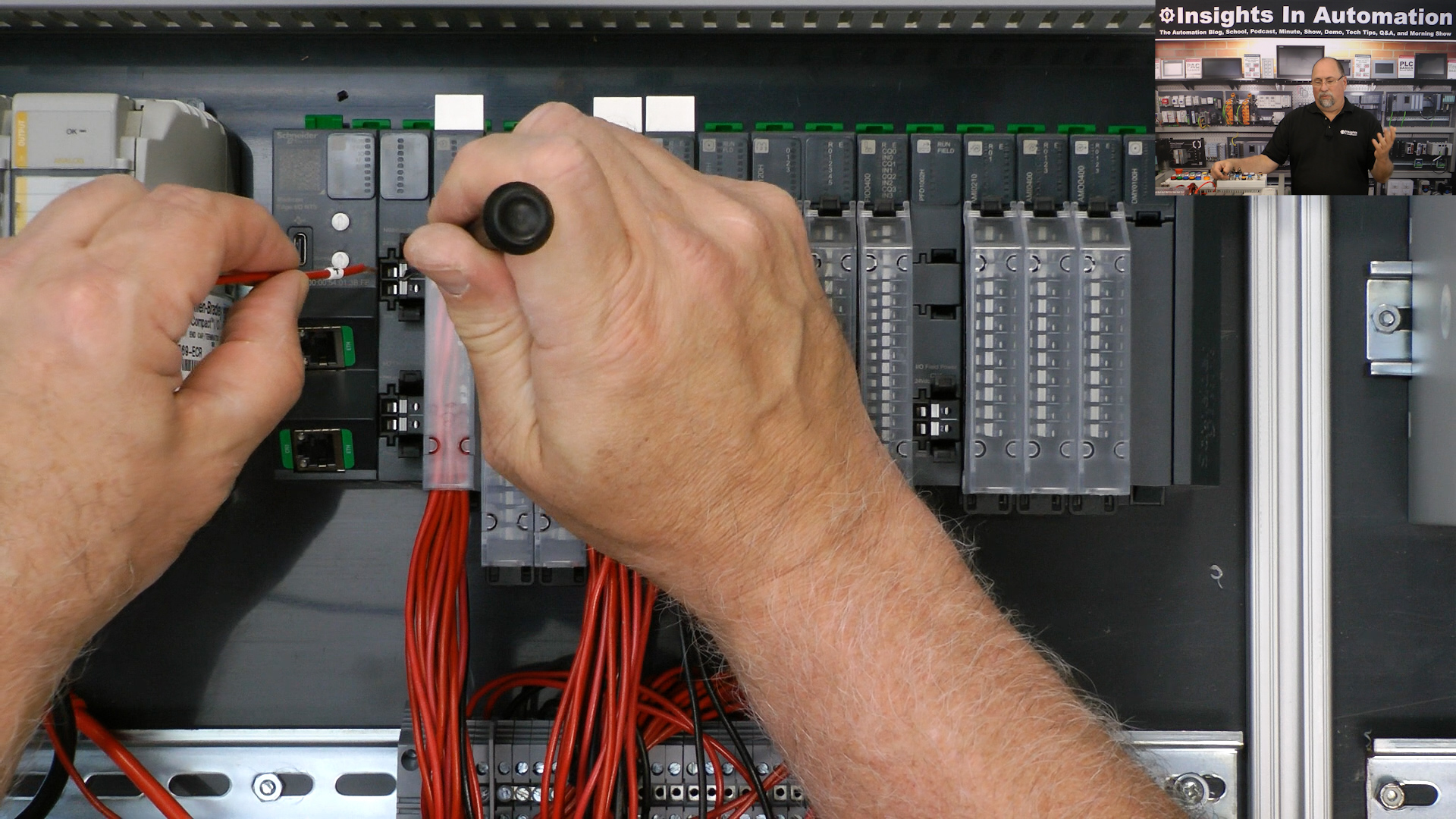
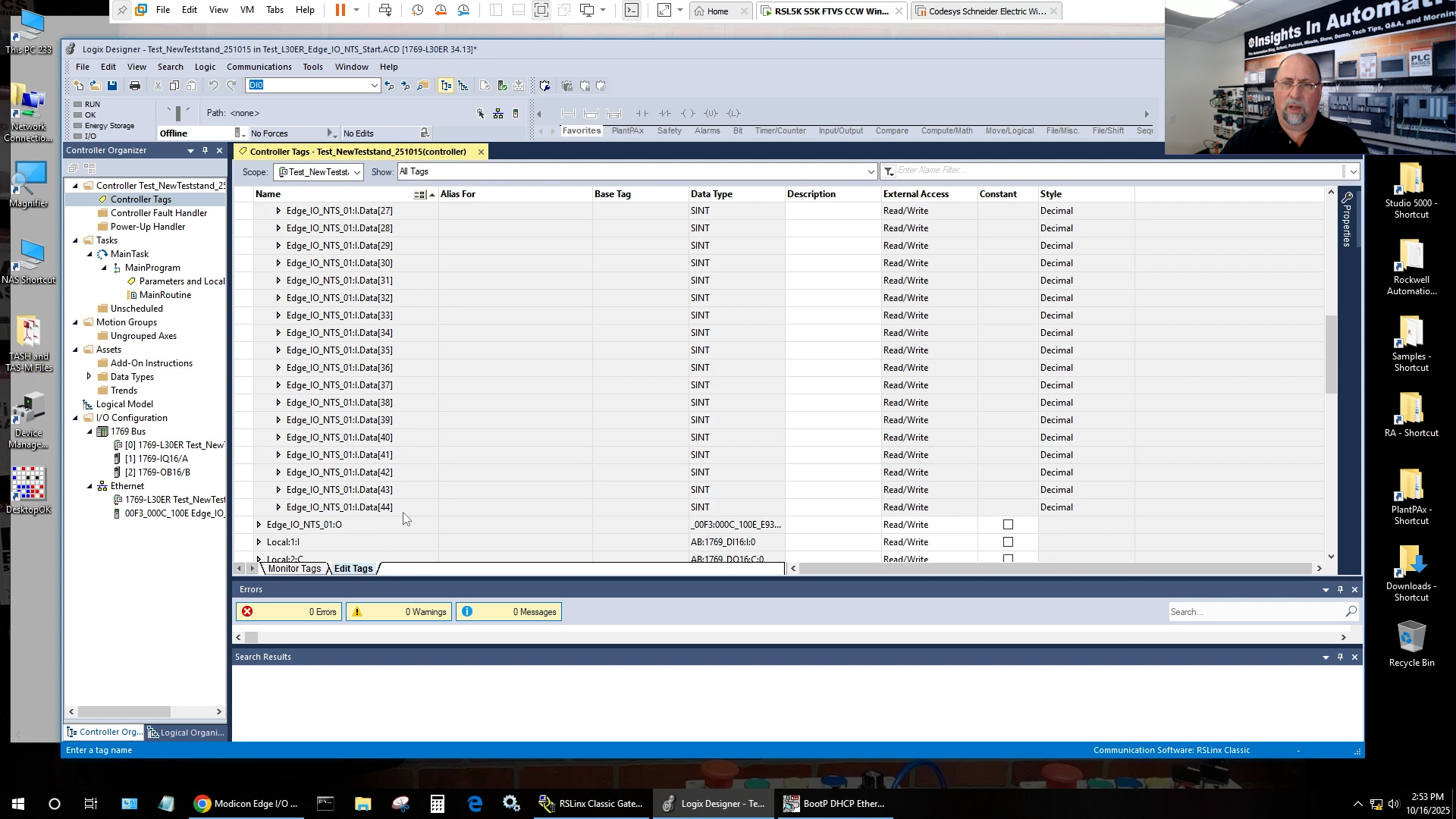
And one of the not so, not so horrible information is shares when they’re calling Rockwell’s IO discrete IO. And of course, if you want to use the word discrete, fine. Right. I always use the word digital. And I’ll show you why I use that word. And I know even in Rockwell, there was controversy years ago, I remember seeing a, uh, a letter come out from Rockwell. I don’t know if it was rescinded or not, saying we’re going to go from one to the other or whatever, but in any case, it kind of came to mind. Uh, I was reminded of this. Let me go to my my screen here, but I recently, uh, partnered with Schneider Electric, uh, great company to cover their modicon edge. Io wants a new a whole bunch of io they came out with, and I think it’s really cool. I filmed, I think, a forty five or fifty minute, uh, episode on it. They’re reviewing it now Ensure there’s no additional graphics they want to add or anything I technically got wrong. That’s one of the things we do with our sponsors, is they can go through and say, did you cut this? Add this. You know, just just we want to make sure it’s technically correct. They don’t they don’t get the storyboard, a script, the the episode.

But in any case, it was a lot of fun doing that episode. It’s again, it’s not ready to go out yet, but soon. Uh, in any case, um, I noticed I kept saying digital I o and their modules specifically say on them discrete I o. And so, um, I just noticed that the restream is putting their logo right over my face. Isn’t that nice? So let me take care. See, this is what we call about testing things. You get to test things out. And I have a very easy fix for that. No, that’s not what I wanted to do. Thank you. All right, we’ll put that over there. Okay. That solves that problem.

So in any case, um, you know, and I so I’m recording the video. I keep saying digital I o and then I’m opening the boxes and they see discrete and I’m like, oh that’s, that’s very interesting. It’s a different um, they use a different name for that. And I’m like, you know, I’m curious, you know, I’m saying digital I o because it’s a Rockwell thing, right? I’m like, I’m curious, what does Siemens call their I oh, now they call their I o modules. Signal modules. Right. Which is a slight difference. So I brought up the online uh tool here with Siemens. I said let’s see. And it’s digital modules digital and analog modules. Right. So you have digital and digital digital in out. Right. I’m like okay. So Siemens is using the word uh digital instead of discrete like Rockwell.

And uh, but but Schneider is using discrete and not that it’s a big deal. Again, I’m doing this part as a, you know, tongue in cheek picking on some of my competition or uses the wrong terminology with the wrong brands, but also just to test out. And we already found some some mistakes already, but with the Restream. But in any case, before buying Restream, I want to test it out to make sure it does what I want it to do. So in any case. So I’m like, okay, Sean, are you are you sure Rockwell uses the word digital, right? And I remember this letter coming out twenty years ago saying, you know, digital, discrete, blah, blah, blah. I don’t remember the detail. So I said, let’s go up and look at the latest control logics IO module, um, selection guide and or control logic selection guide. And you can see right here very clearly they call them digital input and output modules. Let’s see if we go down we see some more of these.

Okay. So the IB sixteen being one of the most popular ones. So I checked around and compact logics was the same. And I’m like well let’s go back in time. Let’s check. Uh slick five hundred. Yep. Digital I o and analog io. And I’m like, how about the flex back from the early nineties or mid nineties I should say. Yep. They use flex IO digital and analog okay. And I’m like, all right. Great. So these other people who claim to be experts aren’t using the right terminology with what they’re supposed to be an expert with. That tells you something, right? That tells you something. But I’m like, can I find any instance where Rockwell uses the word discrete? Right. So I came over to the selection guide for the Micrologix digital I o. Okay. Not discrete good.

So I said, you know what? I’m just going to search the knowledge base. Um, actually the literature library on ABC.com, I’m going to say let’s look for anything that has the word discrete in it, because I know I’ve seen this word before with Rockwell, and I did find a few. There’s only twenty results out of the entire, I don’t even know, hundreds of thousands of literature out there that had discrete. And so I wanted to pick out a few that relate to plc I o cards that use the word discrete. And so here we have some of the old block I o. I actually got some will be adding that in the PLC course I’m filming. I will be doing that on remote I o but the old block I o you can see this manual. And what was the year on this? Let me just go to the. Sometimes you have to go to the back nineteen ninety four. And they’re calling it the block I o discrete I o blocks okay. So that’s an example right. And then there was another one here. Right.

For I o Ponyo installation instructions. They use the word discrete as well. I thought that was interesting. What year is that from? Uh, well, it was updated in twenty. It’s twenty twenty five. So. So, you know, apparently they’re okay with using interchanging the terms here and there. And then I found this old compact io um, release note that called them discrete IO module. So my question to you is what do you call them. Now I know there’s there’s like twenty. And these all are some of these have to do with um machines with sensors, light arrays and all that kind of stuff. There’s very few, probably under ten documents you can find on Rockwell’s. Um, I’m just checking to make sure the video is coming out on Rockwell’s, uh, literature library. That will refer to IO module as discrete versus digital. And I already showed you at the beginning here, you know, all the current literature and all the old literature really had a preference for digital IO and that that kind of just reinforced when I was doing that. Modern, um, video. I was like, I keep saying digital, but the modules say discrete. Where did this where did this digital come from? It’s the vast majority of Rockwell’s documentation. Call it digital IO not discrete, but I’m curious, what do you use?

Do you say digital IO or discrete IO? And do you agree with me that if you’re working with Rockwell or Siemens, as we saw on their website, that you should be using the term digital? But when you’re working with Schneider, at least the edge io nts, you should be using the term discrete. And I know it doesn’t matter one bit, but, you know, hey, if I’m going to test out the studio and the mic and the video camera, it might as well might as well have something to chat about, right? This is automation Tech Talk, Lunchtime Edition, and I thought this might be a fun little topic to talk about again. Does it really matter? No. But, um, you know, one of the things I try to do is pay attention to the different, um, vendors terminology because I don’t like getting it wrong myself. Right.

And so in any case, I just thought that would be something fun to talk about. Now, I don’t know if because I’m trying out Restream. I don’t know if I’ll be able to see any chat to see if anybody’s chatted. So let me see if I can do that. Uh. I would need that. Okay, great. So I don’t see anything in the chat, and, um. Which is fine. As a matter of fact, uh, Restream seems to be a long way behind me. So if you’re. You may just be watching this now, it looks like Restream is, like, five, ten minutes behind me, which is really weird. I don’t know why they would be so far behind, but. Oh, well, it doesn’t matter.

In any case, uh, I just a couple of things that I’m working on right now in case this video is working. Um, the first thing is, um, we are working on a second video on the indie three hundred sixty. That’s what I’ll be doing right after this. And then, um, with that, we have another video coming up on Prtg that was sponsored, and they’ve had some people come and go and had some time problems scheduling it. But I do want to show how to use that TRG with um, uh, factorytalk view, which I thought would be cool. And then we got a lot of new. I got a lot of new demos to make. Um, we covered most of the demo one, Siemens, one I have, I have a bunch of other third party products and some Rockwell products. I’m going to make those demo boards up for in-person training. If you know anybody who needs in-person training, tell them to reach out to me.

I’m going to be actually sending fliers out, uh, with a special if people want to buy a block in time for twenty twenty six to come to in-person training. And, um, so it’ll be a, it’ll be a discount, but that’ll be it. That discount won’t carry into twenty twenty six. So with that, I think that’s everything. Hope to have more of these. Again. We’ll have some more demos in the studio probably maybe in here depending on how this is working out. But in any case, um, look for more videos coming out this week, maybe some even some more lunchtime videos. And I want to wish you all good health and happiness. And until next time my friends. Peace.


If you have any questions about Shawn’s in-person or online courses, please don’t hesitate to setup a time to meet with Shawn via MSTeams, or drop him an email using his contact form here: https://theautomationschool.com/question/


Until next time, Peace ✌️ 

If you enjoyed this content, please give it a Like, and consider Sharing a link to it as that is the best way for us to grow our audience, which in turn allows us to produce more content 🙂

Shawn M Tierney
Technology Enthusiast & Content Creator

Support our work and gain access to hundreds members only articles and videos by becoming a member at The Automation Blog or on YouTube. You’ll also find all of my affordable PLC, HMI, and SCADA courses at TheAutomationSchool.com.

Shawn Tierney

(no views)
Coming Soon: Modicon Edge I/O NTS First Look

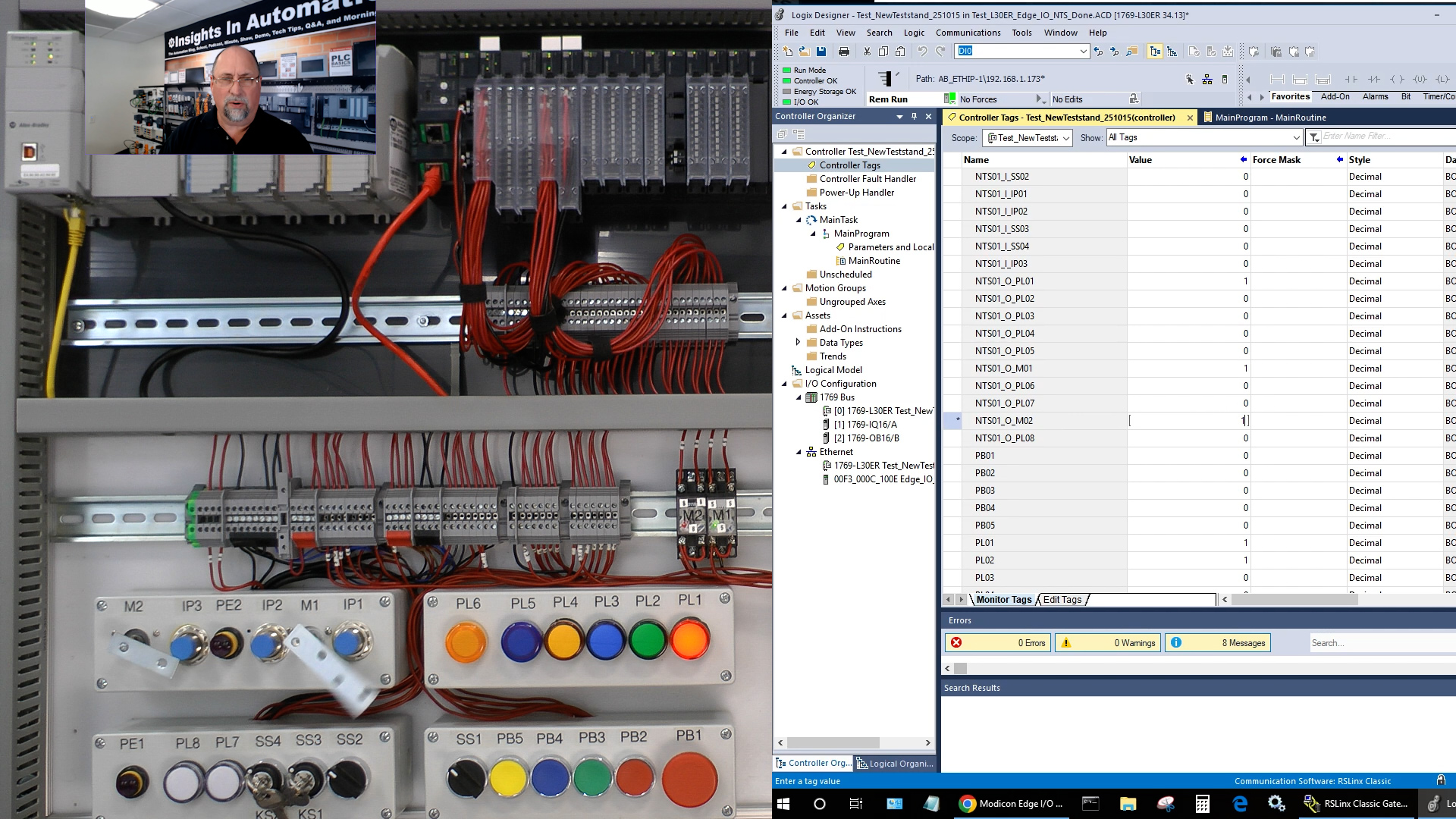
Preview Post: Shawn unboxes, wires, configures, and connects Schneider’s new Modicon Edge I/O NTS system to a Rockwell Logix PAC using Studio 5000 in Episode 30 of The Automation Show, Season 2.

For any links related to this episode, check out the “Show Notes” located below the video.


Watch The Automation Show from The Automation Blog:


Preview Images below – Full Episode Coming Soon!


The Automation Show, Season 2 Episode 30 Show Notes: The links mentioned in the video are listed below:

  • Coming soon!


Vendors: Would you like your product featured on the Podcast, Show or Blog? If you would, please contact me at: https://theautomationblog.com/contact


Until next time, Peace ✌️ 

If you enjoyed this content, please give it a Like, and consider Sharing a link to it as that is the best way for us to grow our audience, which in turn allows us to produce more content 🙂

Shawn M Tierney
Technology Enthusiast & Content Creator

Support our work and gain access to hundreds members only articles and videos by becoming a member at The Automation Blog or on YouTube. You’ll also find all of my affordable PLC, HMI, and SCADA courses at TheAutomationSchool.com.

Shawn Tierney

(no views)
History of Automation: Wonderware with Gary Wilkinson (HOA03)

In this episode of the History of Automation, Shawn Tierney is joined by Jeremy Pollard to interview Gary Wilkinson about how the company Wonderware got its start.

For information about donating to the Automation Museum, please click here.


Show Notes:

Special thanks to Jeremy and Gary for joining this week’s show! You can help bring the Automation Museum to life by donating at GiveSendGo.com/AutomationMuseum, or by becoming a guest on our show and sharing your knowledge about the History of Automation by contacting Shawn at: https://theautomationblog.com/questions/

Until next time, Peace ✌️ 

If you enjoyed this content, please give it a Like, and consider Sharing a link to it as that is the best way for us to grow our audience, which in turn allows us to produce more content 🙂

Shawn M Tierney
Technology Enthusiast & Content Creator

Support our work and gain access to hundreds members only articles and videos by becoming a member at The Automation Blog or on YouTube. You’ll also find all of my affordable PLC, HMI, and SCADA courses at TheAutomationSchool.com.

Shawn Tierney

(no views)
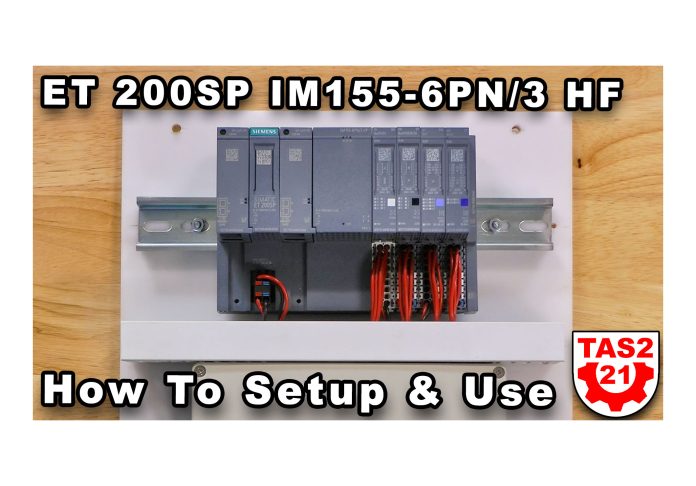
ET 200eco PN CM 8xIO-Link+DI 4 Setup & Use (S2E29)

Shawn walks through how to setup and use the ET 200eco PN CM 8xIO-Link+DI 4 module with a Siemens 8WD46 Stack Light (and Pepperl+Fuchs OMT600 Laser Distance Sensor in the Extended Edition) in Episode 29 of The Automation Show, Season 2.

For any links related to this episode, check out the “Show Notes” located below the video.


Watch The Automation Show from The Automation Blog:


Note: To unlock the extended edition of this video, login and become a member starting at just $5/mo here.


The Automation Show, Season 2 Episode 29 Show Notes: Helpful links on the product shown in the video are listed below:


Until next time, Peace ✌️ 

If you enjoyed this content, please give it a Like, and consider Sharing a link to it as that is the best way for us to grow our audience, which in turn allows us to produce more content 🙂

Shawn M Tierney
Technology Enthusiast & Content Creator

Support our work and gain access to hundreds members only articles and videos by becoming a member at The Automation Blog or on YouTube. You’ll also find all of my affordable PLC, HMI, and SCADA courses at TheAutomationSchool.com.

Shawn Tierney

(no views)

ET 200eco PN DIQ 16 Setup & Use (S2E28)

Shawn walks through how to setup and use the ET 200eco PN DIQ 16 module in Episode 28 of The Automation Show, Season 2.

For any links related to this episode, check out the “Show Notes” located below the video.


Watch The Automation Show from The Automation Blog:


Note: To unlock the extended edition of this video, login and become a member starting at just $5/mo here.


The Automation Show, Season 2 Episode 28 Show Notes: Helpful links on the product shown in the video are listed below:


Until next time, Peace ✌️ 

If you enjoyed this content, please give it a Like, and consider Sharing a link to it as that is the best way for us to grow our audience, which in turn allows us to produce more content 🙂

Shawn M Tierney
Technology Enthusiast & Content Creator

Support our work and gain access to hundreds members only articles and videos by becoming a member at The Automation Blog or on YouTube. You’ll also find all of my affordable PLC, HMI, and SCADA courses at TheAutomationSchool.com.

Shawn Tierney

(no views)

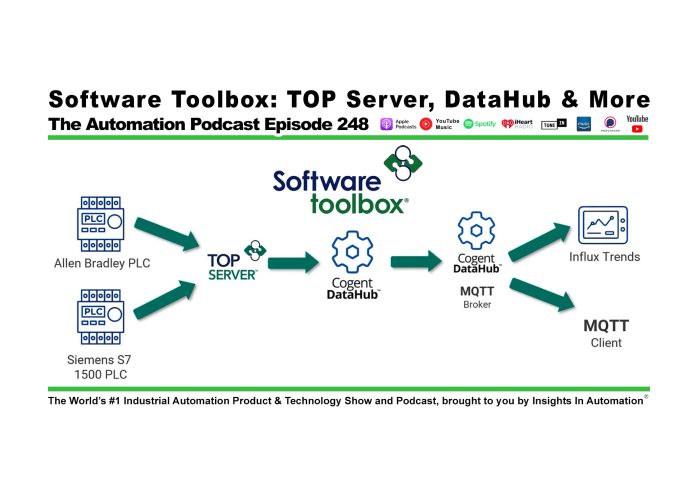
Software Toolbox: OPC Server, Router, DataHub and more (P248)

Shawn Tierney meets up with Connor Mason of Software Toolbox to learn their company, products, as well as see a demo of their products in action in this episode of The Automation Podcast.

For any links related to this episode, check out the “Show Notes” located below the video.


Watch The Automation Podcast from The Automation Blog:


Listen to The Automation Podcast from The Automation Blog:


The Automation Podcast, Episode 248 Show Notes:

Special thanks to Software Toolbox for sponsoring this episode so we could release it “ad free!” To learn about Software Toolbox please checkout the below links:


Read the transcript on The Automation Blog: (automatically generated)

Shawn Tierney (Host): Welcome back to the automation podcast. My name is Shawn Tierney with Insights and Automation, and I wanna thank you for tuning back in this week. Now this week on the show, I meet up with Connor Mason from Software Toolbox, who gives us an overview of their product suite, and then he gives us a demo at the end. And even if you’re listening, I think you’re gonna find the demo interesting because Connor does a great job of talking through what he’s doing on the screen. With that said, let’s go ahead and jump into this week’s episode with Connor Mason from Software Toolbox.

I wanna welcome Connor from Software Toolbox to the show. Connor, it’s really exciting to have you. It’s just a lot of fun talking to your team as we prepared for this, and, I’m really looking forward to because I just know in your company over the years, you guys have so many great solutions that I really just wanna thank you for coming on the show. And before you jump into talking about products and technologies Yeah. Could you first tell us just a little bit about yourself?

Connor Mason (Guest): Absolutely. Thanks, Shawn, for having us on. Definitely a pleasure to be a part of this environment. So my name is Connor Mason. Again, I’m with Software Toolbox.

We’ve been around for quite a while. So we’ll get into some of that history as well before we get into all the the fun technical things. But, you know, I’ve worked a lot with the variety of OT and IT projects that are ongoing at this point. I’ve come up through our support side. It’s definitely where we grow a lot of our technical skills.

It’s a big portion of our company. We’ll get that into that a little more. Currently a technical application consultant lead. So like I said, I I help run our support team, help with these large solutions based projects and consultations, to find what’s what’s best for you guys out there. There’s a lot of different things that in our in our industry is new, exciting.

It’s fast paced. Definitely keeps me busy. My background was actually in data analytics. I did not come through engineering, did not come through the automation, trainings at all. So this is a whole new world for me about five years ago, and I’ve learned a lot, and I really enjoyed it.

So, I really appreciate your time having us on here,

Shawn Tierney (Host): Shawn. Well, I appreciate you coming on. I’m looking forward to what you’re gonna show us today. I had a the audience should know I had a little preview of what they were gonna show, so I’m looking forward to it.

Connor Mason (Guest): Awesome. Well, let’s jump right into it then. So like I said, we’re here at Software Toolbox, kinda have this ongoing logo and and just word map of connect everything, and that’s really where we lie. Some people have called us data plumbers in the past. It’s all these different connections where you have something, maybe legacy or something new, you need to get into another system.

Well, how do you connect all those different points to it? And, you know, throughout all these projects we worked on, there’s always something unique in those different projects. And we try to work in between those unique areas and in between all these different integrations and be something that people can come to as an expert, have those high level discussions, find something that works for them at a cost effective solution. So outside of just, you know, products that we offer, we also have a lot of just knowledge in the industry, and we wanna share that. You’ll kinda see along here, there are some product names as well that you might recognize.

Our top server and OmniServer, we’ll be talking about LOPA as well. It’s been around in the industry for, you know, decades at this point. And also our symbol factory might be something you you may have heard in other products, that they actually utilize themselves for HMI and and SCADA graphics. That is that is our product. So you may have interacted it with us without even knowing it, and I hope we get to kind of talk more about things that we do.

So before we jump into all the fun technical things as well, I kind of want to talk about just the overall software toolbox experience as we call it. We’re we’re more than just someone that wants to sell you a product. We we really do work with, the idea of solutions. How do we provide you value and solve the problems that you are facing as the person that’s actually working out there on the field, on those operation lines, and making things as well. And that’s really our big priority is providing a high level of knowledge, variety of the things we can work with, and then also the support.

It’s very dear to me coming through the the support team is still working, you know, day to day throughout that software toolbox, and it’s something that has been ingrained into our heritage. Next year will be thirty years of software toolbox in 2026. So we’re established in 1996. Through those thirty years, we have committed to supporting the people that we work with. And I I I can just tell you that that entire motto lives throughout everyone that’s here.

So from that, over 97% of the customers that we interact with through support say they had an awesome or great experience. Having someone that you can call that understands the products you’re working with, understands the environment you’re working in, understands the priority of certain things. If you ever have a plant shut down, we know how stressful that is. Those are things that we work through and help people throughout. So this really is the core pillars of Software Toolbox and who we are, beyond just the products, and and I really think this is something unique that we have continued to grow and stand upon for those thirty years.

So jumping right into some of the industry challenges we’ve been seeing over the past few years. This is also a fun one for me, talking about data analytics and tying these things together. In my prior life and education, I worked with just tons of data, and I never fully knew where it might have come from, why it was such a mess, who structured it that way, but it’s my job to get some insights out of that. And knowing what the data actually was and why it matters is a big part of actually getting value. So if you have dirty data, if you have data that’s just clustered, it’s in silos, it’s very often you’re not gonna get much value out of it.

This was a study that we found in 2024, from Garner Research, And it said that, based on the question that business were asked, were there any top strategic priorities for your data analytics functions in 2024? And almost 50%, it’s right at ’49, said that they wanted to improve data quality, and that was a strategic priority. This is about half the industry is just talking about data quality, and it’s exactly because of those reasons I said in my prior life gave me a headache, to look at all these different things that I don’t even know where they became from or or why they were so different. And the person that made that may have been gone may not have the contacts, and making that from the person that implemented things to the people that are making decisions, is a very big task sometimes. So if we can create a better pipeline of data quality at the beginning, makes those people’s lives a lot easier up front and allows them to get value out of that data a lot quicker.

And that’s what businesses need.

Shawn Tierney (Host): You know, I wanna just data quality. Right? Mhmm. I think a lot of us, when we think of that, we think of, you know, error error detection. We think of lost connections.

We think of, you know, just garbage data coming through. But I I think from an analytical side, there’s a different view on that, you know, in line with what you were just saying. So how do you when you’re talking to somebody about data quality, how do you get them to shift gears and focus in on what you’re talking about and not like a quality connection to the device itself?

Connor Mason (Guest): Absolutely. Yeah. We I kinda live in both those worlds now. You know, I I get to see that that connection state. And when you’re operating in real time, that quality is also very important to you.

Mhmm. And I kind of use that at the same realm. Think of that when you’re thinking in real time, if you know what’s going on in the operation and where things are running, that’s important to you. That’s the quality that you’re looking for. You have to think beyond just real time.

We’re talking about historical data. We’re talking about data that’s been stored for months and years. Think about the quality of that data once it’s made up to that level. Are they gonna understand what was happening around those periods? Are they gonna understand what those tags even are?

Are they gonna understand what those conventions that you’ve implemented, to give them insights into this operation. Is that a clear picture? So, yeah, you’re absolutely right. There are two levels to this, and and that is a big part of it. The the real time data and historical, and we’re gonna get some of that into into our demo as well.

It it’s a it’s a big area for the business, and the people working in the operations.

Shawn Tierney (Host): Yeah. I think quality too. Think, you know, you may have data. It’s good data. It was collected correctly.

You had a good connection to the device. You got it. You got it as often as you want. But that data could really be useless. It could tell you nothing.

Connor Mason (Guest): Right. Exactly.

Shawn Tierney (Host): Right? It could be a flow rate on part of the process that irrelevant to monitoring the actual production of the product or or whatever you’re making. And, you know, I’ve known a lot of people who filled up their databases, their historians, with they just they just logged everything. And it’s like a lot of that data was what I would call low quality because it’s low information value. Right?

Absolutely. I’m sure you run into that too.

Connor Mason (Guest): Yeah. We we run into a lot of people that, you know, I’ve got x amount of data points in my historian and, you know, then we start digging into, well, I wanna do something with it or wanna migrate. Okay. Like, well, what do you wanna achieve at the end of this? Right?

And and asking those questions, you know, it’s great that you have all these things historized. Are you using it? Do you have the right things historized? Are they even set up to be, you know, worked upon once they are historized by someone outside of this this landscape? And I think OT plays such a big role in this, and that’s why we start to see the convergence of the IT and OT teams just because that communication needs to occur sooner.

So we’re not just passing along, you know, low quality data, bad quality data as well. And we’ll get into some of that later on. So to jump into some of our products and solutions, I kinda wanna give this overview of the automation pyramid. This is where we work from things like the field device communications. And you you have certain sensors, meters, actuators along the actual lines, wherever you’re working.

We work across all the industries, so this can vary between those. Through there, you work up kind of your control area. A lot of control engineers are working. This is where I think a lot of the audience is very familiar with PLCs. Your your typical name, Siemens, Rockwell, your Schneiders that are creating, these hardware products.

They’re interacting with things on the operation level, and they’re generating data. That that was kind of our bread and butter for a very long time and still is that communication level of getting data from there, but now getting it up the stack further into the pyramid of your supervisory, MES connections, and it’ll also now open to these ERP. We have a lot of large corporations that have data across variety of different solutions and also want to integrate directly down into their operation levels. There’s a lot of value to doing that, but there’s also a lot of watch outs, and a lot of security concerns. So that’ll be a topic that we’ll be getting into.

We also all know that the cloud is here. It’s been here, and it’s it’s gonna continue to push its way into, these cloud providers into OT as well. There there’s a lot of benefit to it, but there there’s also some watch outs as this kind of realm, changes in the landscape that we’ve been used to. So there’s a lot of times that we wanna get data out there. There’s value into AI agents.

It’s a hot it’s a hot commodity right now. Analytics as well. How do we get those things directly from shop floor, up into the cloud directly, and how do we do that securely? It’s things that we’ve been working on. We’ve had successful projects, continues to be an interest area and I don’t see it slowing down at all.

Now, when we kind of begin this level at the bottom of connectivity, people mostly know us for our top server. This is our platform for industrial device connectivity. It’s a thing that’s talking to all those different PLCs in your plant, whether that’s brownfield or greenfield. We pretty much know that there’s never gonna be a plant that’s a single PLC manufacturer, that exists in one plant. There’s always gonna be something that’s slightly different.

Definitely from Brownfield, things different engineers made different choices, things have been eminent, and you gotta keep running them. TopServe provides this single platform to connect to a long laundry list of different PLCs. And if this sounds very familiar to Kepserver, well, you’re not wrong. Kepserver is the same exact technology that TopServer is. What’s the difference then is probably the biggest question we usually get.

The difference technology wise is nothing. The difference in the back end is that actually it’s all the same product, same product releases, same price, but we have been the biggest single source of Kepserver or Topsyra implementation into the market, for almost two plus decades at this point. So the single biggest purchase that we own this own labeled version of Kepserver to provide to our customers. They interact with our support team, our solutions teams as well, and we sell it along the stack of other things because it it fits so well. And we’ve been doing this since the early two thousands when, Kepware was a a much smaller company than it is now, and we’ve had a really great relationship with them.

So if you’ve enjoyed the technology of of Kepserver, maybe there’s some users out there. If you ever heard of TopServer and that has been unclear, I hope this clear clarifies it. But it it is a great technology stack that that we build upon and we’ll get into some of that in our demo. Now the other question is, what if you don’t have a standard communication protocol, like a modbus, like an Allen Bradley PLC as well? We see this a lot with, you know, testing areas, pharmaceuticals, maybe also in packaging, barcode scanners, weigh scales, printers online as well.

They they may have some form of basic communications that talks over just TCP or or serial. And how do you get that information that’s really valuable still, but it’s not going through a PLC. It’s not going into your typical agent mind SCADA. It might be very manual process for a lot of these test systems as well, how they’re collecting and analyzing the data. Well, you may have heard of our Arm server as well.

It’s been around, like I said, for a couple decades and just a proven solution that without coding, you can go in and build a custom protocol that expects a format from that device, translates it, puts it into standard tags, and now that those tags can be accessible through the open standards of OPC, or to it was a a Veeva user suite link as well. And that really provides a nice combination of your standard communications and also these more custom communications may have been done through scripting in the past. Well, you know, put this onto, an actual server that can communicate through those protocols natively, and just get that data into those SCADA systems, HMIs, where you need it.

Shawn Tierney (Host): You know, I used that. Many years ago, I had an integrator who came to me. He’s like, Shawn, I wanna this is back in the RSVUE days. He’s like, Shawn, I I got, like, 20 Euotherm devices on a four eighty five, and they speak ASCII, and I gotta I gotta get into RSVUE 32. And, you know, OmniSIR, I love that you could you could basically developing and we did Omega and some other devices too.

You’re developing your own protocol, but it’s beautiful. And and the fact that when you’re testing it, it color codes everything. So you know, hey. That part worked. The header worked.

The data worked. Oh, the trailing didn’t work, or the terminated didn’t work, or the data’s not in the right format. Or I just it was a joy to work with back then, and I can imagine it’s only gotten better since.

Connor Mason (Guest): Yeah. I think it’s like a little engineer playground where you get in there. It started really decoding and seeing how these devices communicate. And then once you’ve got it running, it it’s one of those things that it it just performs and, is saved by many people from developing custom code, having to manage that custom code and integrations, you know, for for many years. So it it’s one of those things that’s kinda tried, tested, and, it it’s kind of a staple still our our base level communications.

Alright. So moving along kind of our automation pyramid as well. Another part of our large offering is the Cogent data hub. Some people may have heard from this as well. It’s been around for a good while.

It’s been part of our portfolio for for a while as well. This starts building upon where we had the communication now up to those higher echelons of the pyramid. This is gonna bring in a lot of different connectivities. You if you’re not if you’re listening, it it’s kind of this cog and spoke type of concept for real time data. We also have historical implementations.

You can connect through a variety of different things. OPC, both the profiles for alarms and events, and even OPC UA’s alarming conditions, which is still getting adoption across the, across the industry, but it is growing. As part of the OPC UA standard, we have integrations to MQTT. It can be its own MQTT broker, and it can also be an MQTT client. That has grown a lot.

It’s one of those things that lives be besides OPC UA, not exactly a replacement. If you ever have any questions about that, it’s definitely a topic I love to talk about. There’s space for for this to combine the benefits of both of these, and it’s so versatile and flexible for these different type of implementations. On top of that, it it’s it’s a really strong tool for conversion and aggregation. You kind of add this, like, its name says, it’s a it’s a data hub.

You send all the different information to this. It stores it into, a hierarchy with a variety of different modeling that you can do within it. That’s gonna store these values across a standard data format. Once I had data into this, any of those different connections, I can then send data back out. So if I have anything that I know is coming in through a certain plug in like OPC, bring that in, send it out to on these other ones, OPC, DA over to MQTT.

It could even do DDA if I’m still using that, which I probably wouldn’t suggest. But overall, there’s a lot of good benefits from having something that can also be a standardization, between all your different connections. I have a lot of different things, maybe variety of OPC servers, legacy or newer. Bring that into a data hub, and then all your other connections, your historians, your MAS, your SCADAs, it can connect to that single point. So it’s all getting the same data model and values from a single source rather than going out and making many to many connections.

A a large thing that it was originally, used for was getting around DCOM. That word is, you know, it might send some shivers down people’s spines still, to this day, but it’s it’s not a fun thing to deal with DCOM and also with the security hardening. It’s just not something that you really want to do. I’m sure there’s a lot of security professionals would advise against EPRA doing it. This tunneling will allow you to have a data hub that locally talks to any of the DA server client, communicate between two data hubs over a tunnel that pushes the data just over TCP, takes away all the comm wrappers, and now you just have values that get streamed in between.

Now you don’t have to configure any DCOM at all, and it’s all local. So a lot of people went transitioning, between products where maybe the server only supports OPC DA, and then the client is now supporting OPC UA. They can’t change it yet. This has allowed them to implement a solution quickly and cost and at a cost effective price, without ripping everything out.

Shawn Tierney (Host): You know, I wanna ask you too. I can see because this thing is it’s a data hub. So if you’re watching and you’re if you’re listening and not watching, you you’re not gonna see, you know, server, client, UAD, a broker, server, client. You know, just all these different things up here on the site. Do you what how does somebody find out if it does what they need?

I mean, do you guys have a line they can call to say, I wanna do this to this. Is that something Data Hub can do, or is there a demo? What would you recommend to somebody?

Connor Mason (Guest): Absolutely. Reach out to us. We we have a a lot of content outline, and it’s not behind any paywall or sign in links even. You you can always go to our website. It’s just softwaretoolbox.com.

Mhmm. And that’s gonna get you to our product pages. You can download any product directly from there. They have demo timers. So typically with, with coaching data hub, after an hour, it will stop.

You can just rerun it. And then call our team. Yeah. We have a solutions team that can work with you on, hey. What do I need as well?

Then our support team, if you run into any issues, can help you troubleshoot that as well. So, I’ll have some contact information at the end, that’ll get some people to, you know, where they need to go. But you’re absolutely right, Shawn. Because this is so versatile, everyone’s use case of it is usually something a little bit different. And the best people to come talk to that is us because we’ve we’ve seen all those differences.

So

Shawn Tierney (Host): I think a lot of people run into the fact, like, they have a problem. Maybe it’s the one you said where they have the OPC UA and it needs to connect to an OPC DA client. And, you know, and a lot of times, they’re they’re a little gunshot to buy a license because they wanna make sure it’s gonna do exactly what they need first. And I think that’s where having your people can, you know, answer their questions saying, yes. We can do that or, no.

We can’t do that. Or, you know, a a demo that they could download and run for an hour at a time to actually do a proof of concept for the boss who’s gonna sign off on purchasing this. And then the other thing is too, a lot of products like this have options. And you wanna make sure you’re buying the ticking the right boxes when you buy your license because you don’t wanna buy something you’re not gonna use. You wanna buy the exact pieces you need.

So I highly recommend I mean, this product just does like, I have, in my mind, like, five things I wanna ask right now, but not gonna. But, yeah, def definitely, when it when it comes to a product like this, great to touch base with these folks. They’re super friendly and helpful, and, they’ll they’ll put you in the right direction.

Connor Mason (Guest): Yeah. I I can tell you that’s working someone to support. Selling someone a solution that doesn’t work is not something I’ve been doing. Bad day. Right.

Exactly. Yeah. And we work very closely, between anyone that’s looking at products. You know, me being as technical product managers, well, I I’m engaged in those conversations. And Mhmm.

Yeah. If you need a demo license, reach out to us to extend that. We wanna make sure that you are buying something that provides you value. Now kind of moving on into a similar realm. This is one of our still somewhat newer offerings, I say, but we’ve been around five five plus years, and it’s really grown.

And I kinda said here, it’s called OPC router, and and it’s not it’s not a networking tool. A lot of people may may kinda get that. It’s more of a, kind of a term about, again, all these different type of connections. How do you route them to different ways? It it kind of it it separates itself from the Cogent data hub, and and acting at this base level of being like a visual workflow that you can assign various tasks to.

So if I have certain events that occur, I may wanna do some processing on that before I just send data along, where the data hub is really working in between converting, streaming data, real time connections. This gives you a a kind of a playground to work around of if I have certain tasks that are occurring, maybe through a database that I wanna trigger off of a certain value, based on my SCADA system, well, you can build that in in these different workflows to execute exactly what you need. Very, very flexible. Again, it has all these different type of connections. The very unique ones that have also grown into kind of that OT IT convergence, is it can be a REST API server and client as well.

So I can be sending out requests to, RESTful servers where we’re seeing that hosted in a lot of new applications. I wanna get data out of them. Or once I have consumed a variety of data, I can become the REST server in OPC router and offer that to other applications to request data from itself. So, again, it can kind of be that centralized area of information. The other thing as we talked about in the automation pyramid is it has connections directly into SAP and ERP systems.

So if you have work orders, if you have materials, that you wanna continue to track and maybe trigger things based off information from your your operation floors via PLCs tracking, how they’re using things along the line, and that needs to match up with what the SAP system has for, the amount of materials you have. This can be that bridge. It’s really is built off the mindset of the OT world as well. So we kinda say this helps empower the OT level because we’re now giving them the tools to that they understand what what’s occurring in their operations. And what could you do by having a tool like this to allow you to kind of create automated workflows based off certain values and certain events and automate some of these things that you may be doing manually or doing very convoluted through a variety of solutions.

So this is one of those prod, products as well that’s very advanced in the things that supports. Linux and Docker containers is, is definitely could be a hot topic, rightly fleet rightfully so. And this can run on a on a Docker container deployed as well. So we we’ve seen that with the I IT folks that really enjoy being able to control and to higher deployment, allows you to update easily, allows you to control and spin up new containers as well. This gives you a lot of flexibility to to deploy and manage these systems.

Shawn Tierney (Host): You know, I may wanna have you back on to talk about this. I used to there’s an old product called Rascal that I used to use. It was a transaction manager, and it would based on data changing or on a time that as a trigger, it could take data either from the PLC to the database or from the database to the PLC, and it would work with stored procedures. And and this seems like it hits all those points, And it sounds like it’s a visual like you said, right there on the slide, visual workflow builder.

Connor Mason (Guest): Yep.

Shawn Tierney (Host): So you really piqued my interest with this one, and and it may be something we wanna come back to and and revisit in the future, because, it just it’s just I know that that older product was very useful and, you know, it really solved a lot of old applications back in the day.

Connor Mason (Guest): Yeah. Absolutely. And this this just takes that on and builds even more. If you if anyone was, kind of listening at the beginning of this year or two, a conference called Prove It that was very big in the industry, we were there to and we presented on stage a solution that we had. Highly recommend going searching for that.

It’s on our web pages. It’s also on their YouTube links, and it’s it’s called Prove It. And OPC router was a big part of that in the back end. I would love to dive in and show you the really unique things. Kind of as a quick overview, we’re able to use Google AI vision to take camera data and detect if someone was wearing a hard hat.

All that logic and behind of getting that information to Google AI vision, was through REST with OPC router. Then we were parsing that information back through that, connection and then providing it back to the PLCs. So we go all the way from a camera to a PLC controlling a light stack, up to Google AI vision through OPC router, all on hotel Wi Fi. It’s very imp it’s very, very fun presentation, and, our I think our team did a really great job. So a a a pretty new offering I have I wanna highlight, is our is our data caster.

This is a an actual piece of hardware. You know, our software toolbox is we we do have some hardware as well. It’s just, part of the nature of this environment of how we mesh in between things. But the the idea is that, there’s a lot of different use cases for HMI and SCADA. They have grown so much from what they used to be, and they’re very core part of the automation stack.

Now a lot of times, these are doing so many things beyond that as well. What we found is that in different areas of operations, you may not need all that different control. You may not even have the space to make up a whole workstation for that as well. What this does, the data caster, is, just simply plug it plugs it into any network and into an HDMI compatible display, and it gives you a very easy configure workplace to put a few key metrics onto a screen. So if I have different things from you can connect directly to PLCs like Allen Bradley.

You can connect to SQL databases. You can also connect to rest APIs to gather the data from these different sources and build a a a kind of easy to to view, KPI dashboard in a way. So if you’re on a operation line and you wanna look at your current run rate, maybe you have certain things in the POC tags, you know, flow and pressure that’s very important for those operators to see. They may not be, even the capacity to be interacting with anything. They just need visualizations of what’s going on.

This product can just be installed, you know, industrial areas with, with any type of display that you can easily access and and give them something that they can easily look at. It’s configured all through a web browser to display what you want. You can put on different colors based on levels of values as well. And it’s just I feel like a very simple thing that sometimes it seems so simple, but those might be the things that provide value on the actual operation floor. This is, for anyone that’s watching, kind of a quick view of a very simple screen.

What we’re showing here is what it would look like from all the different data sources. So talking directly to ControlLogs PLC, talking to SQL databases, micro eight eight hundreds, an arrest client, and and what’s coming very soon, definitely by the end of this year, is OPC UA support. So any OPC UA server that’s out there that’s already having your PLC data or etcetera, this could also connect to that and get values from there.

Shawn Tierney (Host): Can I can you make it I’m I’m here I go? Can you make it so it, like, changes, like, pages every few seconds?

Connor Mason (Guest): Right now, it is a single page, but this is, like I said, very new product, so we’re taking any feedback. If, yeah, if there’s this type of slideshow cycle that would be, you know, valuable to anyone out there, let us know. We’re definitely always interested to see the people that are actually working out at these operation sites, what what’s valuable to them. Yeah.

Shawn Tierney (Host): A lot of kiosks you see when when you’re traveling, it’ll say, like, line one well, I’ll just throw out there. Line one, and that’ll be on there for five seconds, and then it’ll go line two. That’ll be on there for five seconds, and then line you know, I and that’s why I just mentioned that because I can see that being a question that, that that I would get from somebody who is asking me about it.

Connor Mason (Guest): Oh, great question. Appreciate it. Alright. So now we’re gonna set time for a little hands on demo. For anyone that’s just listening, we’re gonna I’m gonna talk about this at at a high level and walk through everything.

But the idea is that, we have a few different POCs, very common in Allen Bradley and just a a Siemens seven, s seven fifteen hundred that’s in our office, pretty close to me on the other side of the wall wall, actually. We’re gonna first start by connecting that to our top server like we talked about. This is our industrial communication server, that offers both OCDA, OC UA, SweetLink connectivity as well. And then we’re gonna bring this into our Cogent data hub. This we talked about is getting those values up to these higher levels.

What we’ll be doing is also tunneling the data. We talked about being able to share data through the data hubs themselves. Kinda explain why we’re doing that here and the value you can add. And then we’re also gonna showcase adding on MQTT to this level. Taking beta now just from these two PLCs that are sitting on a rack, and I can automatically make all that information available in the MQTT broker.

So any MQTT client that’s out there that wants to subscribe to that data, now has that accessible. And I’ve created this all through a a really simple workflow. We also have some databases connected. Influx, we install with Code and DataHub, has a free visualization tool that kinda just helps you see what’s going on in your processes. I wanna showcase a little bit of that as well.

Alright. So now jumping into our demo, when we first start off here is the our top server. Like I mentioned before, if anyone has worked with KEP server in the past, this is gonna look very similar. Like it because it is. The same technology and all the things here.

The the first things that I wanted to establish in our demo, was our connection to our POCs. I have a few here. We’re only gonna use the Allen Bradley and the Siemens, for the the time that we have on our demo here. But how this builds out as a platform is you create these different channels and the devices connections between them. This is gonna be your your physical connections to them.

It’s either, IP TCPIP connection or maybe your serial connection as well. We have support for all of them. It really is a long list. Anyone watching out there, you can kind of see all the different drivers that that we offer. So allowing this into a single platform, you can have all your connectivity based here.

All those different connections that you now have that up the stack, your SCADA, your historians, MAS even as well, they can all go to a single source. Makes that management, troubleshooting, all those a bit easier as well. So one of the first things I did here, I have this built out, but I’ll kinda walk through what you would typically do. You have your Allen Bradley ControlLogix Ethernet driver here first. You know, I have some IPs in here I won’t show, but, regardless, we have our our our drivers here, and then we have a set of tags.

These are all the global tags in the programming of the PLC. How I got these to to kind of map automatically is in our in our driver, we’re able to create tags automatically. So you’re able to send a command to that device and ask for its entire tag database. They can come back, provide all that, map it out for you, create those tags as well. This saves a lot of time from, you know, an engineer have to go in and, addressing all the individual items themselves.

So once it’s defined in the program project, you’re able to bring this all in automatically. I’ll show now how easy that makes it connecting to something like the Cogent data hub. In a very similar fashion, we have a connection over here to the Siemens, PLC that I also have. You can see beneath it all these different tag structures, and this was created the exact same way. While those those PLC support it, you can do an automatic tag generation, bring in all the structure that you’ve already built out your PLC programming, and and make this available on this OPC server now as well.

So that’s really the basis. We first need to establish communications to these PLCs, get that tag data, and now what do we wanna do with it? So in this demo, what I wanted to bring up was, the code in DataHub next. So here, I see a very similar kind of layout. We have a different set set of plugins on the left side.

So for anyone listening, the Cogent Data Hub again is kind of our aggregation and conversion tool. All these different type of protocols like OPC UA, OPC DA, and OPC A and E for alarms and events. We also support OPC alarms and conditions, which is the newer profile for alarms in OPC UA. We have all a variety of different ways that you can get data out of things and data’s into the data hub. We can also do bridging.

This concept is, how you share data in between different points. So let’s say I had a connection to one OPC server, and it was communicating to a certain PLC, and there were certain registers I was getting data from. Well, now I also wanna connect to a different OPC server that has, entirely different brand of PLCs. And then maybe I wanna share data in between them directly. Well, with this software, I can just bridge those points between them.

Once they’re in the data hub, I can do kind of whatever I want with them. I can then allow them to write between those PLCs and share data that way, and you’re not now having to do any type of hardwiring directly in between them, and then I’m compatible to communicate to each other. Through the standards of OPC and these variety of different communication levels, I can integrate them together.

Shawn Tierney (Host): You know, you bring up a good point. When you do something like that, is there any heartbeat? Like, is there on the general or under under, one of these, topics? Is there are there tags we can use that are from DataHub itself that can be sent to the destination, like a heartbeat or, you know, the merge transactions? Or

Connor Mason (Guest): Yeah. Absolutely. So with this as well, there’s pretty strong scripting engine, and I have done that in the past where you can make internal tags. And that that could be a a timer. It could be a counter.

And and just kind of allows you to create your own tags as well that you could do the same thing, could share that, through bridge connection to a PLC. So, yeah, there there are definitely some people that had those cert and, you know, use cases where they wanna get something to just track, on this software side and get it out to those hardware PLCs. Absolutely.

Shawn Tierney (Host): I mean, when you send out the data out of the PLC, the PLC doesn’t care to take my data. But when you’re getting data into the PLC, you wanna make sure it’s updating and it’s fresh. And so, you know, they throw a counter in there, the script thing, and be able to have that. As as long as you see that incrementing, you know, you got good data coming in. That’s that’s a good feature.

Connor Mason (Guest): Absolutely. You know, another big one is the the redundancy. So what this does is beyond just the OPC, we can make redundancy to basically anything that has two things running of it. So any of these different connections. How it’s unique is what it does is it just looks at the buckets of data that you create.

So for an example, if I do have two different OPC servers and I put them into two areas of, let’s say, OPC server one and OPC server two, I can what now create an OPC redundancy data bucket. And now any client that connects externally to that and wants that data, it’s gonna go talk to that bucket of data. And that bucket of data is going to automatically change in between sources as things go down, things come back up, and the client would never know what’s hap what that happened unless you wanted to. There are internal tasks to show what’s the current source and things, but the idea is to make this trans kind of hidden that regardless of what’s going on in the operations, if I have this set up, I can have my external applications just reading from a single source without knowing that there’s two things behind it that are actually controlling that. Very important for, you know, historian connections where you wanna have a full complete picture of that data that’s coming in.

If you’re able to make a redundant connection to two different, servers and then allow that historian to talk to a single point where it doesn’t have to control that switching back and forth. It it will just see that data flow streamlessly as as either one is up at that time. Kinda beyond that as well, there’s quite a few other different things in here. I don’t think we have time to cover all of them. But for for our demo, what I wanna focus on first is our OPC UA connection.

This allows us both to act as a OPC UA client to get data from any servers out there, like our top server. And also we can act as an OPC UA server itself. So if anything’s coming in from maybe you have multiple connections to different servers, multiple connections to other things that aren’t OPC as well, I can now provide all this data automatically in my own namespace to allow things to connect to me as well. And that’s part of that aggregation feature, and kind of topic I was mentioning before. So with that, I have a connection here.

It’s pulling data all from my top server. I have a few different tags from my Alec Bradley and and my Siemens PLC selected. The next part of this, while I was meshing, was the tunneling. Like I said, this is very popular to get around DCOM issues, but there’s a lot of reasons why you still may use this beyond just the headache of DCOM and what it was. What this runs on is a a TCP stream that takes all the data points as a value, a quality, and a timestamp, and it can mirror those in between another DataHub instance.

So if I wanna get things across a network, like my OT side, where NASH previously, I would have to come in and allow a, open port onto my network for any OPC UA clients, across the network to access that, I can now actually change the direction of this and allow me to tunnel data out of my network without opening up any ports. This is really big for security. If anyone out there, security professional or working as an engineer, you have to work with your IT and security a lot, they don’t you don’t wanna have an open port, especially to your operations and OT side. So this allows you to change that direction of flow and push data out of this direction into another area like a DMZ computer or up to a business level computer as well. The other things as well that I have configured in this demo, the benefit of having that tunneling streaming data across this connection is I can also store this data locally in a, influx database.

The purpose of that then is that I can actually historize this, provide then if this connection ever goes down to backfill any information that was lost during that tunnel connection going down. So with this added layer on and real time data scenarios like OPC UA, unless you have historical access, you would lose a lot of data if that connection ever went down. But with this, I can actually use the back end of this InfluxDB, buffer any values. When my connection comes back up, pass them along that stream again. And if I have anything that’s historically connected, like, another InfluxDB, maybe a PI historian, Vue historian, any historian offering out there that can allow that connection.

I can then provide all those records that were originally missed and backfill that into those systems. So I switched over to a second machine. It’s gonna look very similar here as well. This also has an instance of the Cogent Data Hub running here. For anyone not watching, what we’ve actually have on this side is the the portion of the tunneler that’s sitting here and listening for any data requests coming in.

So on my first machine, I was able to connect my PLCs, gather that information into Cogent DataHub, and now I’m pushing that information, across the network into a separate machine that’s sitting here and listening to gather information. So what I can quickly do is just make sure I have all my data here. So I have these different points, both from my Allen Bradley PLCs. I have a few, different simulation demo points, like temperature, pressure, tank level, a few statuses, and all this is updating directly through that stream as the PLC is updating it as well. I also have my scenes controller.

I have some, current values and a few different counters tags as well. All of this again is being directly streamed through that tunnel. I’m not connecting to an OPC server at all on this side. I can show you that here. There’s no connections configured.

I’m not talking to the PLCs directly on this machine as well. But maybe we’ll pass all the information through without opening up any ports on my OT demo machine per se. So what’s the benefit of that? Well, again, security. Also, the ability to do the store and forward mechanisms.

On the other side, I was logging directly to a InfluxDB. This could be my d- my buffer, and then I was able to configure it where if any values were lost, to store that across the network. So now with this side, if I pull up Chronic Graph, which is a free visualization tool that installs with the DataHub as well, I can see some very nice, visual workflows and and visual diagrams of what is going on with this data. So I have a pressure that is just a simulator in this, Allen Bradley PLC that ramps up and and comes back down. It’s not actually connected to anything that’s reading a real pressure, but you can see over time, I can kind of change through these different layers of time.

And I might go back a little far, but I have a lot of data that’s been stored in here. For a while during my test, I turned this off and, made it fail, but then I came back in and I was able to recreate all the data and backfill it as well. So through through these views, I can see that as data disconnects, as it comes back on, I have a very cyclical view of the data because it was able to recover and store and forward from that source. Like I said, Shawn, data quality is a big thing in this industry. It’s a big thing for people both at the operations side, and both people making decision in the business layer.

So being able to have a full picture, without gaps, it is definitely something that, you should be prioritizing, when you can.

Shawn Tierney (Host): Now what we’re seeing here is you’re using InfluxDB on this, destination PC or IT side PC and chronograph, which was that utility or that package that comes, gets installed. It’s free. But you don’t actually have to use that. You could have sent this in to an OSI pi or Exactly. Somebody else’s historian.

Right? Can you name some of the historians you work with? I know OSI pie.

Connor Mason (Guest): Yeah. Yeah. Absolutely. So there’s quite a few different ones. As far as what we support in the Data Hub natively, Amazon Kinesis, the cloud hosted historian that we can also do the same things from here as well.

Aviva Historian, Aviva Insight, Apache Kafka. This is a a kind of a a newer one as well that used to be a very IT oriented solution, now getting into OT. It’s kind of a similar database structure where things are stored in different topics that we can stream to. On top of that, just regular old ODBC connections. That opens up a lot of different ways you can do it, or even, the old classic OPC, HDA.

So if you have any, historians that that can act as an OPC HDA, connection, we we can also stream it through there.

Shawn Tierney (Host): Excellent. That’s a great list.

Connor Mason (Guest): The other thing I wanna show while we still have some time here is that MQTT component. This is really growing and, it’s gonna continue to be a part of the industrial automation technology stack and conversations moving forward, for streaming data, you know, from devices, edge devices, up into different layers, both now into the OT, and then maybe out to, IT, in our business levels as well, and definitely into the cloud as we’re seeing a lot of growth into it. Like I mentioned with Data Hub, the big benefit is I have all these different connections. I can consume all this data. Well, I can also act as an MQTT broker.

And what what a broker typically does in MQTT is just route data and share data. It’s kind of that central point where things come to it to either say, hey. I’m giving you some new values. Share it with someone else. Or, hey.

I need these values. Can you give me that? It really fits in super well with what this product is at its core. So all I have to do here is just enable it. What that now allows is I have an example, MQTT Explorer.

If anyone has worked with MQTT, you’re probably familiar with this. There’s nothing else I configured beyond just enabling the broker. And you can see within this structure, I have all the same data that was in my Data Hub already. The same things I were collecting from my PLCs and top server. Now I’ve embedded these as MPPT points and now I have them in JSON format with the value, their timestamp.

You can even see, like, a little trend here kind of matching what we saw in Influx. And and now this enables all those different cloud connectors that wanna speak this language to do it seamlessly.

Shawn Tierney (Host): So you didn’t have to set up the PLCs a second time to do this? Nope.

Connor Mason (Guest): Not at all.

Shawn Tierney (Host): You just enabled this, and now the data’s going this way as well. Exactly.

Connor Mason (Guest): Yeah. That’s a really strong point of the Cogent Data Hub is once you have everything into its structure and model, you just enable it to use any of these different connections. You can get really, really creative with these different things. Like we talked about with the the bridging aspect and getting into different systems, even writing down the PLCs. You can make crust, custom notifications and email alerts, based on any of these values.

You could even take something like this MTT connection, tunnel it across to another data hub as well, maybe then convert it to OPC DA. And now you’ve made a a a new connection over to something that’s very legacy as well.

Shawn Tierney (Host): Yeah. That, I mean, the options here are just pretty amazing, all the different things that can be done.

Connor Mason (Guest): Absolutely. Well, I, you know, I wanna jump back into some of our presentation here while we still got the time. And now after we’re kinda done with our demo, there’s so many different ways that you can use these different tools. This is just a really simple, kind of view of the, something that used to be very simple, just connecting OpenSea servers to a variety of different connections, kind of expanding onto with that that’s store and forward, the local influx usage, getting out to things like MTT as well. But there’s a lot more you can do with these solutions.

So like Shawn said, reach out to us. We’re happy to engage and see what we can help you with. I have a few other things before we wrap up. Just overall, it we’ve worked across nearly every industry. We have installations across the globe on all continents.

And like I said, we’ve been around for pushing thirty years next year. So we’ve seen a lot of different things, and we really wanna talk to anyone out there that maybe has some struggles that are going on with just connectivity, or you have any ongoing projects. If you work in these different industries or if there’s nothing marked here and you have anything going on that you need help with, we’re very happy to sit down and let you know if there’s there’s something we can do there.

Shawn Tierney (Host): Yeah. For those who are, listening, I mean, we see most of the big energy and consumer product, companies on that slide. So I’m not gonna read them off, but, it’s just a lot of car manufacturers. You know, these are these are these, the household name brands that everybody knows and loves.

Connor Mason (Guest): So kind of wrap some things up here. We talked about all the different ways that we’ve kind of helped solve things in the past, but I wanna highlight some of the unique ones, that we’ve also gone do some, case studies on and and success stories. So this one I actually got to work on, within the last few years that, a plastic packaging, manufacturer was looking to track uptime and downtime across multiple different lines, and they had a new cloud solution that they were already evaluating. They’re really excited to get into play. They they had a lot of upside to, getting things connected to this and start using it.

Well, what they had was a lot of different PLCs, a lot of different brands, different areas, different, you know, areas of operation that they need to connect to. So what they used was to first get that into our top server, kind of similar to how they showed them use in their in our demo. We just need to get all the data into a centralized platform first, get that data accessible. Then from there, once they had all that information into a centralized area, they used the Cogent Data Hub as well to help aggregate that information and transform it to be sent to the cloud through MQTT. So very similar to the demo here, this is actually a real use case of that.

Getting information from PLCs, structuring it into that how that cloud system needed it for MQTT, and streamlining that data connection to now where it’s just running in operation. They constantly have updates about where their lines are in operation, tracking their downtime, tracking their uptime as well, and then being able to do some predictive analytics in that cloud solution based on their history. So this really enabled them to kind of build from what they had existing. It was doing a lot of manual tracking, into an entirely automated system with management able to see real views of what’s going on at this operation level. Another one I wanna talk about was we we were able to do this success story with, Ace Automation.

They worked with a pharmaceutical company. Ace Automation is a SI and they were brought in and doing a lot of work with some some old DDE connections, doing some custom Excel macros, and we’re just having a hard time maintaining some legacy systems that were just a pain to deal with. They were working with these older files, from some old InTouch histor HMIs, and what they needed to do was get something that was not just based on Excel and doing custom macros. So one product we didn’t get to talk about yet, but we also carry is our LGH file inspector. It’s able to take these files, put them out into a standardized format like CSV, and also do a lot of that automation of when when should these files be queried?

Should they be, queried for different lengths? Should they be output to different areas? Can I set these up in a scheduled task so it can be done automatically rather than someone having to sit down and do it manually in Excel? So they will able to, recover over fifty hours of engineering time with the solution from having to do late night calls to troubleshoot a, Excel macro that stopped working, from crashing machines, because they were running a legacy systems to still support some of the DDE servers, into saving them, you know, almost two hundred plus hours of productivity. Another example, if we’re able to work with a renewable, energy customer that’s doing a lot of innovative things across North America, They had a very ambitious plan to double their footprint in the next two years.

And with that, they had to really look back at their assets and see where they currently stand, how do we make new standards to support us growing into what we want to be. So with this, they had a lot of different data sources currently. They’re all kind of siloed at the specific areas. Nothing was really connected commonly to a corporate level area of historization, or control and security. So again, they they were able to use our top server and put out a standard connectivity platform, bring in the DataHub as an aggregation tool.

So each of these sites would have a top server that was individually collecting data from different devices, and then that was able to send it into a single DataHub. So now their corporate level had an entire view of all the information from these different plants in one single application. That then enabled them to connect their historian applications to that data hub and have a perfect view and make visualizations off of their entire operations. What this allowed them to do was grow without replacing everything. And that’s a big thing that we try to strive on is replacing and ripping out all your existing technologies.

It’s not something you can do overnight. But how do we provide value and gain efficiency with what’s in place and providing newer technologies on top of that without disrupting the actual operation as well? So this was really, really successful. And at the end, I just wanna kind of provide some other contacts and information people can learn more. We have a blog that goes out every week on Thursdays.

A lot of good technical content out there. A lot of recast of the the awesome things we get to do here, the success stories as well, and you can always find that at justblog.softwaretoolbox.com. And again, our main website is justsoftwaretoolbox.com. You can get product information, downloads, reach out to anyone on our team. Let’s discuss what what issues you have going on, any new projects, we’ll be happy to listen.

Shawn Tierney (Host): Well, Connor, I wanna thank you very much for coming on the show and bringing us up to speed on not only software toolbox, but also to, you know, bring us up to speed on top server and doing that demo with top server and data hub. Really appreciate that. And, I think, you know, like you just said, if anybody, has any projects that you think these solutions may be able to solve, please give them a give them a call. And if you’ve already done something with them, leave a comment. You know?

To leave a comment, no matter where you’re watching or listening to this, let us know what you did. What did you use? Like me, I used OmniServer all those many years ago, and, of course, Top Server as an OPC server. But if you guys have already used Software Toolbox and, of course, Symbol Factory, I use that all the time. But if you guys are using it, let us know in the comments.

It’s always great to hear from people out there. I know, you know, with thousands of you guys listening every week, but I’d love to hear, you know, are you using these products? Or if you have questions, I’ll funnel them over to Connor if you put them in the comments. So with that, Connor, did you have anything else you wanted to cover before we close out today’s show?

Connor Mason (Guest): I think that was it, Shawn. Thanks again for having us on. It was really fun.

Shawn Tierney (Host): I hope you enjoyed that episode, and I wanna thank Connor for taking time out of his busy schedule to come on the show and bring us up to speed on software toolbox and their suite of products. Really appreciated that demo at the end too, so we actually got a look at if you’re watching. Gotta look at their products and how they work. And, just really appreciate them taking all of my questions. I also appreciate the fact that Software Toolbox sponsored this episode, meaning we were able to release it to you without any ads.

So I really appreciate them. If you’re doing any business with Software Toolbox, please thank them for sponsoring this episode. And with that, I just wanna wish you all good health and happiness. And until next time, my friends, peace.


Until next time, Peace ✌️ 

If you enjoyed this content, please give it a Like, and consider Sharing a link to it as that is the best way for us to grow our audience, which in turn allows us to produce more content 🙂

Shawn M Tierney
Technology Enthusiast & Content Creator

Support our work and gain access to hundreds members only articles and videos by becoming a member at The Automation Blog or on YouTube. You’ll also find all of my affordable PLC, HMI, and SCADA courses at TheAutomationSchool.com.

Shawn Tierney

(no views)

ET 200eco PN IP67/69K Outdoor Rated Distributed I/O First Look (S2E27)

Shawn takes a look at the ET 200eco PN line of Machine Mount Distributed I/O from Siemens rated for outdoor use  / IP67/69K in Episode 27 of The Automation Show, Season 2.

For any links related to this episode, check out the “Show Notes” located below the video.


Watch The Automation Show from The Automation Blog:


The Automation Show, Season 2 Episode 27 Show Notes: The links mentioned in the video are listed below:


Vendors: Would you like your product featured on the Podcast, Show or Blog? If you would, please contact me at: https://theautomationblog.com/contact


Until next time, Peace ✌️ 

If you enjoyed this content, please give it a Like, and consider Sharing a link to it as that is the best way for us to grow our audience, which in turn allows us to produce more content 🙂

Shawn M Tierney
Technology Enthusiast & Content Creator

Support our work and gain access to hundreds members only articles and videos by becoming a member at The Automation Blog or on YouTube. You’ll also find all of my affordable PLC, HMI, and SCADA courses at TheAutomationSchool.com.

Shawn Tierney

(no views)

ET 200AL CM 4xIO-Link Setup & Use (S2E26)

Shawn walks through how to setup and use the ET 200AL CM 4xIO-Link Machine Mount IO-Link module in Episode 26 of The Automation Show, Season 2.

For any links related to this episode, check out the “Show Notes” located below the video.


Watch The Automation Show from The Automation Blog:


The Automation Show, Season 2 Episode 26 Show Notes: The links mentioned in the video are listed below:


Vendors: Would you like your product featured on the Podcast, Show or Blog? If you would, please contact me at: https://theautomationblog.com/contact


Until next time, Peace ✌️ 

If you enjoyed this content, please give it a Like, and consider Sharing a link to it as that is the best way for us to grow our audience, which in turn allows us to produce more content 🙂

Shawn M Tierney
Technology Enthusiast & Content Creator

Support our work and gain access to hundreds members only articles and videos by becoming a member at The Automation Blog or on YouTube. You’ll also find all of my affordable PLC, HMI, and SCADA courses at TheAutomationSchool.com.

Shawn Tierney

(no views)

ET 200AL IM 157-1 PN & DIQ Setup & Use (S2E25)

Shawn walks through how to setup and use the ET 200AL IM 157-1 PN and DIQ 4 + DQ 4 Machine Mount I/O modules in Episode 25 of The Automation Show, Season 2.

For any links related to this episode, check out the “Show Notes” located below the video.


Watch The Automation Show from The Automation Blog:


The Automation Show, Season 2 Episode 25 Show Notes: The links mentioned in the video are listed below:


Vendors: Would you like your product featured on the Podcast, Show or Blog? If you would, please contact me at: https://theautomationblog.com/contact


Until next time, Peace ✌️ 

If you enjoyed this content, please give it a Like, and consider Sharing a link to it as that is the best way for us to grow our audience, which in turn allows us to produce more content 🙂

Shawn M Tierney
Technology Enthusiast & Content Creator

Support our work and gain access to hundreds members only articles and videos by becoming a member at The Automation Blog or on YouTube. You’ll also find all of my affordable PLC, HMI, and SCADA courses at TheAutomationSchool.com.

Shawn Tierney

(no views)

ET 200AL Machine Mount Distributed IO First Look (S2E24)

Shawn takes a look at the ET 200AL line of Machine Mount Distributed I/O from Siemens in Episode 24 of The Automation Show, Season 2.

For any links related to this episode, check out the “Show Notes” located below the video.


Watch The Automation Show from The Automation Blog:


The Automation Show, Season 2 Episode 24 Show Notes: The links mentioned in the video are listed below:


Vendors: Would you like your product featured on the Podcast, Show or Blog? If you would, please contact me at: https://theautomationblog.com/contact


Until next time, Peace ✌️ 

If you enjoyed this content, please give it a Like, and consider Sharing a link to it as that is the best way for us to grow our audience, which in turn allows us to produce more content 🙂

Shawn M Tierney
Technology Enthusiast & Content Creator

Support our work and gain access to hundreds members only articles and videos by becoming a member at The Automation Blog or on YouTube. You’ll also find all of my affordable PLC, HMI, and SCADA courses at TheAutomationSchool.com.

Shawn Tierney

(no views)

Digital Twin to PLC: Connect PLC Lab 3D Studio to A-B Logix & Micro800 (S2E18)

Shawn walks through setting up PLC Lab 3D Studio Digital Twin Software to communicate to A-B CompactLogix, ControlLogix, and Micro800 in Episode 18 of The Automation Show, Season 2.

For links related to this episode, check out the “Show Notes” located below the video.


Watch The Automation Show from The Automation Blog:


Note: You can unlock hundreds of previous episodes for just $5/mo here.


The Automation Show, Season 2 Episode 18 Show Notes: Links for more information about PLC Lab 3D Studio can be found below:

Programming Note: Due to scheduling conflicts, episodes 19-23 released prior to episodes 17+18 😉


Until next time, Peace ✌️ 

If you enjoyed this content, please give it a Like, and consider Sharing a link to it as that is the best way for us to grow our audience, which in turn allows us to produce more content 🙂

Shawn M Tierney
Technology Enthusiast & Content Creator

Support our work and gain access to hundreds members only articles and videos by becoming a member at The Automation Blog or on YouTube. You’ll also find all of my affordable PLC, HMI, and SCADA courses at TheAutomationSchool.com.

Shawn Tierney

(no views)

IND360 Rate Control Application Setup & Test (S2E17)

Shawn walks through setting up a Mettler Toledo IND360 for Rate Control Applications (Continuous and Batch,) including using the System Identification (auto-tuning) feature, in Episode 17 of The Automation Show, Season 2.

For any links related to this episode, check out the “Show Notes” located below the video.


Watch The Automation Show from The Automation Blog:


Note: You can unlock hundreds of previous episodes for just $5/mo here.


The Automation Show, Season 2 Episode 17Show Notes: Links for more information about Mettler Toledo’s IND360:

Programming Note: Due to scheduling conflicts, episodes 19-23 released prior to episodes 17+18 😉


Until next time, Peace ✌️ 

If you enjoyed this content, please give it a Like, and consider Sharing a link to it as that is the best way for us to grow our audience, which in turn allows us to produce more content 🙂

Shawn M Tierney
Technology Enthusiast & Content Creator

Support our work and gain access to hundreds members only articles and videos by becoming a member at The Automation Blog or on YouTube. You’ll also find all of my affordable PLC, HMI, and SCADA courses at TheAutomationSchool.com.

Shawn Tierney

(no views)

ET 200SP CPU 1512SP F-1 PN Setup & Use (S2E23)

Shawn walks through how to setup and use the ET 200SP 1512SP F-1 PN CPU with Local and Profinet Analog and Digital I/O modules in Episode 23 of The Automation Show, Season 2.

For any links related to this episode, check out the “Show Notes” located below the video.


Watch The Automation Show from The Automation Blog:


Note: You can unlock the extended editions of the previous three videos for just $5/mo here.


The Automation Show, Season 2 Episode 23 Show Notes: Helpful links on the product shown in the video are listed below:

Programming Note: Due to scheduling conflicts, episodes 19-2x are releasing prior to episodes 17+18 😉


Until next time, Peace ✌️ 

If you enjoyed this content, please give it a Like, and consider Sharing a link to it as that is the best way for us to grow our audience, which in turn allows us to produce more content 🙂

Shawn M Tierney
Technology Enthusiast & Content Creator

Support our work and gain access to hundreds members only articles and videos by becoming a member at The Automation Blog or on YouTube. You’ll also find all of my affordable PLC, HMI, and SCADA courses at TheAutomationSchool.com.

Shawn Tierney

(no views)

History of Automation: Allen-Bradley PLCs with Jeremy Pollard (HOA02)

In this episode of the History of Automation, Shawn Tierney is joined by Gary Wilkinson to interview Jeremy Pollard about the History of Allen-Bradley PLCs from the 1774 to PLC-5.

For information about donating to the Automation Museum, please click here.


Show Notes:

Special thanks to Jeremy and Gary for joining this week’s show! You can help bring the Automation Museum to life by donating at GiveSendGo.com/AutomationMuseum, or by becoming a guest on our show and sharing your knowledge about the History of Automation by contacting Shawn at: https://theautomationblog.com/questions/

Until next time, Peace ✌️ 

If you enjoyed this content, please give it a Like, and consider Sharing a link to it as that is the best way for us to grow our audience, which in turn allows us to produce more content 🙂

Shawn M Tierney
Technology Enthusiast & Content Creator

Support our work and gain access to hundreds members only articles and videos by becoming a member at The Automation Blog or on YouTube. You’ll also find all of my affordable PLC, HMI, and SCADA courses at TheAutomationSchool.com.

Shawn Tierney

(no views)

ET 200SP IM155-6MF HF Setup & Use (S2E22)

Shawn walks through how to setup and use the ET 200SP IM155-6MF HF Multi-Fieldbus Interface Module with Digital and Analog I/O modules in Episode 22 of The Automation Show, Season 2.

For any links related to this episode, check out the “Show Notes” located below the video.


Watch The Automation Show from The Automation Blog:


Note: To unlock the extended edition of this video become a member starting at just $5/mo here.


The Automation Show, Season 2 Episode 22 Show Notes: Helpful links on the product shown in the video are listed below:

Programming Note: Due to scheduling conflicts, episodes 19-2x are releasing prior to episodes 17+18 😉


Until next time, Peace ✌️ 

If you enjoyed this content, please give it a Like, and consider Sharing a link to it as that is the best way for us to grow our audience, which in turn allows us to produce more content 🙂

Shawn M Tierney
Technology Enthusiast & Content Creator

Support our work and gain access to hundreds members only articles and videos by becoming a member at The Automation Blog or on YouTube. You’ll also find all of my affordable PLC, HMI, and SCADA courses at TheAutomationSchool.com.

Shawn Tierney

(no views)

Innovations in Coriolis Flowmeter Technology (P247)

Shawn Tierney meets up with Lauton Rushford of Endress+Hauser to learn about new innovations in Coriolis Flowmeter Technology in this episode of The Automation Podcast.

For any links related to this episode, check out the “Show Notes” located below the video.


Watch The Automation Podcast from The Automation Blog:


Listen to The Automation Podcast from The Automation Blog:


The Automation Podcast, Episode 247 Show Notes:

Special thanks to Endress+Hauser for sponsoring this episode so we could release it “ad free!” To learn about Endress+Hauser, and Coriolis Flowmeters, checkout the below links:


Read the transcript on The Automation Blog: (automatically generated)

Shawn Tierney (Host): Welcome back to the automation podcast. Shawn Tierney here from Insights and Automation, and I wanna thank you for tuning back in. This week on the show, I meet up with Lawton Rushford from Endress and Hauser to learn all about the latest innovations in Coriolis flow meters. And I also wanna thank Endress and Hauser for sponsoring this episode so I could bring it to you completely ad free. With that said, if you’re interested in learning about what’s the latest in technology used in Coriolis flow meters, I think you’ll enjoy this episode.

I know I did. And with that, let’s go ahead and jump right into this week’s show. I wanna welcome to the show, Lawton from Endress and Hauser. Lawton, it’s great to have you on. This is the first time you’re on the show.

We plus, we’ve had your company on before. But, Lawton, if you don’t mind, could you, before we jump into Coriolis flow meters, which is an extremely important technology in our industry, could you first introduce yourself to our audience?

Lauton Rushford (E+H): Yeah. Absolutely. Thank you. My name is Lawton Rushford. I am the flow product marketing manager here at Anderson Hauser, based in Greenwood, Indiana, which is about twenty minutes south of Indianapolis, Indiana at our, national headquarters, for Anderson Hauser.

I’ve been with Anderson Hauser for seven years now, a whole bunch of different roles, but, for the last three years, I’ve been in this role, a flow marketing manager. Today, I I really wanted to highlight a couple of awesome innovations that we’ve had in Coriolis flow technology, over the last, we’ll see, about year or so, because I think there’s a lot of, use cases and a lot of awesome, insights we can get from from our Coriolis flow meters. And, yeah. So I guess we can we can kick it off. I did wanna highlight Anderson Hauser as the the manufacturer that I work for, and we have a history, a long history of, of innovation.

And so I’m gonna kinda highlight that, initially, talk about what sort of portfolio we have currently with our Coriolis flow meters, and then talk about a couple of new cool things that that we have released over the last couple of couple of months. And then finish off with, what we call heartbeat technology. It’s our advanced diagnostic system in all of our flow meters and all of our products across the board. It started with flow. So I think there’s a lot of you cool use cases, and I’ll I’ll highlight a couple of those as well.

And then, of course, Shawn is the the audience here. Anytime there’s questions or anything, please feel free to to let me know, and I can I can try and address them as they come up?

Shawn Tierney (Host): Sounds good. Yeah.

Lauton Rushford (E+H): Awesome. Great. So I guess our first Coriolis meter that we introduced into the market was back in, 1986. So it’s been some time. As you can tell by the the slide here, there’s a lot of different designs of Coriolis flowmeters.

There isn’t one right way to do it, but I think that the way that Anderson Houser has approached innovation is is pretty pretty awesome and pretty impressive. Everything from a single tube, design to a dual tube design, dual straight tube design versus a dual bent tube design. There are a lot of different types of Coriolis meters out on the market, and we’ll talk about a couple of, differentiators that we that, Anderson Hauser has on, on some products that we’ve recently released.

Shawn Tierney (Host): You know, just by looking at the, the slide here, the one that, like, really attracts my eye is the ProMASS. That’s the one that I I think I’ve seen the most in the field.

Lauton Rushford (E+H): Yep. Yep.

Shawn Tierney (Host): You know, walking around the different plants, and, that was launched in 1998. So that’s been out for quite some time. So just wanted to throw that out there for those listening. That may be the one you’ve seen the most of as in your in your travels.

Lauton Rushford (E+H): Yeah. Yeah. Definitely. There’s a lot of a lot of ProMasses out there. Our endpoint was the first one, but, shortly after that, we released our ProMasses.

And we’ve just been you know, we’ve we’ve had a lot of iterations, which I think is also part of the impressive thing in terms of innovation that Anderson Hauser continues to to to, do in terms of research and development on that. And the one that I always think about is is the the one that kinda looks like a UFO. That is our ProMASS X. It’s a high capacity, large diameter, Coriolis meter with four tubes in there. So it’s kind of bent two separate sys systems and then put together in one, large device, and I always I always think that one’s cool because it kinda looks like a like something out of Star Wars or something.

Yep. Yep. So, yep, so I I think that’s that’s really, really cool. There’s a lot of new things that we’ve released, and this is, I mean, this is a short timeline of of some of the innovations that we have. But, you know, over the last year or so, we’ve we’ve definitely invested a little bit more, into specific applications, and that kind of leads us into our entire portfolio of Coriolis flow meters.

We have 17 different sensors. So that is not a normal thing in the industry. I I think that to some people, it it can be confusing if you’re looking at them all at the same time, a little overwhelming. But I I think it’s really important that I that I kind of talk about this in terms of every application that we look at. We’re not trying to put one flow meter into that application.

We’re taking the application and the requirements of that application and designing a device that’s meant for it. So, in certain applications, you may not have to choose between 17 different sensors. You really have probably two or three that you’re trying to to decide between and weigh, both pressure drop, accuracy, density specifications, things like that that that will ultimately give you the the best meter for that application. But we we don’t wanna take a an approach of trying to, cram a a sensor into an application. We would prefer to design the sensor in and meant for certain applications.

So it does I guess there’s two questions on here. Why so many sensors? Well, because we wanna design our our sensors for specific applications. There’s a lot of different applications out there. Doesn’t that make it confusing?

Well, of course, it makes it a little confusing if you’re looking at it from from the high level 17 different sensors. But, every application that we look at, we’re we’re trying to, there’s a lot of different requirements of of applications in oil and gas versus life sciences, and we wanted to design sensors that fit the market and fit the application that they’re supposed to go into. And in general, all of them work the exact same way. As a as a general rule of thumb, your Coriolis flow meter measurements are mass flow, density, and temperature as a as a starting point. We’ll talk about a couple of features that we’ve started adding to some of our flow meters that that, create more of a multivariable device.

Instead of just measuring those three things, we can add viscosity or, we can do other things or concentration, things like that, with the meters. But in general, the mass flow is is using, the phase shift between your inlet and outlet pickup coils and taking that into account to relate it directly to the amount of mass that’s within those tubes. And then similarly, as the tubes are oscillating, a more dense fluid is going to have a lower resonant frequency. And based around resonant frequencies, we can understand how dense the fluid is inside of the, inside of those flow tubes. And then we also have on every single one of our Coriolis flow meters, PT 1,000, temperature probe that’s attached directly to the inside of the, the outside of the tube within the secondary containment, for additional values, additional multivariable, use uses.

I mean, for for example, on a on a concentration measurement, really what you’re using is density and temperature in conjunction, to relate that to a concentration. So that’s something that that we would that that would add to the use cases for for a a Coriolis flow meter. And one of the the current biggest innovations that we’ve had recently is with our our ProMaths queue. The ProMaths queue is a a little bit of a different design than some of the other ProMasses that you may have seen on on some previous slides. We actually, have a little bit, longer tube that’s, has a more harsher bend in it.

Mhmm. The reason for that is because what we’re trying to do is we’re trying to oscillate these two sensors or these two flow tubes at two at the same frequency, but in two different modes. So in multiple frequencies, at the same time. So, essentially, what we’re doing is our our historic use of a a pro mass meter is kind of in that that top visual where we’re oscillating in one frequency, and one one specific frequency depending on the fluid that’s going through it. And then on the at the bottom, we show an additional mode of oscillation, so an additional frequency that we’re oscillating at that gives us additional information for, specifically challenging applications.

So in in in a lot of these cases, what we what we see in most of these applications is, a lot of whipped products, purposeful entrainment of of air into into, applications. So cement in general, let’s say, as an example, we can start there. Well cement, you’re it’s aerated all the time. So as you are are moving that cement around, air pockets can be filled in inside of that cement and can cause challenges as most things with air cause challenges, especially as as you’re moving into a multiphase fluid. Anytime you have one or more than one fluid phase within the the the meter, the meter can is it’s it’s almost like, the meter is kind of confused.

It it’s not really sure what it’s supposed to be reading and what it is reading and why it’s reading that. So with with multi frequency technology, we can actually compensate internally compensate because we’re oscillating in two modes. We can compensate for the air that’s present and give a, a corrected mass flow and a corrected, density. So Right. A lot of milk milk applications, cream cheese, well cement, anything like that.

Shawn Tierney (Host): That’s awesome. Could you back up one slide for a second? Sure.

Lauton Rushford (E+H): Sure.

Shawn Tierney (Host): I just I find this so interesting, but I I know that the audience, not everybody’s on the same page. So I think this would be a great slide. Could you just, like, vary what the basic the basic operation of a Coriolis flow meter is? Okay. We know we’re trying to measure typically the flow rate, the flow rate.

Right? And, you know, there’s all these variables that go into it. But could you really just, you know, give us the the introductory, you know, how does this thing work?

Lauton Rushford (E+H): Sure. So there are exciters, if if you will, or vibrating electronics that’s going to oscillate those flow tubes.

Shawn Tierney (Host): Okay.

Lauton Rushford (E+H): And they’re gonna if there’s no flow in it, the oscillation is going to basically be, very in line, in sync. Your tubes are going to move out and then move in. And, again, it’s these are a little exaggerated in terms of videos, but the actual tubes will will start vibrating, almost like a tuning fork or you hit a wine glass on the side of a table and you get the vibration out of the wine glass. That’s kind of the same vibration that’s happening. And now as we start flowing product through those flow tubes, we get these these waves that are created.

And the inlet and outlet pickup coil are now not in sync, meaning that we’re using the Coriolis force or we’re essentially looking at a phase shift as those tubes start to create those waves, where where there’s a time difference between the inlet and the outlet pickup coil. And that time difference is ultimately what’s related to phase shift, which is ultimately what’s related to that mass flow that’s inside the tubes. Similarly, as we’re oscillating those tubes, if we have water going through that, those tubes, well, we know what the resonant frequency should be of water. We also know what the resonant frequency is of a more dense or a lighter, less dense fluid. So now we can start understanding what the density is specifically as well.

So that’s where kind of the multivariable, measurements happen within the flow tube. But, essentially, all of it’s based around a time measurement. It’s all based around when does this, this pickup coil pick up this tube, and when does this pickup, outlet pickup coil pick up the the tube coming back. Yep.

Shawn Tierney (Host): Yeah. And so we talked about the ProMASQ having two modes because when the liquids or, you know, like, the substance, like cement or dairy, you know, cream or whatnot, have a lot of ear in it, that could be a challenge. So you have this other mode. We also talked about having a, the temperature sensor thermocouple built in. Mhmm.

Is is temperature always and I know I’m asking a lot of crazy questions here, but is temperature always a factor? Because I can see definitely products operate very differently than based on the temperature. Is temperature always a factor in, coming up with the calculation?

Lauton Rushford (E+H): So, typically, temperature is going to affect not only the fluid. It’s also going to affect the properties of the tubes themselves. So that’s something that’s often overlooked. And and when when we’re when we’re looking at applications, yes, we care about what the the the temperature of the fluid is because, the density of that fluid may change. There may be more or less mass flow depending, on, how close a pump is.

There’s a lot of installation effects as well. But, ultimately, the the as those tubes are oscillating, if you’re if the temperature is low enough or the temperature is high enough, those tubes are have the potential to move more or less Yeah. As you’re oscillating them. So that’s where temperature plays a really big factor, not only in in measuring temperature, that’s a great added value, but also in the, the thermal, properties of the actual tube’s material themselves.

Shawn Tierney (Host): Thank you for taking my questions. I just find this interesting.

Lauton Rushford (E+H): Yeah. Oh, that’s that’s great. That’s a great question. That is something that that isn’t really thought about, but, we always we always have to take that into account. And and that’s part of, ensuring that the the stated accuracy, their specifications of the device are met throughout the entire, temperature range of the meter’s specification.

So if we know that we’re gonna be operating, this meter is rated for negative 40 degrees f to 300 degrees f, well, we have to make sure that we understand how the tubes will react throughout that entire range. And that’s that again goes back to that innovation that goes back to the research and development that goes into the design of these sensors. So, a lot of important things there. So with that, I guess there’s there’s another added value that that comes into play when, we talk about oscillating that Pro Mask Q at a, at two modes. There’s actually an additional effect that happens to the tubes, And as those tubes because of how long those tubes are, as the tubes start oscillating, at the end of their oscillation, at their maximum amplitude of oscillation, you get a slight twisting motion in the tubes themselves.

And so we have a device that is called our ProMass I that directly measures, viscosity directly out of the meter. And that is using a similar, a similar technology in a torsional oscillation mode. Whereas the ProMAS Q, just by nature of design, actually has some slight twisting motions. So, you know, our our r and d g experts and geniuses over, over over overseas, they they came up with this idea. Well, why couldn’t we do a similar thing with our ProMask Q?

Why couldn’t we look at how much shear we’re placing on the fluid or how much twisting we’re placing on the on the fluid and understand maybe a little bit more about the individual properties of that fluid that’s going through the meter? And that’s where the oscillation the the torsional oscillation or the rotational oscillation, of that that flow tube can give us a little bit more insight into the viscosity of the fluid itself. And so this is where kind of another innovation, which is on the ProMascue, the hydrocarbon viscosity monitoring. We do what’s called we stated it’s for hydrocarbon viscosity, and the reason for that is because hydrocarbons have a very known, viscosity profile across all different pressures and and temperatures. And so we can we can verify on water and ensure that the meter is going to react properly, and and maintain the accuracy that we stated it’s going to have.

And, again, this is a monitoring point. It’s not necessarily a calibrated point. It is plus or minus 10% accuracy, which isn’t very high, but it’s it’s enough to where you can start seeing when you have the difference between a very heavy crude oil and water or a very light crude oil or, like, light hydrocarbon. And the repeatability is ultimately where where the the use case comes in. So this is one of the highlights that I wanted to to point out because I think not only on the monitoring side, it gives us more values, it gives us more information on on what’s happening inside the meter, without us having to open up the meter, and and or open up the the pipe and and look at it.

So a couple of applications, typically you’re gonna see them both, in all parts of oil and gas, which is upstream, midstream, and downstream, all the way into, refining products. A lot of these applications, in in midstream, especially in pipelines, is going to be the addition of some sort of drag reducing agent. So we can understand as adding that as we start adding that drag reducing agent into pipelines, how much effect is it actually having? Are we changing the properties enough of the product, or is it, are we not changing it? Are we changing it too much?

It gives us, more of a, a qualitative understanding of the product that’s going through the meter. So and, you know, I’d I’d mentioned earlier, you know, we do, a lot of industries, but, you know, I guess the two completely opposite industries would be something like oil and gas and, life sciences or pharmaceutical, And that kind of plays into this transition here into our, ProMASS U. This is our, is a relatively new product, that we’ve had out for less than a year at this point. But our ProMASS U is our single use Coriolis technology. In a lot of pharmaceutical applications, there’s a lot of challenges in terms of cleaning, in terms of making sure that there’s no risk of cross contamination.

And the biggest thing with that is, the introduction of single use production. So taking cells, biology, all the way through to a, a marketed medicine or a product, but using all single use products. And that saves on risk for cross contamination, especially in large factories. And, it also actually does save some money because of the amount of chemicals and and cleaning that has to go on in a lot of these pharmaceutical companies. A single use technology kinda fits the need in in that industry very, very well.

Shawn Tierney (Host): So what I’m looking at here is it looks like a a lab tabletop type device Yep. And the the u, right, the the the pipes is replaceable. So Yes. It looks like a cartridge where you would, like, you know, turn a lever. You could let’s say you ran product one and you ran that for a while and then you’re done.

You would turn this lever, release the cartridge, pull it out, and those pipes don’t have to be cleaned. They can be disposed of. And now you put in your new one, and you can run a different product. And we all know, like, a few years ago, we all heard the horror stories of a pharmaceutical that makes two different batches of medicine, and it was like nightmares. Thank god.

That never get out into the real world because only only god knows what would happen. So that’s that’s I like you can’t we can’t exclude that type of cross contamination just can’t happen in Yeah. The twenty first cent in the twenty first century. So but this this is so interesting. Is this c is this something that would be in a I’m just looking at such a nice looking desktop device.

Would this be something that was only used in a lab or could it actually be used in a production line?

Lauton Rushford (E+H): Yeah. So there’s there’s two versions. Okay. There is a tabletop, which is what you can kinda see on the screen where we have this chassis built around, the the there’s really three components in this. There’s a a transmitter that’s kind of sitting at the top there.

There is a base unit, which is where the sensor goes into, that has all the electronics, and then you have your disposable sensor. So the sensor is where all your fluid is gonna be flowing through.

Shawn Tierney (Host): Mhmm.

Lauton Rushford (E+H): The base unit is doing all of the, manipulation on the tubes themselves. So we talked about how a Coriolis meter works or oscillating those tubes. The base unit is actually doing that, and then the transmitter is taking all of that raw data, understanding it all jumbled up, and giving it out a flow rate, a very accurate flow rate. And there’s two different versions of this. There is a test desktop version and a panel mount version.

So the panel mount version would be, you know, in a skid of some sort. Mhmm. That would be permanent, but then the the single use cartridge would be pulled out, disposed of, and then a a new one would be replaced there. And and that’s kind of kind of what we’re gonna get to too in a little bit once we start seeing some of the challenges in this industry. So this industry really is is it’s not new, but it is in terms of process instrumentation.

There’s not a lot of manufacturers out there who who have single use flow technologies. So there’s a challenge from our perspective as as the the manufacturer to try and meet all of the requirements of the industry, while providing a robust, accurate, reliable sensor for these applications. And so that’s where our r and d kind of, hit a hit a snag at at one point almost because they’re they’re so used to making robust products that last ten, twenty, thirty years in process. Now we have to look at a product that we want to also do all of those things, but also be disposed of. And so there’s there’s some challenges there.

Similarly, there’s a challenge of of calibration in a lot of pharmaceutical plants because certain products require calibration before they’re even installed. Certain products require calibration before they’re installed and while on-site. And then, if there’s ever a replacement that goes in, there’s an additional calibration that might have to happen. And so what we wanted to do was take all of those constraints, all of those challenges, and try and check the boxes of all of them. And I think that’s kinda where our single use landed.

There are still some, you know, some certain applications that are challenged, but they’re always gonna be a challenge, until there’s some innovation that comes out that that truly meets that need. But, I guess, in general, really, if if you look at a high level, it’s a half a percent accurate device. We have four different sizes of of sensors that can go into the same base unit. We have an eighth inch, a quarter inch, a half inch, and a one inch sensor that will go into this base unit. They all fit into the same base unit.

So as we talked about it with an example, using product A, maybe you’re only flowing at 10 liters per minute, but then product b, you’re flowing at 75 liters per minute. Well, technically, those should probably be two different flow meters, but we can just change the different cartridges out, and and there’s no risk of of contamination, and there’s no need to change anything other than the sensor itself. It is gamma sterilizable, especially in pharmaceutical. That’s really important to make sure that there’s no contamination at all from anything in production, from any anybody’s hands getting on it or anything like that. We don’t do it as a manufacturer.

We would kind of rely on our OEMs, on our, tube set manufacturers to actually put these skids together, and part of that package would be to gamma sterilize all of the fittings, all of the tubing, as well as as well as the the flow sensors. And then we also talked about the different the different designs that we have. It is stainless steel tubes, which is different, and it’s polycarbonate flow splitter. So if you see that purple part on the screen, where our tubing would come into, that is a plastic or a polycarbonate product. And then the tubes themselves where we’re actually performing the measurements is a stainless steel, three sixteen l, material, which is different because at when you think about single use, you think about plastic.

You think about, bags that are plastic, bioreactors that are plastic, because they’re easy to throw away and they they’re inexpensive. But we felt like in order to meet all of those challenges and all of those, constraints in terms of, current, sensor designs, we felt like the most robust way to do that would be to use stainless steel. And we have a long history of of manufacturing stainless steel devices, and so this is just, another way that we could, show our our expertise in in in products and in especially in Coriolis meters. So there are, as I mentioned, three components. You have your base unit or your single, single use disposable sensor.

Down at the bottom there, you have your base unit, which is again where all your electronics are, and then you have your, and then you have your transmitter. And there’s a cable going from the the transmitter to the the base unit. There’s a couple of things I want to highlight on the inside of what the meter is and how it what it looks like. The first thing and probably the most important is that barcode scanner. So every single one of these disposable flow tubes gets calibrated at our factory and then gets imprinted a QR code on the inside of the flow meter.

And that QR code, that two d barcode scanner actually scans that information. So it can it can accurately pull in the calibration information. It can pull in the serial number of the tubes. It can pull in the line size of the tubes. It can pull in a lot of information related to those tubes.

And then it can relay that back to the transmitter, and the transmitter can check to make sure everything seems functional. And that kind of falls into where our heartbeat technology, conversation may come in in in just a little bit. And then again, all the electronics are our sensor electronics boards, our, ISCM or our sensor electronics module, all is based inside that base unit, inside this very large not not very large, but a a very heavy bodied base unit to ensure stability, across the board. And so here’s an example of what that QR code kinda looks like on the on the backside of that that flow tube, and then another, look into kind of what the the the inside of the base unit looks like. You see coil inlet one, coil inlet two, or coil outlet two.

Similarly to kind of what we talked about before, we really care about what’s hap what’s going on in between those tubes, in between those those two coils. And so we’re magnetically oscillating the, the Coriolis flow tubes inside at that back piece, that back, what is that? It’s like a gray type ceramic piece in the back, and that’s ultimately giving us giving us that oscillation that we’re looking for. And then our inlet and outlet, pickup coils are also magnetically coupled to to the sensors, and, we can detect very small changes in those at that oscillations those oscillations. So very very cool, very innovative.

It’s a product that we’ve had out for a while in, a while, less than less than a year, but long enough. And there’s been a lot of interest in in the pharmaceutical space, especially as people are trying to save costs, go closer to maybe a personalized medicine approach, where there’s gonna be smaller, amounts of product going through, more expensive amount of product going through. Accuracy is gonna be the most important there. And so this is where, we kinda talk about a little bit more about how to maintain that data trail, that automated data trail from the cal the calibration in the factory all the way into production. And so in this case, what we what we’re looking at is, here’s the process of what would happen in in in a in a system.

We would calibrate the tubes at our factory. The tubes would go to a tube set manufacturer. The tube set manufacturer puts all of these pieces together. They double bag them in a class seven ISO, ISO class seven environment. Super clean area, no risk of contamination there.

And then just to be even more safe, they’re going to gamma sterilize it there. Then they’re going to bring it on-site where they have their skid created, and they’re gonna plug everything in. And then once they plug everything in and turn the entire skid on, they’re gonna, they’re gonna notice that on the flow meter, it says, hey, we’re doing a function check right now. What does that mean? That’s ultimately what we call heartbeat technology, and that’s doing some advanced diagnostics behind the scenes.

And it’s checking information like electronics in the bit in the base unit. It’s checking, tubes, making sure the tubes are aligned and weren’t damaged in shipping, and ensuring that the the factory calibration is still valid on the current device. So all of that is happening kind of behind the scenes before you, even start running product through it, to ensure that we are fully CGMP or, current good manufacturing practice and operation, on a production side. And that kind of maybe leans leads a little bit into, another product that we’ve recently released, which is our Anderson Hauser ProMASS k 10. It’s the first Coriolis meter, in the world that has IO Link as an output.

And now IO Link, I I think it’s really important to start with a really good basis about what IO Link is, and IO Link is something I call it the three wire digital communication, but it it’s not a 100% accurate. So we’ll maybe dive into that a little bit and talk about what IO Link can do, and how it is, is being accepted in industries, specifically in farms, in in food and beverage and pharmaceutical industries. As a general rule of thumb, most large smart factories are using Ethernet based protocols. So that means that their their the devices that they have, the control system that they have is all digital, which means you can get a lot more data and get a lot of data. You can get so much data you have no idea what to do with.

There’s also, these Ethernet switches that are typically either remote Ethernet switches or switches that are out in the plant that, that are pulling in a lot of this data and then sending it up to whether it’s their asset management system or a control system, and ultimately can give us the most amount of information about the health of the device, any sort of multivariable, values that we have coming out of the device. And then similarly, on the op on the right side here of this screen, you see an IO Link system. IO Link also does a very similar thing where you have a remote, what’s called an IO Link master. It’s connected to a flow meter or connected to a level switch or connected to, a temperature probe, and it pulls all that information in, and then it outputs that information back to their control system. And so historically, we’ve had a lot of Ethernet four wire devices, whether that’s Ethernet IP, PROFINET, Modbus, any sort of digital heart as a as an option as well.

That’s historically been where our Ethernet four wire and two wire devices come from. Now IO Link hasn’t really been a focus for us, but because of our our diversity in different industries, we’ve had to look at IO Link as a feasible, cost efficient choice for basic process needs in under in in flow meters, in pressure transmitters, in a lot of devices, and a lot of a lot of different applications. And so there’s some benefits and pros and cons to both. Ethernet, you have a lot of process devices versus simple simple measurement points. The, the IO Link, you have a specific range in terms of distances.

That’s only about 60 feet, which means it’s really, really good for those skid solutions, that are put out in into many, many factories and especially especially in food and beverage. The IO Link masters are really where the integration happens. And then the data that’s recorded and aggregated is happening inside that IO Link master where typically on a, Ethernet based system, you all have full transparency from, device level all the way up to your your control system, DCS system, throughout and anywhere throughout that system as well. There is uses for both even in the same plants. There’s uses for both in in similar applications, but I I think one of the benefits is being the first, Coriolis manufacturer to have a IO Link device.

What does that mean? Really, what it means is we can get some very good data, not all the data, but in many cases, we don’t need all of the data, and we can be super accurate, extremely fast in terms of data data transmission, and, make things a little easier in terms of of integration and installation of the devices. So typically what a a system or a subsystem might look like with IO Link, you have your IO Link master, that’s where power is is brought to, and it’s also where our connection to that overarching enterprise system or DCS system is. So that IO Link master is a must. You have to have that.

You also have to have a flow meter that is or any device that is capable of outputting in an IO Link protocol, in an IO Link communication method. And then there’s a specific three wire cable that goes from the device to the master. And there this is the often overlooked thing, but it’s an IODD. Essentially what that means is it’s an IO Link device driver. So that device driver is gonna tell the IO link master what and how is this device sending information to me.

So it’s almost like a little roadmap for the IO Link master to understand what’s happening on the on the base the base level of, of that IO Link device. Ultimately, these are the four things to have that you have to have for, basic subsystem components. And then, as you start integrating it to into an overarching system, there’s a little bit more that would be needed as well, but this will at least get you started, and understanding kind of why there’s IO Link masters, and why there’s IO Link protocols and technology in the first place. So again, this is our Coriolis k 10, with our IO Link master. It’s a line size three eighths of an inch all the way up to three inch.

It also has what we call heartbeat technology. It has, three a. It has all of our, approvals for hygienic applications, for food and beverage applications, for pharmaceutical applications as well, and gives us a little bit more flexibility in terms of what we can offer our customers that will meet the need of where they’re at, but also prepare them for for future, expansions and, and and large scale DCS turnarounds and things like that. So, there is a couple of things here, mass flow as a standard with density, temperature, and you get a standard totalizer one as an output. There is, again, food contact materials, eHedge three a, all hygienic process connections as well as standard process connections, available with this device.

And then one other key factor here is when we’re in actually interacting with this device, there’s a couple of ways we can interact with it. We can, of course, use a a touch screen. We can push the device and and be right in front of it. There’s also a method for using a free app that we have on on the Android store and the Apple Apple Store. That’s called SmartBlue.

That’s available for a lot of different devices, but it is using a Bluetooth technology to, tap into the device and configure, everything. And then the other option is using a, a device manager, with a CDI port that’s built inside the transmitter as well. So all different ways to to interact with the same device, even, interacting with it using IO Link is possible as well. So a lot of different functionalities, a lot of different, options, so we can meet the needs where meet the customers where their needs are, and then also where their they wanna get get to. So that kind of takes us into what heartbeat technology is.

And we actually we talk about heartbeat technology as a story because I think if we start talking about what it is before we talk about the story, it’s, it’s it’s it’s hard to to wrap your head around. There’s a lot going into it. And part of that that discussion really starts with a a marketing phrase, which is called taking the pulse of your measurement. And what that really does is is it’s trying to understand how the device is operating currently, and how the device may be operating in the future based on current conditions. And so all all of that is is started with what our customers expect out of a flow meter, expect out of a pressure transmitter, expect out of a pH probe.

All of our customers’ needs and our users’ needs are expanding. So not only do they need excellent measurement performance from a device, they also need a reliable device. I I need to know when something’s going wrong. They also wanna be available. If the device itself isn’t always available, they can’t trust it.

We want our customers to not only trust our device, but trust the measurement performance that they’re getting out of the device. And they also want it easy to easy to use. As we’ve seen in a lot of industries, the, the operations teams, the operators that are on on the plant floor are getting less and less, and maybe they’re moving more towards engineering. But there are a lot of plants that are running extremely lean. And so running lean means they have to run efficiently and they have to run effectively.

And if our devices are not easy to use and easy to understand, we’re we’re kind of failing at at that point. So we also wanna make sure our devices are safe. We wanna make sure our devices are predictive, and we wanna make sure our devices potentially can be connected in the future. And so all of those together is now now we’ve got a difficult puzzle we’ve gotta try and solve, with any one of our measurement devices. And that’s where we think kinda heartbeat technology meets a lot of those needs and bridges the gap between, the excellent measurement performance and and all of these, needs that we have.

So we split heartbeat technology into kind of three categories. We have diagnostics, which is, current, current status, current device diagnostics, advanced diagnostics. That’s the basis of everything. So if we don’t have a good basis of diagnostics, we can’t do verification. We can’t do monitoring.

We can’t provide in, improved process insights, very effectively if we don’t have a good base unit. So that happens from that happens from the the design of our devices all the way down to the raw components that go into all of the devices as well. And then verification is kind of a what’s happening to my device right now, and can you give me a PDF printout of what that looks like. So that’s that’s part of the verification. And then again, monitoring how we look at certain values over time trended over time, so we can start understanding, predictively when certain process conditions or process upsets may happen or could happen, and how will they affect our measurements.

So all of that together is really bridged on the diagnostic coverage. It’s based around how we can detect our, any alarms, alerts, failures, things that happen inside the device that weren’t expected. All of that needs to be, really, really important. And so our IO modules, our sensor electronic modules, our sensor, inlet and outlet pickup coils, and our divi our ex the entire excitation system that’s happening inside of a of a Coriolis meter, all are really, really important to understand the health of the device. If we can understand the health of individual components of the device, we can try and better understand the health of the entire device as a whole.

Kind of the sum of, sum of equal parts or the sum of parts is is greater than the than the sum of the the system. So, that’s ultimately what we’re trying to do here. And what that means is that this value, the heartbeat sensor integrity parameter is always generated and can be used as a direct value for, understanding process related concerns as well as meter concerns. So in a similar way, we talked about, oscillation modes with our PROMAS Q, with our PROMAS I, and other flow meters as well. The frequency or the oscillation frequency that we’re actually doing for this HBSI value is a fixed diff distance from that frequency.

And so at any one time, we’re we’re oscillating these tubes at one, two, almost, three every, three different frequencies every time. And so the part of this this parameter is ultimately giving us a little bit more information related to the health of the sensors, related to, even the health of the process as well. And we’ll talk about a couple of use cases on on how that, and what that means, and and can ultimately mean for you. So as a general rule of thumb, when we calibrate and design a new sensor, our HBSI value, is 0% at reference conditions, and that may fluctuate depending on if you’re operating at reference conditions or not. But right around zero, it could be negative point one to positive point one, percent, but there’s no no cause kind of for concern there.

We do have kind of a stated bandwidth in which we expect the flow meter to operate well within its its factory calibration and well within its specification. But if that value shows very, very low, or values, like, right around zero as a reference condition, your HBSI value is related directly to sensor components that aren’t affected. So if our exciter current, if our pickup coils, if our, sensor tubes are not damaged, likely that HBSI value is going to remain at zero or right around zero. Now when we do have something like a wear mechanism, something like corrosion or erosion or abrasion inside the tubes, ultimately, there’s things that are going to be affected by that. Now how do we actually detect that?

Well, that’s where using this HBSI value, we can actually understand individual components of the the flow meter, individual, components like the sensor tubes. For example, if we were to have a corrosion instance, your wall thickness of the tubes would change. And so what what would happen there is as we start oscillating these tubes, you would start to see that value increase because your tubes are moving moving more and more and more because we’re oscillating at the same frequency or at the at the same frequency, but the tubes is not our tubes are not as heavy. Right? So, that’s where that that HBSI value can give us information related to, kind of the health of all of our devices or all of our our components within the device.

So there’s multiple ways to observe that HBSI value, and this is where trending comes into play, looking at something and trying to be predictive and preventative, in the long term. There’s no process interruption. This this entire thing happens. This entire, HBSI value is generated, automatically by the device itself. It remained the measurement remains completely available, continuously available, and it happens in situ behind the scenes, if you will, of a of your measurement.

And then you’re gonna improve efficiency, obviously, and and reduce risk if you understand what’s happening and what’s going on inside the flow meter without you actually visually seeing what’s happening to the device. So, all of that to say, there’s a lot of ways to observe it, but there is also important ways, that we can use it. So, yes, knowing that the HVSI value is zero is just that’s great. That’s awesome. But what does that ultimately mean?

And here’s a couple of examples. Here’s a couple of use cases. So we’ve had an application, in the past where, it was an abrasive fine slurry. And so anytime you have abrasive fine slurries, you have to be extra cautious of using bent tubes, and also the velocities in which you’re flowing those those those processes through there. So the initial one, they had was a dual bent tube that failed six months in the service, and they replaced it with a single straight tube.

So they expected to see some abrasion, but because of the design of the flow meter, that HBSI parameter was taken over time, and it’s been installed for for four years now and shows a relatively flat line behavior for the the HBSI value, meaning there’s no wear mechanism going on inside that device, be because of the process. So that’s a that’s a use case there. Another use case that that we talk about a lot is is the presence of abrasion in general. We know that in some applications, there is going to be abrasion. And that’s on us as the manufacturer, that’s also on, the customer to understand what their levels and limits are, and are capable of handling.

And if they don’t know, that’s that’s where we we should probably step back and say, hey, let’s let’s talk about this as a as a at a high level. What happens when something goes wrong? Do you just automatically remove the device? Is it are you down in terms of, not being able to produce properly? Things like that.

And that’s where in this case we used, kind of predictive maintenance every ten, twelve, fifteen, eighteen months. We know we have to replace this device because of the abrasion, or we have to decrease our velocity, through the meter. So either way, that’s ultimately this use case and showing showing that there is a wear mechanism happening, and we need to understand at what point do we need to start replacing these devices. And lastly, here’s one that was an unexpected wear mechanism. So customer used a Coriolis flow meter, and for five days, everything was great.

No worries. Everything was totally fine. Customer didn’t expect anything to be wrong, which is exactly what was shown. And then once they did a cleaning cycle with a new product a new cleaning product, they noticed that this value increased. And so over time, I mean, think about twenty five days, you’re increasing your HBSI value because you’re performing your regular scheduled cleaning.

Well, that wasn’t understood, and that wasn’t, that didn’t the the customer didn’t know that was going to affect things. We didn’t know that was going to affect things, but this ultimately shined light on, here’s what’s happening. Now can we change cleaners, or can we use a material that’s more compatible with that cleaner, or can we just live with the the, the risk that the the values will last long enough for us to get really, really good good data, and then we can, and look at replacing it, things like that. So this was another, application where we weren’t expecting to see any sort of drift, but we did because of, the the wear mechanism that that wasn’t, very well known or or present at at the time. So, ultimately, I think, you know, using, something like heartbeat technology as a, a confidence boots booster in your measurement is is really the the key there.

Because I think the more that we can increase confidence in our measurements, the more that our customers, will continue to want to to work with us and collaborate with us on on applications and and talk, about, different, industry applications and things like that. As as the working for a manufacturer is currently my my first my first job, I think I think, out of college, I think there’s a there’s a really cool benefit of of a privately owned company that continues to invest in research and development for the products that we have. And, I think that, you know, Anderson Hauser has has done a great job of, showing some innovations that we can within our Coriolis flow flow meter technologies. That’s all I got.

Shawn Tierney (Host): Well, I thought that was very interesting, especially the HBSI, how you guys have in included that in your product so you can see that everything’s good, or if something is starting to go out of out of, you know, out of I don’t wanna say out of whack. You know, something’s starting to go out of alignment, you know, with Yeah. What you were expecting. And that example of cleaning, you know, nobody would have thought, you know, this, you know, this product is designed to run this fluid through it, but the cleaner, they’ll finding out that the cleaner was the problem. That’s priceless.

Right? That’s priceless. And you can you like you said, there’s different options you can take to address that issue, but now that you know what the problem is. If you didn’t know there was a problem, then your values would be off over time, and that wouldn’t be good at all. Right.

So Right. Just such an interesting topic to talk through. And I I appreciate you not only to take us through your products, but also taking us through some of the technologies that are built in the products and that make them work. And I you know, there’s a lot there between the, field bus, the PROFINET, and the Ethernet IP on your really high end, high accuracy, you know, type of installations versus maybe a smaller installation where you can use IO Link because it’s slower cost. We just had the IO Link folks on the podcast.

If you guys missed that, just, check back, a podcast or two ago. We had the IO link guys on talking about what they do and how they do it, and I think you summarized it very well in this presentation. And so I think that makes a lot of people happy because in many cases, that’s a lower cost. Yeah. I mean, you’re not gonna get the same performance as you’re gonna get over Ethernet, but you’re it’s a lower cost, and it’s, you know, maybe enough information for your application.

So it’s good to see that option there, especially for those skid manufacturers who can utilize those products. You know, with that, I I don’t have any other questions. Was there anything else you wanted to say before we close out the show?

Lauton Rushford (E+H): No. All I have to say is thank you. I appreciate the the time and the the the platform. I think this is, awesome, and thank you for asking all the questions you did. I think there was a lot of a lot of really good information that you mentioned, as well there too.

So, thank you. That’s all I have to say.

Shawn Tierney (Host): Well, Lon, thank you for coming on. I, I just like the first time we had Anderson Hauser on, it was just really just so intellectually interesting. So it’s our pleasure to have you on, and we really appreciate you guys.

Lauton Rushford (E+H): Thank you. Appreciate it.

Shawn Tierney (Host): Well, I hope you enjoyed that episode, and I wanna thank Lawton for for coming on the show, not only to bring us up to speed on Coriolis flow meters, but also answering my questions because I know I interrupted there, especially at the beginning with a lot of questions. So really appreciate him, taking my questions and also bringing us up to speed on the technology. Now Now I also wanna thank E and H for sponsoring this episode so I could bring it to you ad free on all platforms. I don’t like ads, but, you know, you gotta pay the bills. And when a vendor comes in and they sponsor the show, it really underwrites our cost to edit it and publish it.

So I’m super appreciative to them and to all our sponsors who do that. And please let them know if you see E and H anywhere out there, if you’re talking to one of their reps or you’re talking to, somebody from E and H, please let them know how much I appreciate and maybe you appreciate that they sponsored this episode. I also wanna mention that you may not know this, but I brought my other podcast back, the automation news podcast. I renamed the automation tech talk. And anytime I have an episode that is, one of my shorter episodes that I think will do good on audio, be a good listen.

Right? I am publishing it on that automation tech talk podcast. And on this podcast, you probably notice every once in a while, I’m releasing an episode of the automation show. Some episodes of the automation show, there’s so much hands on that I don’t think they’d make a good audio addition, but some of them are like presentations and discussions. And I think those would make a good episode of the automation podcast.

So I’m releasing them on this podcast channel, but I’m keeping the name, the automation show. So you know, hey. This is, originally was a video that was turned into a podcast. So give me feedback. If you don’t like those, I’ll stop doing it.

But I thought because, some weeks we can’t always bring you a new episode, we may have an episode of automation show that I think would make a good listen. So I wanted to bring those to you on this platform as well. And, again, I always love your feedback, and I wanna thank everybody who’s given a five stars or thumbs up. You guys are great. I you know, last time I checked on it, you had so many people, had given us five stars.

And that you know, that’s really how we find new vendors come out, like E and H and other vendors. Right? They specifically said you guys were such had such great feedback on the previous podcast that they wanted to come back on. So please take a moment. I know a lot of you listen while you’re driving.

But when you get home or get to some place where you can look at your phone, please give us a thumbs up or a five star rating because that really helps us grow the audience and find new vendors to come on the show. And with that, I’m gonna end the show right there. I wanna wish you all good health and happiness. And until next time, my friends, peace.


Until next time, Peace ✌️ 

If you enjoyed this content, please give it a Like, and consider Sharing a link to it as that is the best way for us to grow our audience, which in turn allows us to produce more content 🙂

Shawn M Tierney
Technology Enthusiast & Content Creator

Support our work and gain access to hundreds members only articles and videos by becoming a member at The Automation Blog or on YouTube. You’ll also find all of my affordable PLC, HMI, and SCADA courses at TheAutomationSchool.com.

Shawn Tierney

(no views)

ET 200SP IM155-6PN/3 HF Setup & Use (S2E21)

Shawn walks through how to setup and use the ET 200SP IM155-6PN/3 HF Interface Module with Digital and Analog I/O modules in Episode 21 of The Automation Show, Season 2.

For any links related to this episode, check out the “Show Notes” located below the video.


Watch The Automation Show from The Automation Blog:


Note: To unlock the extended edition of this video become a member starting at just $5/mo here.


The Automation Show, Season 2 Episode 21 Show Notes: Helpful links on the product shown in the video are listed below:

Programming Note: Due to scheduling conflicts, episodes 19-2x are releasing prior to episodes 17+18 😉


Until next time, Peace ✌️ 

If you enjoyed this content, please give it a Like, and consider Sharing a link to it as that is the best way for us to grow our audience, which in turn allows us to produce more content 🙂

Shawn M Tierney
Technology Enthusiast & Content Creator

Support our work and gain access to hundreds members only articles and videos by becoming a member at The Automation Blog or on YouTube. You’ll also find all of my affordable PLC, HMI, and SCADA courses at TheAutomationSchool.com.

Shawn Tierney

(no views)