If you didn’t get to attend Rockwell’s Automation Fair this year you can still download most of the session presentations free of charge.
To do so, just follow the steps below:
Step 1) Start out at http://www.AutomationFair.com
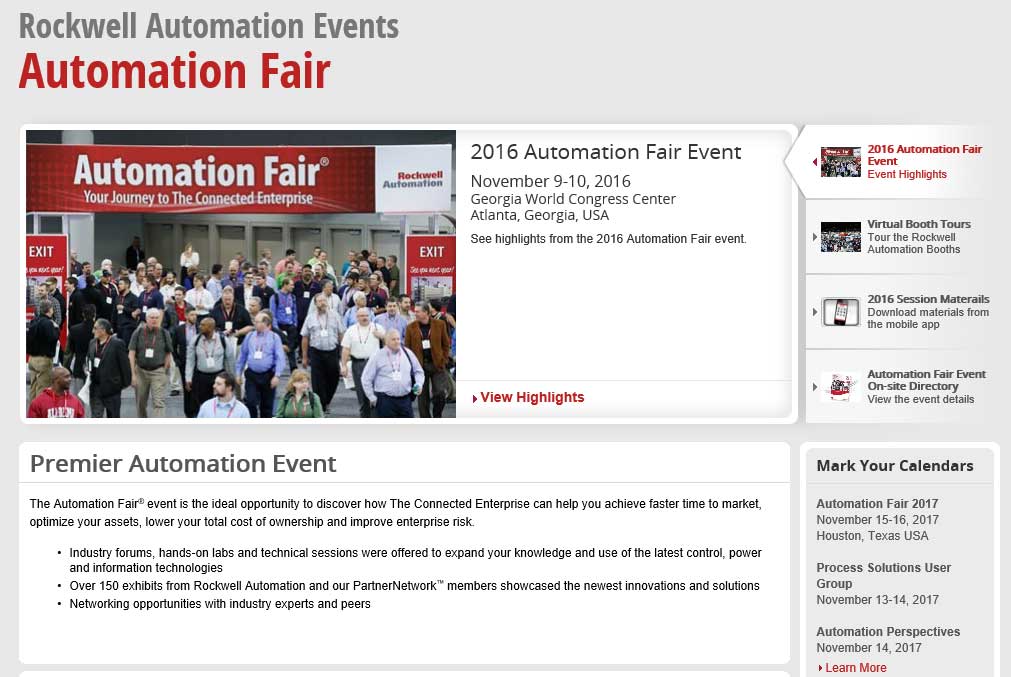
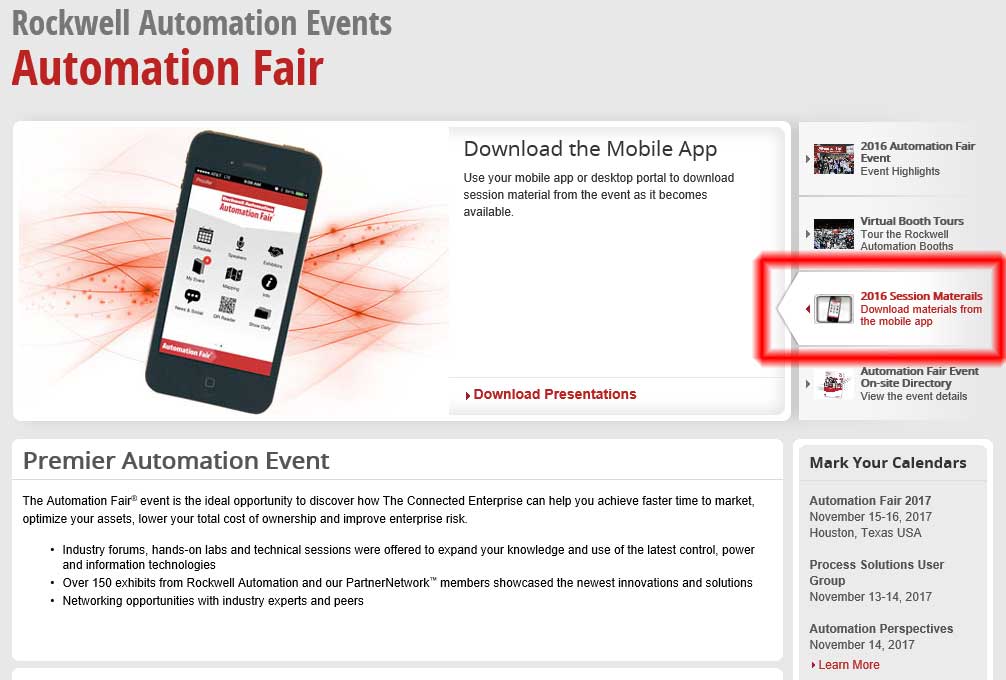
Step 2) Now on the right side of the page click on “2016 Session Materials” as shown below:
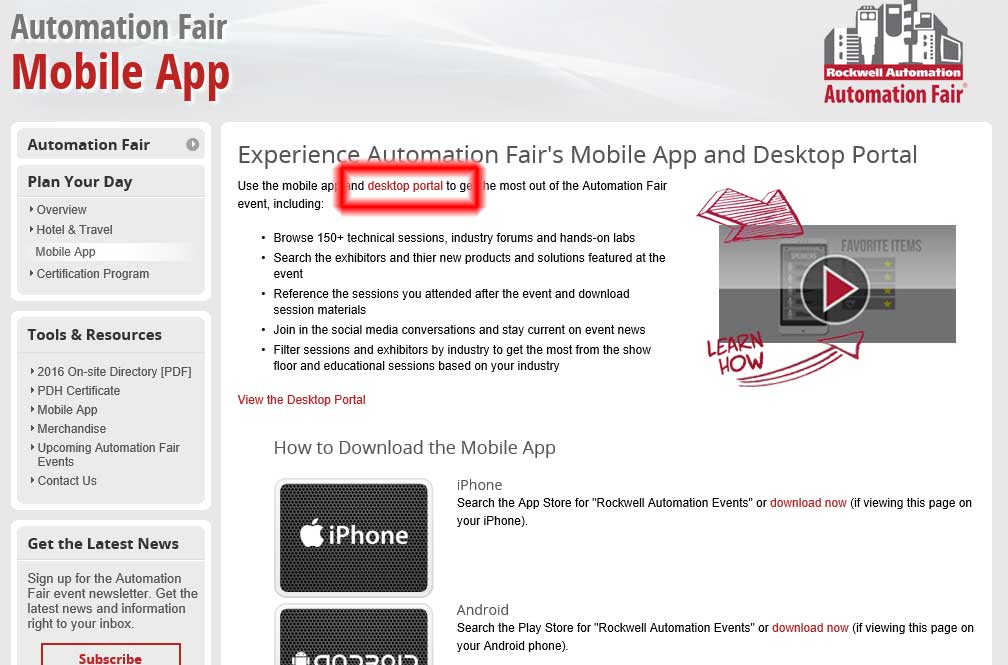
Step 3) Next select “Desktop Portal”:
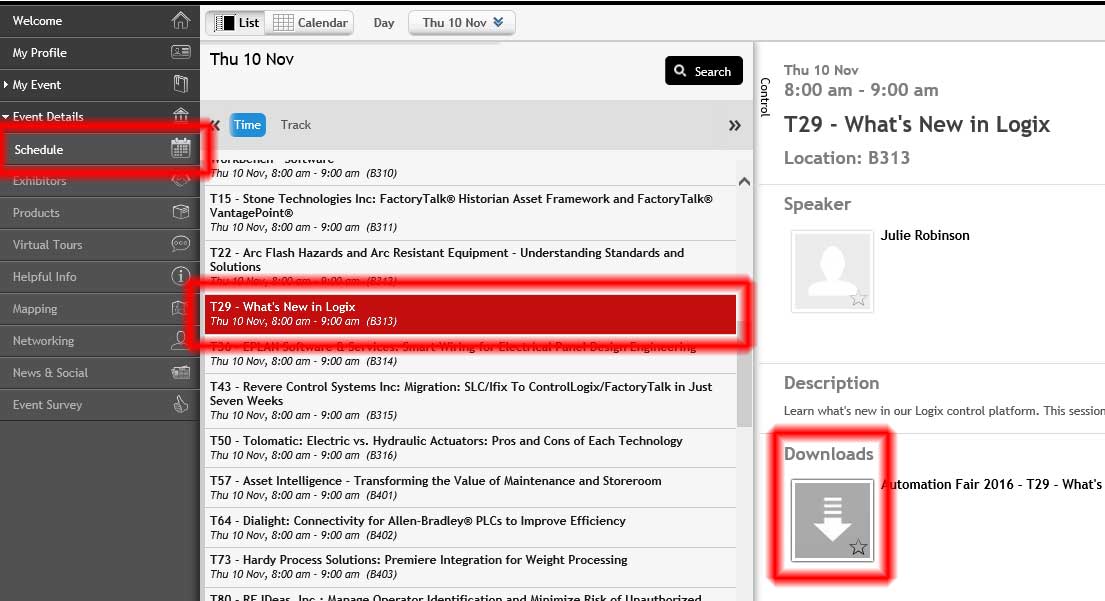
Step 4) When the “Desktop Portal” loads you’ll want to select “Schedule” on the left.
Step 5) Then when the schedule loads select the session you’re interested in and click on the “down arrow” image under “Downloads”:
Note: If no downloads are listed for the session you’re interested in I suggest contacting your local representative to see if they can send you a copy of the session presentation.
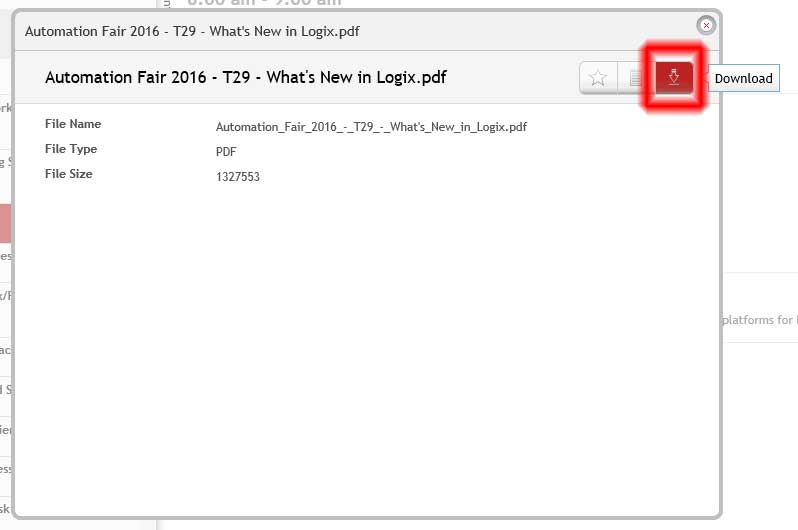
Step 6) The final step is to click on download icon in the top right of the popup window:
And if you’d like to see my highlights from my trip to Automation Fair 2016 check out the below articles:
- What I learned at Automation Fair’s Automation Perspectives
- What’s New in Logix, AF 2016
- What’s New in Studio 5000, AF 2016
- What’s New in View, AF 2016
- The Automation Podcast Episode 34: AF 2016
- Pictures from Automation Fair 2016
Until next time, Peace ✌️
If you enjoyed this content, please give it a Like, and consider Sharing a link to it as that is the best way for us to grow our audience, which in turn allows us to produce more content 🙂
Shawn M Tierney
Technology Enthusiast & Content Creator
Support our work and gain access to hundreds members only articles and videos by becoming a member at The Automation Blog or on YouTube. You’ll also find all of my affordable PLC, HMI, and SCADA courses at TheAutomationSchool.com.

Shawn Tierney is a lifelong Technology Enthusiast who began programing in the early 80's on the Apple II and VIC-20 personal computers. After earning a degree in Electronics, he worked as a Certified Controls and Information Automation Specialist for 25 years before launching The Automation Blog and School in 2013.
Latest posts by Shawn Tierney (see all)
- A.I. Tech Talk with Emil Soerensen of Kapa.ai (12/04/25) - December 4, 2025
- Innovation Summit Las Vegas 2025 Recap (P254) - December 3, 2025
- New Features of Ignition 8.3 with Travis Cox (S2E37) - December 2, 2025