


In today’s article I cover how to upload and go online to an existing ControlLogix or CompactLogix controller for the first time when you don’t already have the program in the controller on your PC.
Prerequisite: Before following the below procedure you must have already setup RSLinx Classic to communicate to your target Programmable Controller. To learn how to do so, check out our previous RSLinx articles HERE.
Step 1) From the Studio 5000 splash screen select “From Upload”:

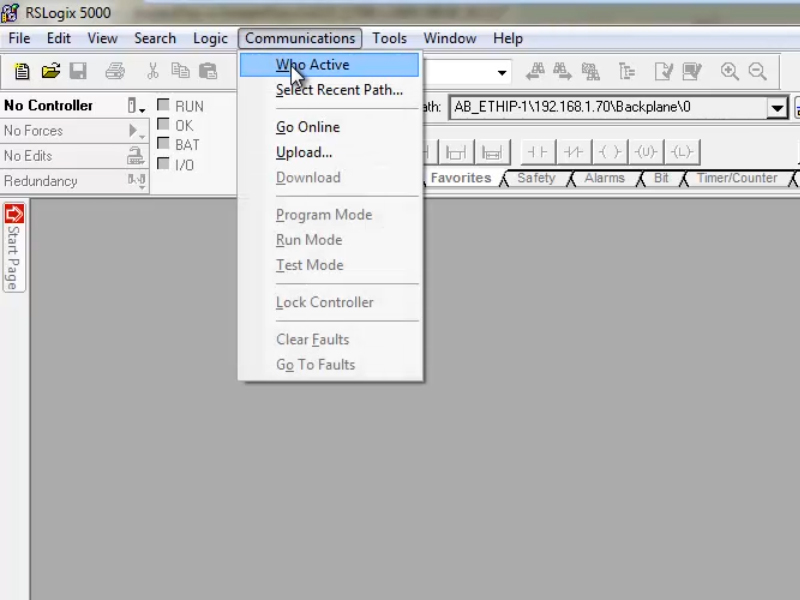
Note: If you’re using RSLogix 5000, then open it and then select “Communications – Who Active”:
Step 2) Next, from the network browse window select the controller in question. Below is how it will look in Studio 5000:
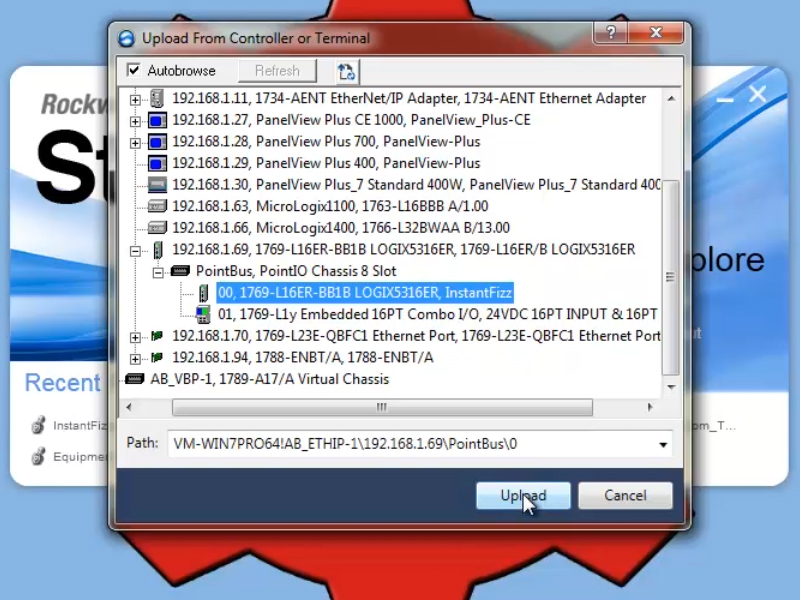
Note: This is how it looks in RSLogix 5000:

Step 3) Next, in the “Connected to Upload” window, click on the “Select File” button:
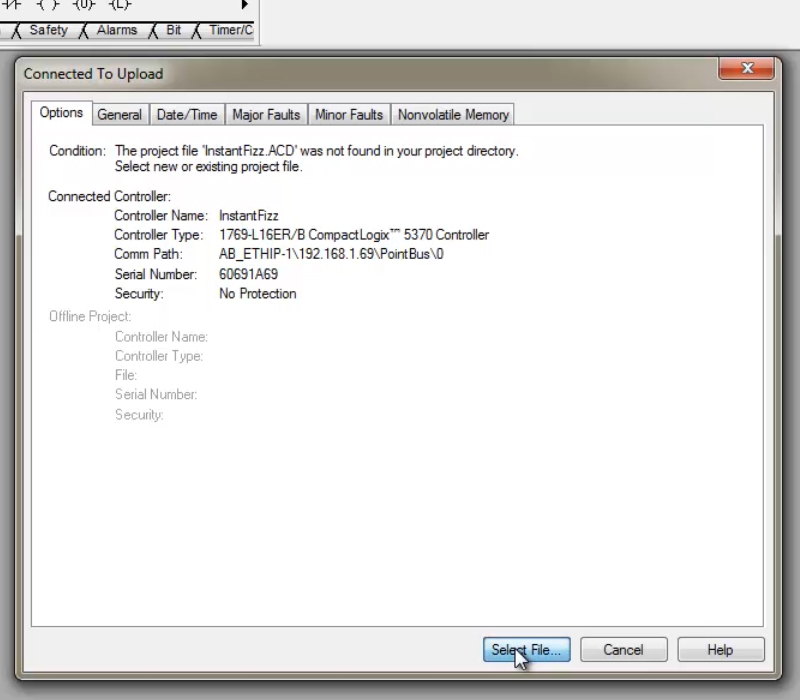
Step 4) Then enter in a name for the file you are uploading, and click on “Select”:

Step 5) When prompted, confirm your choice by selecting “Yes”:

Step 6) After a moment you’ll see the controller’s program uploading:
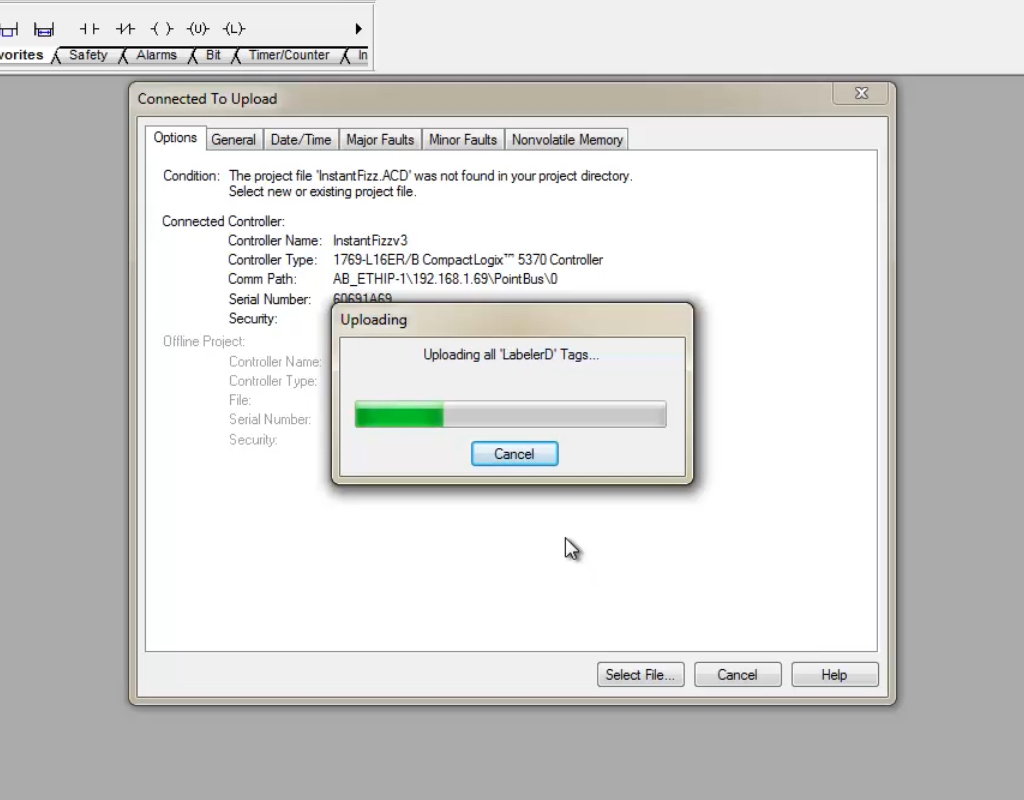
Step 7) Once done, you should find you have uploaded the program and are online with the Controller. At this point I always perform another “File – Save”:

Watch a demonstration of this procedure below in Episode 1 of The Automation Minute Season 4:
Have a question or comment? Please feel free to leave them with us HERE.
Until next time, Peace ✌️
If you enjoyed this content, please give it a Like, and consider Sharing a link to it as that is the best way for us to grow our audience, which in turn allows us to produce more content 🙂
Shawn M Tierney
Technology Enthusiast & Content Creator
Support our work and gain access to hundreds members only articles and videos by becoming a member at The Automation Blog or on YouTube. You’ll also find all of my affordable PLC, HMI, and SCADA courses at TheAutomationSchool.com.

Shawn Tierney is a lifelong Technology Enthusiast who began programing in the early 80's on the Apple II and VIC-20 personal computers. After earning a degree in Electronics, he worked as a Certified Controls and Information Automation Specialist for 25 years before launching The Automation Blog and School in 2013.
Latest posts by Shawn Tierney (see all)
- FactoryTalk Design Workbench First Look, CCW Comparison - December 19, 2025
- Drew Allen of Grace Technologies on Automation, Safety, and More (P256) - December 17, 2025
- Robotics in Warehouse Automation with Erik Nieves of Plus One Robotics (P255) - December 10, 2025

Discover more from The Automation Blog
Subscribe to get the latest posts sent to your email.



Hi Shawn,
How do I add a controller if I am unable to see it on the Network Browse Window? I have checked and I know it is on the same network but I’m still unable to see it in the window.
Thanks,
Levi
Good morning Levi,
Can you ping it?
Did you try adding it in RSLinx Classic’s Ethernet Devices driver?
Shawn