The MicroLogix 1100’s LCD display allows access to many of it’s features and functions.
In today’s article, we show you how to use it to change Trim Pot values:
Changing Trim Pot values on the MicroLogix 1100
1) When the MicroLogix 1100 is powered on, it displays the I/O Status screen as shown below:
 2) To change the Micro’s Trim Pot values, we need to access the LCD menu. To do this, press the ESC button and you should see the display below:
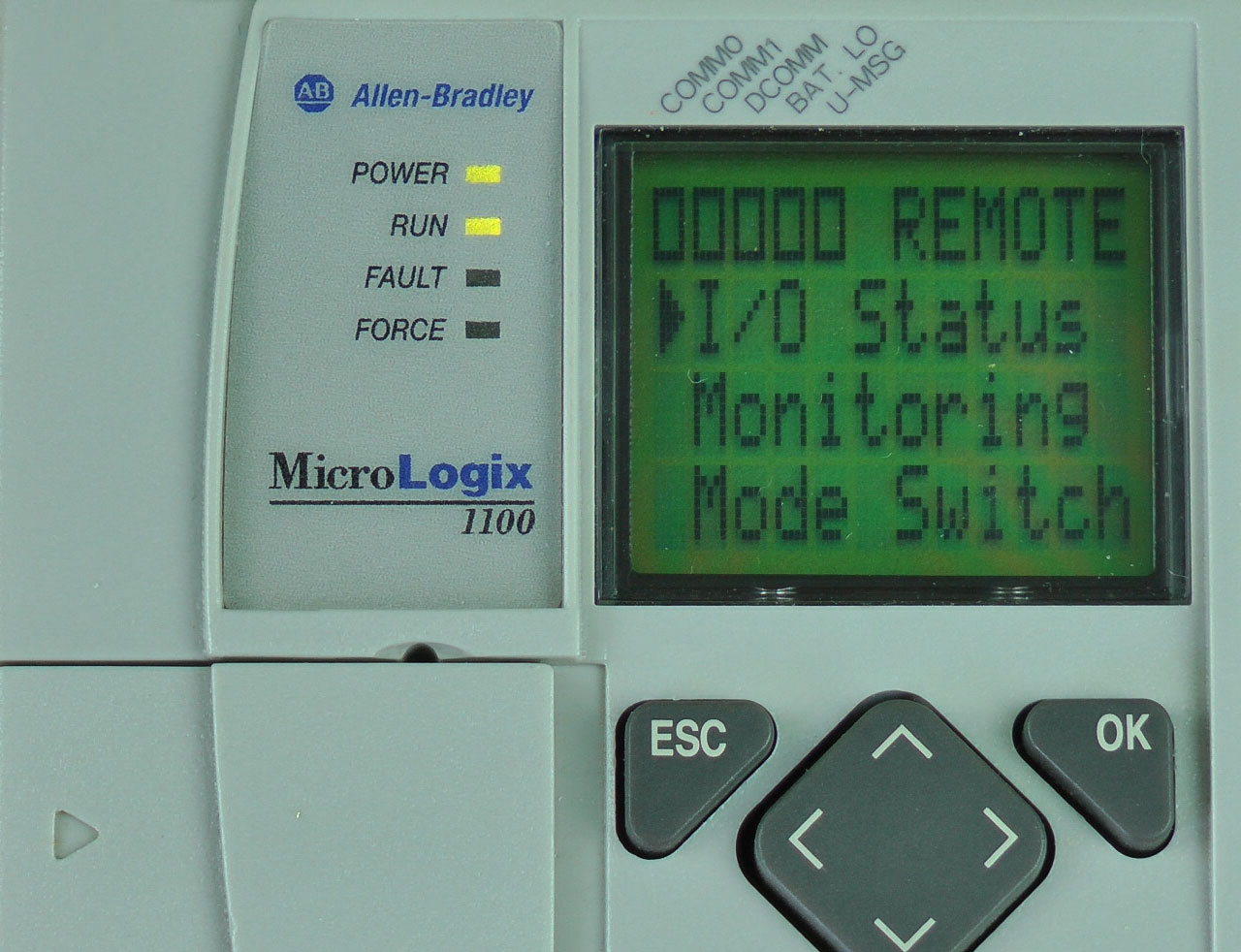 3) Next, press the down arrow button four times to select “Advanced Set,” then press the OK button:
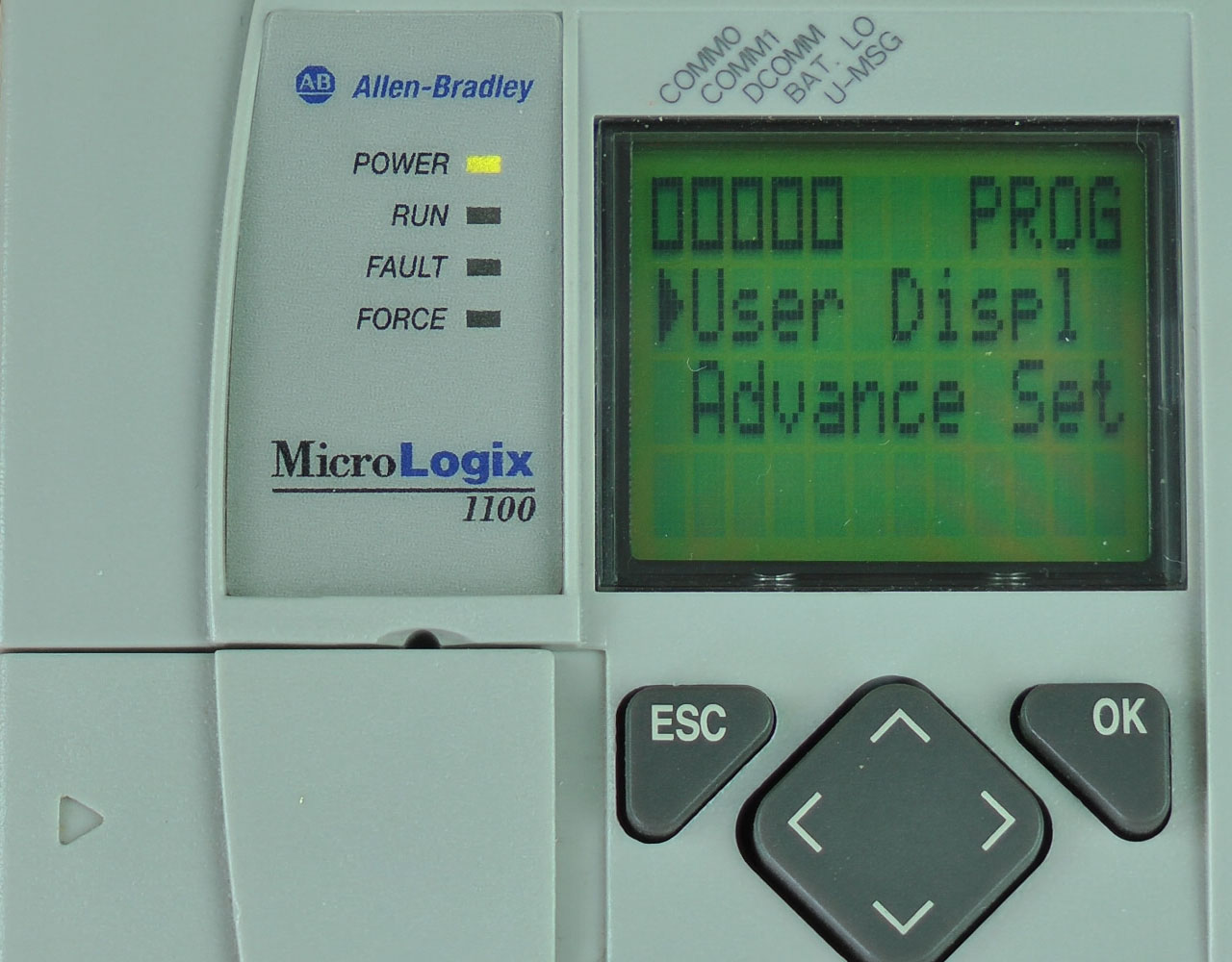

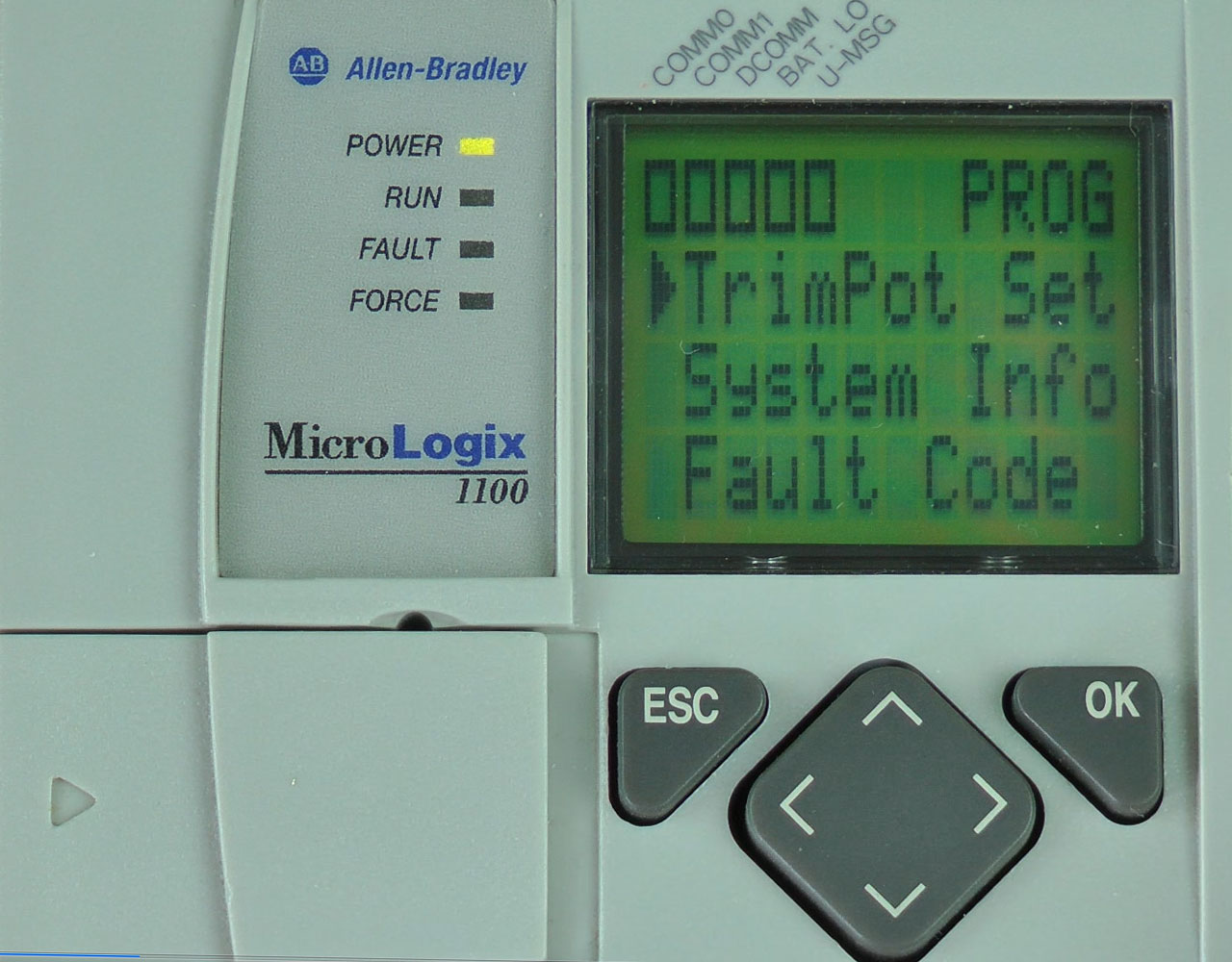
4) Here, press the down arrow button three times to select “TrimPot Set,” then press the OK button:
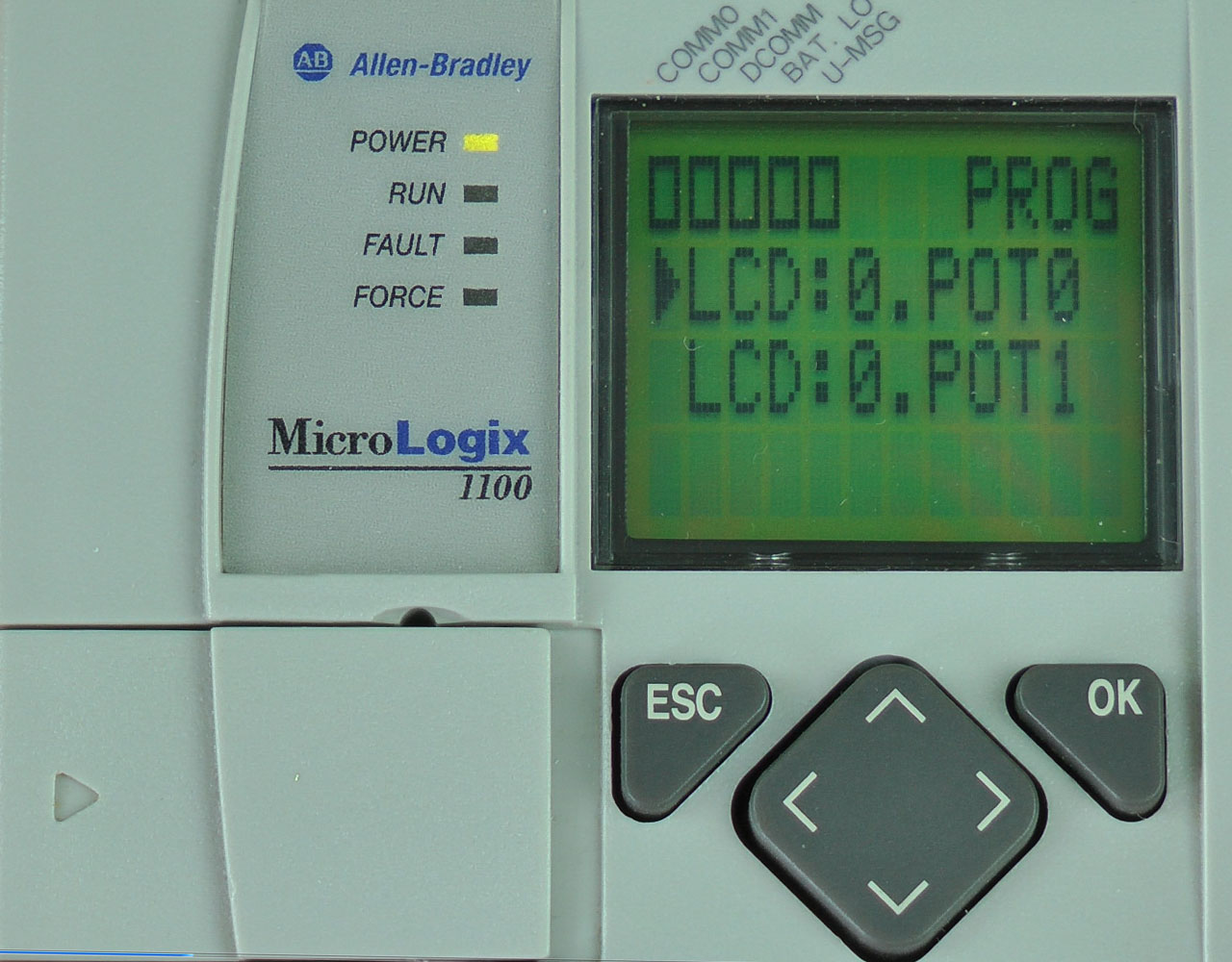
 5) Now select either “LCD:0.POT0” or “LCD:0.POT1,” and press the OK button.
 6) Here you see the Trim Pot Min and Max values (TMIN and TMAX) as well as the value for POT0 (or POT1) flashing:
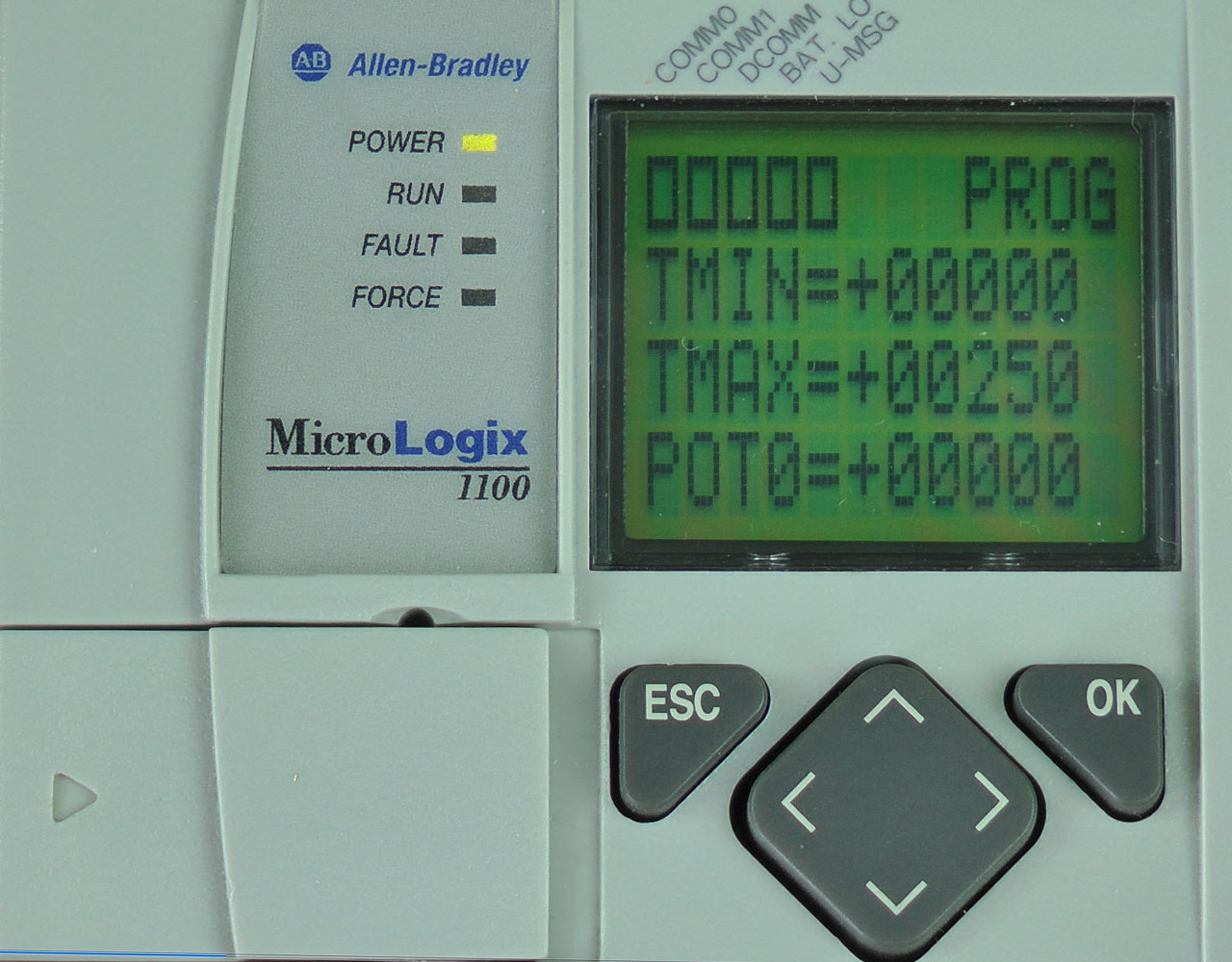 7) Use the Left and Right arrow buttons to select a POT digit, then use the Up and Down arrow buttons to change the selected digit’s value.
 8) When done, to return to the I/O Status display press the ESC button until you see the main menu. Then select “I/O Status” and press the OK button:
I hope the above procedure on how to use the MicroLogix 1100’s LCD display to change it’s Trim Pot values was helpful.
If you have any comments, questions, suggestions, or corrections, please feel free to leave them with us by filling out the “post a comment or question” link below.
Until next time, Peace ✌️
If you enjoyed this content, please give it a Like, and consider Sharing a link to it as that is the best way for us to grow our audience, which in turn allows us to produce more content 🙂
Shawn M Tierney
Technology Enthusiast & Content Creator
Support our work and gain access to hundreds members only articles and videos by becoming a member at The Automation Blog or on YouTube. You’ll also find all of my affordable PLC, HMI, and SCADA courses at TheAutomationSchool.com.

- A.I. Tech Talk with Emil Soerensen of Kapa.ai (12/04/25) - December 4, 2025
- Innovation Summit Las Vegas 2025 Recap (P254) - December 3, 2025
- New Features of Ignition 8.3 with Travis Cox (S2E37) - December 2, 2025