In today’s article I cover how to use images, including those found in the Symbol Factory library, on Buttons in FactoryTalk View Studio Machine Edition.
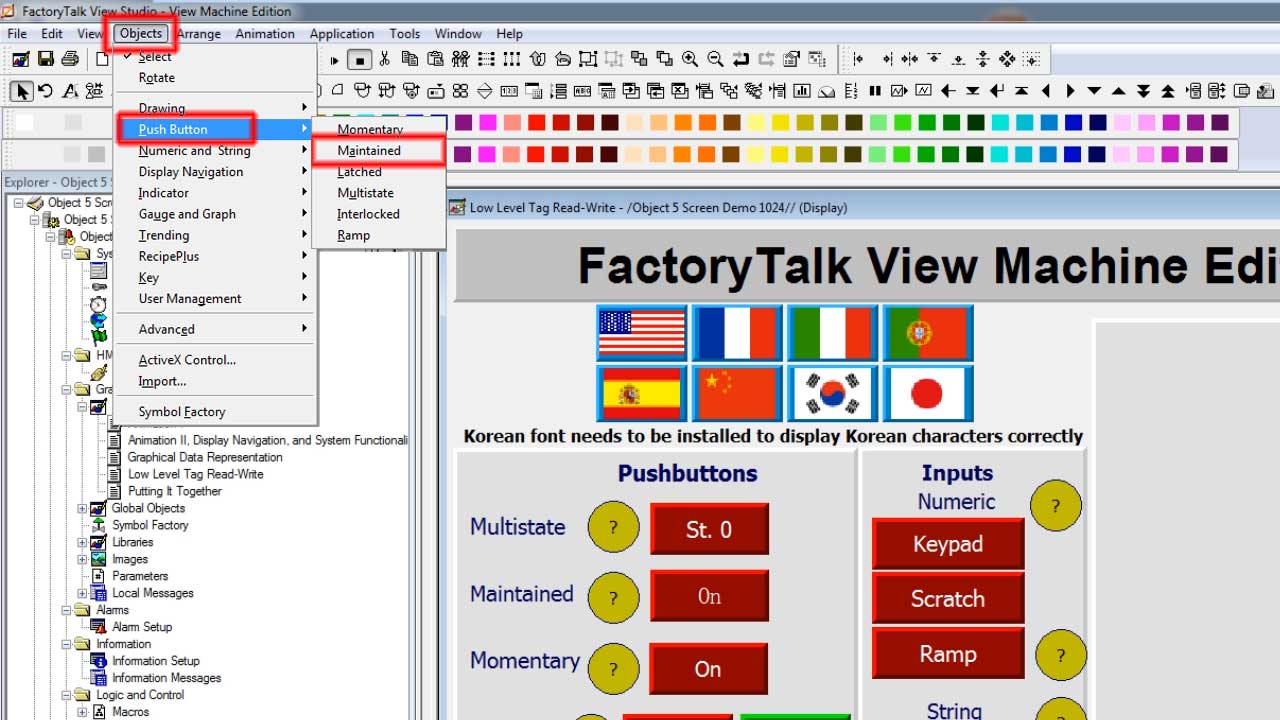
Step 1) Open a View Studio Machine Edition Project, then a Graphic Display, and then add a Button.
NOTE: In our example below we add a “Maintained” button to the “Low Level Tag Read Write” display found in the sample project “Objects 5 Screen Demo:”
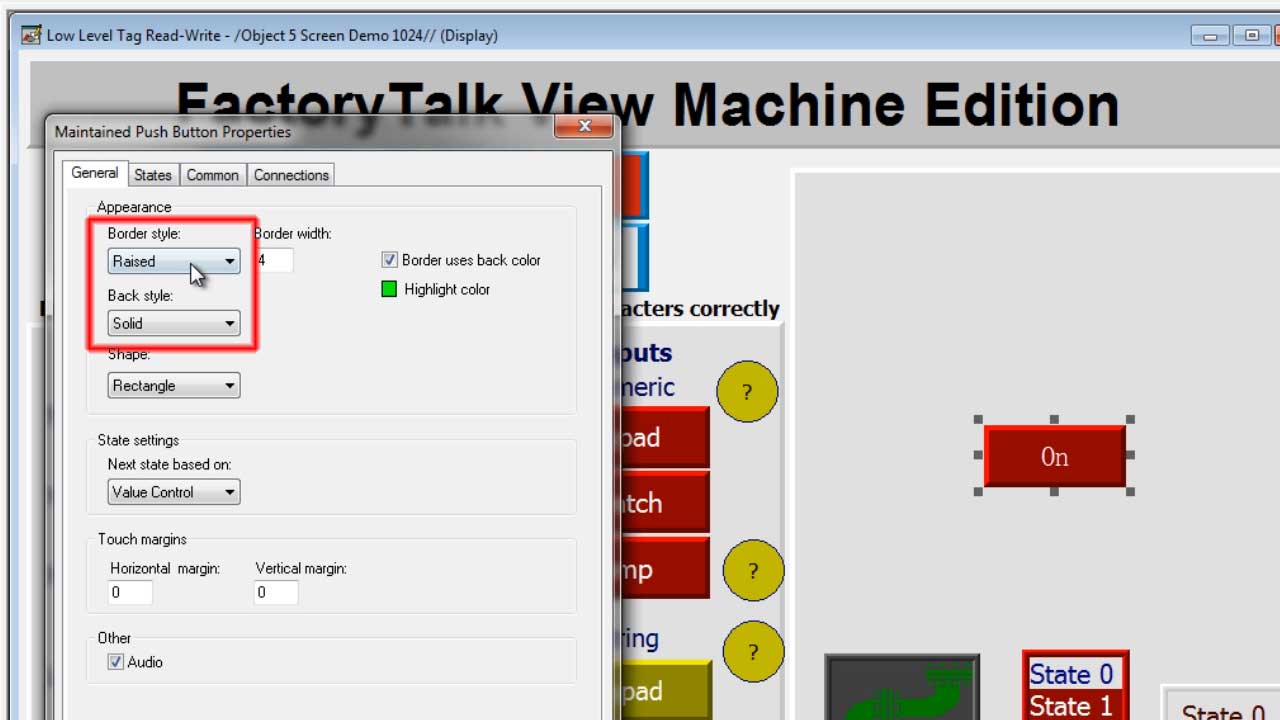
Step 2) Now double click on your new button to bring up its properties, then change the “Border Style” to “None” and “Back Style” to “Transparent”
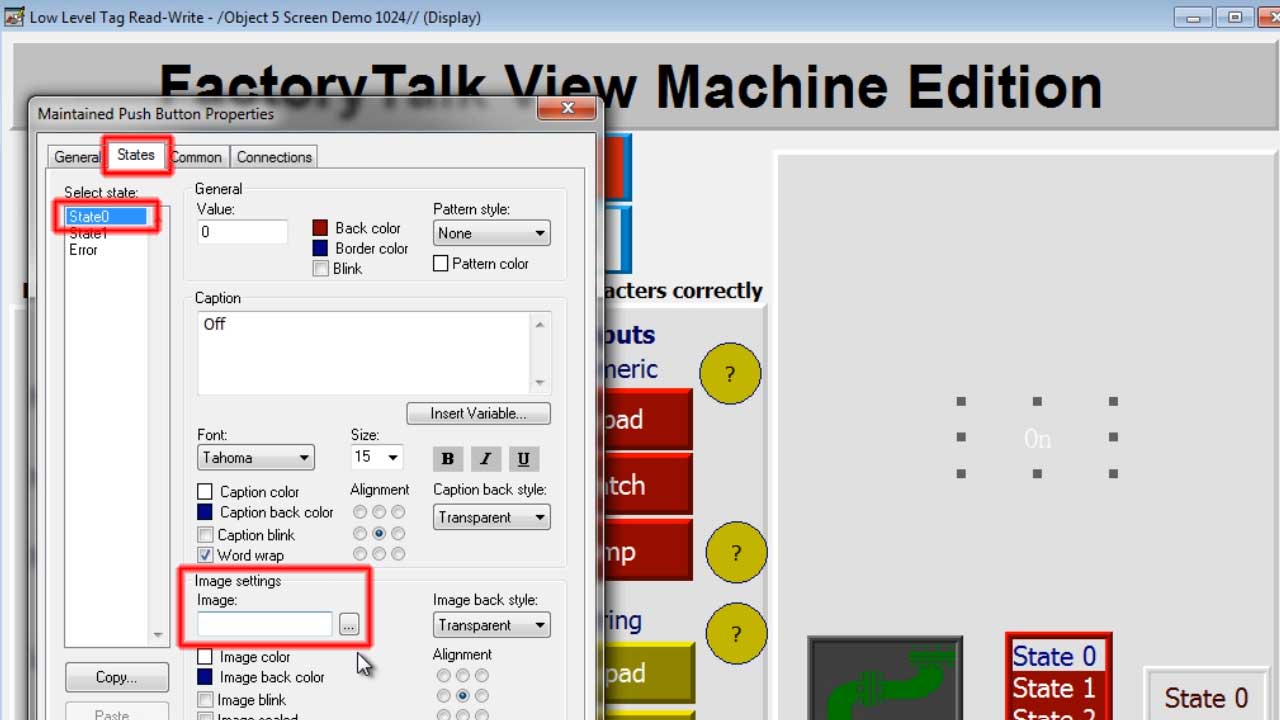
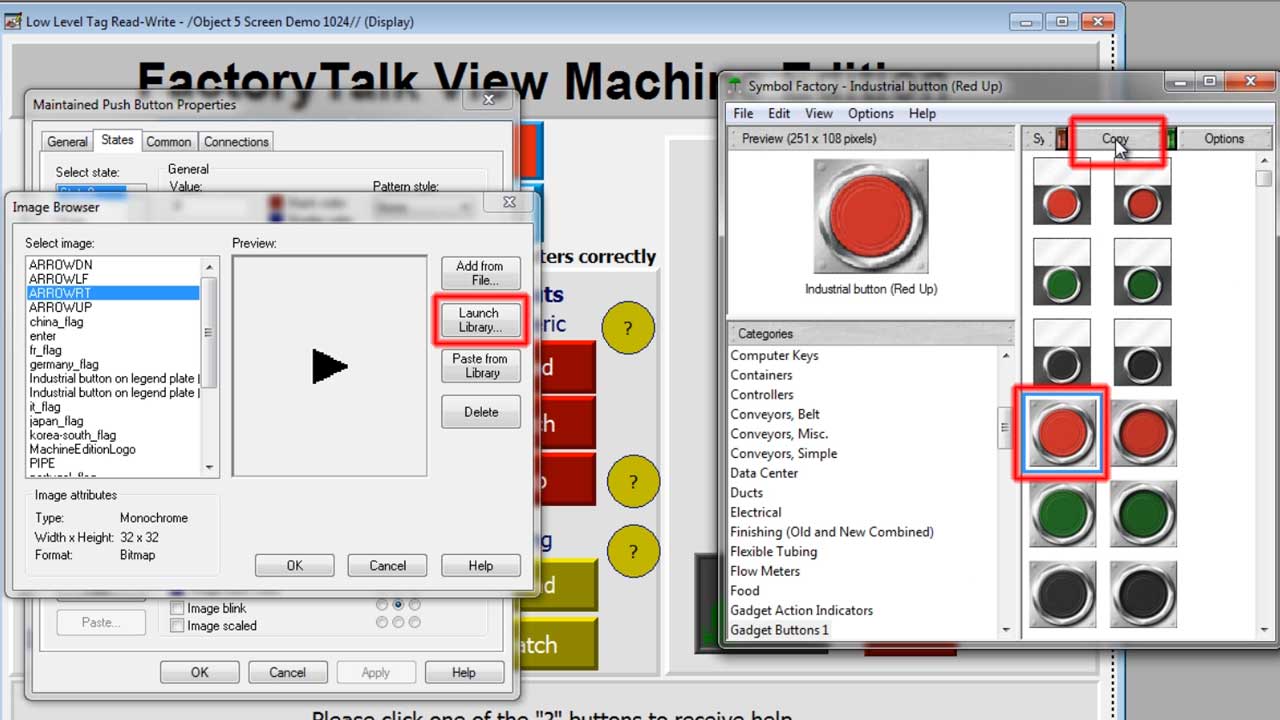
Step 3) Next click on the “States” tab, then select a state and click on the Image ellipses (…) to browse for an image:
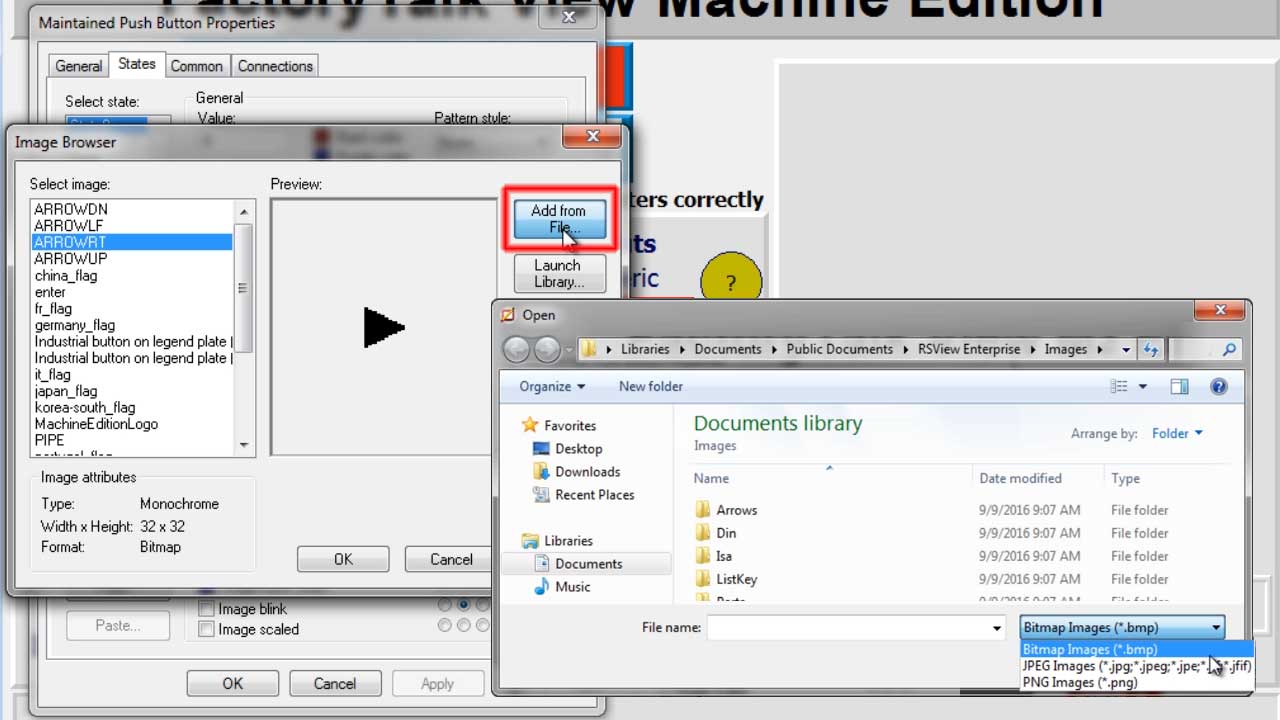
Step 4) Here you can browse for an existing BMP, JPG, or PNG image using the “Add from File” button:
NOTE: You can support our site and receive an “ad free” copy of this article for just 99¢ HERE, or become a “Premium Supporter” for as little as $3 a month and receive $5 worth of articles and $5 worth of code downloads free each month!
Step 5) However in this example we aren’t going to use a file but instead chose an image from the “Symbol Factory” library by first clicking on the “Launch Library” button, and then selecting an image in the library, and then clicking on the “Copy” button:
Step 6) Next, click on “Paste from Library,” then “OK” to accept the image’s name,then click on “OK” to close the Image Browser, and finally click on “Apply” to preview the image on the button:
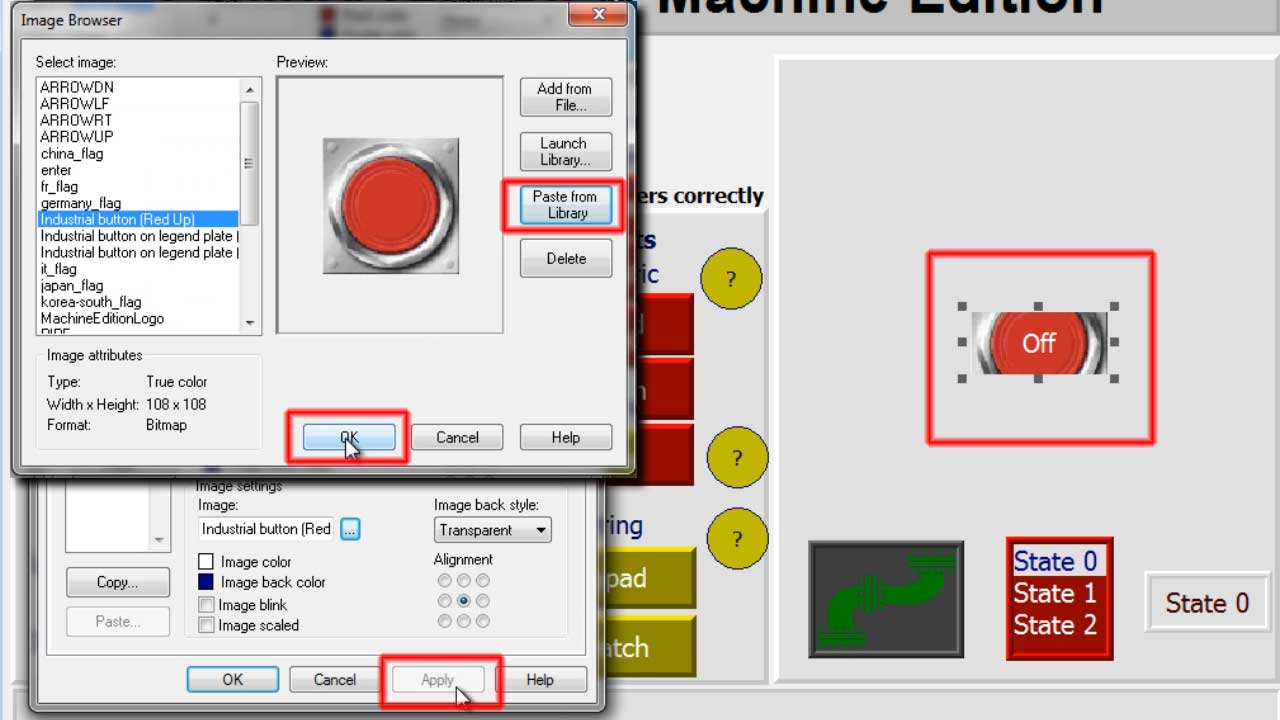
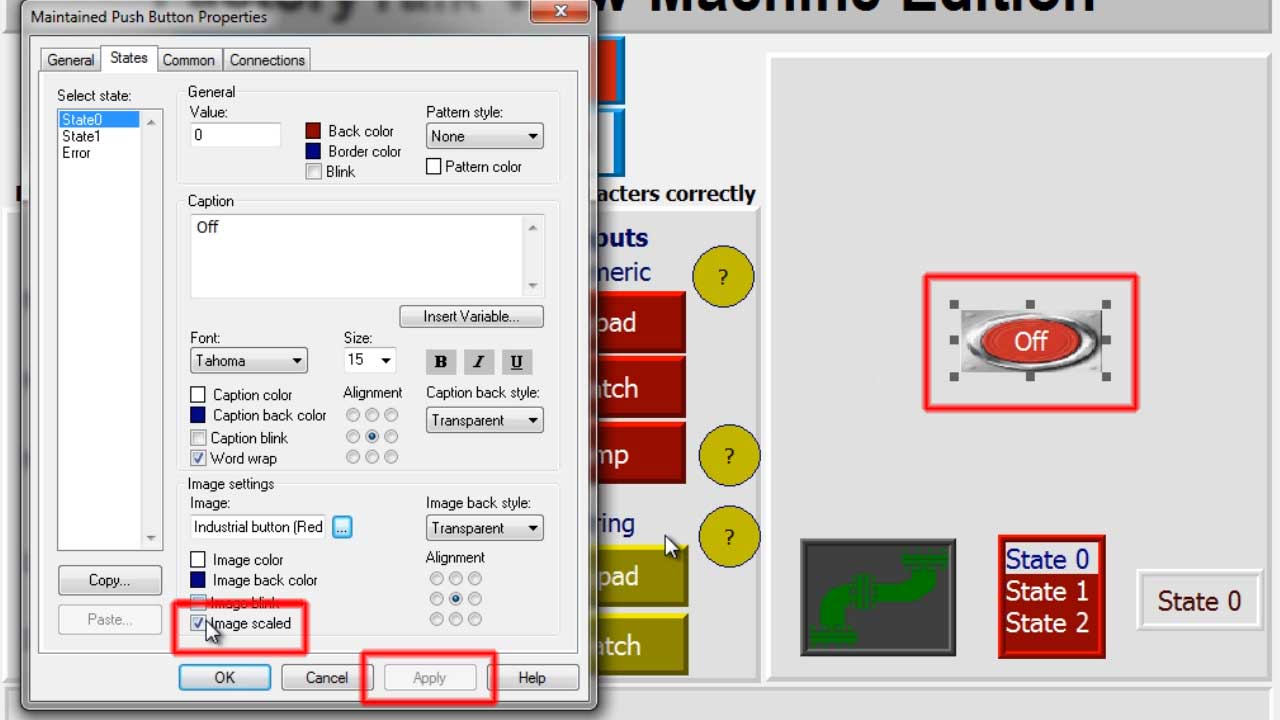
Step 7) Above you can see the button will need to be resize in order for the entire image to be visible. Alternatively, you can check the “Image Scaled” checkbox shown below to scale the image to fit the button’s current size:
Step 8) Once done with your first state, select the next state that will have an image and then add an image to it by repeating Steps 3 – 7. When you’re done adding images to your button’s states, click on “OK” to close the button object’s properties, and then save your graphic display.
Watch me demonstrate the above procedure live in Episode 2 of The Automation Minute Season 3:
Have a question or comment? Please feel free to leave them with us by clicking on the “post a comment or question” link at the very bottom of this page.
Until next time, Peace ✌️
If you enjoyed this content, please give it a Like, and consider Sharing a link to it as that is the best way for us to grow our audience, which in turn allows us to produce more content 🙂
Shawn M Tierney
Technology Enthusiast & Content Creator
Support our work and gain access to hundreds members only articles and videos by becoming a member at The Automation Blog or on YouTube. You’ll also find all of my affordable PLC, HMI, and SCADA courses at TheAutomationSchool.com.

Shawn Tierney is a lifelong Technology Enthusiast who began programing in the early 80's on the Apple II and VIC-20 personal computers. After earning a degree in Electronics, he worked as a Certified Controls and Information Automation Specialist for 25 years before launching The Automation Blog and School in 2013.
Latest posts by Shawn Tierney (see all)
- FactoryTalk Design Workbench First Look, CCW Comparison - December 19, 2025
- Drew Allen of Grace Technologies on Automation, Safety, and More (P256) - December 17, 2025
- Robotics in Warehouse Automation with Erik Nieves of Plus One Robotics (P255) - December 10, 2025
Discover more from The Automation Blog
Subscribe to get the latest posts sent to your email.