Last Wednesday in this article I discussed how to use Rockwell’s PCDC webpage to look up the compatibility of Rockwell Software packages with Microsoft Windows operating systems.
In today’s article we’ll take a look at the results for RSLogix 5, 500, and Micro.
RSLogix 5 compatibility with Windows XP:
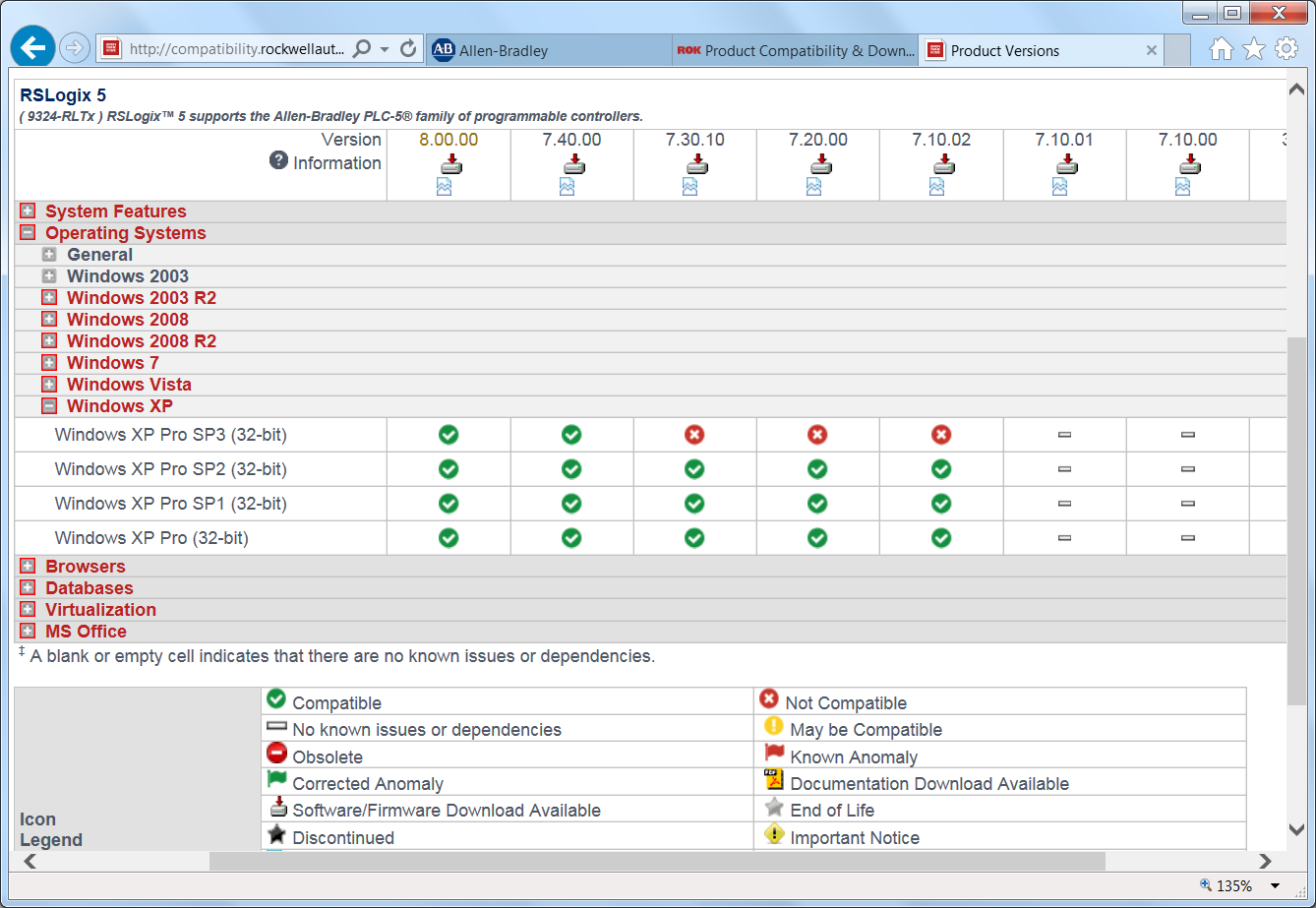
In the above screen shot of Rockwell’s PCDC webpage we can see versions 7.10.02 through 8.00.00 are all listed as Windows XP compatible.
RSLogix 5 compatibility with Windows 7:
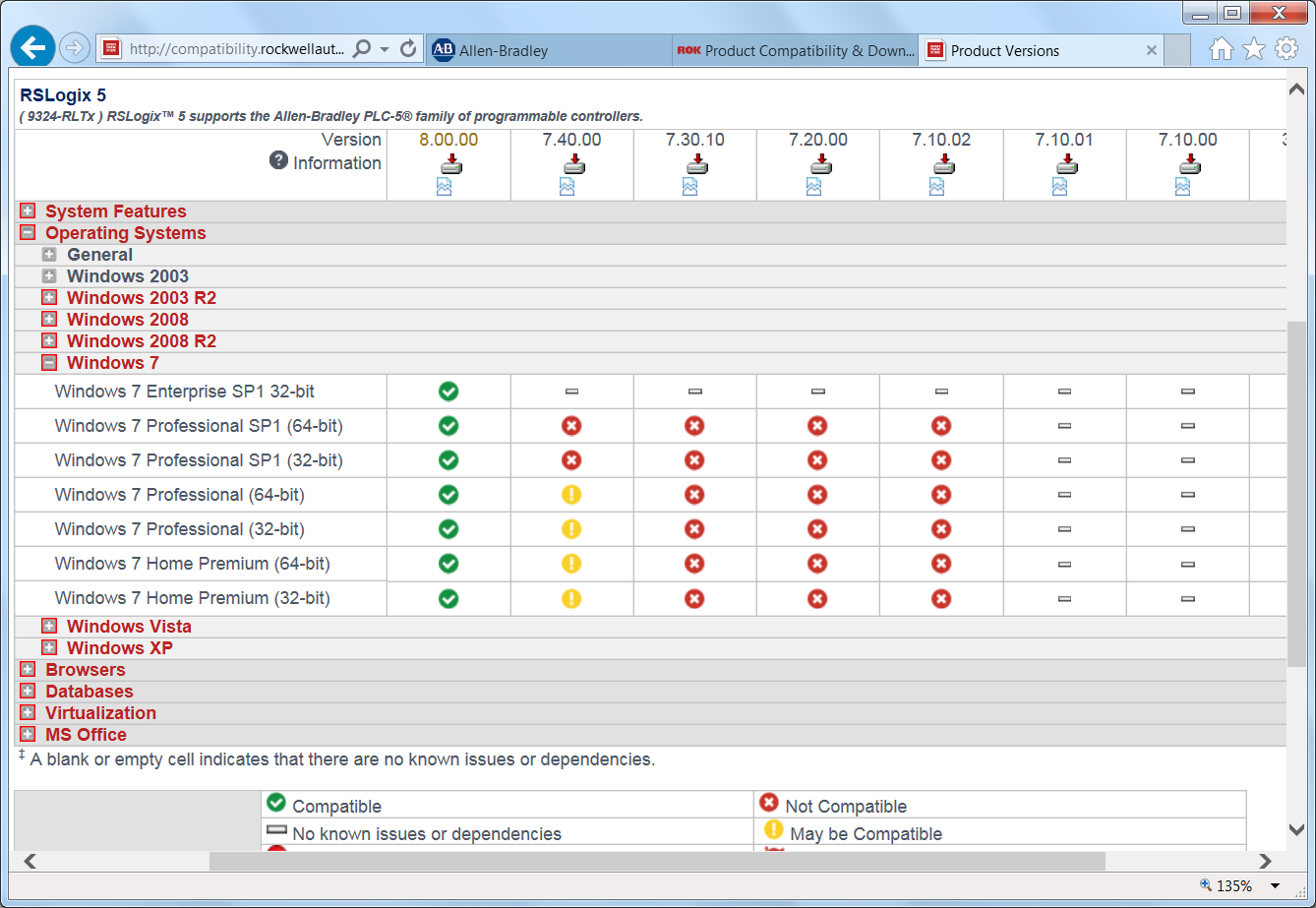
In the above screen shot of Rockwell’s PCDC webpage we can see version 8 is listed as Windows 7 compatible, while version 7.4 may have some compatibility with Windows 7 prior to SP1.
RSLogix 5 compatibility with Windows 8:
On Rockwell’s PCDC webpage, when RSLogix 5 is selected Windows 8 is not one of the options.
This indicates no RSLogix 5 support for the Windows 8 operating system.
RSLogix 500 compatibility with Windows XP:
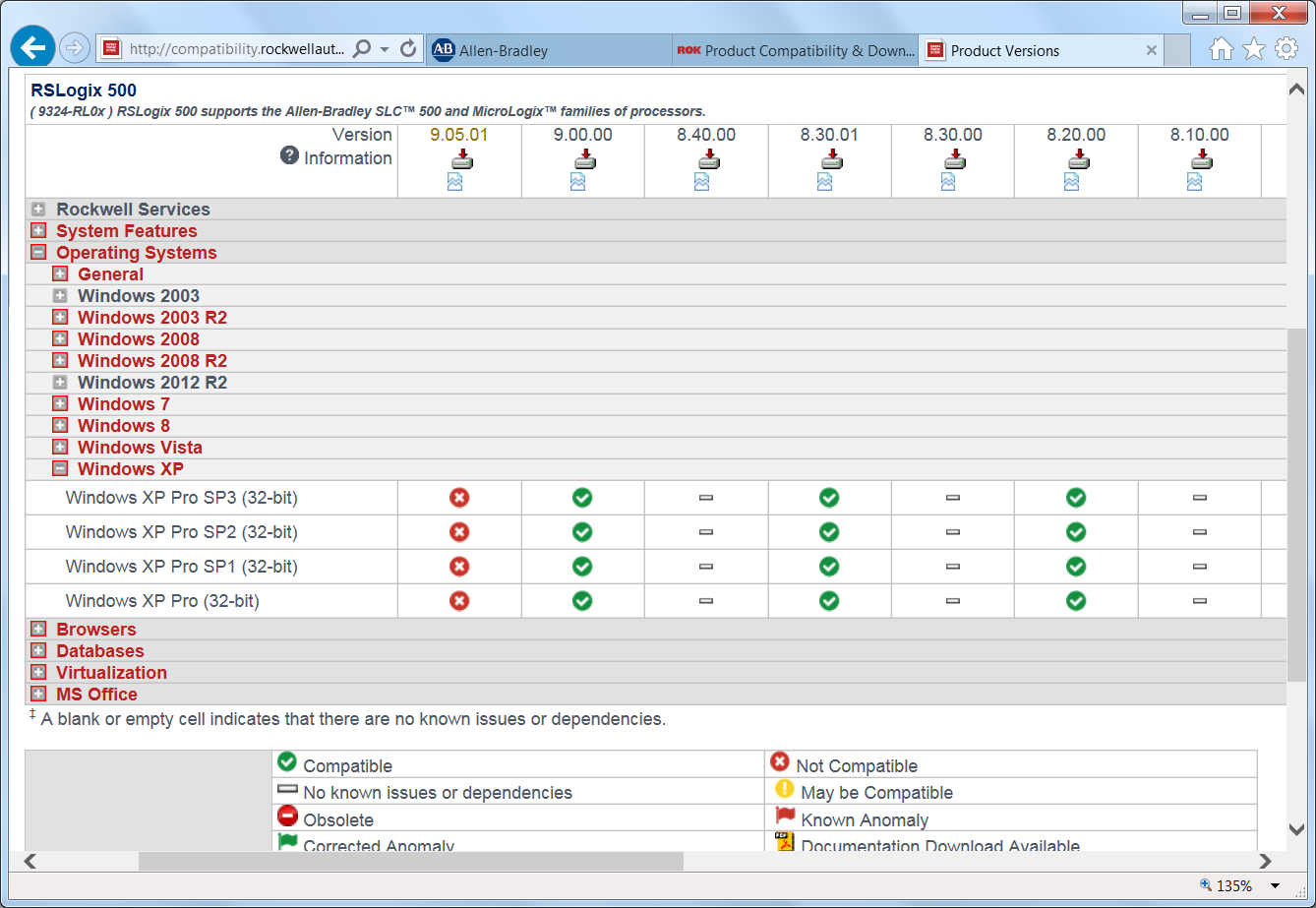 In the above screen shot of Rockwell’s PCDC webpage we can see versions 8.20, 8.30.01, and 9.00 are all listed as Windows XP compatible.
The dashes present for version 8.10, 8.30, and 8.40 are listed in the legend as meaning, “no known issues or dependencies,” but it may be better to interpret them as meaning, “not tested or supported.”
RSLogix 500 compatibility with Windows 7:
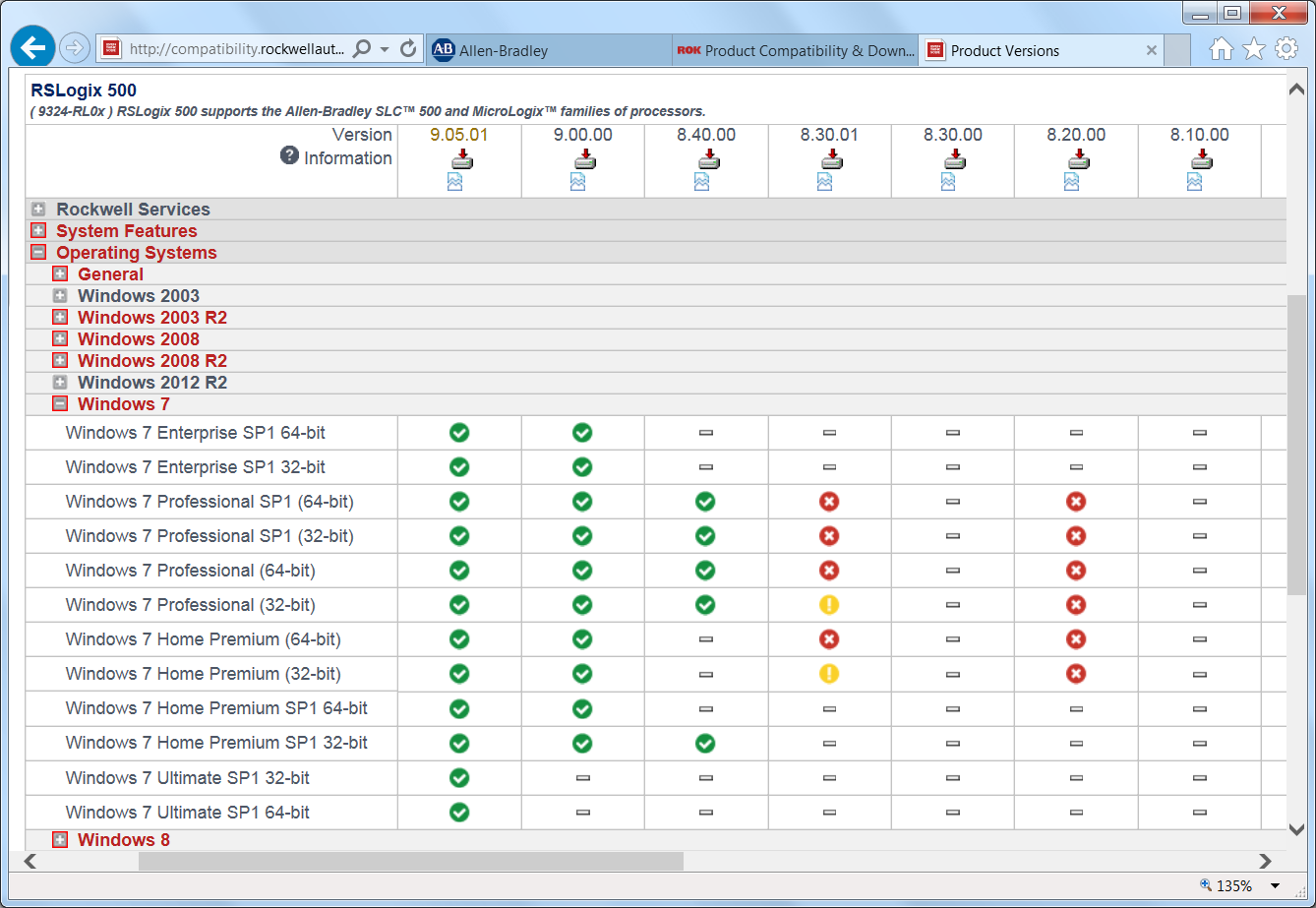 In the above screen shot of Rockwell’s PCDC webpage we can see versions 8.4, 9.0, and 9.05.01 are all listed as supporting Windows 7.
RSLogix 500 compatibility with Windows 8:
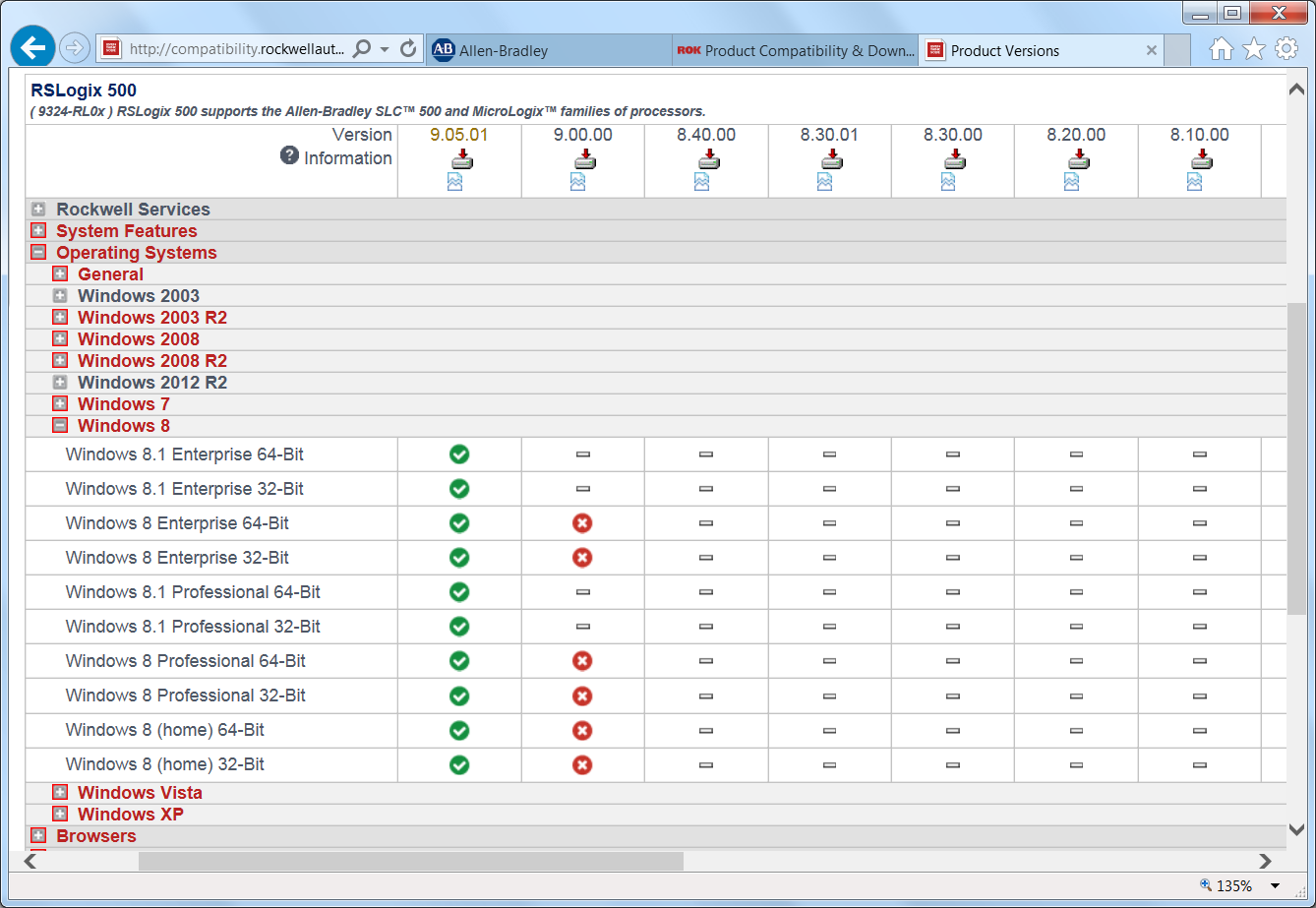 In the above screen shot of Rockwell’s PCDC webpage we can see only version 9.05.01 is listed as being Windows 8 compatible.
RSLogix Micro compatibility with Windows XP:
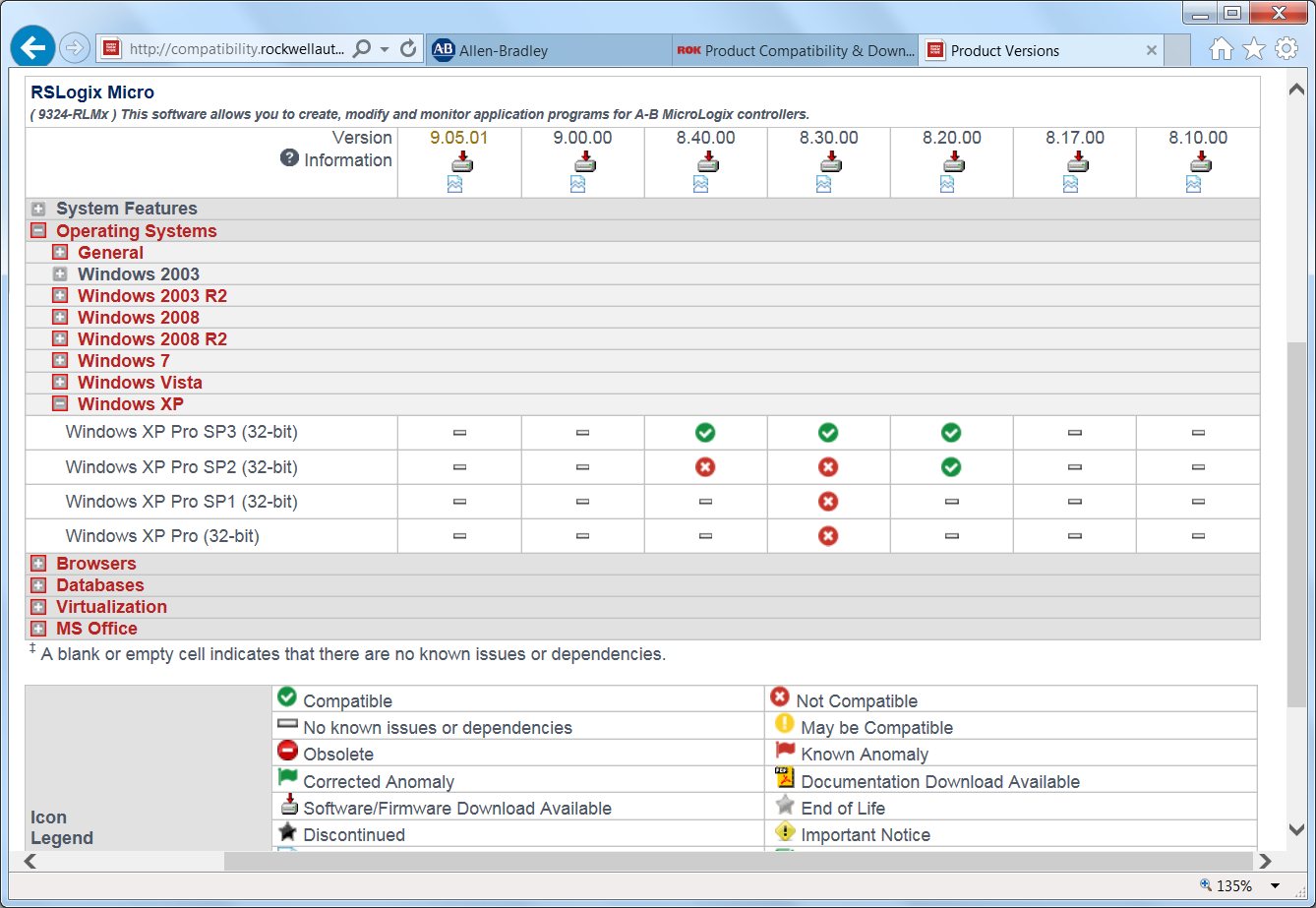 In the above screen shot of Rockwell’s PCDC webpage we can see versions 8.20, 8.30, and 8.40 are all listed as Windows XP compatible.
The dashes present for version 8.10, 8.17, 9.0 and 9.05.01 are listed in the legend as meaning, “no known issues or dependencies,” but it may be better to interpret them as meaning, “not tested or supported.”
Note: The release notes for version 9.05.01 do not list Windows XP as a supported OS, and therefore the above chart is likely incorrect as far as 9.05.01 is concerned.
RSLogix Micro compatibility with Windows 7:
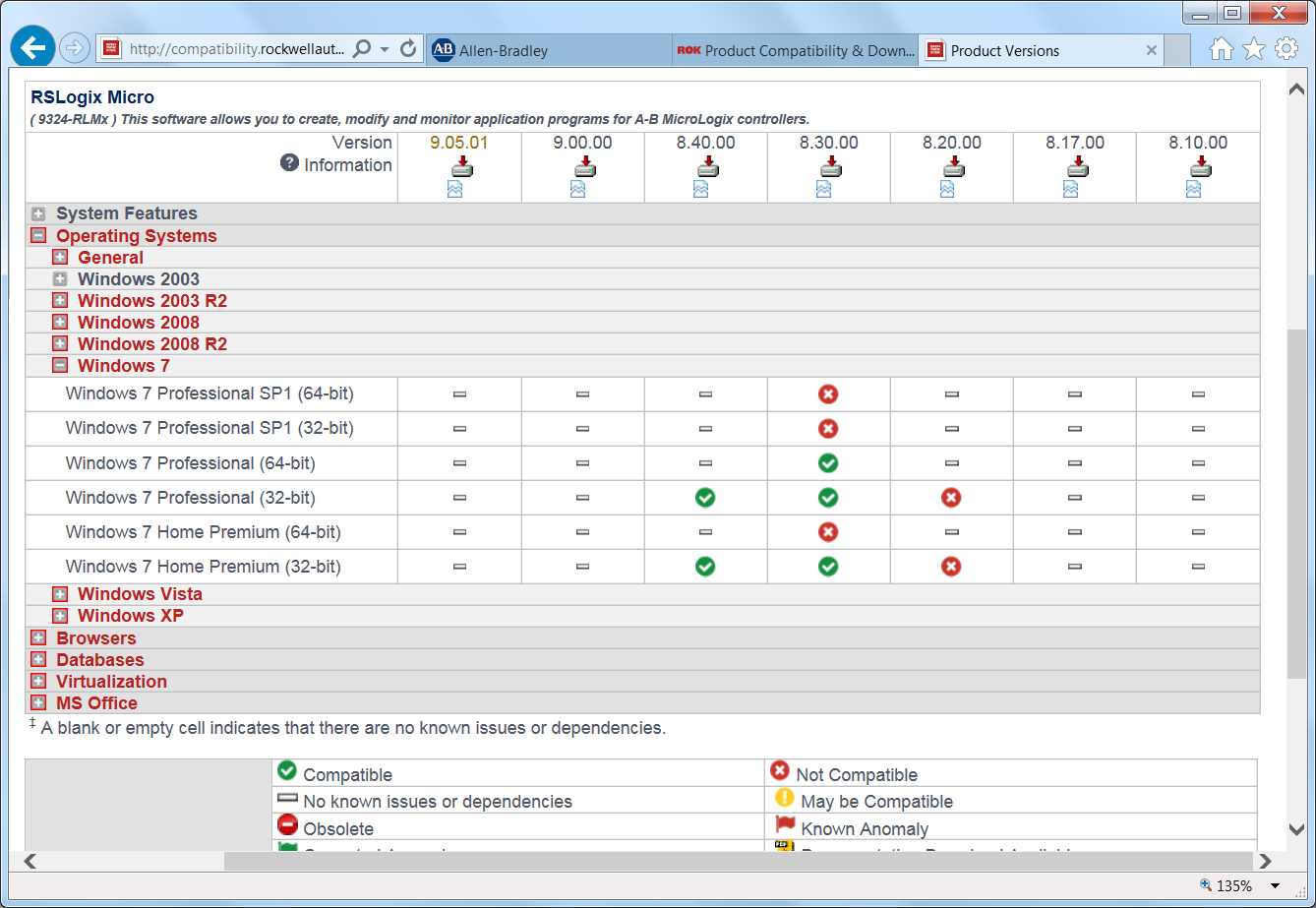 In the above screen shot of Rockwell’s PCDC webpage we can see versions 8.30 and 8.40 are listed as supporting Windows 7.
The dashes present for version 8.10, 8.17, 8.20, 9.0 and 9.05.01 are listed in the legend as meaning, “no known issues or dependencies,” but it may be better to interpret them as meaning, “not tested or supported.”
RSLogix Micro compatibility with Windows 8:
On Rockwell’s PCDC webpage, when RSLogix Micro is selected Windows 8 is not one of the available options.
This typically would indicate no RSLogix Micro support for the Windows 8 operating system, however the release notes for RSLogix Micro version 8 do specifically state is does support Windows 8.
I hope the above look at RSLogix 5, 500, and Micro compatibility with Windows XP, 7 and 8 was helpful.
If you have a comment, question, or suggestion, please feel free to submit them using the “post a comment or question” link below.
Until next time, Peace ✌️
If you enjoyed this content, please give it a Like, and consider Sharing a link to it as that is the best way for us to grow our audience, which in turn allows us to produce more content 🙂
Shawn M Tierney
Technology Enthusiast & Content Creator
Support our work and gain access to hundreds members only articles and videos by becoming a member at The Automation Blog or on YouTube. You’ll also find all of my affordable PLC, HMI, and SCADA courses at TheAutomationSchool.com.

- FactoryTalk Design Workbench First Look, CCW Comparison - December 19, 2025
- Drew Allen of Grace Technologies on Automation, Safety, and More (P256) - December 17, 2025
- Robotics in Warehouse Automation with Erik Nieves of Plus One Robotics (P255) - December 10, 2025

Discover more from The Automation Blog
Subscribe to get the latest posts sent to your email.