In today’s article I’ll walk you through how to download Rockwell and Allen-Bradley software updates for purchased software.
NOTE: If you need to download free software like RSLinx Classic Lite, you can skip to step 2, and in Step 3 choose “Find Downloads” to search for the software you wish to download.
You will still have to log in (as shown in Step 4,) after searching for and selecting to download the free software, but you won’t need to provide a serial number.
Step 1) The first step is to locate your Activation Certificate.
If you purchases a Disc copy, the certificate will be in a red envelope. If you purchased a digital copy, you will have received a digital certificate via email:

Below you can see a copy of a physical activation certificate. The digital “email” version has the same information:

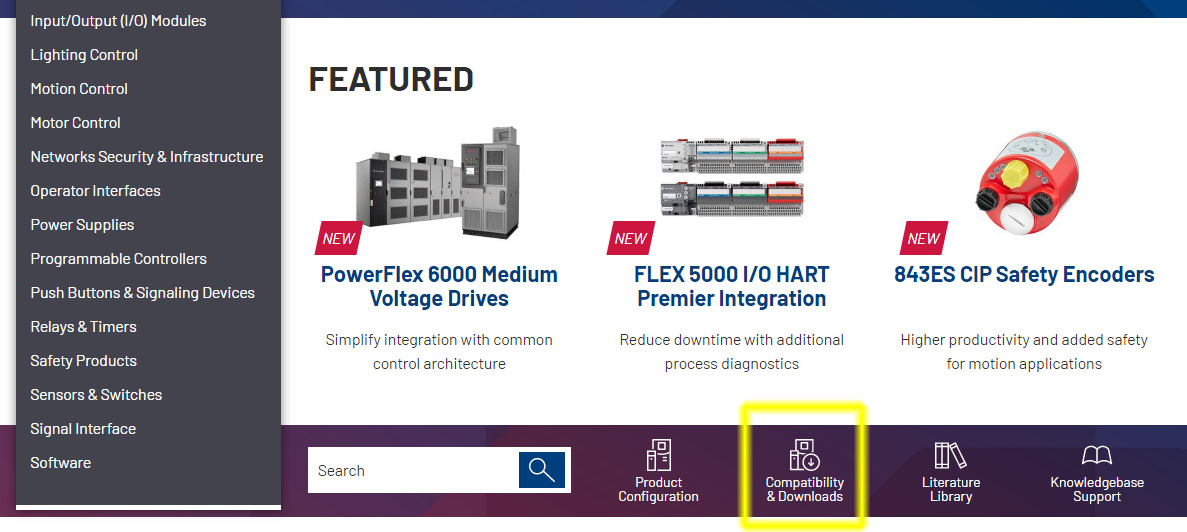
Step 2) Now point your browser at http://www.AB.com, and once there click on the “Compatibility & Downloads” link:
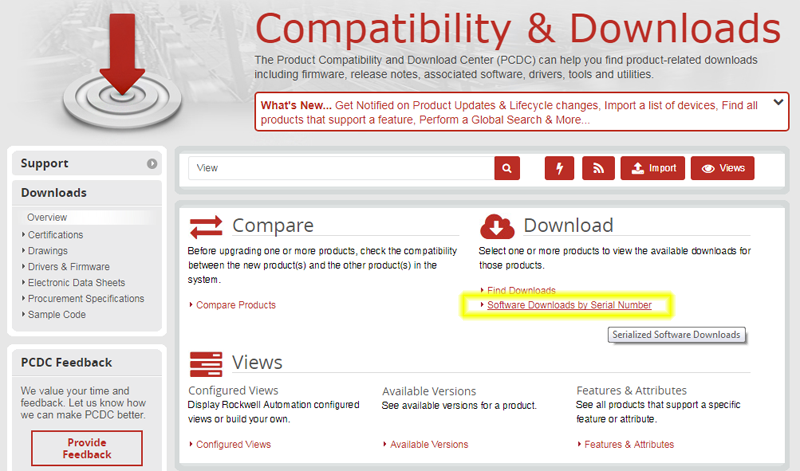
Step 3) Next, click on “Software Downloads by Serial Number”:
Step 4) At this point you will be asked to log into Rockwell’s website. If you don’t have a Rockwell website login, click on “Sign up now” and sign-up for a free Rockwell website account:
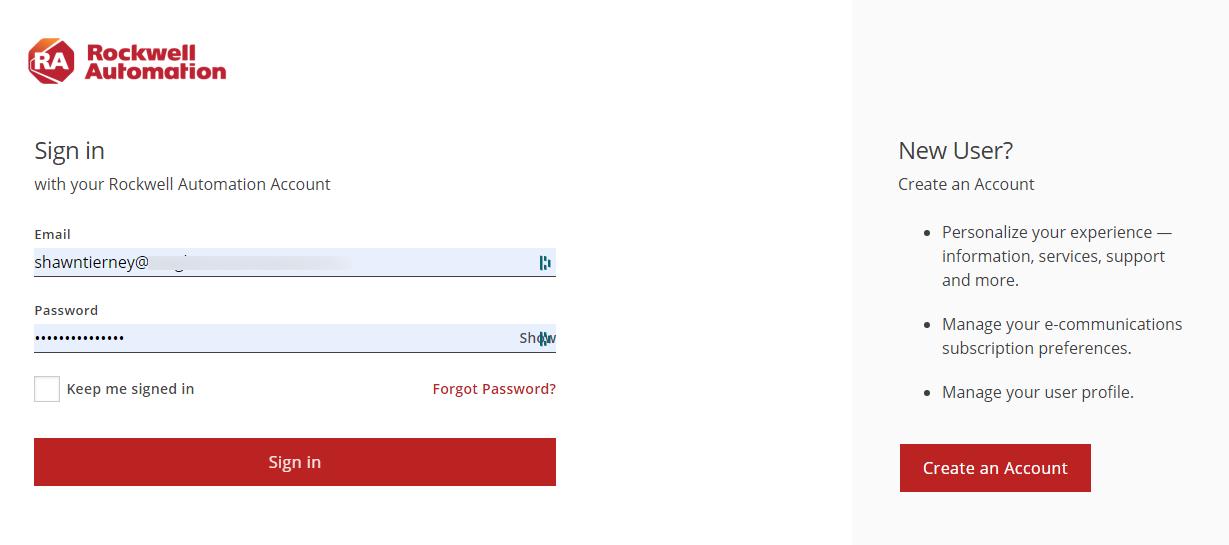
Step 5) Once you’re signed in, the next page asks you to enter in your serial number and either your product key, company name, order no, company no, or BPID as shown below:
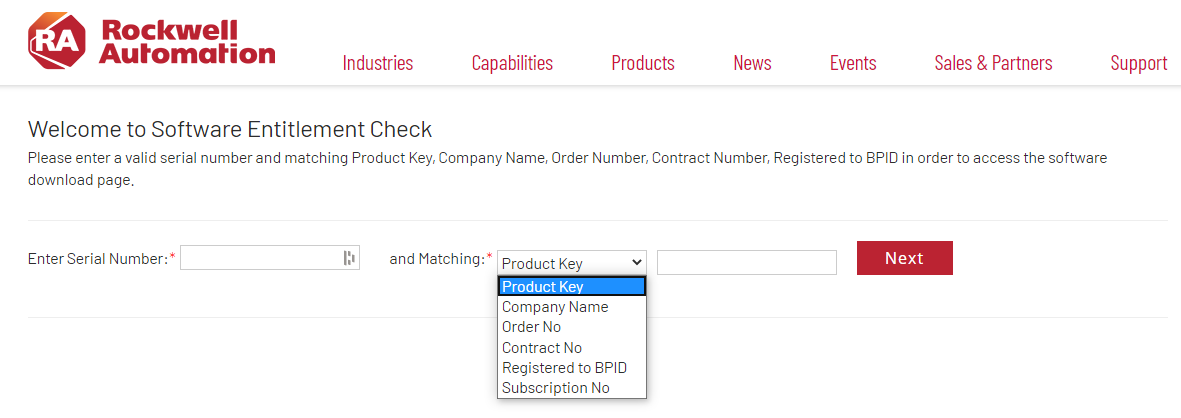
Step 6) Enter in the Serial Number and Product Key from your Activation Certificate and then click on Next.
Step 7) Now you should see the package in question listed along with a drop down list showing the versions available to you, as well as any additional downloads:
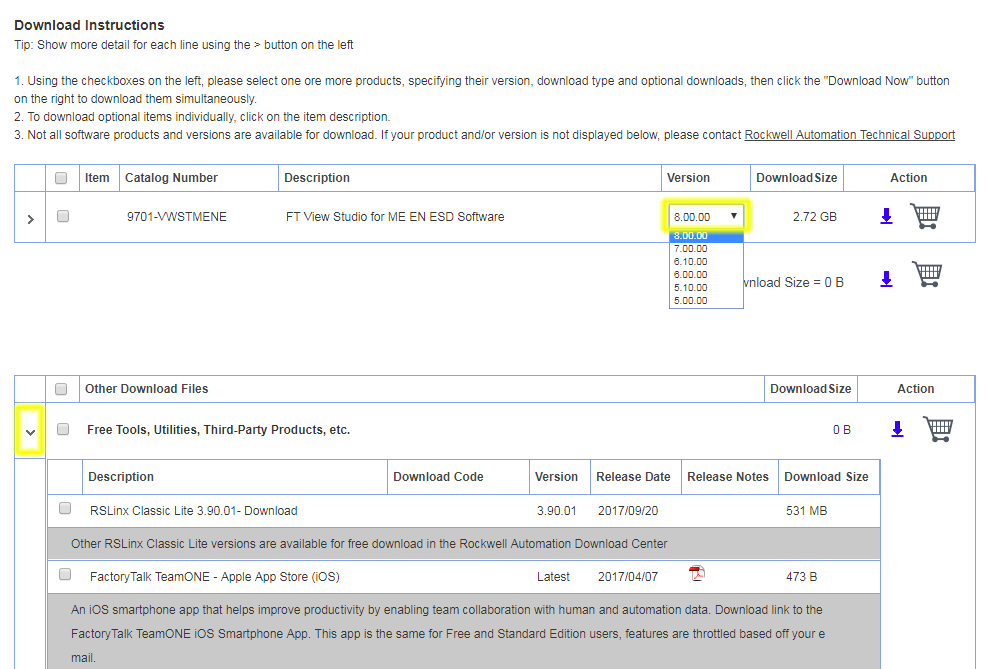
NOTE: If you don’t have a support contract you will only see up to the last version you had support for, or the latest version available when you purchased the software.
Step 8) Go ahead and select the version you wish to download and click on the blue download arrow, at which point you’ll need to also accept the license agreement:

Step 9) And then select “Direct Download:”

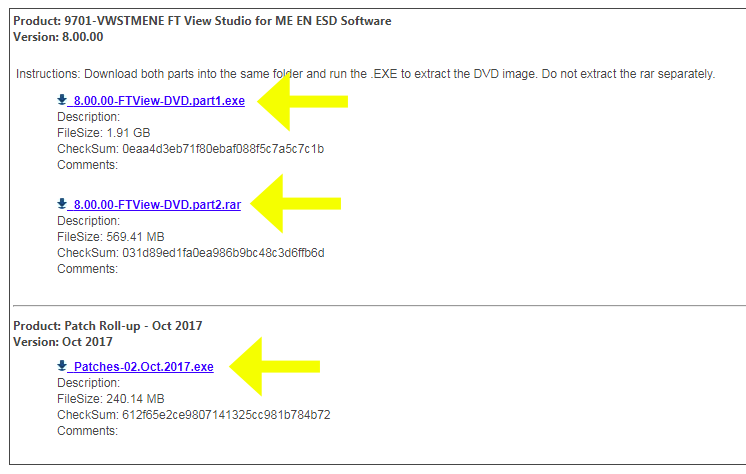
Step 10) And finally select each of the blue links for your downloads:
If you’d like to watch a video demonstration of the above, check out Episode 18 of The Automation Minute Season 4 below:
I hope you’ve found the above information on how to download Rockwell Automation software updates helpful.
If you have any questions or would like to comment on the above article please feel free to click on the “post a comment or question” link below.
Until next time, Peace ✌️
If you enjoyed this content, please give it a Like, and consider Sharing a link to it as that is the best way for us to grow our audience, which in turn allows us to produce more content 🙂
Shawn M Tierney
Technology Enthusiast & Content Creator
Support our work and gain access to hundreds members only articles and videos by becoming a member at The Automation Blog or on YouTube. You’ll also find all of my affordable PLC, HMI, and SCADA courses at TheAutomationSchool.com.

- A.I. Tech Talk with Emil Soerensen of Kapa.ai (12/04/25) - December 4, 2025
- Innovation Summit Las Vegas 2025 Recap (P254) - December 3, 2025
- New Features of Ignition 8.3 with Travis Cox (S2E37) - December 2, 2025