


So you have a PanelView Plus and want to set or update the internal clock?
Well in today’s article I’ll show you step-by-step how to use the PanelView Plus Configuration Menu to do just that.
Step 1) Power on your PanelView Plus and return to the main configuration menu as shown below:
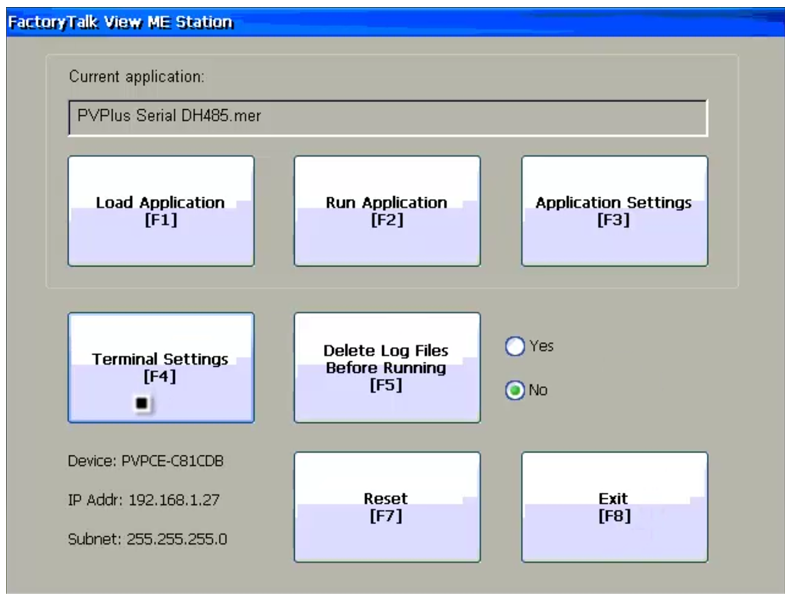
Note: If you don’t know how to get back to the PanelView Plus’s configuration menu, check out my previous article on that topic:
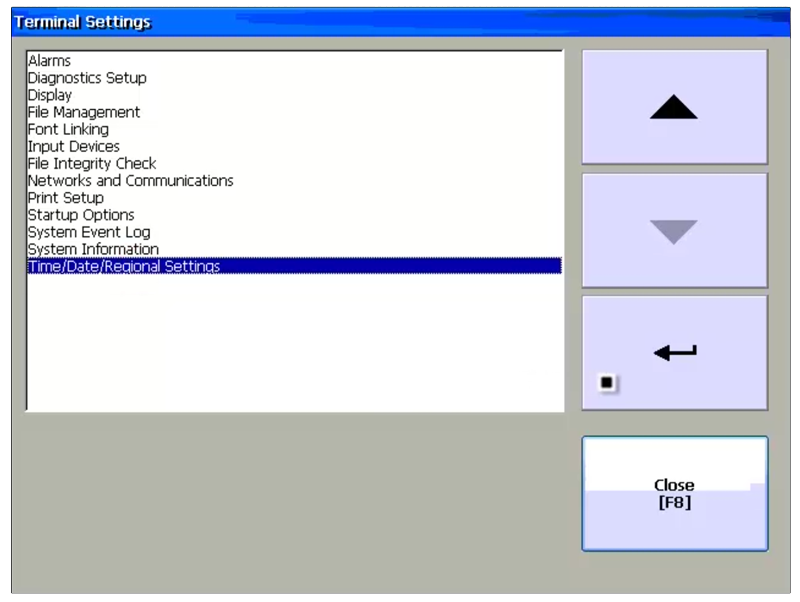
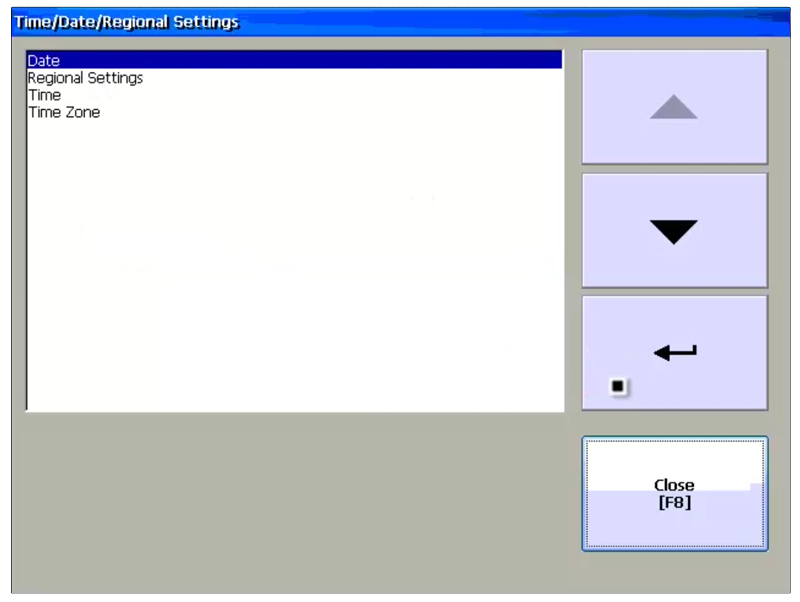
Step 2) Select Terminal Settings from the main menu, then select Time/Date/Regional Settings and Enter:
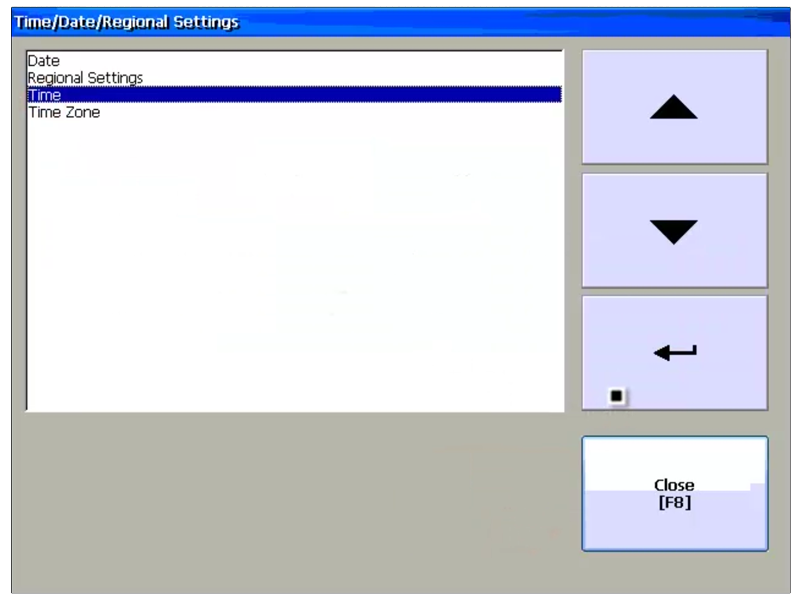
Step 3) Now select Time, and then Enter:
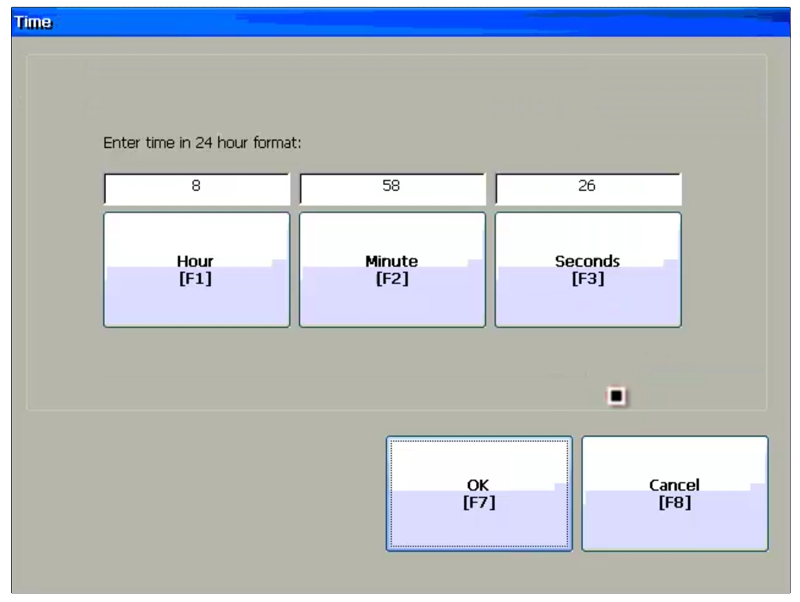
Step 4) Now enter in the correct time and then select OK to save:
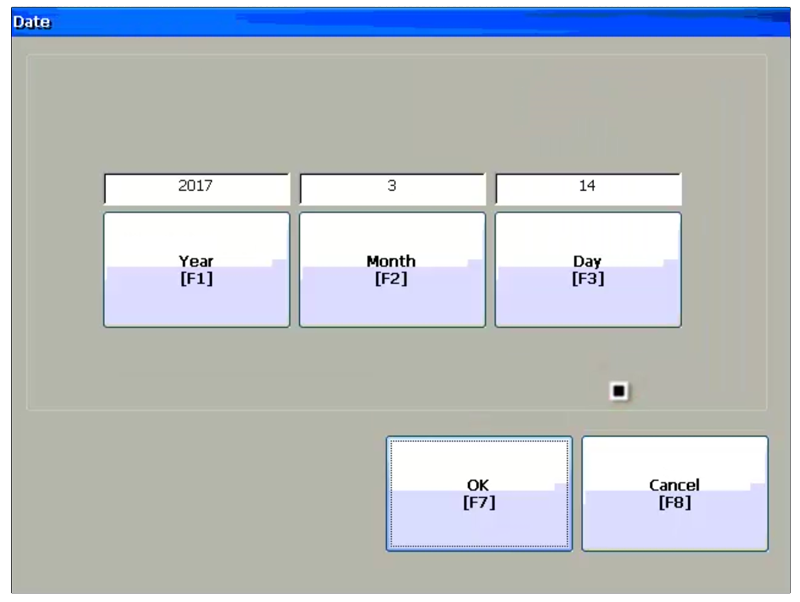
Step 5) Next select Date and Enter:
Step 6) Now enter in the correct Date and then select OK, and you’re done!
Question: Did you Find this article helpful? If so, please share it with co-workers and colleagues, and for more articles about the PanelView Plus click on the link below:
You can watch a video of the above procedure in the below video(s):
I hope you found this article helpful. If you have any questions please feel free to post them at TheAutomationBlog.com/join
Until next time, Peace ✌️
If you enjoyed this content, please give it a Like, and consider Sharing a link to it as that is the best way for us to grow our audience, which in turn allows us to produce more content 🙂
Shawn M Tierney
Technology Enthusiast & Content Creator
Support our work and gain access to hundreds members only articles and videos by becoming a member at The Automation Blog or on YouTube. You’ll also find all of my affordable PLC, HMI, and SCADA courses at TheAutomationSchool.com.

Shawn Tierney is a lifelong Technology Enthusiast who began programing in the early 80's on the Apple II and VIC-20 personal computers. After earning a degree in Electronics, he worked as a Certified Controls and Information Automation Specialist for 25 years before launching The Automation Blog and School in 2013.
Latest posts by Shawn Tierney (see all)
- A.I. Tech Talk with Emil Soerensen of Kapa.ai (12/04/25) - December 4, 2025
- Innovation Summit Las Vegas 2025 Recap (P254) - December 3, 2025
- New Features of Ignition 8.3 with Travis Cox (S2E37) - December 2, 2025



Hi Shawn,
I’m looking how to change the time and date in the original panelview 1000 ( not the newer panelview plus). Also is there a setting that causes the time and date to update? The Alarm Screen doesn’t update the time and date when alarm come in. I would apreciate anyyhelp you can give me on this.
Hey Gary,
I don’t have one of those old units plugged in atm, but I know it is set in the Configuration Menu like the PVPlus, and yes it will automatically keep time while powered on.
As far as keeping time when powered off, that could depend on the exact model and series, and if the battery is dead.
I’d check those first before tackling the Alarm time issue – for that I’d recommend checking the PB32 project to insure it’s setup correctly.
Shawn