


RSView32 definitely has options. Especially when it comes to how you display your graphics.
In this demo, I try to show the many different ways to set up an RSView32 project that consists of body screens that change, but that also have common Title and Menu Bars.
The good and bad of each method is also explained.
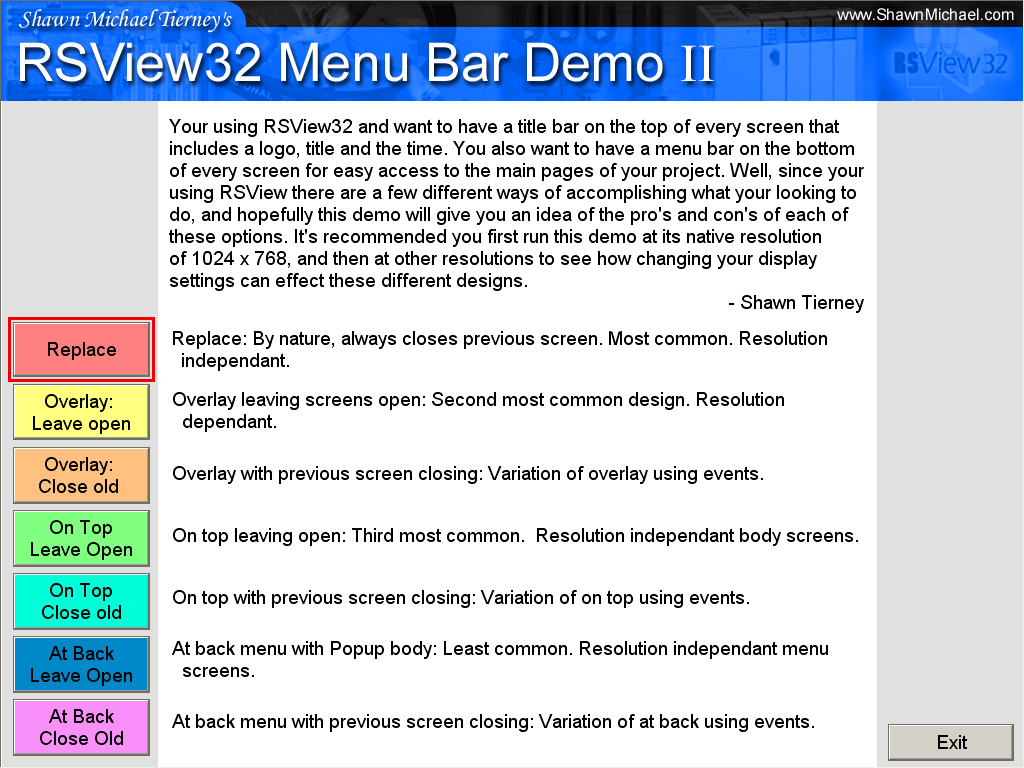 Requirements:
- RSView32 Version: 6.30.16
- Additional Requirements: 1024×768
- I/O Size: 0
- File Size: 1.8MB
- Uploaded on: 03/02/03
- Developed By: Shawn Michael Tierney
Download Link: Shawn’s RSView32 Menu Bar Demo 2.zip
Until next time, Peace ✌️
If you enjoyed this content, please give it a Like, and consider Sharing a link to it as that is the best way for us to grow our audience, which in turn allows us to produce more content 🙂
Shawn M Tierney
Technology Enthusiast & Content Creator
Support our work and gain access to hundreds members only articles and videos by becoming a member at The Automation Blog or on YouTube. You’ll also find all of my affordable PLC, HMI, and SCADA courses at TheAutomationSchool.com.

- FactoryTalk Design Workbench First Look, CCW Comparison - December 19, 2025
- Drew Allen of Grace Technologies on Automation, Safety, and More (P256) - December 17, 2025
- Robotics in Warehouse Automation with Erik Nieves of Plus One Robotics (P255) - December 10, 2025

Discover more from The Automation Blog
Subscribe to get the latest posts sent to your email.
[…] on my original website back on March 2nd, 2003, you can now find this article HERE on The Automation […]