
Home Blog Page 113

MicroLogix to PowerFlex 4

MicroLogix-1200-to-PowerFlex-4-Modbus

MicroLogix-1200-to-PowerFlex-4-Modbus

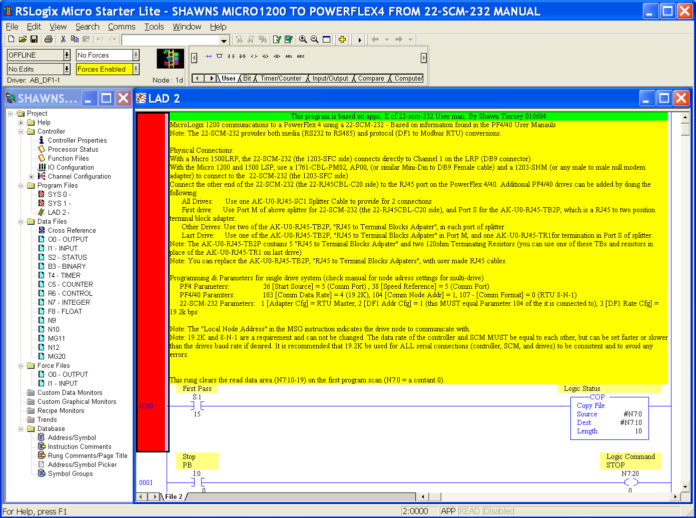
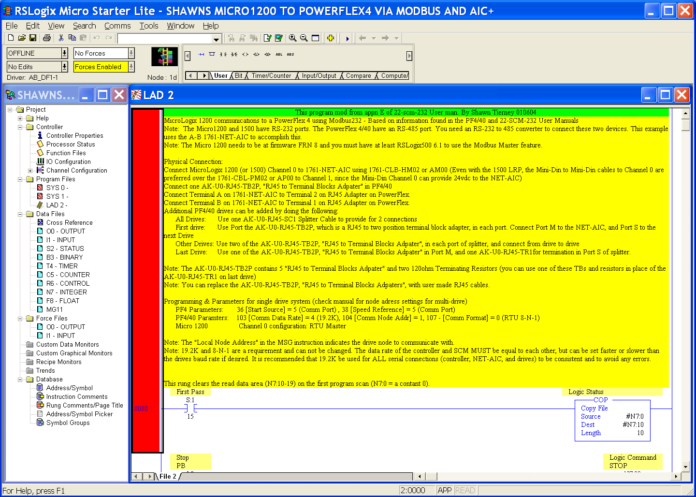
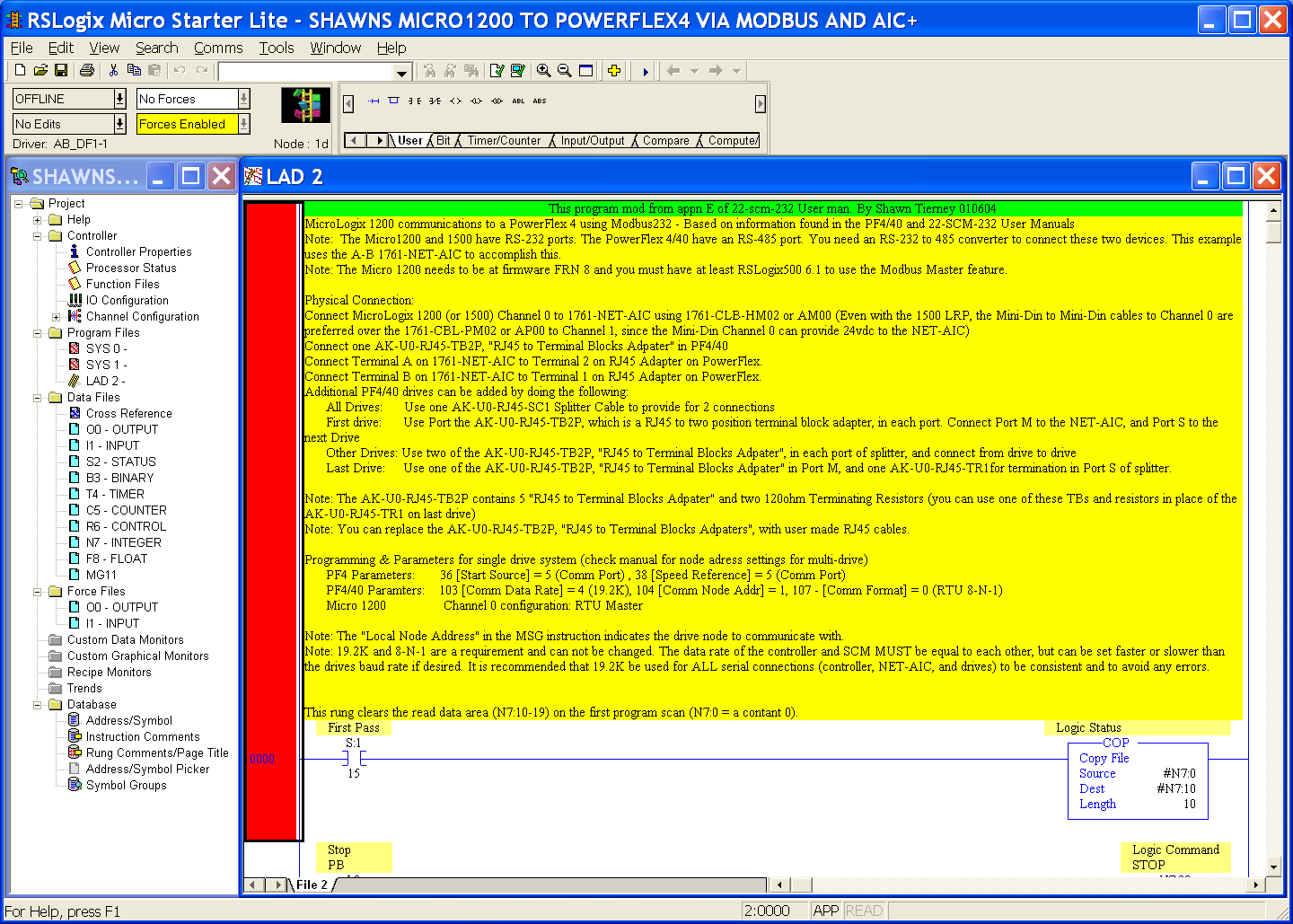
My first sample program is based on the example in the appendix of the  22-SCM-232 Manual.

After unsuccessfully attempting to get an electronic copy from Rockwell Drives Tech Support, I broke down and typed in all the ladder and comments myself.

Once setup and testing was completed I added additional comments to the first run.

Requirements:

  • RSLogix 500 Version: 6.1
  • Additional Requirements: Micro1200 & PF4/40
  • File Size: 61 kb
  • Uploaded on: 02/09/04
  • Entered By: Shawn Michael Tierney

My second program is based on the first, but uses the Modbus Master protocol available in the latest release of the MicroLogix 1200, as well as a 1761-Net-AIC.

The biggest obstacle in getting this configuration to work was trying to find the polarity of the comm lines (i.e. does + comm on the AIC go to A or B comm on the drive?) as well as realizing all the modbus addresses are offset by 1 (which even Rockwell Drives Div. missed in Rev 1 of the subsequently release tech note).

Since this file was published, Rockwell has release (and fixed) a tech note, and also has an excellent 2004 HOT LAB.

Requirements:

  • RSLogix 500 Version: 6.1
  • Additional Requirements: Micro1200 & PowerFlex 4 /40
  • File Size: 60 kb
  • Uploaded on: 02/09/04
  • Entered By: Shawn Michael Tierney

Download Link:

Until next time, Peace ✌️ 

If you enjoyed this content, please give it a Like, and consider Sharing a link to it as that is the best way for us to grow our audience, which in turn allows us to produce more content 🙂

Shawn M Tierney
Technology Enthusiast & Content Creator

Support our work and gain access to hundreds members only articles and videos by becoming a member at The Automation Blog or on YouTube. You’ll also find all of my affordable PLC, HMI, and SCADA courses at TheAutomationSchool.com.

Shawn Tierney

(no views)

Note: This article was previously posted on the author's original websites, www.ShawnMichael.com and www.ShawnMTierney.com

MicroLogix 1200 to PowerFlex 4 from 22-SCM-232 Manual

MicroLogix-1200-to-PowerFlex-4

SLC-500 Micro 22-scm-232This first program is based on the example in the appendix of the 22-SCM-232 Manual.

After unsuccessfully attempting to get an electronic copy from Rockwell Drives Tech Support, I broke down and typed in all the ladder and comments myself.

Once setup and testing was completed I added additional comments to the first run.

Requirements:

  • RSLogix 500 Version: 6.1
  • Additional Requirements: Micro1200 & PowerFlex 4 / 40
  • File Size: 61 kb
  • Uploaded on: 02/09/04
  • Entered By: Shawn Michael Tierney

Download Link:

Until next time, Peace ✌️ 

If you enjoyed this content, please give it a Like, and consider Sharing a link to it as that is the best way for us to grow our audience, which in turn allows us to produce more content 🙂

Shawn M Tierney
Technology Enthusiast & Content Creator

Support our work and gain access to hundreds members only articles and videos by becoming a member at The Automation Blog or on YouTube. You’ll also find all of my affordable PLC, HMI, and SCADA courses at TheAutomationSchool.com.

Shawn Tierney

(no views)

Note: This article was previously posted on the author's original websites, www.ShawnMichael.com and www.ShawnMTierney.com

RSView32 Simple Access Query Demo

ap_hmiscada_rsview32_projects_accessquery

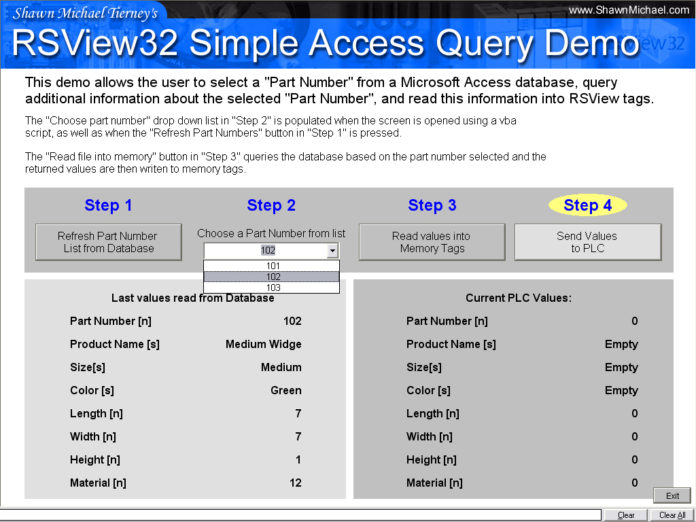
ap_hmiscada_rsview32_projects_accessqueryThis demo addresses two questions:

First, how can you populate a list box in RSView with a list of part numbers from an Access database.

Second, how you can retrieve additional information about a particular part from an Access database when only the part number is known.

Requirements:

  • RSView32 Version: 6.40.03
  • Additional Requirements: 1024×768 recommended
  • I/O Size: 0
  • File Size: 375KB
  • Uploaded on: 06/14/03
  • Developed By: Shawn Michael Tierney

Download Link:

Until next time, Peace ✌️ 

If you enjoyed this content, please give it a Like, and consider Sharing a link to it as that is the best way for us to grow our audience, which in turn allows us to produce more content 🙂

Shawn M Tierney
Technology Enthusiast & Content Creator

Support our work and gain access to hundreds members only articles and videos by becoming a member at The Automation Blog or on YouTube. You’ll also find all of my affordable PLC, HMI, and SCADA courses at TheAutomationSchool.com.

Shawn Tierney

(no views)

Note: This article was previously posted on the author's original websites, www.ShawnMichael.com and www.ShawnMTierney.com

RSView32 Security Popup Demo 2

RSView32-Security-Popup-Demo-2

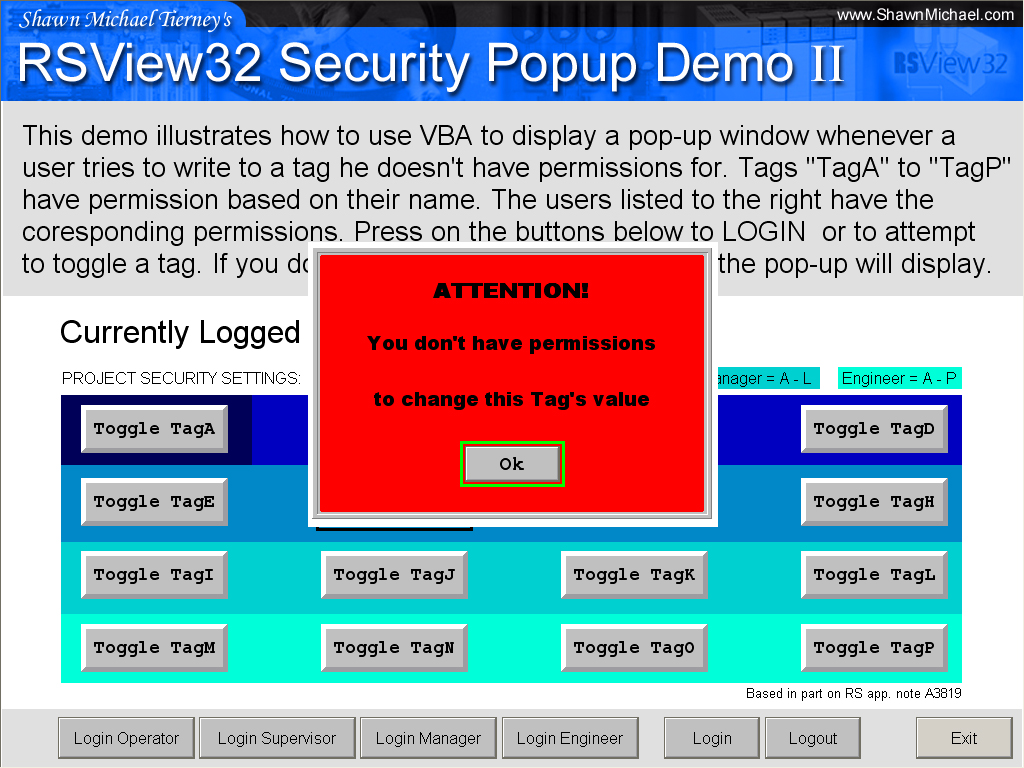
RSView32-Security-Popup-Demo-2RSView32 allows for security to be assigned to Tags, Screens, Commands, and Macros.

But, unless you have the activity bar turned on, there is little feedback when you try to change a tag value on which you don’t have security for.

The latest versions of RSView32 will now turn the input field “Red” if you don’t have the right permissions, but sometimes even that is not enough, and it also doesn’t address buttons which change bit values.

The good news is it’s really easy to create a small VBA script to display a small popup based on the last message logged to the activity bar.

This demo looks for the string, “does not have security” which is part of the message that gets logged when you try to change a tags value without proper permissions, and when it occurs it launches a pop-up.

Project Details;

  • RSView32 Version: 6.30.16
  • Additional Requirements: 1024×768
  • I/O Size: 0
  • File Size: 255KB
  • Uploaded on: 04/27/03
  • Developed By: Shawn Michael Tierney

Download Link: Security Popup Demo 2

Until next time, Peace ✌️ 

If you enjoyed this content, please give it a Like, and consider Sharing a link to it as that is the best way for us to grow our audience, which in turn allows us to produce more content 🙂

Shawn M Tierney
Technology Enthusiast & Content Creator

Support our work and gain access to hundreds members only articles and videos by becoming a member at The Automation Blog or on YouTube. You’ll also find all of my affordable PLC, HMI, and SCADA courses at TheAutomationSchool.com.

Shawn Tierney

(no views)

Note: This article was previously posted on the author's original websites, www.ShawnMichael.com and www.ShawnMTierney.com

RSView32 Menu Bar Demo 2

RSView32_Menu_Bar_2

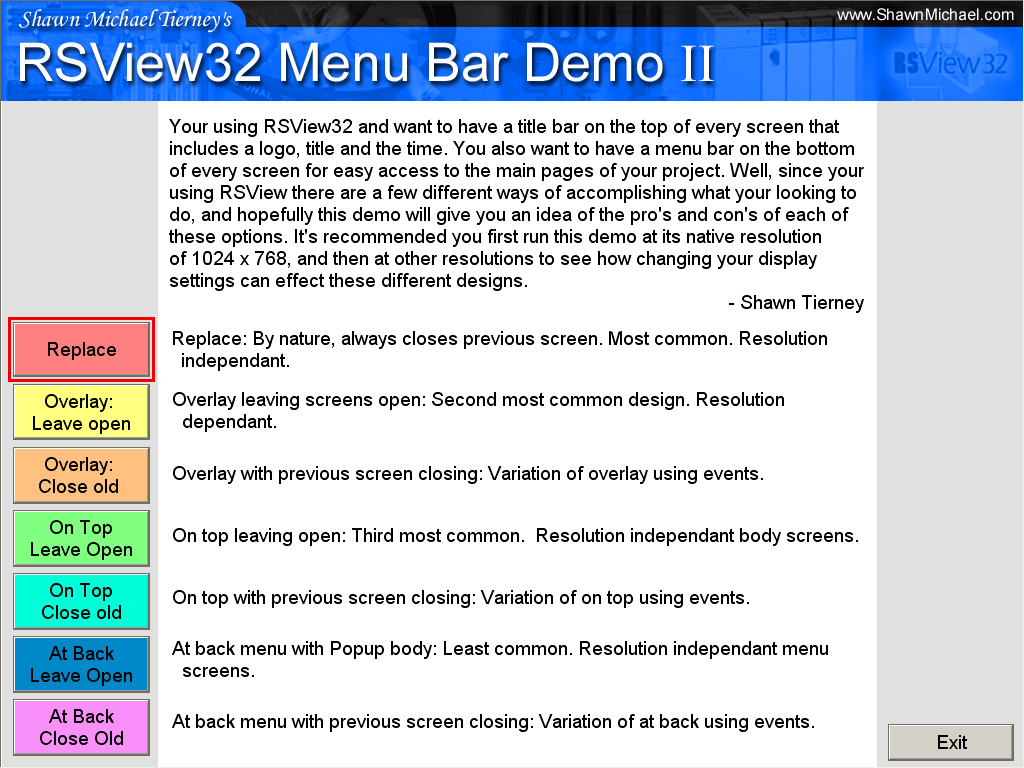
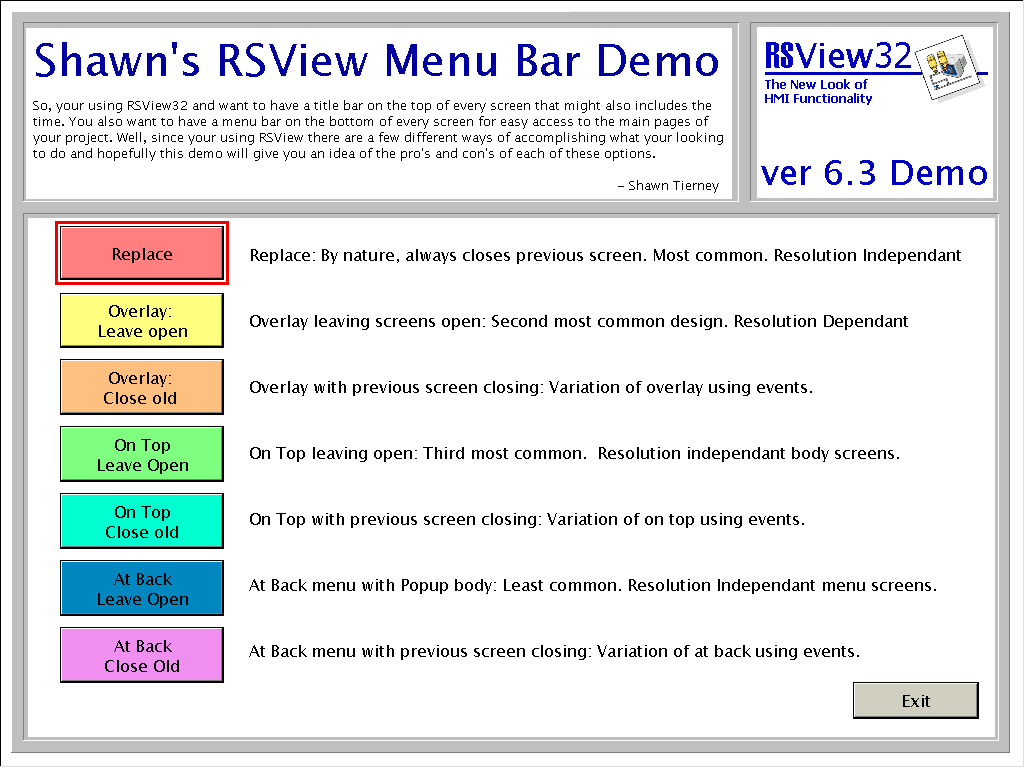
RSView32 definitely has options. Especially when it  comes to how you display your graphics.

In this demo, I try to show the many different ways to set up an RSView32 project that consists of body screens that change, but that also have common Title and Menu Bars.

The good and bad of each method is also explained.

RSView32_Menu_Bar_2Requirements:

  • RSView32 Version: 6.30.16
  • Additional Requirements: 1024×768
  • I/O Size: 0
  • File Size: 1.8MB
  • Uploaded on: 03/02/03
  • Developed By: Shawn Michael Tierney

Download Link: Shawn’s RSView32 Menu Bar Demo 2.zip

Until next time, Peace ✌️ 

If you enjoyed this content, please give it a Like, and consider Sharing a link to it as that is the best way for us to grow our audience, which in turn allows us to produce more content 🙂

Shawn M Tierney
Technology Enthusiast & Content Creator

Support our work and gain access to hundreds members only articles and videos by becoming a member at The Automation Blog or on YouTube. You’ll also find all of my affordable PLC, HMI, and SCADA courses at TheAutomationSchool.com.

Shawn Tierney

(no views)

Note: This article was previously posted on the author's original websites, www.ShawnMichael.com and www.ShawnMTierney.com

RSView32 Juice Bottling Demo

RSView32 Juice Bottling Demo 1

RSView32 Juice Bottling Demo 1

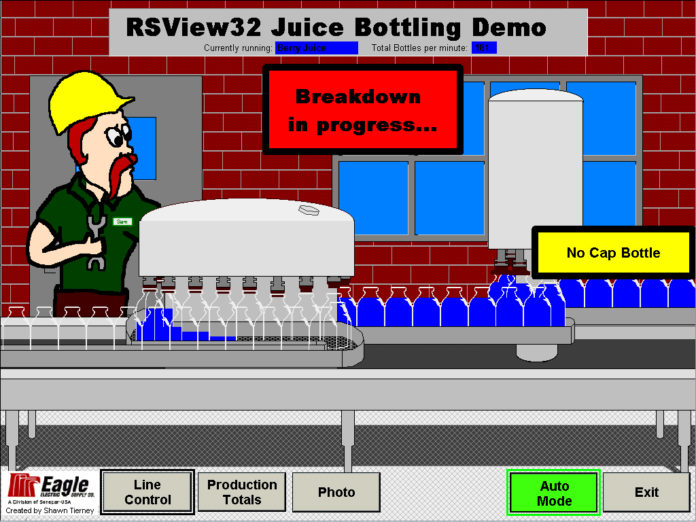
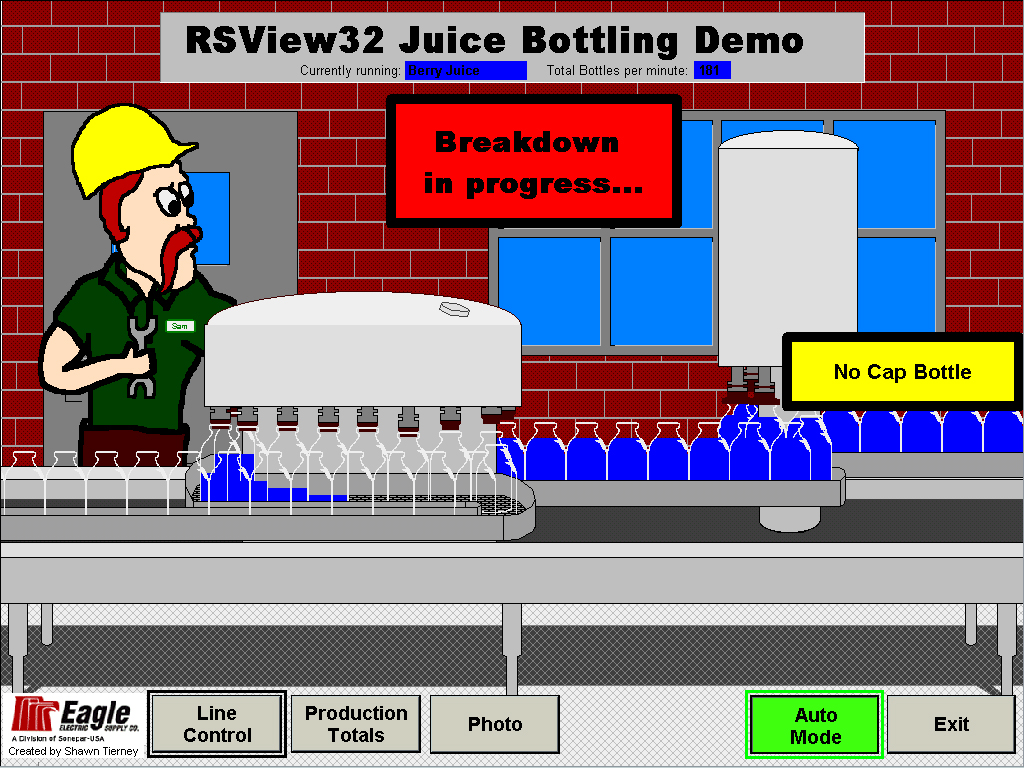
This RSView32 Juice Bottling demo was designed to simulate a juice bottling operatino. I designed it specifically for use in a PlantMetrics demo. The main purpose of this simulation was to mimic product scrap and line breakdowns, which then could be tracked in Rockwell’s PlantMetrics software.

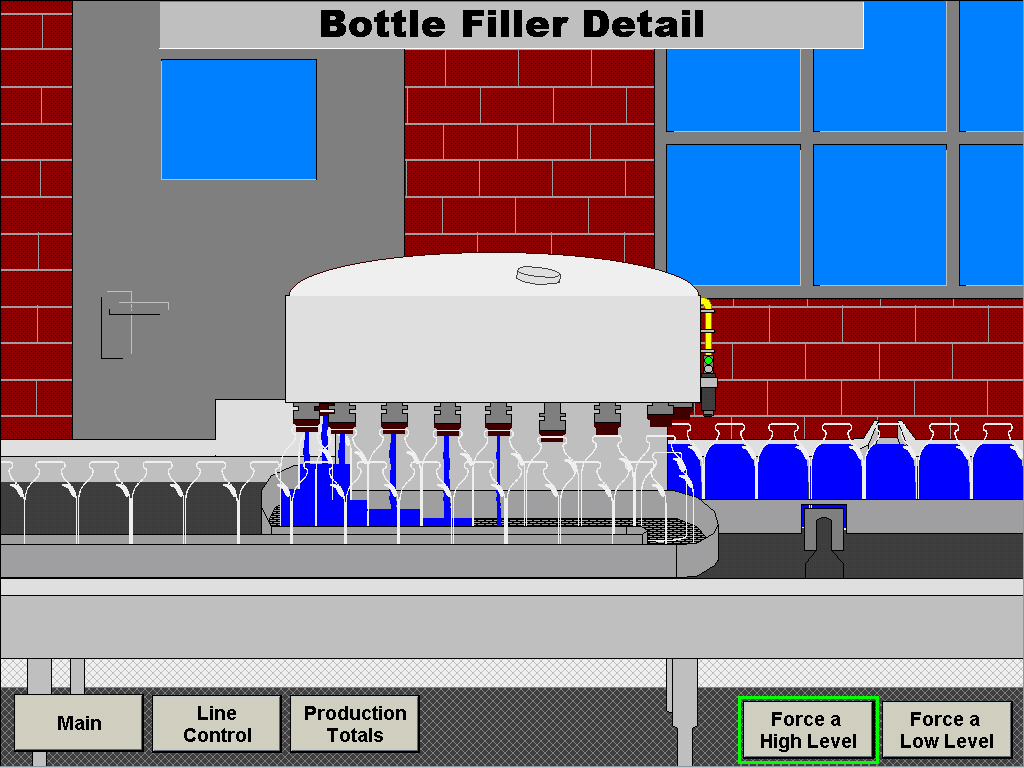
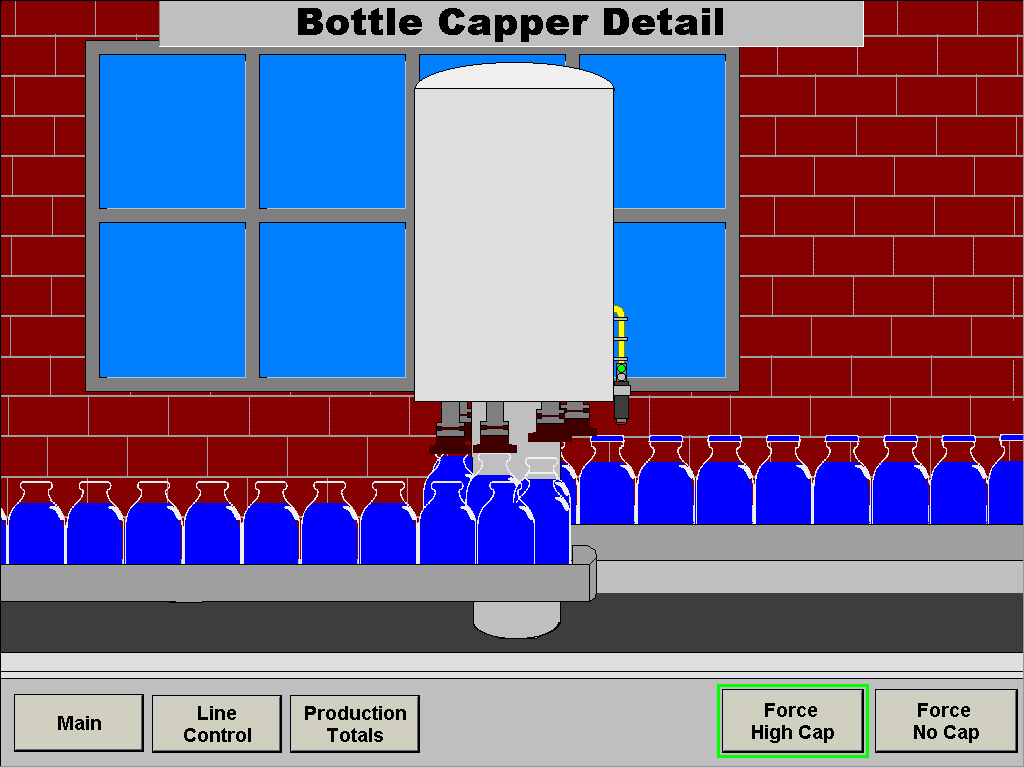
First, a bottle filler and capper had to be created and animated from scratch. A video and picture of a FOGG system (included in project directory) was used as a baseline. Once the screens were finished, it became apparent that there was just too much going on for RSView32 Juice Bottling Demo 3RSView32 to animate smoothly. To resolve this problem the main screen was simplified, and two detail screens were added.

The scrap which is simulated comes in four types: Over-filled bottles, under-filled bottles, bottles without a cap, and bottles with a high (unsealed) cap. Each type of scrap condition can be simulated on the detail screens.

Breakdowns are also simulated and can be forced from the main window. They come in 8 types that are listed in a pop-up window at the end of the breakdown event.

RSView32 Juice Bottling Demo 2Requirements:

  • RSView32 Version: 6.30.16
  • Additional Requirements: 1024×768
  • I/O Size: 0
  • File Size: 3.9MB
  • Uploaded on: 10/13/02
  • Developed By: Shawn Michael Tierney

Download Link: RSView32 Juice Bottling Demo

Until next time, Peace ✌️ 

If you enjoyed this content, please give it a Like, and consider Sharing a link to it as that is the best way for us to grow our audience, which in turn allows us to produce more content 🙂

Shawn M Tierney
Technology Enthusiast & Content Creator

Support our work and gain access to hundreds members only articles and videos by becoming a member at The Automation Blog or on YouTube. You’ll also find all of my affordable PLC, HMI, and SCADA courses at TheAutomationSchool.com.

Shawn Tierney

(no views)

Note: This article was previously posted on the author's original websites, www.ShawnMichael.com and www.ShawnMTierney.com

RSLogix 5 Ladder Logic Sum a Integer File using a FAL

RSLogix 5 Ladder Logic Sum a Integer File using a FAL

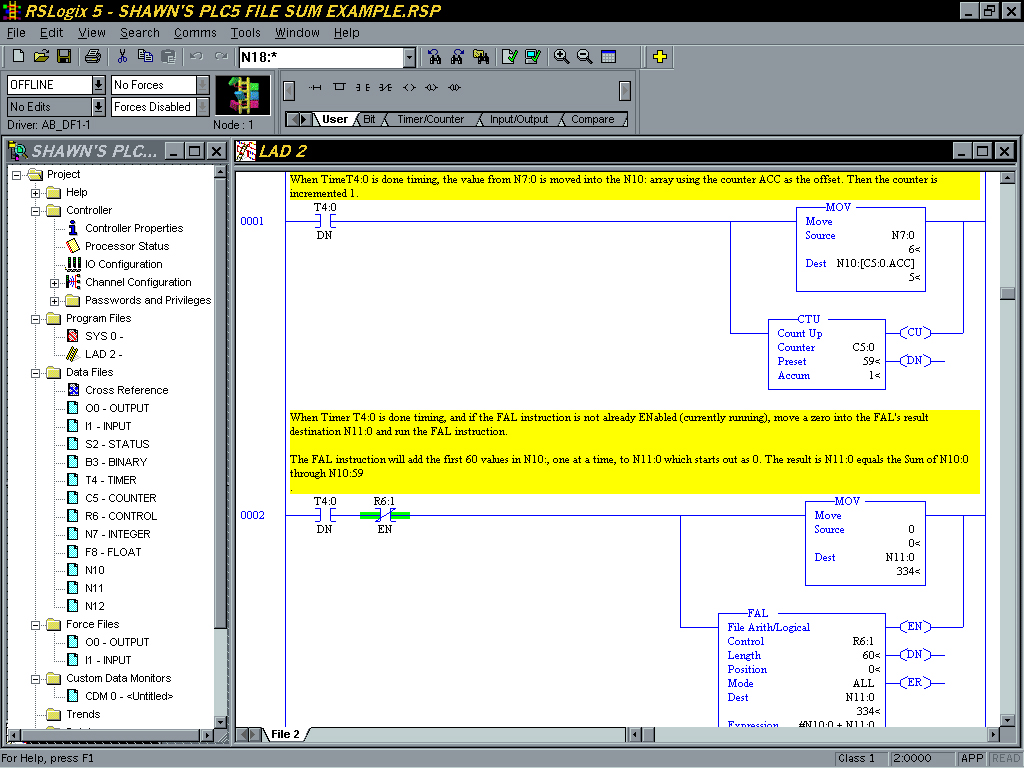
RSLogix 5 Ladder Logic Sum a Integer File using a FALThis is a simple RSLogix 5 program designed to show how the FAL Instruction can be used to sum and entire integer file for use in calculating a running average.

Requirements:

  • RSLogix 5 Version: 4.10
  • Additional Requirements: None
  • File Size: 16.9 kb
  • Uploaded on: 10/11/02
  • Developed By: Shawn Michael Tierney

Download Link: Sum a Integer File using a FAL

Until next time, Peace ✌️ 

If you enjoyed this content, please give it a Like, and consider Sharing a link to it as that is the best way for us to grow our audience, which in turn allows us to produce more content 🙂

Shawn M Tierney
Technology Enthusiast & Content Creator

Support our work and gain access to hundreds members only articles and videos by becoming a member at The Automation Blog or on YouTube. You’ll also find all of my affordable PLC, HMI, and SCADA courses at TheAutomationSchool.com.

Shawn Tierney

(no views)

Note: This article was previously posted on the author's original websites, www.ShawnMichael.com and www.ShawnMTierney.com

RSLogix 5000 Ladder Logic Example – ASCII Integer from Word to String

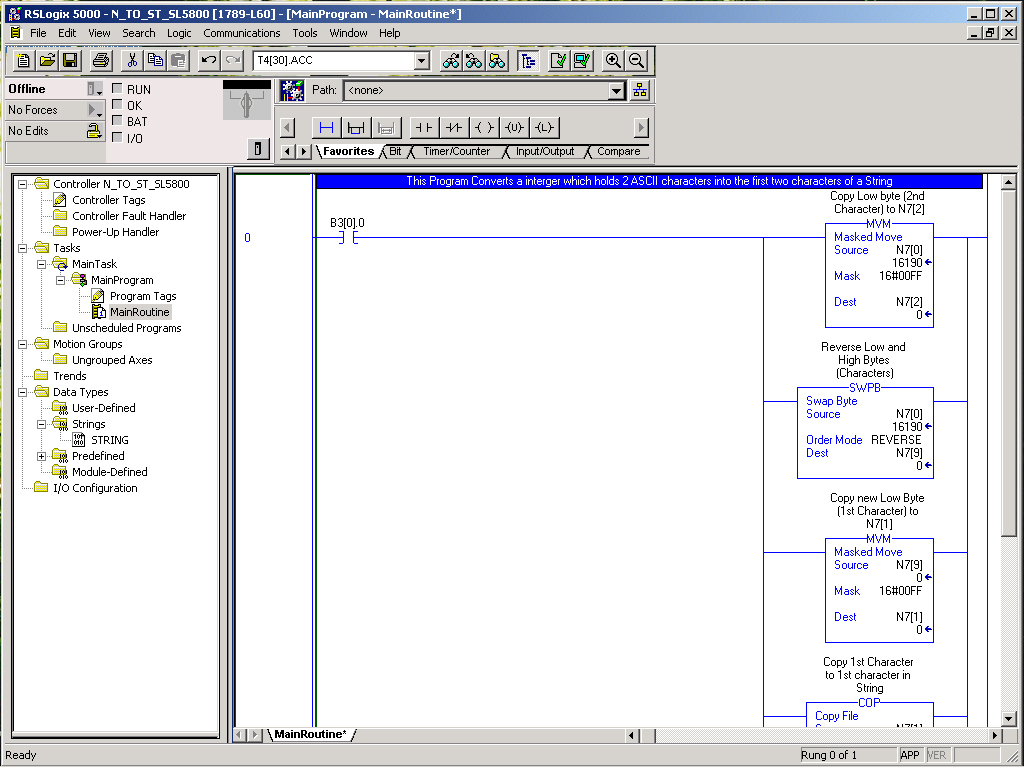
ap_ladderlogic_clx_asciiint2string_1This is a simple RSLogix 5000 program designed to convert a integer which contains two ASCII characters read from a bar code reader to the first two characters in a String.

Requirements:

  • RSLogix 5000 Version: 10
  • Additional Requirements: None
  • File Size: 77.6 kb
  • Uploaded on: 10/11/02
  • Developed By: Shawn Michael Tierney

Download Link: ASCII Integer from Word to String

Until next time, Peace ✌️ 

If you enjoyed this content, please give it a Like, and consider Sharing a link to it as that is the best way for us to grow our audience, which in turn allows us to produce more content 🙂

Shawn M Tierney
Technology Enthusiast & Content Creator

Support our work and gain access to hundreds members only articles and videos by becoming a member at The Automation Blog or on YouTube. You’ll also find all of my affordable PLC, HMI, and SCADA courses at TheAutomationSchool.com.

Shawn Tierney

(no views)

Note: This article was previously posted on the author's original websites, www.ShawnMichael.com and www.ShawnMTierney.com

PanelBuilder32 Providence Beer Demo

PanelBuilder32 Providence Beer 1-fi

Providence Beer Demo

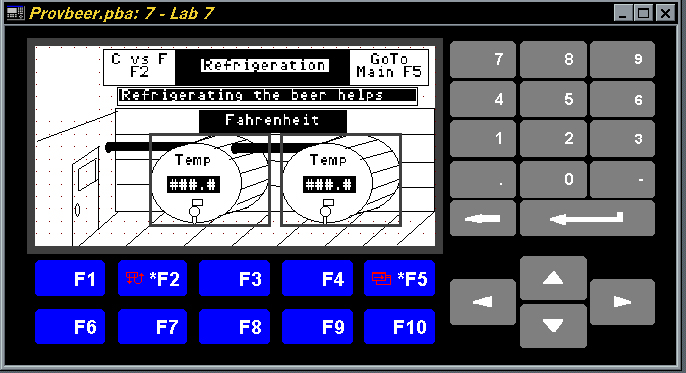
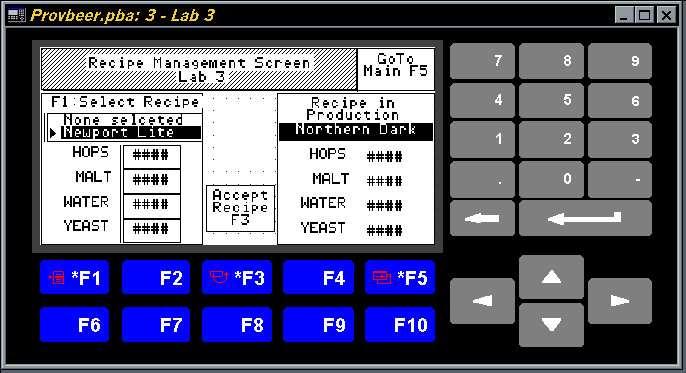
PanelBuilder32 Providence Beer 1I created this “Providence Beer”  PanelView application back in 1996 for a newly created one day PanelView class I was planning to teach at All-Phase Electric Supply. The initial class went well, but to move the class along at a faster pace, future classes used a simplified version of the project.

This demo application is an very simple example of how a PLC can be used with a PanelView to modify, select, and run recipes.

While a standard feature today, back in 1996 it took quit a bit of ladder logic and PanelView design to get recipe functionality to work.

PanelBuilder32 Providence Beer 2NOTE: You can find the accompanying SLC-500 program HERE.

Requirements:

  • PanelBuilder32 Version: 3.70
  • Additional Requirements: None
  • File Size: 11.5 kb
  • Uploaded on: 10/11/02
  • Developed By: Shawn Michael Tierney

Download Link: PanelBuilder32 Providence Beer Demo

Until next time, Peace ✌️ 

If you enjoyed this content, please give it a Like, and consider Sharing a link to it as that is the best way for us to grow our audience, which in turn allows us to produce more content 🙂

Shawn M Tierney
Technology Enthusiast & Content Creator

Support our work and gain access to hundreds members only articles and videos by becoming a member at The Automation Blog or on YouTube. You’ll also find all of my affordable PLC, HMI, and SCADA courses at TheAutomationSchool.com.

Shawn Tierney

(no views)

Note: This article was previously posted on the author's original websites, www.ShawnMichael.com and www.ShawnMTierney.com

RSLogix 500 Providence Beer Demo

Providence Beer Ladder Fi

Let’s make some virtual beer!

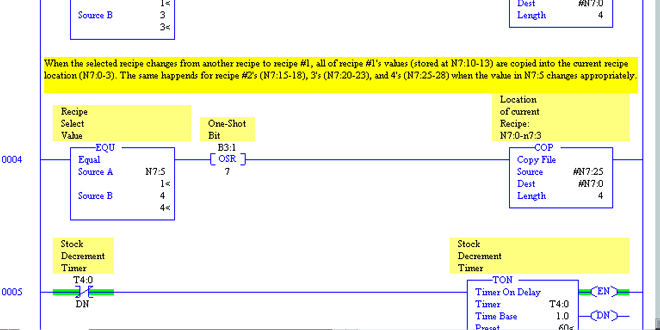
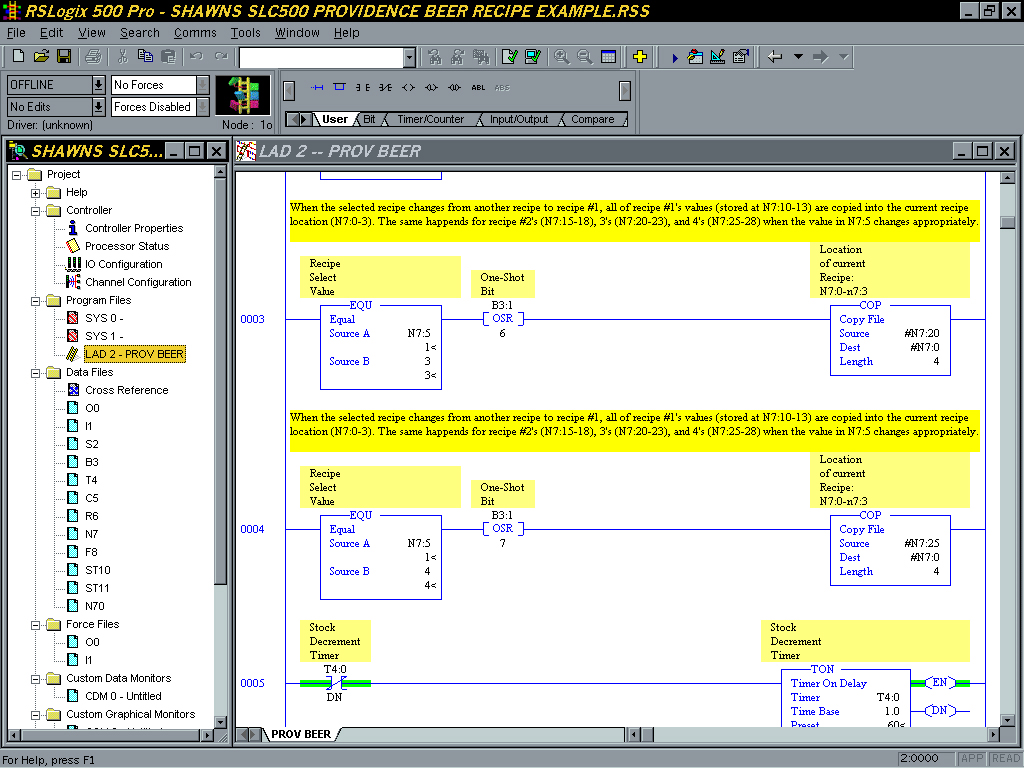
Providence Beer LadderThis RSLogix 500 Providence Beer Demo Ladder Logic program was designed to support a PanelView class I was holding back in 1996. The basic ladder logic includes some simple recipe code used in conjunction with a PanelView HMI to modify, store, and run recipes. The code also includes rungs to simulate product and process variables. Requirements:

  • RSLogix 500 Version: 5.5
  • Additional Requirements: None
  • File Size: 11.3 kb
  • Uploaded on: 10/11/02
  • Developed By: Shawn Michael Tierney

Download Link: RSLogix 500 Providence Beer Demo

Until next time, Peace ✌️ 

If you enjoyed this content, please give it a Like, and consider Sharing a link to it as that is the best way for us to grow our audience, which in turn allows us to produce more content 🙂

Shawn M Tierney
Technology Enthusiast & Content Creator

Support our work and gain access to hundreds members only articles and videos by becoming a member at The Automation Blog or on YouTube. You’ll also find all of my affordable PLC, HMI, and SCADA courses at TheAutomationSchool.com.

Shawn Tierney

(no views)

Note: This article was previously posted on the author's original websites, www.ShawnMichael.com and www.ShawnMTierney.com

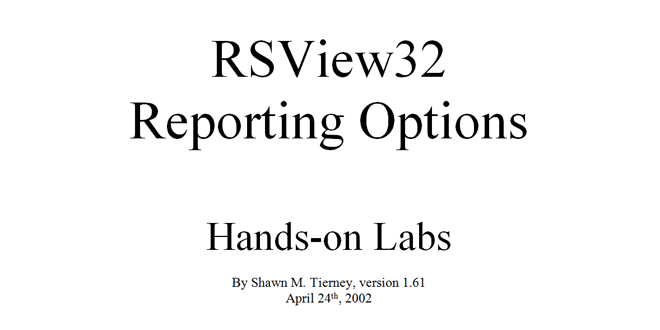
RSView32 Reporting Hands-on Labs

RSView32 Reporting

“How do you create reports in RSView32” is a very common question, and it’s one that’s difficult to answer.

RSView32 ReportingThe problem is not that RSView32 reporting is hard, it’s because there are several unique options available.

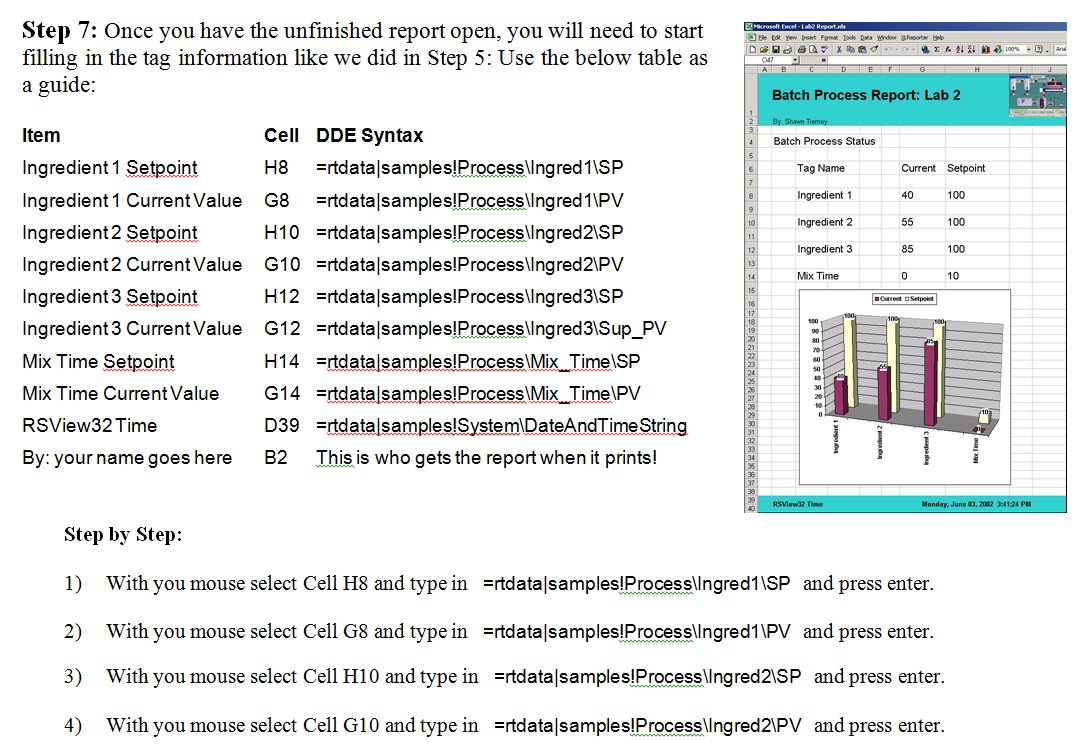
With that in mind, I put together a “RSView32 Reporting Hands-on Labs” document in an attempt to more fully convey how each RSView32 reporting option works.

Through several labs, step by step instructions guides the reader in creating reports in seven unique ways.

  • RSView32 Version: 6.30.17
  • Additional Requirements: RSView32 Report Utility, MSExcel, Resources CD, Messenger ,XLReporter Demo
  • I/O Size: 0 (Uses Samples Demo)
  • File Size: 3.09 mb
  • Uploaded on: 8-1-02
  • Developed By: Shawn Michael Tierney

Download Link: Currently available as part of HMI Bundle as of 220907

Until next time, Peace ✌️ 

If you enjoyed this content, please give it a Like, and consider Sharing a link to it as that is the best way for us to grow our audience, which in turn allows us to produce more content 🙂

Shawn M Tierney
Technology Enthusiast & Content Creator

Support our work and gain access to hundreds members only articles and videos by becoming a member at The Automation Blog or on YouTube. You’ll also find all of my affordable PLC, HMI, and SCADA courses at TheAutomationSchool.com.

Shawn Tierney

(no views)

Note: This article was previously posted on the author's original websites, www.ShawnMichael.com and www.ShawnMTierney.com

RSView32 RSWater 3.5 Demo Project

RSView32 RSWater

RSView32 RSWater“Where’s your WWTP demo?” the client asked right before dismissing RSView32 for his project.

Not that it was a big system by any means, and it wasn’t that RSView32 isn’t installed in a hundred different WWTP plants. But this client wasn’t going to buy a product that didn’t have a demo of his industry.

That experience lead me down a long road which culminated in the creation of this modified demo, which I first showed at the New England Water Works Trade Show.

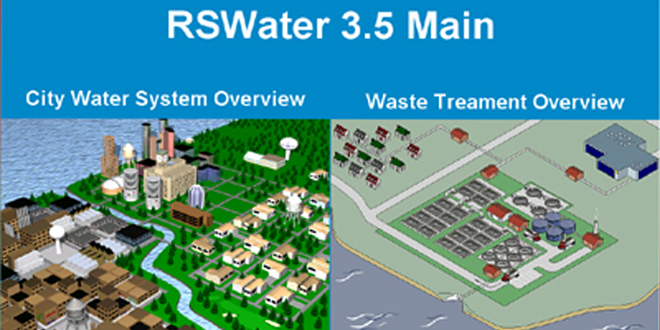
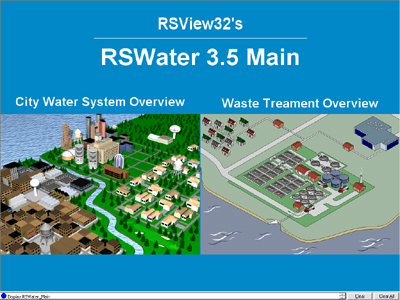
This version of Rockwell’s RSWater demo, dubbed by me as version 3.5, is actually a combination of a few Rockwell demos: RSWater 1 & 2 for RSView32, as well as screens from the Water Demo for RSViewSE.

Note: Special thanks goes out to the guys at Rockwell for exporting the SE graphics to RSView32 to make the Water section possible.

  • RSView32 Version: 6.40
  • Additional Requirements: None
  • I/O Size: 0
  • File Size: 3.45 mb
  • Uploaded on: 8-1-02
  • Original Developed By: Rockwell Software
  • Modified into current form by: Shawn Michael Tierney

Update: 03-16-04 Posted new 3.5 version which has the following additions:

  • Alarm Screen
  • RSMessenger Screen
  • VBA Reports
  • User Security

Download Link: RSView32 RSWater 3.5

Until next time, Peace ✌️ 

If you enjoyed this content, please give it a Like, and consider Sharing a link to it as that is the best way for us to grow our audience, which in turn allows us to produce more content 🙂

Shawn M Tierney
Technology Enthusiast & Content Creator

Support our work and gain access to hundreds members only articles and videos by becoming a member at The Automation Blog or on YouTube. You’ll also find all of my affordable PLC, HMI, and SCADA courses at TheAutomationSchool.com.

Shawn Tierney

(no views)

Note: This article was previously posted on the author's original websites, www.ShawnMichael.com and www.ShawnMTierney.com

RSView32 Menu Bar Demo

ap_hmiscada_rsview32_projects_menubar

ap_hmiscada_rsview32_projects_menubarRSView32 definitely has options. Especially when it  comes to how you display your graphics.

In this demo, I try to show the many different ways to set up an RSView32 project that consists of body screens that change, but that also have common Title and Menu Bars.

The good and bad of each method is also explained.  

  • RSView32 Version: 6.30.16
  • Additional Requirements: 1024×768
  • I/O Size: 0
  • File Size: 246KB
  • Uploaded on: 11/30/01
  • Developed By: Shawn Michael Tierney

Download Link: RSView32 Menu Bar Demo

Until next time, Peace ✌️ 

If you enjoyed this content, please give it a Like, and consider Sharing a link to it as that is the best way for us to grow our audience, which in turn allows us to produce more content 🙂

Shawn M Tierney
Technology Enthusiast & Content Creator

Support our work and gain access to hundreds members only articles and videos by becoming a member at The Automation Blog or on YouTube. You’ll also find all of my affordable PLC, HMI, and SCADA courses at TheAutomationSchool.com.

Shawn Tierney

(no views)

Note: This article was previously posted on the author's original websites, www.ShawnMichael.com and www.ShawnMTierney.com

RSView32 Star Trek Menus

rsview32 project star trek menus

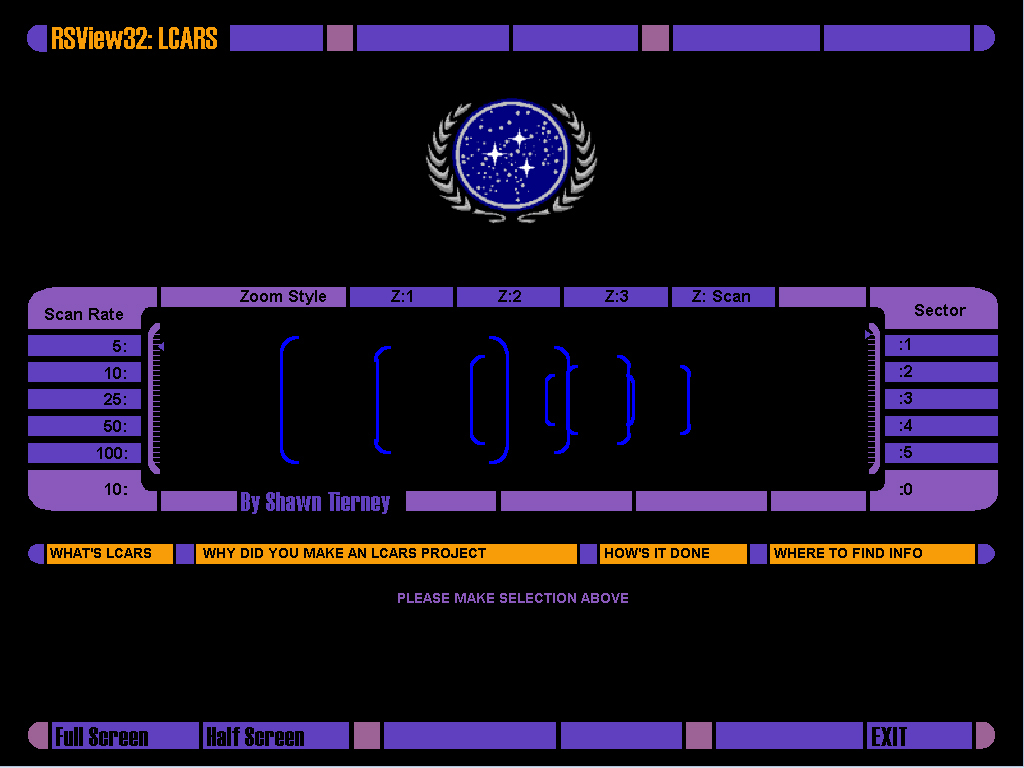
rsview32 project star trek menusThis Project was designed to look like the Star Trek LCARS system.

Although unfinished, the project does include a few resolution independent displays complete with the appropriate button sounds from the show.

Also Included are many more sounds and LCARS sample pics that I never had a chance to implement.

  • RSView32 Version: 6.30.16
  • Additional Requirements: Sound Card
  • Resolution: Independent
  • I/O Size: 0
  • File Size: 1.56MB
  • Uploaded on: 09/17/01
  • Developed By: Shawn Michael Tierney

Download Link: RSView32 Star Trek Menus

Until next time, Peace ✌️ 

If you enjoyed this content, please give it a Like, and consider Sharing a link to it as that is the best way for us to grow our audience, which in turn allows us to produce more content 🙂

Shawn M Tierney
Technology Enthusiast & Content Creator

Support our work and gain access to hundreds members only articles and videos by becoming a member at The Automation Blog or on YouTube. You’ll also find all of my affordable PLC, HMI, and SCADA courses at TheAutomationSchool.com.

Shawn Tierney

(no views)

Note: This article was previously posted on the author's original websites, www.ShawnMichael.com and www.ShawnMTierney.com

RSView32 Simple Message Display

rsview32 simple message display

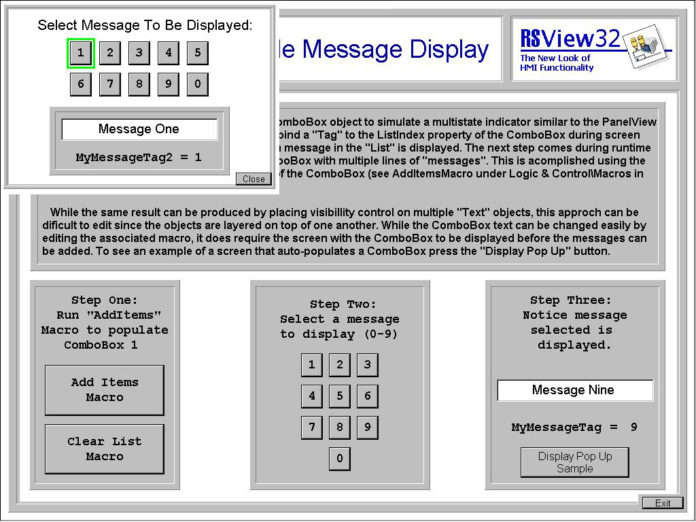
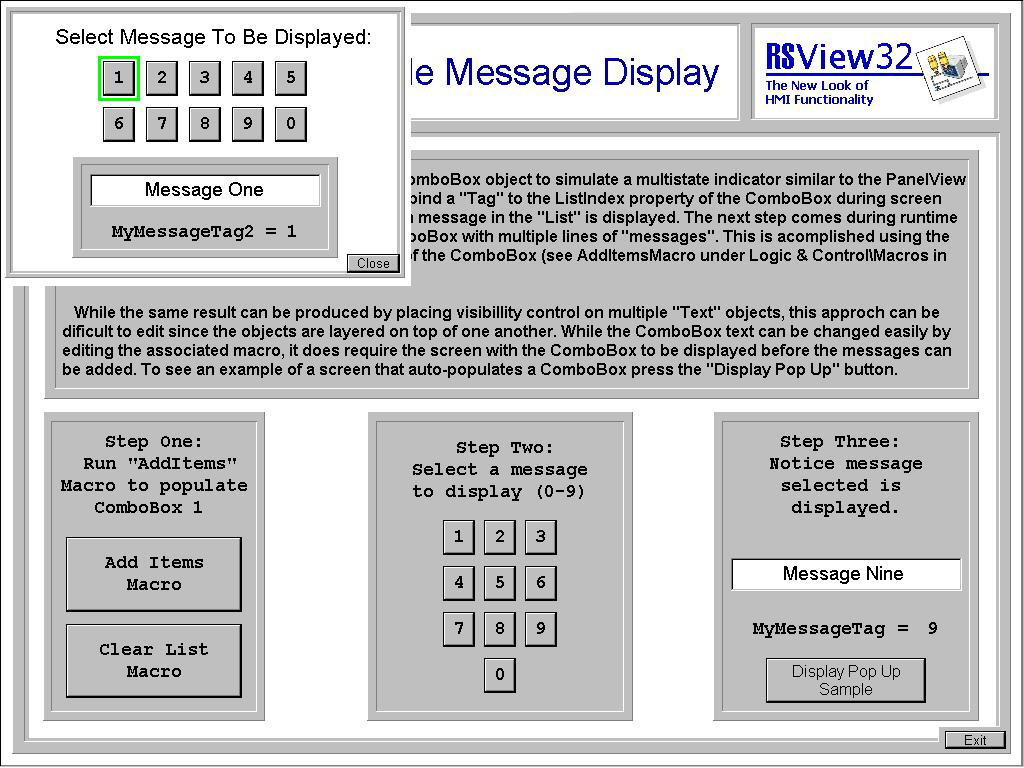
rsview32 simple message displayThis Project was designed as a simple example of how to make a message display from a Combo Box.
It duplicates functionality found in the PanelView’s Multistate Indicator.

  • RSView32 Version: 6.20.49
  • Resolution: 1024×768
  • I/O Size: 0
  • File Size: 109KB
  • Uploaded on: 05/21/01
  • Updated: 01/04/04
  • Developed By: Shawn Michael Tierney

Download Link: RSView32 Simple Message Display

Until next time, Peace ✌️ 

If you enjoyed this content, please give it a Like, and consider Sharing a link to it as that is the best way for us to grow our audience, which in turn allows us to produce more content 🙂

Shawn M Tierney
Technology Enthusiast & Content Creator

Support our work and gain access to hundreds members only articles and videos by becoming a member at The Automation Blog or on YouTube. You’ll also find all of my affordable PLC, HMI, and SCADA courses at TheAutomationSchool.com.

Shawn Tierney

(no views)

Note: This article was previously posted on the author's original websites, www.ShawnMichael.com and www.ShawnMTierney.com

RSView32 Recipe Object Demo

RSView32 Recipe Object Demo

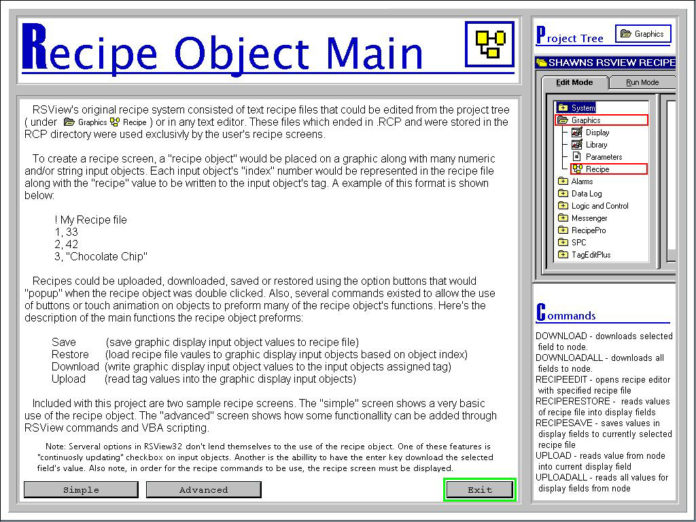
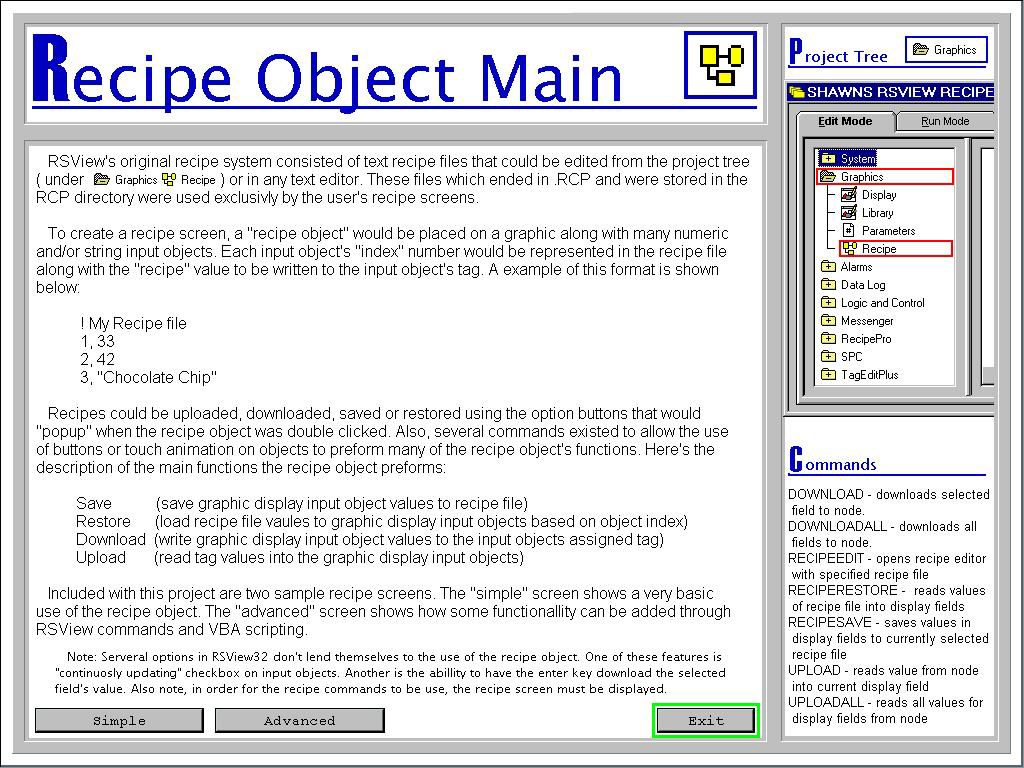
RSView32 Recipe Object DemoThis project is an example of how to use RSView32’s native recipe features. The demo includes a simple version which is not much than a screen with numeric displays. It also includes an advanced version that uses visibility and VBA to customize the look and feel of the recipe screen.

  • RSView32 Version: 6.30.16
  • Additional Requirements: 1024×768
  • I/O Size: 0
  • File Size: 266KB
  • Uploaded on: 2/19/01 (reposted 1/4/4)
  • Developed By: Shawn Michael Tierney

Download Link: RSView32 Recipe Object Demo

Until next time, Peace ✌️ 

If you enjoyed this content, please give it a Like, and consider Sharing a link to it as that is the best way for us to grow our audience, which in turn allows us to produce more content 🙂

Shawn M Tierney
Technology Enthusiast & Content Creator

Support our work and gain access to hundreds members only articles and videos by becoming a member at The Automation Blog or on YouTube. You’ll also find all of my affordable PLC, HMI, and SCADA courses at TheAutomationSchool.com.

Shawn Tierney

(no views)

Note: This article was previously posted on the author's original websites, www.ShawnMichael.com and www.ShawnMTierney.com

RSView32 Read CSV File Demo

RSView32 Read CSV File Demo

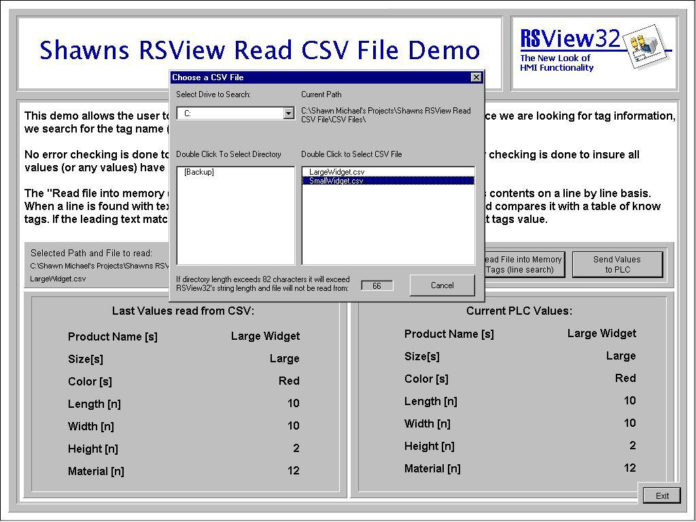
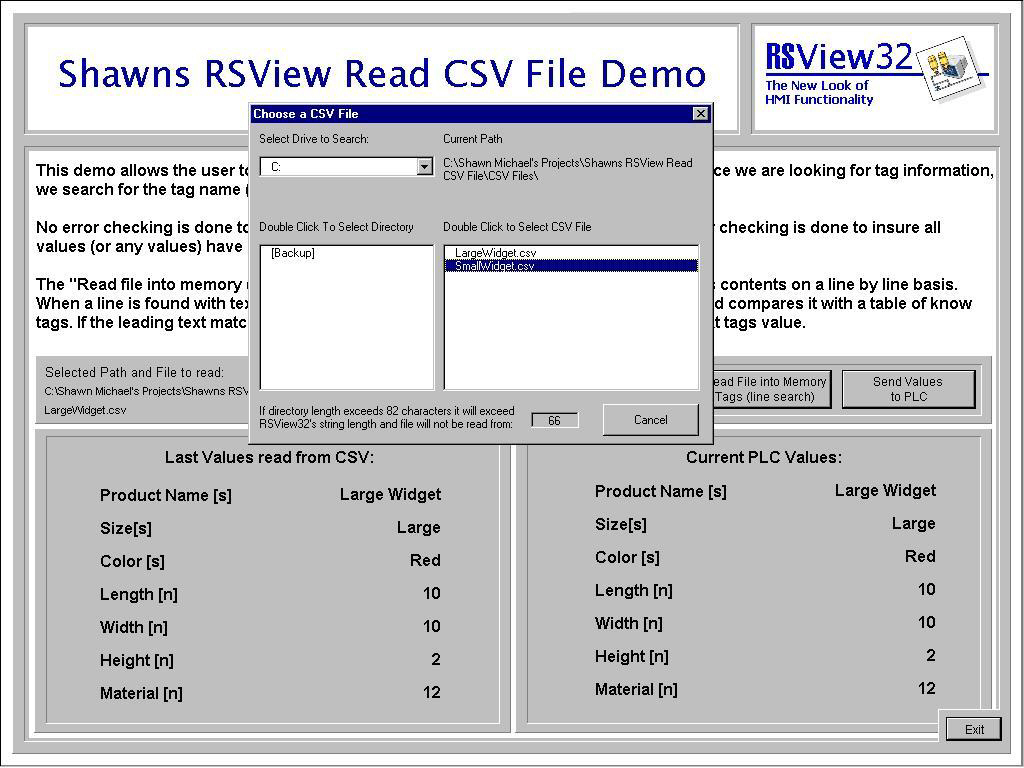
RSView32 Read CSV File DemoThis is a simple example of how to use VBA and CSV files as an alternative to RSView32’s recipe object.

Using a simple “Tag name, Tag value” layout, the target CSV file is chosen through a custom popup VBA form that allows browsing of your hard drive.

  • RSView32 Version: 6.20.49
  • Additional Requirements: 1024×768
  • I/O Size: 0
  • File Size: 105KB
  • Uploaded on: 5/21/00 (reposted on 1/4/4)
  • Developed By: Shawn Michael Tierney

Download Link: RSView32 Read CSV File in RSView32 Bundle

Until next time, Peace ✌️ 

If you enjoyed this content, please give it a Like, and consider Sharing a link to it as that is the best way for us to grow our audience, which in turn allows us to produce more content 🙂

Shawn M Tierney
Technology Enthusiast & Content Creator

Support our work and gain access to hundreds members only articles and videos by becoming a member at The Automation Blog or on YouTube. You’ll also find all of my affordable PLC, HMI, and SCADA courses at TheAutomationSchool.com.

Shawn Tierney

(no views)

Note: This article was previously posted on the author's original websites, www.ShawnMichael.com and www.ShawnMTierney.com

RSView32 Security Popup Demo

RSView32 Security Popup Demo

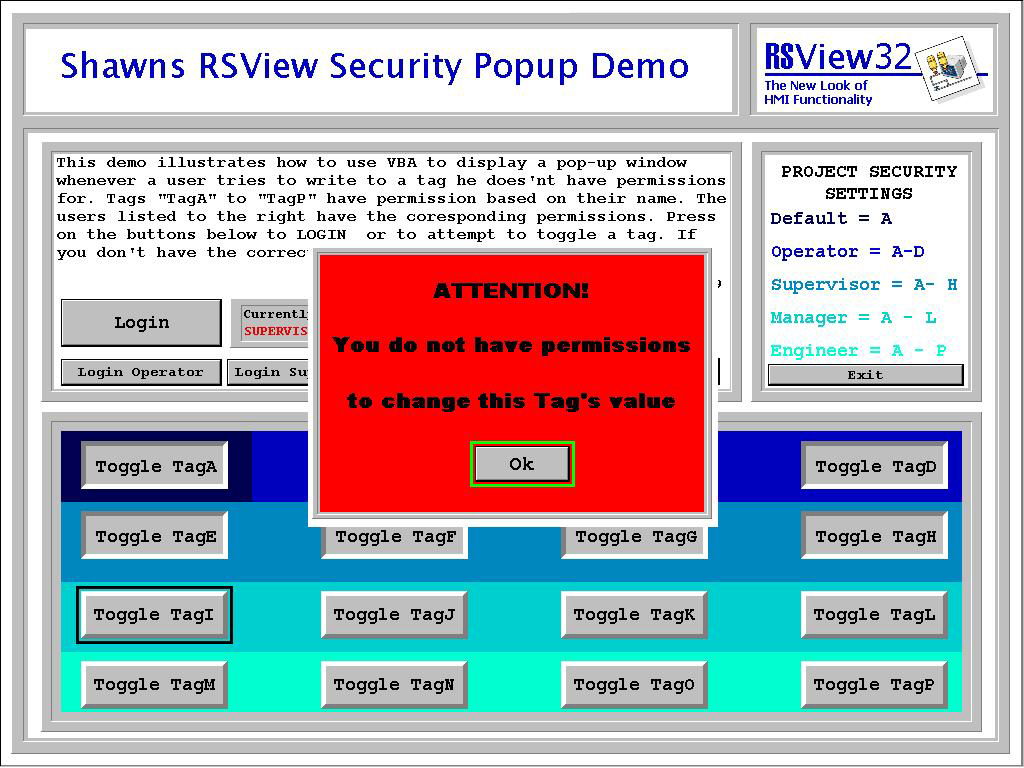
RSView32 Security Popup Demo I get asked a lot if there is some “popup” window that comes up when a user try’s to do something he doesn’t have permissions for. Well, using an RSI app note as a starting point, I put together this demo that does just that.

  • RSView32 Version: 6.20.49
  • Additional Requirements:  1024×768
  • I/O Size: 0
  • File Size: 84KB
  • Uploaded on: 4/30/00 (reposted 1/4/4)
  • Developed By: Shawn Michael Tierney

Download Link: RSView32 Security Popup Demo

Until next time, Peace ✌️ 

If you enjoyed this content, please give it a Like, and consider Sharing a link to it as that is the best way for us to grow our audience, which in turn allows us to produce more content 🙂

Shawn M Tierney
Technology Enthusiast & Content Creator

Support our work and gain access to hundreds members only articles and videos by becoming a member at The Automation Blog or on YouTube. You’ll also find all of my affordable PLC, HMI, and SCADA courses at TheAutomationSchool.com.

Shawn Tierney

(no views)

Note: This article was previously posted on the author's original websites, www.ShawnMichael.com and www.ShawnMTierney.com

RSView32 Top Ten Sorting Demo

RSView32 Top Ten Sorting Demo

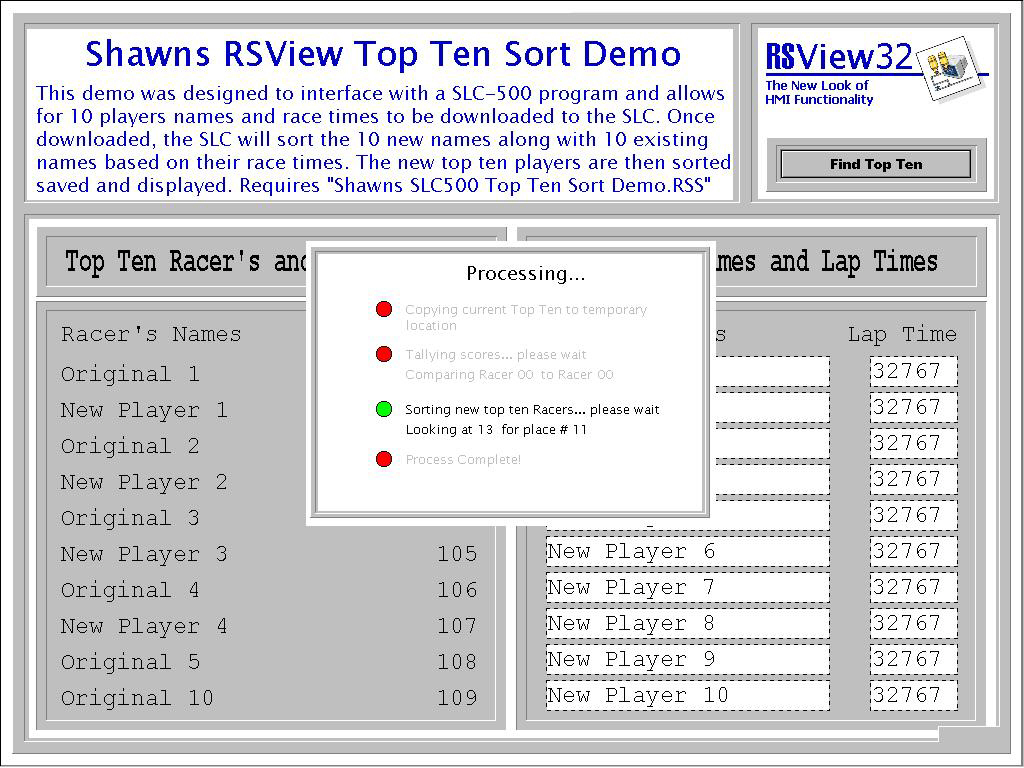
RSView32 Top Ten Sorting DemoOriginally designed for a friend who was participating in a trade show at Disney World.

His company built a “Slot Car” race track to demo their products, and needed a way to keep track of each day’s winners in order to award prizes.

This RSview32 project acts as a front end for the SLC-500 demo of the same name, where all the sorting work is done. You enter in the ten new names and times, press start, view the sorting process, and display the results.

  • RSView32 Version: 6.20.49 Additional Requirements:  1024×768
  • I/O Size: 50
  • File Size: 89KB
  • Uploaded on: 4/30/00 (reposted 1/4/4)
  • Developed By: Shawn Michael Tierney

Download Link: RSView32 Top Ten Sorting Demo

Until next time, Peace ✌️ 

If you enjoyed this content, please give it a Like, and consider Sharing a link to it as that is the best way for us to grow our audience, which in turn allows us to produce more content 🙂

Shawn M Tierney
Technology Enthusiast & Content Creator

Support our work and gain access to hundreds members only articles and videos by becoming a member at The Automation Blog or on YouTube. You’ll also find all of my affordable PLC, HMI, and SCADA courses at TheAutomationSchool.com.

Shawn Tierney

(no views)

Note: This article was previously posted on the author's original websites, www.ShawnMichael.com and www.ShawnMTierney.com

RSView32 Popup Keyboard Demo

RSVIew32 Popup Keyboard Demo

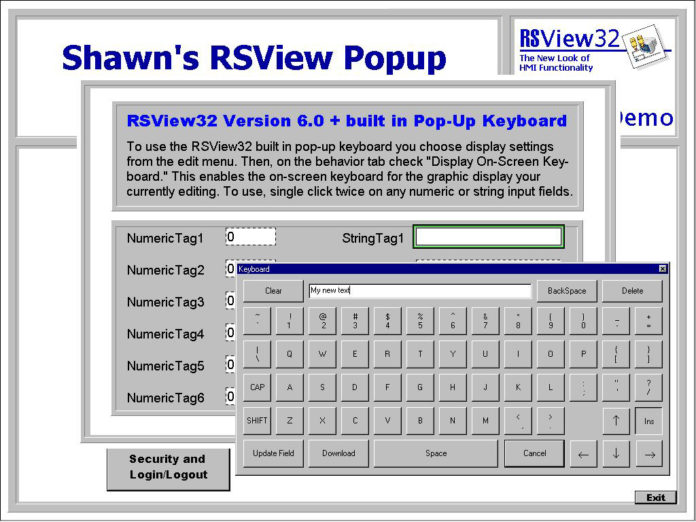
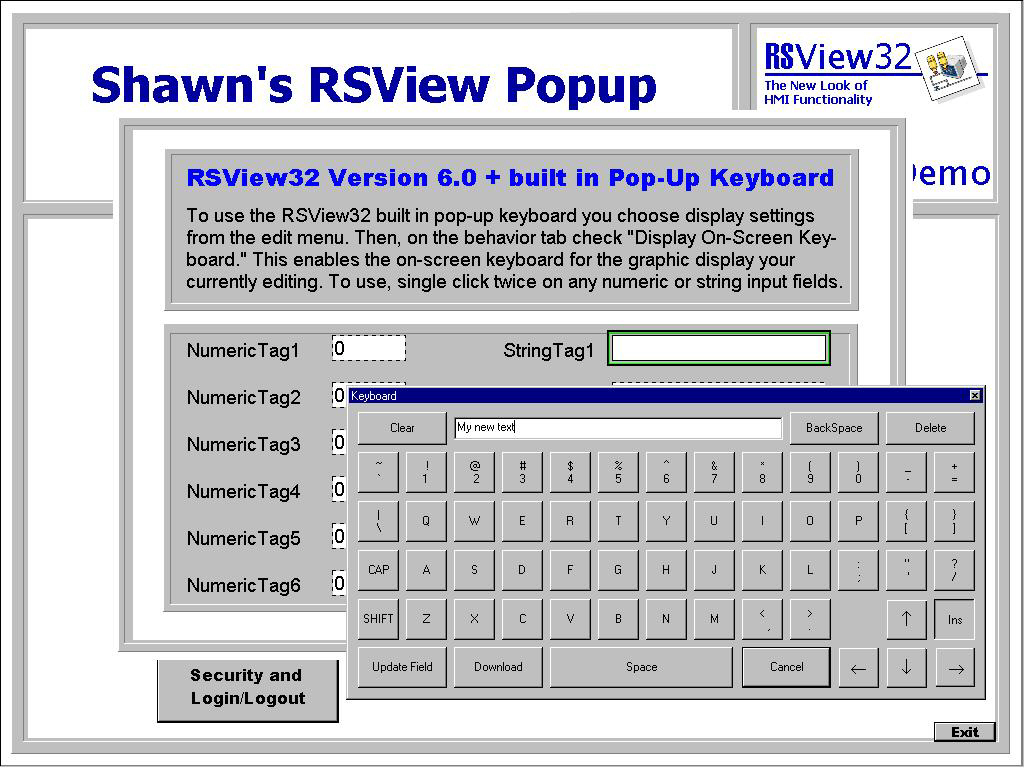
RSVIew32 Popup Keyboard DemoClients ask a lot about using RSView32 on Touch Screen PC’s, and about “pop-up” keyboard support.

This Project was designed to demo the many different popup keyboards available with RSView32.

Note: Included is a patch for Version 6.2 RSVLogin keyboard, and the ActiveX Keyboard install files.

  • RSView32 Version: 6.20.49
  • Additional Requirements:  1024×768
  • I/O Size: 0
  • File Size: 1,611KB
  • Uploaded on: 4/30/00 (reposted on 1/4/4)
  • Developed By: Shawn Michael Tierney

Download Link: RSView32 Popup Keyboard Demo

Until next time, Peace ✌️ 

If you enjoyed this content, please give it a Like, and consider Sharing a link to it as that is the best way for us to grow our audience, which in turn allows us to produce more content 🙂

Shawn M Tierney
Technology Enthusiast & Content Creator

Support our work and gain access to hundreds members only articles and videos by becoming a member at The Automation Blog or on YouTube. You’ll also find all of my affordable PLC, HMI, and SCADA courses at TheAutomationSchool.com.

Shawn Tierney

(no views)

Note: This article was previously posted on the author's original websites, www.ShawnMichael.com and www.ShawnMTierney.com